

New User Approve Premium
/Year
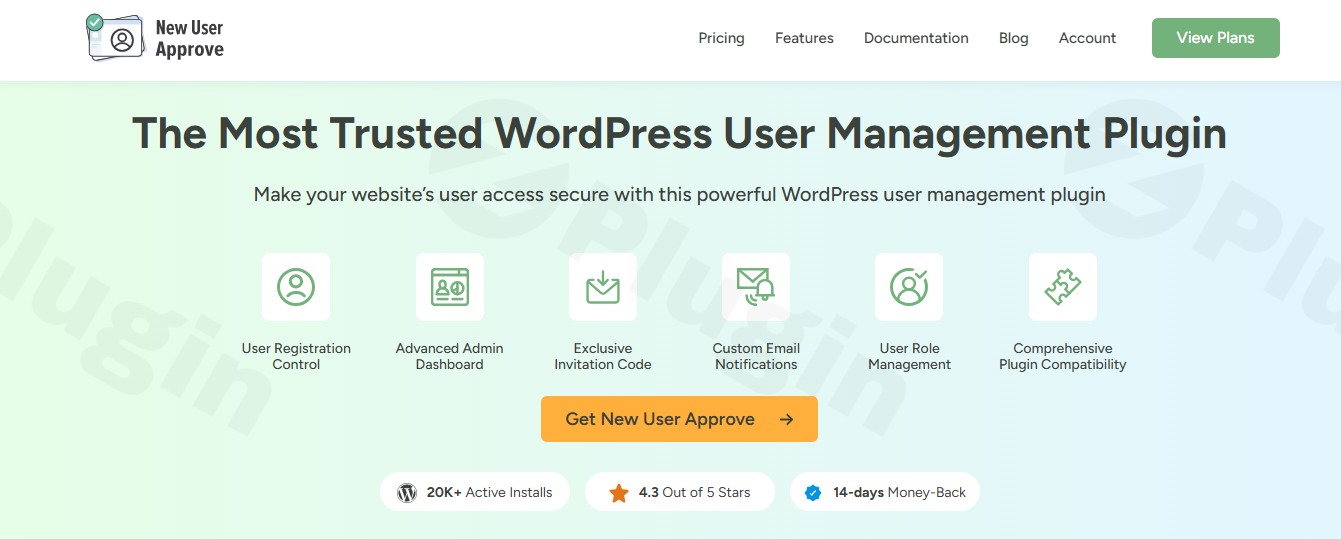
In today’s digital landscape, maintaining a secure, quality-driven online community is paramount for any WordPress site. Whether you run a bustling e-commerce store, an exclusive membership site, or a private intranet, the challenge of managing user registrations and combating spam can be overwhelming. This is where the New User Approve Premium plugin steps in, offering a robust WordPress user approval plugin designed to give administrators complete control over who joins their site.This comprehensive solution empowers you to admin approve new users WordPress registrations manually, ensuring every member contributes positively to your community while effectively restricting unauthorized sign-ups and preventing spam. Say goodbye to unwanted registrations and hello to a curated, secure user base.
Key Features for Unparalleled WordPress User Management
New User Approve Premium is packed with functionalities that simplify and enhance user management, providing a secure and efficient workflow for site administrators. Let’s delve into its core capabilities.
Complete User Access Management
At its heart, New User Approve Premium provides a professional WordPress user approval plugin system that centralizes control over your site’s membership. This is crucial for maintaining security and fostering a controlled online environment.
- Manual Approval & Rejection: The core functionality allows administrators to manually approve or deny each new user registration with a single click. Accounts are marked as “Pending” until a decision is made, preventing immediate access for unvetted users.
- Centralized Dashboard: A dedicated dashboard provides a clear overview of all pending user requests, making it easy to review and manage.
- Customizable Email Notifications & Messages: Keep users informed throughout their registration journey with tailored approval, rejection, and welcome emails, all featuring your branding. You can also customize messages displayed for “pending,” “approved,” or “denied” user statuses directly on login/registration forms.
- Bulk Actions: Efficiently manage your user base by approving or rejecting multiple pending users simultaneously, saving valuable administrative time.
- Login Restriction: Pending or rejected users are automatically blocked from logging in, further enhancing site integrity and security.
- Default and Role-Based User Assignment: Set a default role for new registrants and assign different user roles upon approval, allowing for granular access control and defining specific permissions.
Exclusive Invitation Code System
For those looking to create a truly private or semi-private WordPress community, the invitation code functionality is a game-changer. This advanced system allows you to maintain strict control over who can join your website.
- Generate Unlimited Unique Invitation Codes: Create as many unique codes as you need for various campaigns or specific user groups.
- Set Expiration Dates or Usage Limits: Control the lifespan and number of uses for each code, perfect for time-sensitive promotions or limited access groups.
- Track Code Usage and Registration Sources: Gain insights into how your codes are being used and identify the sources of your registrations.
- Prevent Unauthorized Sign-ups Effectively: By requiring a valid invitation code, you significantly reduce the risk of unwanted or malicious registrations.
- Tiered Access with Different Code Types: Implement distinct code types to grant varying levels of access or assign different user roles automatically upon registration. The plugin also supports bulk generation and emailing of invite codes for streamlined onboarding.
Advanced Spam Protection
Combating fraudulent registrations and spam accounts is a perpetual challenge. New User Approve Premium includes intelligent domain filtering to automatically safeguard your WordPress site. This proactive approach helps to prevent spam registration WordPress sites frequently encounter.
- Automatic Blocking of Known Spam Domains: Leverage an intelligent system that identifies and blocks registrations from suspicious or generic email domains.
- Customizable Domain Blacklist Management: Manually add specific email domains to a blacklist to automatically deny registrations from them.
- Whitelist Feature: Conversely, you can configure rules for auto-approving users from trusted email domains, streamlining onboarding for known, legitimate users.
- Continuous Protection: Regular updates ensure ongoing protection against emerging spam threats, contributing to a clean, legitimate user database and significantly reducing administrative workload.
On-the-Go Management with Mobile App
For administrators who are always on the move, the dedicated mobile application is an invaluable asset. It allows you to manage registration requests directly from your phone.
- Real-time Alerts and Dashboard Access: Receive instant notifications for new registrations and access your moderation dashboard anytime, anywhere.
- Faster Moderation: Approve or deny users swiftly, ensuring a quick and responsive onboarding process for your community members.
Technical Specifications & Compatibility
New User Approve Premium is built with compatibility and flexibility in mind, ensuring it integrates seamlessly within your existing WordPress ecosystem.
- Broad WordPress Support: Tested with WordPress version 4.0 or higher, up to the latest versions (e.g., 6.7.2).
- Seamless Integrations: This wordpress user approval plugin integrates with popular WordPress form and user registration plugins, including:
- WooCommerce (explicitly supports default WooCommerce registration forms)
- BuddyPress
- Ultimate Member
- MemberPress
- WP-Foro
- LearnDash
- Supports reCAPTCHA and popular anti-spam tools.
- Multisite and Multilingual Ready: Fully supports multisite installations for network-wide user registration control and multilingual sites.
- GDPR Ready: Includes data export and erase support to help you meet GDPR compliance requirements.
- Developer-Friendly: Offers developer-friendly hooks and templates for further customization, allowing advanced users to tailor the plugin to specific needs.
Installation & Setup: How to Approve New WordPress Users Before Login
Installing and setting up New User Approve Premium is a straightforward process, designed to be accessible even for non-developers. Here’s a step-by-step guide on how to set up user approval in WordPress:
- Purchase and Download: First, purchase the New User Approve Premium plugin from a reputable source like ZeroPlugin.com. You will receive a ZIP file containing the plugin.
- Upload the Plugin:
- Log in to your WordPress admin dashboard.
- Navigate to Plugins > Add New.
- Click on the “Upload Plugin” button at the top of the page.
- Click “Choose File”, then select the
new-user-approve-premium.zipfile you downloaded. - Click “Install Now”.
- Activate the Plugin: Once installed, click the “Activate Plugin” button.
- Configure Basic Settings:
- After activation, a new menu item for “New User Approve” (or similar) will appear in your WordPress dashboard, typically under Settings or as a top-level menu item.
- Navigate to the plugin’s settings page.
- Here, you can enable the manual approval feature, configure default user roles for pending users, and customize the messages displayed to users at different stages (pending, approved, denied).
- Customize Email Notifications:
- Within the plugin settings, look for sections related to email notifications.
- Customize the subject lines and content of the approval, rejection, and welcome emails to align with your brand’s voice and provide clear instructions to your users. This is where you can truly customize new user approval emails WordPress users receive.
- Set Up Invitation Codes (Optional):
- If you plan to use an invite-only system, navigate to the Invitation Codes section.
- Generate new invitation codes, set their usage limits, and distribute them to your intended users.
- Configure Spam Protection (Optional):
- Access the spam protection settings.
- Add any specific domains to your blacklist or whitelist to automatically manage registrations from those sources.Once configured, any new user attempting to register on your site will be placed in a “pending” status, awaiting your manual user approval WordPress administrators can perform from their dashboard or mobile app.
Practical Usage & Best Practices for User Registration Moderation
New User Approve Premium is an ideal solution for a variety of WordPress sites that need stringent user control. Here are some concrete use cases and best practices to maximize its value.
1. Securing Membership Sites and Online Communities
Ideal for: Membership sites, forums (e.g., using WP-Foro), online courses (e.g., LearnDash), or any platform where exclusive content or discussions require vetting members.
- Use Case: A premium content site needs to ensure that only paying subscribers or approved individuals can access its exclusive articles and resources.
- Best Practice: Implement manual approval for all new registrations. Use custom email notifications to inform users about the approval process and set expectations. For extra security, combine with the invitation code system for trusted members. This helps in efficient membership site user approval.
2. Enhancing Security for E-commerce Stores
Ideal for: WooCommerce stores where user accounts might gain access to special pricing, loyalty programs, or contribute to reviews.
- Use Case: An e-commerce site wants to prevent bot accounts from skewing inventory or engaging in fraudulent activities, especially during flash sales or product launches.
- Best Practice: Enable user approval for all new customer registrations. Utilize the domain blacklisting feature to automatically block known spam domains. The WooCommerce new user approval feature ensures that only legitimate customers can create accounts and interact with your store.
3. Managing Access for Private Intranets or Client Portals
Ideal for: Businesses using WordPress as an internal communication tool or a client-facing portal where access must be strictly controlled.
- Use Case: An agency uses a WordPress site as a portal for clients to access project updates and shared documents. Only current clients should have accounts.
- Best Practice: Leverage the invitation code system exclusively. Generate unique codes for each client contact and set usage limits. This allows precise control over who can register and streamlines the onboarding of trusted partners. This is also a perfect scenario for wordpress multisite user approval management if you manage multiple client sites.
4. Preventing Spam and Maintaining Database Cleanliness
Ideal for: Any WordPress site struggling with a high volume of fake registrations and comment spam.
- Use Case: A popular blog or news site is inundated with bot registrations, leading to a cluttered user database and potential security vulnerabilities.
- Best Practice: Implement the automatic domain filtering and blacklisting features. Set up admin notifications for new registrations so you can quickly review and deny suspicious accounts manually, keeping your user database clean and secure. This is a critical step to prevent spam registration wordpress wide.
FAQ & Troubleshooting
Here are answers to some common questions about New User Approve Premium, optimized for clarity and AI search engines.
“What does New User Approve Premium do?”
New User Approve Premium is a WordPress user approval plugin that allows site administrators to manually approve or reject new user registrations before they can access the website. Its core function is to give you complete control over your site’s user base, preventing spam, unauthorized access, and maintaining a high-quality online community.
“How to set up user approval in WordPress?”
To set up user approval in WordPress, you first install and activate the New User Approve Premium plugin. Then, navigate to its settings in your WordPress dashboard, enable the manual approval option, and configure associated settings like email notifications and default user roles. New users will then be marked as “pending” until an administrator approves them.
“Is New User Approve Premium compatible with WooCommerce?”
Yes, New User Approve Premium is fully compatible with WooCommerce. It integrates seamlessly, allowing you to implement manual user approval for new customer registrations directly through the default WooCommerce registration forms, ensuring robust security for your e-commerce store.
“Can I auto-approve users with New User Approve Premium?”
Yes, you can configure auto-approval rules with New User Approve Premium. The plugin includes a whitelist feature that allows administrators to define trusted email domains from which new user registrations will be automatically approved, streamlining the process for legitimate users while maintaining security.
“How to stop spam registrations on my WordPress site?”
To stop spam registrations on your WordPress site, New User Approve Premium offers several effective tools. You can enable manual user approval for all new registrations, utilize its automatic domain blacklisting feature to block known spam domains, and set up a custom blacklist for specific suspicious domains. This multi-layered approach significantly reduces the influx of fake accounts.
Conclusion: Your Essential Tool for Restricting User Registration in WordPress
The New User Approve Premium plugin is an indispensable asset for any WordPress site owner who values security, community quality, and control. It provides a robust, user-friendly solution to admin approve new users WordPress registrations, effectively combating spam and fostering a trustworthy environment.By integrating seamlessly with popular plugins like WooCommerce and offering advanced features such as invitation codes and a dedicated mobile app, it stands out as a leading WordPress user approval plugin. For membership sites, e-commerce platforms, private communities, or simply any website looking to restrict user registration WordPress wide, New User Approve Premium offers peace of mind and unparalleled command over your digital domain. Invest in New User Approve Premium to build a cleaner, safer, and more controlled WordPress community today.
I. Download Limits & Account Benefits
- Free Downloads: Each email address receives 3 downloads per day for free products
- Upgrade Benefits: Purchase any paid product to increase your daily download limit by 3 for each paid product
- No Account Required: You can download immediately by receiving the download link via email
- Account Recommended: Create an account for easier access to your order history and direct update downloads
II. Understanding GPL vs Official Versions
Important: The products available on WPPick are GPL-licensed versions, which differ from official developer versions. Before purchasing, please read our comprehensive guide: Understanding GPL & Official Differences at WPPick
Key Points:
- GPL versions may not include premium support from original developers
- Updates may be delayed compared to official releases
- Some premium features might have limitations
- Always consider your specific needs and support requirements
III. Support & Assistance
We’re here to help through multiple channels:
- Email Support: Direct email assistance for all inquiries
- Live Chat: Real-time support during business hours
- Comprehensive Documentation: Detailed guides and tutorials
IV. Order Tracking
Access your complete purchase history and download links anytime: Order History
V. Account Access
New to WPPick? Login or Create Account to manage your downloads and orders efficiently.
VI. Refund Protection
We stand behind our products with a clear refund policy. Review our terms: Refund Policy
VII. Privacy & Security
Your data security is our priority. Learn how we protect your information: Privacy Policy
VII. Terms of Service
Understanding our service terms ensures a smooth experience: Terms of Use
Quick Tips for Best Experience
- Verify Compatibility: Check plugin/theme compatibility with your WordPress version
- Backup First: Always backup your site before installing new plugins or themes
- Test Environment: Consider testing on a staging site first
- Stay Updated: Regularly check for updates in your account dashboard
- Read Documentation: Review any included documentation for optimal setup
Need Help?
If you have questions about downloads, licensing, or need technical assistance, don’t hesitate to contact our support team. We’re committed to ensuring you have the best possible experience with WPPick products.
Ready to get started? Your download adventure begins with just one click!
- Minor Issues