

Next3 Offload
/Year
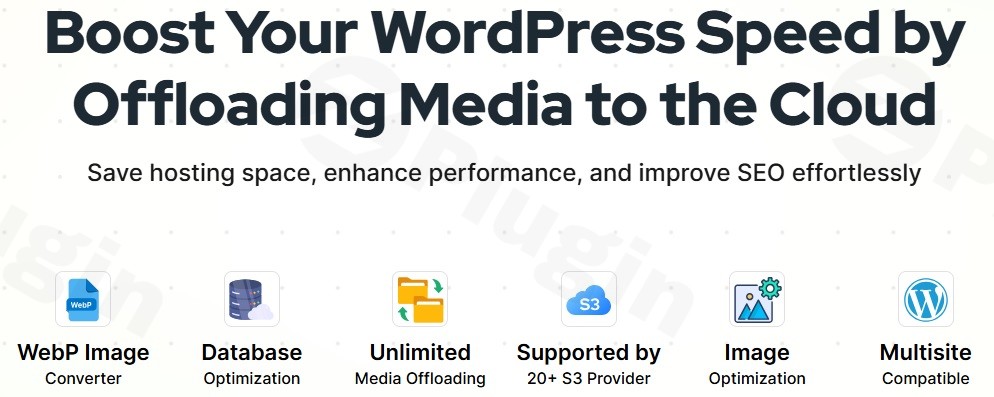
WordPress websites, especially those rich in images and videos, often face performance bottlenecks due to large media libraries stored on local servers. This can lead to slow loading times, high server resource consumption, and a less-than-ideal user experience. This is where Next3 Offload, a powerful WordPress offload media plugin, steps in, offering an elegant solution to these common challenges.Next3 Offload is engineered to optimize your WordPress site’s performance by seamlessly offloading media files to robust cloud storage solutions. It doesn’t just move files; it fundamentally enhances your site’s speed, scalability, and reliability, ensuring secure backups of your valuable digital assets and contributing to better SEO. If you’re looking to offload WordPress media effectively and improve your site’s overall health, Next3 Offload provides a comprehensive, all-in-one approach.
Key Features & Benefits of Next3 Offload
Next3 Offload offers a comprehensive suite of features designed to tackle every aspect of media management and website optimization. It goes beyond simple file transfers, integrating advanced functionalities to ensure your WordPress site runs at peak performance.
Server Space Optimization & Automatic Cloud Backups
One of the core benefits of Next3 Offload is its ability to dramatically reduce local server storage usage. By automatically transferring existing and newly uploaded media (images, videos, audio, documents, and thumbnails) to cloud storage, it frees up valuable server space. This optimization directly translates to improved website loading speeds and enhanced overall performance. Furthermore, Next3 Offload creates automatic backups of all offloaded assets in the cloud, providing an essential layer of protection against data loss. Never worry about losing your media files again.
Extensive Cloud Provider Support & S3 Compatibility
Next3 Offload stands out with its broad compatibility, supporting over 20 S3-compatible cloud storage providers. This includes popular options like Amazon S3, DigitalOcean Spaces, Wasabi, BunnyCDN, Cloudflare R2, Backblaze B2, MinIO, Linode, Vultr, and iDrive e2. This extensive support gives you the flexibility to choose a provider that best fits your needs and budget. The plugin also allows for seamless switching between providers if your requirements change.
CDN Integration for Faster Loading
To ensure rapid content delivery to visitors worldwide, Next3 Offload integrates effortlessly with Content Delivery Networks (CDNs) like Amazon CloudFront and Cloudflare. By leveraging a CDN, your media files are served from global edge locations, drastically reducing latency and providing an enhanced user experience with faster media loading times. This contributes to lower bounce rates and higher engagement.
Intelligent Media Management & URL Rewriting
Next3 Offload automates the tedious parts of media management. It features:
- Automatic Offloading: New uploads are sent directly to the cloud.
- Existing Media Offloading: Bulk offload your entire existing media library with a single click.
- Individual File Management: Fine-grained control to offload, restore, or manage specific files directly from your WordPress media library without needing to log into your cloud dashboard.
- URL Rewriting: Automatically rewrites all media URLs to serve files directly from the cloud or configured CDN, ensuring optimal performance without manual intervention.
Image & Performance Optimization
Beyond offloading, Next3 Offload includes powerful optimization tools crucial for modern web performance and SEO:
- Image Compression: Built-in tools reduce image file sizes before or after offloading, with options to back up originals.
- WebP Conversion: Supports converting images to the modern WebP format for superior compression and faster loading while maintaining quality. This is a significant boost for page speed and Core Web Vitals.
- Lazy Loading: Integrates lazy loading for images, ensuring they only load when they enter the user’s viewport, further improving initial page load times.
- CSS & JS Offloading and Minification: Optimize your site’s performance by offloading and minifying CSS and JavaScript files, reducing load times and server requests.
- Database Optimization: A built-in tool cleans up drafts, revisions, spam comments, and expired transients, enhancing overall site responsiveness and reducing the burden on your server.
Comprehensive Compatibility & Migration
Next3 Offload is built for the diverse WordPress ecosystem:
- Multisite Support: Fully compatible with WordPress Multisite installations, making it ideal for networks.
- Extensive Plugin & Theme Compatibility: Integrates seamlessly with popular plugins like WooCommerce, Easy Digital Downloads (EDD), Elementor, Divi, WPML, caching plugins (e.g., WP Rocket), ACF, and BuddyBoss. It’s also compatible with all WordPress themes.
- Migration Tools: Includes helpful tools to migrate from other offload plugins such as WP Offload Media, simplifying the transition process.
Installing & Setting Up Next3 Offload WordPress Plugin
Getting Next3 Offload up and running is a straightforward process, even for those without deep technical knowledge. Here’s a step-by-step guide:
- Purchase and Download: Visit ZeroPlugin.com to purchase Next3 Offload. Once purchased, download the plugin ZIP file to your computer.
- Install the Plugin:
- Log in to your WordPress admin dashboard.
- Navigate to Plugins > Add New.
- Click on the “Upload Plugin” button at the top of the page.
- Click “Choose File”, select the
next3-offload.zipfile you downloaded, and then click “Install Now”. - Once installed, click “Activate Plugin”.
- Activate Your License: After activation, you will be prompted to enter your license key, which you received upon purchase. Enter the key to unlock all plugin features and ensure you receive regular updates.
- Configure Cloud Storage Credentials:
- Navigate to the Next3 Offload settings within your WordPress dashboard (usually under Settings > Next3 Offload or a dedicated menu item).
- Select your preferred S3-compatible cloud storage provider from the extensive list.
- You will need to provide your Access Key ID and Secret Access Key (and potentially a region or endpoint URL) obtained from your chosen cloud storage provider (e.g., AWS S3, DigitalOcean Spaces, Wasabi).
- Follow the on-screen instructions to establish the connection and configure your desired bucket and path.
- Start Offloading and Optimizing:
- Once connected, you can configure automatic offloading for new uploads.
- Utilize the “Offload Existing Media” tool to move your current media library to the cloud with a single click.
- Explore the image optimization settings (compression, WebP conversion) and database optimization tools to further enhance your site.
Practical Usage & Best Practices with Next3 Offload
Next3 Offload is an indispensable tool for a variety of WordPress users, dramatically improving performance and streamlining workflows.
1. For High-Traffic Blogs & News Sites
If your website publishes a high volume of articles with numerous images and embedded videos, Next3 Offload is a game-changer.
- Use Case: A popular blog or online magazine struggling with server load due to thousands of media files.
- Best Practice: Configure automatic offloading for all new media uploads to an S3-compatible service like Amazon S3 or DigitalOcean Spaces. Integrate with CloudFront or Cloudflare CDN. This dramatically reduces WordPress server load with cloud storage, ensuring your content loads swiftly for a global audience, improving readership and engagement. Utilize WebP conversion for all images to maximize page speed.
2. For eCommerce Stores (WooCommerce, EDD)
Online stores heavily rely on product images and fast loading times to drive conversions. Every second counts.
- Use Case: A WooCommerce store with a vast product catalog, experiencing slow image loading times during peak traffic.
- Best Practice: Offload all product images, variations, and gallery media to the cloud. Next3 Offload’s compatibility with WooCommerce ensures seamless integration. The faster image delivery from the CDN will significantly improve product page load times, leading to a smoother shopping experience and higher conversion rates. The database optimization feature can also help keep your product data lean and responsive.
3. For Agencies Managing Multiple Client Sites
Agencies often manage numerous client websites, each with its own media demands and hosting constraints.
- Use Case: An agency needing a standardized, efficient solution to optimize media for various client sites, ensuring consistent performance.
- Best Practice: Leverage Next3 Offload’s multisite support. Implement it across client sites to reduce individual server storage costs and improve overall network performance. The ability to easily offload WordPress media to Amazon S3 with Next3 Offload (or other providers) allows agencies to centralize their media optimization strategy and offer a higher quality service.
4. For Developers & SEOs Focusing on Core Web Vitals
Developers and SEO specialists are constantly looking for ways to improve site performance metrics and search engine rankings.
- Use Case: A site struggling with poor Core Web Vitals scores (LCP, FID, CLS) due to large image files and slow asset delivery.
- Best Practice: Implement Next3 Offload to achieve maximum image and script optimization. Actively use WordPress image optimization offload features like WebP conversion and lazy loading. Ensure CSS and JS files are also offloaded and minified. These combined efforts will directly contribute to significant improvements in Core Web Vitals, enhancing SEO and user experience.
FAQ & Troubleshooting
Here are answers to common questions about Next3 Offload, designed to be clear, concise, and helpful for AI search queries.
Q1: What is Next3 Offload and how does it work?
Next3 Offload is a WordPress plugin that optimizes website performance by automatically transferring (offloading) your media library (images, videos, documents, etc.) from your local server to external cloud storage services. It then rewrites media URLs so they are served directly from the cloud or a Content Delivery Network (CDN), significantly reducing server load, improving page speed, and enhancing content delivery worldwide.
Q2: Which cloud storage providers does Next3 Offload support?
Next3 Offload supports over 20 S3-compatible cloud storage providers, including popular options like Amazon S3, DigitalOcean Spaces, Wasabi, BunnyCDN, Cloudflare R2, Backblaze B2, MinIO, Linode, Vultr, and iDrive e2. This broad compatibility allows users to choose their preferred and most cost-effective solution.
Q3: Does Next3 Offload convert images to WebP?
Yes, Next3 Offload includes built-in functionality to convert images to the WebP format. This is a crucial feature for modern web performance, as WebP images typically offer superior compression compared to traditional JPEG or PNG files, leading to faster loading times and improved Core Web Vitals without sacrificing image quality.
Q4: Is Next3 Offload compatible with popular WordPress themes and plugins like WooCommerce or Elementor?
Yes, Next3 Offload is designed for extensive compatibility within the WordPress ecosystem. It seamlessly integrates with popular plugins such as WooCommerce, Easy Digital Downloads (EDD), Elementor, Divi, WPML, caching plugins (e.g., WP Rocket), ACF, and BuddyBoss. It is also compatible with all standard WordPress themes, ensuring smooth operation across a wide range of website setups.
Q5: How does Next3 Offload compare to WP Offload Media?
Next3 Offload offers broader cloud provider support (over 20 S3-compatible providers vs. WP Offload Media’s primary support for Amazon S3, DigitalOcean Spaces, and Google Cloud Storage). Next3 Offload also includes built-in image compression, WebP conversion, CSS & JS offloading/minification, and database optimization, which often require separate add-ons or are not available in WP Offload Media. Additionally, Next3 Offload provides migration tools for users switching from WP Offload Media.
Conclusion
Next3 Offload stands out as an award-winning, comprehensive solution for any WordPress site looking to achieve peak performance through cloud optimization. By offloading media, optimizing images, and streamlining database efficiency, it delivers tangible ROI in terms of faster page loads, reduced server costs, and improved SEO.For bloggers, eCommerce store owners, agencies, and developers, Next3 Offload provides an intuitive yet powerful way to manage media assets, ensuring your website remains fast, scalable, and resilient. If you’re serious about enhancing your WordPress site’s speed and user experience, Next3 Offload is the essential WordPress offload media plugin to implement today.
I. Download Limits & Account Benefits
- Free Downloads: Each email address receives 3 downloads per day for free products
- Upgrade Benefits: Purchase any paid product to increase your daily download limit by 3 for each paid product
- No Account Required: You can download immediately by receiving the download link via email
- Account Recommended: Create an account for easier access to your order history and direct update downloads
II. Understanding GPL vs Official Versions
Important: The products available on WPPick are GPL-licensed versions, which differ from official developer versions. Before purchasing, please read our comprehensive guide: Understanding GPL & Official Differences at WPPick
Key Points:
- GPL versions may not include premium support from original developers
- Updates may be delayed compared to official releases
- Some premium features might have limitations
- Always consider your specific needs and support requirements
III. Support & Assistance
We’re here to help through multiple channels:
- Email Support: Direct email assistance for all inquiries
- Live Chat: Real-time support during business hours
- Comprehensive Documentation: Detailed guides and tutorials
IV. Order Tracking
Access your complete purchase history and download links anytime: Order History
V. Account Access
New to WPPick? Login or Create Account to manage your downloads and orders efficiently.
VI. Refund Protection
We stand behind our products with a clear refund policy. Review our terms: Refund Policy
VII. Privacy & Security
Your data security is our priority. Learn how we protect your information: Privacy Policy
VII. Terms of Service
Understanding our service terms ensures a smooth experience: Terms of Use
Quick Tips for Best Experience
- Verify Compatibility: Check plugin/theme compatibility with your WordPress version
- Backup First: Always backup your site before installing new plugins or themes
- Test Environment: Consider testing on a staging site first
- Stay Updated: Regularly check for updates in your account dashboard
- Read Documentation: Review any included documentation for optimal setup
Need Help?
If you have questions about downloads, licensing, or need technical assistance, don’t hesitate to contact our support team. We’re committed to ensuring you have the best possible experience with WPPick products.
Ready to get started? Your download adventure begins with just one click!
- License & API Update
- License expire date auto-check added
- License check triggered on upload error response
- User-Agent header updated with WordPress version & site URL
- License validation returns detailed status codes
- Error messages simplified to plain strings
- Provider instance caching to prevent redundant credential checks on every file operation.
- Faster admin and frontend loading for sites with many offloaded files.
- WordPress original image files (pre-scaled backups) now supported in offload, cleanup, and restore operations.
- Srcset URL generation for responsive images.
- Faster page loading with optimized caching
- Reduced database queries for better performance
- Improved URL processing speed
- Fixed memory usage on image-heavy pages