
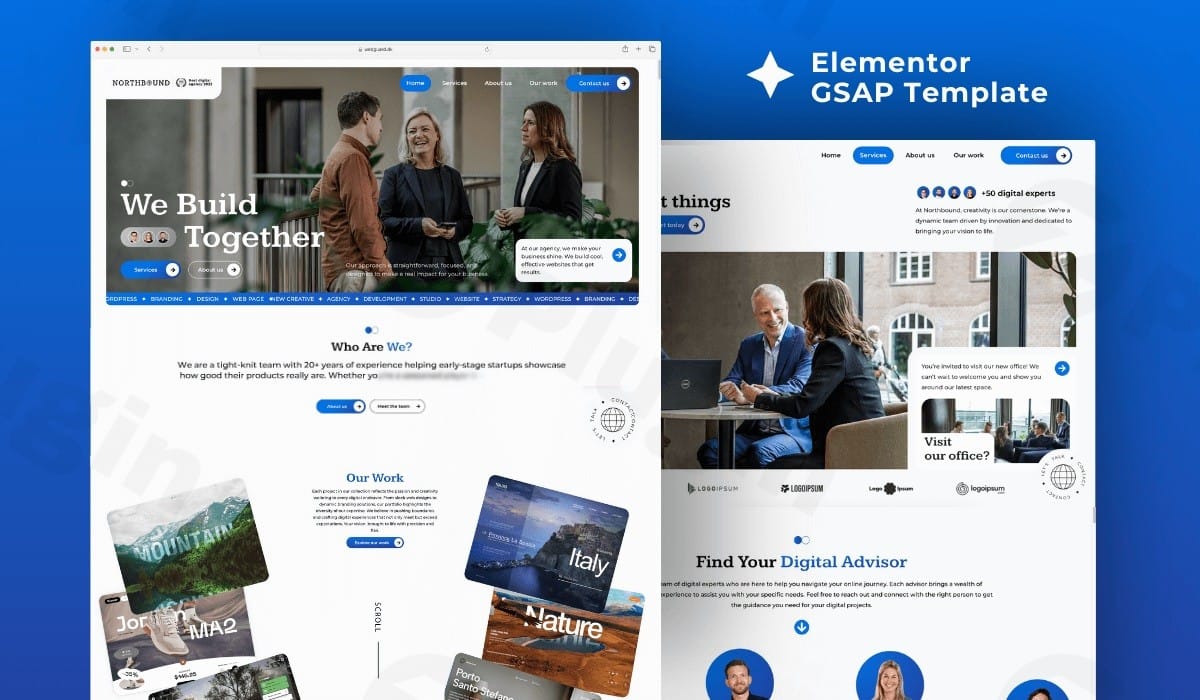
Northbound Agency – Gsap Elementor Pro Template
/Year
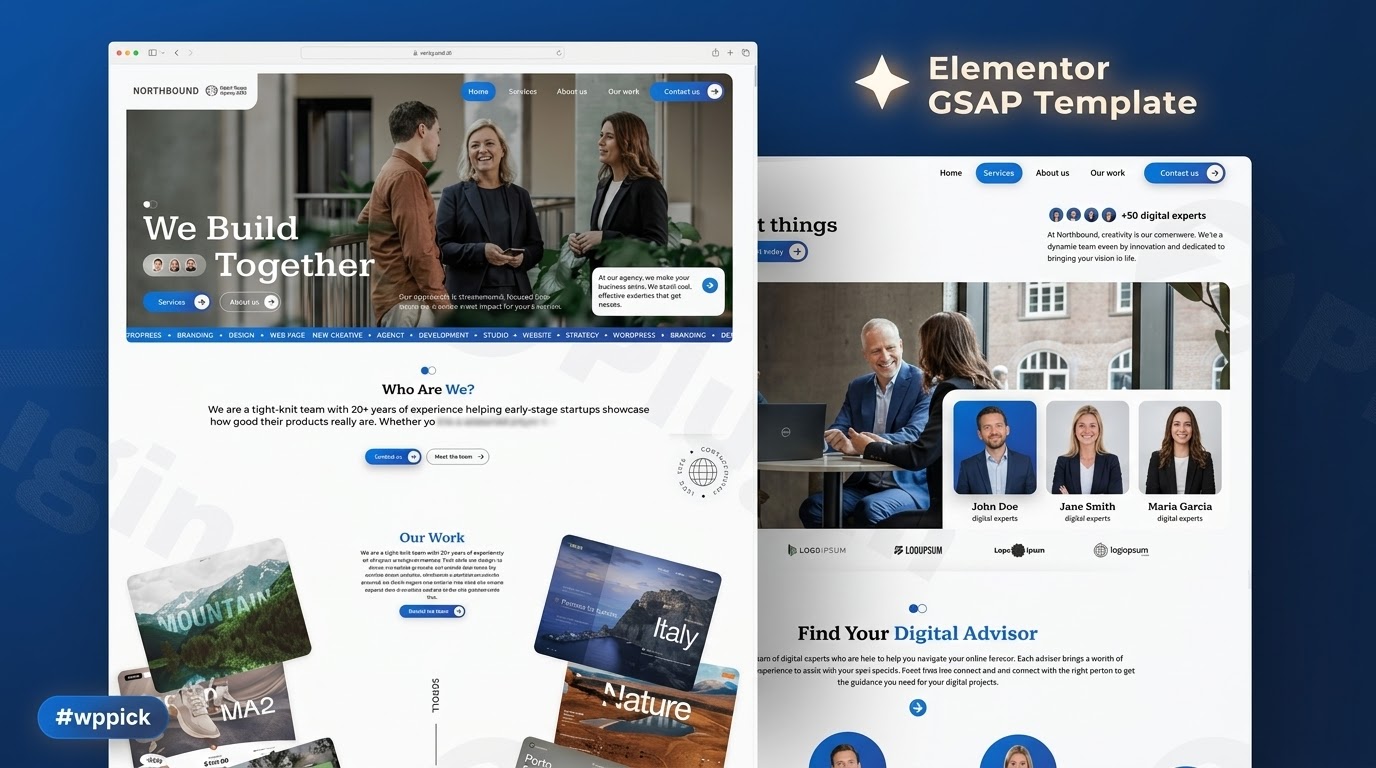
In today’s competitive digital landscape, a visually captivating and high-performing website is not just an advantage—it’s a necessity. Static designs often fail to capture attention, leading to higher bounce rates and missed opportunities. This is where the Premium Elementor Template with GSAP Scroll Animations steps in, offering a sophisticated yet lightweight solution to transform your online presence.This specialized WordPress template, designed for users of Elementor Pro, meticulously integrates the powerful GreenSock Animation Platform (GSAP) and its ScrollTrigger capabilities. The result? Stunning, scroll-triggered animations that bring your content to life, engage visitors, and elevate your brand without the burden of heavy third-party plugins. Whether you’re an agency crafting bespoke client sites, a freelancer showcasing your portfolio, or a business aiming for a standout digital storefront, this template provides the tools to create an unforgettable user experience.
Key Features for a High-Impact Website
The Northbound Agency – GSAP Elementor Pro Template is engineered to deliver exceptional visual appeal and performance, providing a robust foundation for any professional website.
- Advanced GSAP & ScrollTrigger Animations: At its core, this template harnesses the power of GSAP, the industry-standard JavaScript animation library, combined with ScrollTrigger. This integration allows for seamless, high-performance, and captivating scroll-triggered animations that transform static pages into dynamic, interactive experiences, significantly boosting user engagement.
- Lightweight & Performance-Optimized: Designed with speed in mind, this template ensures fast load times and a fluid user experience. It achieves this by being exceptionally lightweight, intentionally minimizing reliance on third-party plugins or heavy theme dependencies, using primarily Elementor Pro and GSAP.
- 5 Fully Customizable Pages: Get a head start with a complete set of five professionally designed pages. Each page is fully customizable within Elementor’s intuitive visual editor, allowing you to easily adjust layouts, colors, typography, and content to perfectly match your brand identity without requiring any coding knowledge.
- Mobile-Responsive Design: Reach your audience wherever they are. The template is meticulously crafted to ensure flawless appearance and functionality across all devices, from large desktop monitors to tablets and smartphones, guaranteeing a consistent and excellent user experience.
- Time-Saving Pre-built Components: Accelerate your website development workflow with a collection of pre-built sections and elements. These components are designed for efficiency, enabling quick assembly and customization of complex designs, saving you valuable development time.
- SEO-Friendly Structure: Built with search engine optimization in mind, the template incorporates clean code and an organized structure from the outset. This foundational SEO-friendliness is crucial for better visibility and ranking in search engine results.
- Intuitive Workflow: Complex animations typically require advanced coding. However, this template simplifies the process, allowing both beginners and experienced developers to implement sophisticated GSAP animations within Elementor’s user-friendly interface.
Installation & Setup: Get Your Site Live in Minutes
Getting started with the Premium Elementor Template with GSAP Scroll Animations is straightforward, designed for quick deployment even for non-developers.
Prerequisites:
Before you begin, ensure you have the following installed and activated on your WordPress website:
- WordPress Installation: A recent and updated WordPress installation.
- Elementor (Free Version): The free Elementor page builder plugin.
- Elementor Pro: This template is exclusively built for Elementor Pro users, so ensure your Elementor Pro license is active.
- PHP Version: Your WordPress hosting environment should use PHP 8.1 for optimal performance and functionality.
- Lightweight Theme (Recommended): For best results and to avoid potential conflicts, consider using a lightweight, Elementor-friendly theme like “Hello Elementor.”
- Website Backup: Always create a full backup of your website before importing any new templates or kits.
Step-by-Step Template Import Guide:
The process of importing your template kit is designed to be quick and efficient, often taking as little as 3 minutes with the accompanying video tutorial.
- Download Your Template Kit: After purchase, download the template kit from ZeroPlugin.com. It will typically be a
.zipfile. Do not unzip this file. - Navigate to Elementor Tools: In your WordPress dashboard, go to
Elementor > Tools. - Access the Import/Export Kit: Click on the
Import / Export Kittab. - Start the Import Process: Under the “Import a Template Kit” section, click the
Start Importbutton. - Upload Your Kit File: An upload window will appear. Drag and drop your template kit’s
.zipfile into the designated area, or click to browse and select it from your computer. - Review and Import Components: Elementor will analyze the zip file and display a list of all templates, site parts, and global styles included in the kit. You can choose to import all components (recommended for a complete site) or select specific ones. Click the
Importbutton to begin. - Import Completion: Once the import is finished, you will see a success message.
Post-Import Configuration:
After importing the kit, you’ll need to configure your site to display the new design correctly:
- Create Your Pages: The imported templates are stored in your Elementor library.
- Go to
Pages > Add New. - Give your page a title (e.g., “Home,” “About Us,” etc.).
- Under “Page Attributes” (usually found in the right sidebar), select
Elementor Full Widthfor the template. - Click
Publish, thenEdit with Elementor. - In the Elementor editor, click the gray folder icon to open the library.
- Go to the
My Templatestab, find the corresponding imported page template, and clickInsert. Repeat for all desired pages.
- Go to
- Assign Your Homepage:
- Go to
Settings > Readingin your WordPress dashboard. - Under “Your homepage displays,” select “A static page” and choose the new page you created as your homepage.
- Go to
- Set Up Your Header and Footer:
- Navigate to
Templates > Theme Builder. - You should see the imported header and footer templates.
- For each, click “Edit Conditions” and set it to “Entire Site” to ensure they appear across all your pages.
- Navigate to
- Create Your Navigation Menu:
- Go to
Appearance > Menus. - Create a new menu and add your newly created pages to it.
- Assign the menu to the appropriate location (e.g., “Header” or “Primary Menu”).Comprehensive Video Tutorial: A detailed video tutorial is available to guide you through every step of the installation and feature implementation, ensuring a smooth setup process.
- Go to
Practical Usage & Best Practices
Leveraging the Premium Elementor Template with GSAP Scroll Animations goes beyond mere installation; it’s about maximizing its potential to create truly engaging web experiences.
- Craft a “Wow Factor” Experience: Utilize the integrated GSAP ScrollTrigger animations to tell your brand story dynamically. Think about how elements can subtly animate into view as users scroll, guiding their attention and creating a memorable browsing journey. This “wow factor” is proven to increase website traffic and boost engagement.
- Strategic Customization: While the template provides beautiful pre-built designs, take advantage of Elementor Pro’s extensive customization options. Adjust colors to match your brand palette, experiment with typography for readability, and rearrange sections to optimize your content flow. Remember, the goal is deep brand integration.
- Optimize for Conversion: Integrate clear calls-to-action (CTAs) within your animated sections. For e-commerce sites, captivating product showcases with subtle animations can lead to higher conversion rates by making the shopping experience more interactive and enjoyable.
- Maintain Performance: Despite its advanced animations, this template is built for speed. Continuously optimize your images and other media assets to maintain fast load times, which are crucial for both user experience and SEO.
- Stay Updated: ZeroPlugin.com provides regular updates to ensure compatibility and introduce new enhancements. Regularly update your template and Elementor Pro to benefit from the latest features and security improvements.
Conclusion: Elevate Your Web Presence
The Premium Elementor Template with GSAP Scroll Animations is more than just a design kit; it’s a powerful tool to create professional, high-performing, and visually stunning WordPress websites. With its seamless integration of GSAP for advanced animations, a lightweight and optimized structure, and unparalleled customization options through Elementor Pro, it empowers agencies, freelancers, and businesses to build truly standout digital experiences.With individual design components valued at $5-$10 each, this comprehensive template package delivers $245 worth of premium design elements, offering significant value compared to purchasing elements separately. Coupled with ZeroPlugin.com’s commitment to 100% GPL licensed software, regular updates, VirusTotal verified safe downloads, and clean, optimized code, you can build with confidence and trust.Choose this template to save development time, enhance user engagement, and transform your website into a dynamic, conversion-focused asset that truly reflects the quality and innovation of your brand.
I. Download Limits & Account Benefits
- Free Downloads: Each email address receives 3 downloads per day for free products
- Upgrade Benefits: Purchase any paid product to increase your daily download limit by 3 for each paid product
- No Account Required: You can download immediately by receiving the download link via email
- Account Recommended: Create an account for easier access to your order history and direct update downloads
II. Understanding GPL vs Official Versions
Important: The products available on WPPick are GPL-licensed versions, which differ from official developer versions. Before purchasing, please read our comprehensive guide: Understanding GPL & Official Differences at WPPick
Key Points:
- GPL versions may not include premium support from original developers
- Updates may be delayed compared to official releases
- Some premium features might have limitations
- Always consider your specific needs and support requirements
III. Support & Assistance
We’re here to help through multiple channels:
- Email Support: Direct email assistance for all inquiries
- Live Chat: Real-time support during business hours
- Comprehensive Documentation: Detailed guides and tutorials
IV. Order Tracking
Access your complete purchase history and download links anytime: Order History
V. Account Access
New to WPPick? Login or Create Account to manage your downloads and orders efficiently.
VI. Refund Protection
We stand behind our products with a clear refund policy. Review our terms: Refund Policy
VII. Privacy & Security
Your data security is our priority. Learn how we protect your information: Privacy Policy
VII. Terms of Service
Understanding our service terms ensures a smooth experience: Terms of Use
Quick Tips for Best Experience
- Verify Compatibility: Check plugin/theme compatibility with your WordPress version
- Backup First: Always backup your site before installing new plugins or themes
- Test Environment: Consider testing on a staging site first
- Stay Updated: Regularly check for updates in your account dashboard
- Read Documentation: Review any included documentation for optimal setup
Need Help?
If you have questions about downloads, licensing, or need technical assistance, don’t hesitate to contact our support team. We’re committed to ensuring you have the best possible experience with WPPick products.
Ready to get started? Your download adventure begins with just one click!
No changelog available.