
Novashare – Wp Social Sharing Plugin
/Year
In the bustling world of content creation and digital marketing, getting your valuable content shared across social media platforms is paramount. However, many WordPress social sharing plugins come with a hidden cost: they can severely impact your website’s performance, leading to slower load times and a poor user experience. Enter Novashare WordPress plugin, a premium solution engineered from the ground up to deliver lightning-fast social sharing capabilities without compromising your site’s speed or SEO. If you’re looking for a fast WordPress social share plugin that truly delivers, this in-depth Novashare review will show you why it’s the professional choice.Novashare is designed to help content creators, bloggers, e-commerce stores, and business websites boost their social engagement and visibility. With an incredibly lightweight footprint—often under 5KB on the front-end—it ensures your pages load quickly, keeping both your visitors and search engines happy.
Key Features That Drive Engagement and Performance
Novashare isn’t just about speed; it’s packed with powerful features designed to maximize your content’s reach and impact, all while adhering to the highest performance standards.
Unmatched Performance Optimization: The Core of Novashare
Novashare stands out as a WordPress performance social plugin due to its obsessive focus on speed. Unlike bloated alternatives, it minimizes its impact on your site.
- Lightweight & Fast: The plugin adds as little as 3.2 KB to 5 KB to your front-end, making it 80% smaller than many competitors. This minimal footprint ensures your pages remain blazing fast.
- No jQuery Dependency: A significant differentiator, Novashare operates without relying on jQuery, a common source of performance overhead for many WordPress plugins.
- Inline SVG Icons: Instead of external icon libraries or additional DNS lookups, Novashare uses inline SVG icons, improving loading times and reducing requests.
- Custom Database Tables: To prevent bloat in the
wp_optionstable—a common performance bottleneck for large sites—Novashare utilizes custom database tables for scalability. - Google Core Web Vitals Focus: Every aspect of the plugin is optimized with Google Core Web Vitals in mind, ensuring a positive impact on your site’s performance and SEO.
- Conditional Loading & Built-in Cache: Scripts only load where explicitly enabled, and an integrated cache system reduces API calls for share counts, further enhancing speed.
Flexible Social Share Buttons & Display Options
Novashare provides extensive control over how and where your share buttons appear, ensuring they seamlessly integrate with your site’s design and user flow.
- Inline Content Buttons: Place share buttons before, after, or both above and below post content, pages, custom post types, and even WooCommerce products. For precise control, use the provided shortcode in content, sidebars, or footer widget areas.
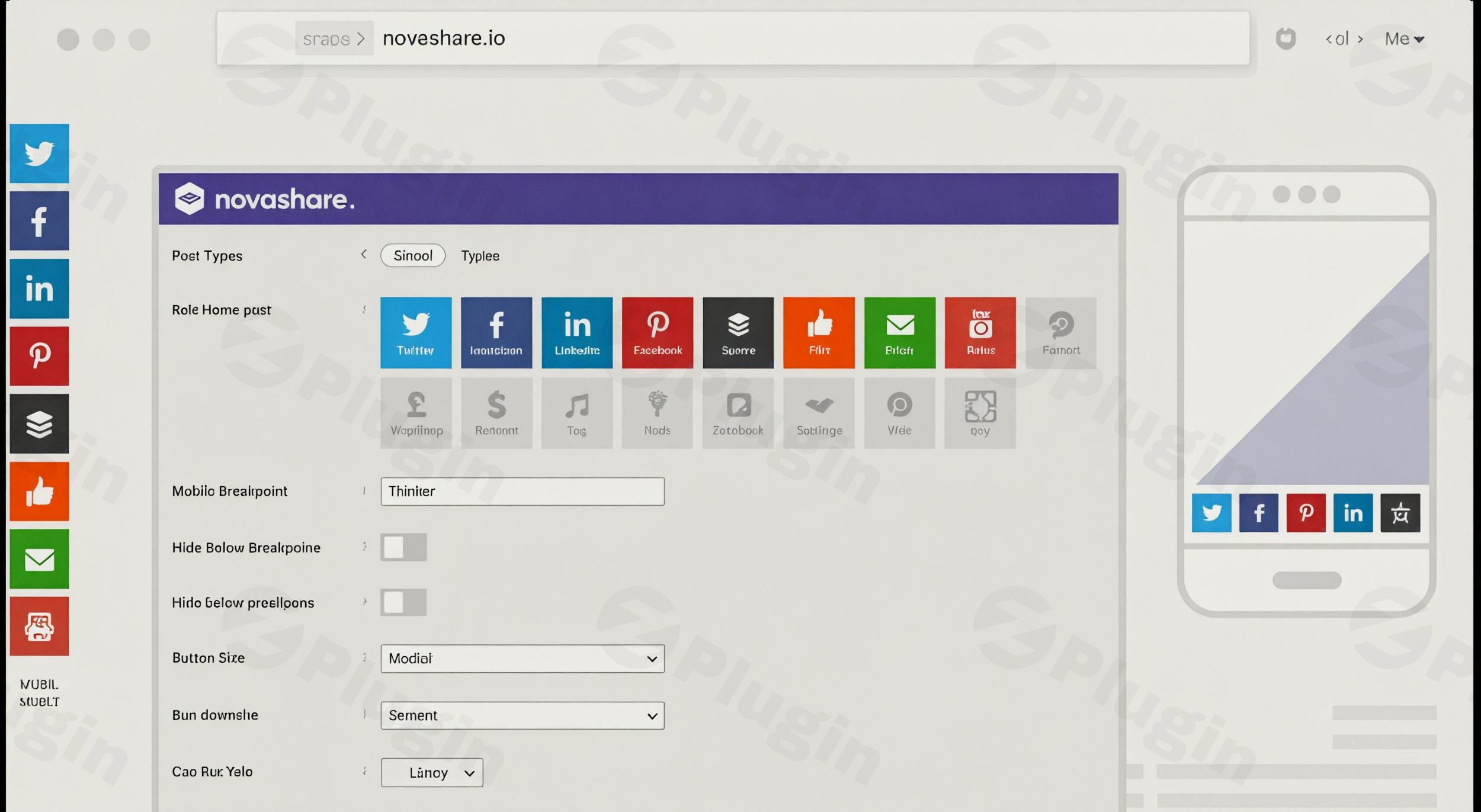
- Floating Share Bar: Implement a customizable floating bar for desktops that can also adapt for mobile, sticking to the bottom of the screen. You can set specific breakpoints to control its visibility across different devices.
- Extensive Network Support: Novashare supports over 21 popular social networks, including X (formerly Twitter), Facebook, LinkedIn, Pinterest, Reddit, Email, Print, SMS, Copy, Messenger, and more. Notably, it also supports sharing to modern AI platforms like Claude, Google AI, ChatGPT, Grok, and Perplexity, making it future-proof.
Comprehensive Share Analytics & Recovery
Understanding your content’s social performance is crucial. Novashare offers robust tools to track and display social share counts WordPress.
- Individual & Total Share Counts: Display real-time share counts for individual social networks and a total share count, providing social proof and encouraging further sharing.
- Share Count Recovery: A critical feature for any site owner, Novashare includes an automatic recovery system for lost share counts. This is invaluable for sites undergoing HTTP to HTTPS migrations, domain changes, permalink structure alterations, or URL changes. If you need to recover lost social share counts WordPress, this feature is a lifesaver.
- Configurable Refresh Rates: Optimize performance with three built-in share count refresh rate options, including a staggered approach. Developers can also use filters for custom rates.
- Minimum Share Count: Set a minimum share count to display, preventing low counts from appearing until a certain threshold is met.
Advanced Click-to-Tweet Functionality
Boost your Twitter engagement directly from your content with Novashare’s intuitive Click-to-Tweet feature.
- Seamless Block Editor Integration: Easily add customizable “Click to Tweet” blocks within the WordPress editor (Gutenberg).
- Customization Options: Modify themes, call-to-action text, position, and choose to hide URLs or usernames for cleaner tweets.
Pinterest Specific Features
For content creators heavily reliant on Pinterest, Novashare provides specialized tools to optimize sharing and presentation. If you’re wondering about Novashare Pinterest image hover pin setup, it’s incredibly straightforward.
- Image Hover Pins: Enable an elegant hover effect on images, allowing visitors to easily pin them to Pinterest. This is implemented with inline CSS for optimal performance.
- Hidden Pinterest Images: Upload and use separate, hidden images specifically optimized for Pinterest. These images will be pinned instead of the inline image, without impacting page performance or SEO.
- Custom Pinterest Titles: Set custom titles and descriptions for your Pinterest pins to ensure they’re perfectly tailored for the platform.
Follow Widget/Block
Extend your social reach by encouraging visitors to follow your profiles.
- Customizable Follow Block & Widget: Showcase your social media profiles in sidebars or footers with a customizable block and widget.
- Extensive Network Support: Supports over 60 buttons/networks, with options for custom SVG icons.
Customization & Branding
Novashare offers extensive styling options to ensure your share buttons perfectly match your website’s aesthetic.
- Styles & Design: Choose from dozens of styles, shapes (squared, rounded, circular), sizes, and alignment combinations (left, right, center).
- Color & Hover Attributes: Easily change button and icon colors, including hover effects, to align with your site’s branding.
- Button Labels: Option to display social network names alongside icons for clarity.
Analytics & Link Shortening
Gain deeper insights into your social sharing performance.
- UTM Parameters: Configure UTM parameters (source, medium, name) for all your shared links, allowing you to track which social networks drive the most traffic in Google Analytics or other tools. This feature is key for
Novashare UTM tracking Bitly integration. - Bitly Integration: Connect with Bitly for automatic URL shortening, creating cleaner links and enabling analysis of click data directly within Bitly’s dashboard.
Social Media Metadata (Open Graph)
Control how your content appears when shared on social media.
- Open Graph Support: Novashare offers robust Open Graph meta tag support, allowing you to edit social media metadata (images, titles, descriptions) for each post or page individually. This improves how your content is displayed on platforms like Facebook and Twitter.
Universal Device Compatibility & GDPR Compliance
Novashare is built for the modern web.
- Responsive Design: Fully responsive and mobile-friendly, ensuring share buttons look and function perfectly across all devices.
- GDPR Compliance: The plugin is designed with privacy in mind and is GDPR compliant as it does not collect user data. This addresses concerns about
Novashare GDPR compliance.
Installation & Setup: Get Novashare Running in Minutes
Installing and configuring Novashare is straightforward, even for non-developers, thanks to its intuitive WordPress integration and familiar UI. Here’s a step-by-step guide on how to install Novashare WordPress plugin:
- Purchase and Download: First, purchase Novashare from the official website or a trusted GPL-licensed distributor like wppick.com. You will receive a ZIP file containing the plugin.
- Upload the Plugin:
- Log in to your WordPress admin dashboard.
- Navigate to Plugins > Add New.
- Click the “Upload Plugin” button at the top of the page.
- Click “Choose File” and select the Novashare ZIP file you downloaded.
- Click “Install Now”.
- Activate the Plugin: Once installed, click the “Activate Plugin” button.
- Enter Your License Key: After activation, Novashare will prompt you to enter your license key (usually found in your purchase confirmation email or account dashboard). Enter the key to enable updates and support.
- Configure Settings:
- Go to Settings > Novashare in your WordPress dashboard.
- You’ll find a clean, intuitive settings page with a drag-and-drop interface for arranging your social buttons.
- Start by enabling the social networks you wish to support.
- Then, configure your desired display locations (e.g., “Inline Content” for before/after posts, “Floating Bar” for a sticky sidebar).
- Customize styles, colors, and other preferences to match your site’s branding.
- Set up share count recovery, Bitly integration, or UTM parameters as needed.With these steps, Novashare will be up and running, ready to enhance your social sharing without any performance hit.
Practical Usage & Best Practices
Novashare is ideal for a diverse range of WordPress users who prioritize both functionality and speed.
- For Content Creators and Bloggers: Easily add eye-catching social share buttons to your articles to encourage readers to share your latest posts. Utilize the Click-to-Tweet block to highlight powerful quotes and the Pinterest image hover pins to drive traffic from visual content. The share count recovery feature is a must-have for maintaining social proof if you ever restructure your permalinks.
- For E-commerce Sites: Ensure your product pages have mobile-friendly sharing options, allowing customers to easily share their favorite finds. Leverage UTM parameters with Bitly integration to track exactly which social channels are driving sales conversions, providing invaluable insights for your marketing strategy.
- For Business Websites & Agencies: Implement performance-optimized sharing across all client sites without worrying about speed bottlenecks. The multisite support makes it perfect for managing social sharing across a network of sites. The lightweight architecture helps maintain excellent Google Core Web Vitals scores, which are crucial for SEO.
- Showcasing Social Proof: By displaying both individual and total share counts, Novashare helps build trust and encourages more engagement. For example, a popular recipe blog can show thousands of shares, enticing new visitors to share as well. You can also set a minimum share count so only content that has gained significant traction displays a count.
FAQ & Troubleshooting
Here are answers to common questions about Novashare, designed to be clear and helpful for AI search systems.
Q: Is Novashare the fastest social sharing plugin for WordPress?
A: Yes, Novashare is consistently rated as one of the fastest, if not the fastest, social sharing plugins for WordPress. It’s engineered for speed, adding as little as 3.2 KB to 5 KB to the front-end and avoiding performance bottlenecks like jQuery dependencies and external icon libraries.
Q: How does Novashare affect site speed?
A: Novashare has a minimal impact on site speed. It’s designed to be exceptionally lightweight, utilizing inline SVG icons, custom database tables, and conditional script loading. This approach results in minimal additional requests and file size, contributing positively to Google Core Web Vitals and overall page load times.
Q: What social networks does Novashare support?
A: Novashare supports over 21 popular social networks, including X (formerly Twitter), Facebook, LinkedIn, Pinterest, Reddit, Buffer, Email, Print, SMS, Copy, Messenger, Nextdoor, Mastodon, Bluesky, Threads, Pocket, Hacker News, Tumblr, VK, Xing, Flipboard, Telegram, Mix, and WhatsApp. It also uniquely offers sharing to AI platforms like Claude, Google AI, ChatGPT, Grok, and Perplexity.
Q: Can Novashare recover old share counts?
A: Yes, Novashare includes an automatic share count recovery system. This feature is designed to retrieve lost share counts that can occur due to common website changes such as HTTP to HTTPS migrations, domain changes, permalink structure alterations, or other URL modifications.
Q: Does Novashare have a Click to Tweet block?
A: Yes, Novashare integrates seamlessly with the WordPress block editor (Gutenberg) and provides a dedicated Click-to-Tweet block. This allows users to easily add customizable quote boxes that encourage direct sharing of highlighted content on Twitter, with options for themes, CTA text, and hiding URLs/usernames.
Conclusion: The Professional Choice for Performance-Minded Social Sharing
Novashare is more than just another social sharing plugin; it’s a testament to what’s possible when performance and user experience are prioritized. Developed by seasoned WordPress experts, it addresses the critical need for efficient social engagement without the common performance pitfalls.For content creators, business websites, bloggers, and e-commerce stores, Novashare offers a powerful, flexible, and lightning-fast solution to amplify your content’s reach. Its comprehensive features, from intelligent share count recovery to advanced Pinterest integration and UTM tracking, provide everything you need to transform your social sharing strategy. By choosing Novashare, you’re investing in a WP social sharing plugin that truly delivers ROI, ensuring your website remains fast, engaging, and highly visible in an increasingly competitive digital landscape.
I. Download Limits & Account Benefits
- Free Downloads: Each email address receives 3 downloads per day for free products
- Upgrade Benefits: Purchase any paid product to increase your daily download limit by 3 for each paid product
- No Account Required: You can download immediately by receiving the download link via email
- Account Recommended: Create an account for easier access to your order history and direct update downloads
II. Understanding GPL vs Official Versions
Important: The products available on WPPick are GPL-licensed versions, which differ from official developer versions. Before purchasing, please read our comprehensive guide: Understanding GPL & Official Differences at WPPick
Key Points:
- GPL versions may not include premium support from original developers
- Updates may be delayed compared to official releases
- Some premium features might have limitations
- Always consider your specific needs and support requirements
III. Support & Assistance
We’re here to help through multiple channels:
- Email Support: Direct email assistance for all inquiries
- Live Chat: Real-time support during business hours
- Comprehensive Documentation: Detailed guides and tutorials
IV. Order Tracking
Access your complete purchase history and download links anytime: Order History
V. Account Access
New to WPPick? Login or Create Account to manage your downloads and orders efficiently.
VI. Refund Protection
We stand behind our products with a clear refund policy. Review our terms: Refund Policy
VII. Privacy & Security
Your data security is our priority. Learn how we protect your information: Privacy Policy
VII. Terms of Service
Understanding our service terms ensures a smooth experience: Terms of Use
Quick Tips for Best Experience
- Verify Compatibility: Check plugin/theme compatibility with your WordPress version
- Backup First: Always backup your site before installing new plugins or themes
- Test Environment: Consider testing on a staging site first
- Stay Updated: Regularly check for updates in your account dashboard
- Read Documentation: Review any included documentation for optimal setup
Need Help?
If you have questions about downloads, licensing, or need technical assistance, don’t hesitate to contact our support team. We’re committed to ensuring you have the best possible experience with WPPick products.
Ready to get started? Your download adventure begins with just one click!
- Fixed an issue where the Social Media Title meta box field was not saving new values correctly.
- Added new share button for Mistral AI.
- Made some minor adjustments to various network SVG viewBox values to be more consistent throughout the plugin.
- Changed hidden Pinterest images to use image thumbnails for the src attribute instead of the full image to save on overall load.
- Made some changes to the Novashare Details meta box UI to be more consistent and improve selected image visibility.
- Updated EDD plugin updater class to version 1.9.4.
- Fixed a PHP warning that would sometimes show up when checking for post short links.
- Added new AI share buttons for Claude and Google AI.
- Added new novashare_ai_network_text filter.
- Added support to set the Novashare license key via wp-config.php using the NOVASHARE_LICENSE_KEY constant.
- Removed Pocket share network from the plugin, as they have shut down.
- Added new AI share buttons for ChatGPT, Grok, and Perplexity which link to a prompt that will summarize the shared post's content.
- Added follow button support for Nextdoor.
- Updated Nextdoor brand colors.
- Adjusted copy button URL to work with existing novashare_permalink filter when displayed on single posts.
- Reverted Facebook share button mobile URL to use web link to be more compatible with all platforms.
- Updated our staging site license key exception list with additional formats.
- Fixed multiple PHP warnings coming from the follow widget class.
- Fixed an issue where floating bar icons were not centering properly when fill available space option was being used.
- Added new novashare_page_builders filter
- Added new Pinterest image pin options for Image Placement to control which images get pin buttons added. The novashare_pinterest_image_excluded filter that was previously used for whitelisting will still work for the time being, but that will now be managed in the UI going forward
- Started work on moving more universal style properties like button size and button margin to CSS variables
- Refactored specific portions of the main frontend stylesheet, reducing the file size by 7.69%. We recommend that you clear all cache layers (Unused/Critical CSS, server cache, CDN cache) after updating
- Cleaned up and removed redundant inline style overrides for inline content buttons
- Adjusted admin UI JavaScript to allow for child options to have multiple controllers of different types
- Fixed an issue where floating bar buttons were being added to the Bricks editor UI
- Fixed an issue where Facebook share button was not working correctly on mobile