

Omni Image Optimizer Ai – WordPress Plugin For Webp, Seo Alt, And Ai Metadata
/Year
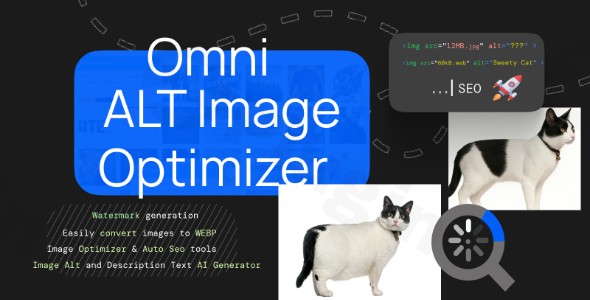
In the modern web landscape, high-quality images are essential for engagement, but they are often the primary cause of slow loading speeds and poor Core Web Vitals. Omni Image Optimizer AI is a comprehensive WordPress image optimizer AI designed to solve this problem by combining advanced compression, next-gen format conversion, and artificial intelligence to automate your entire image workflow. By using this plugin, site owners can significantly improve their search engine rankings while providing a faster, more accessible experience for their visitors.
Key Features: Beyond Standard Image Compression
The Omni Image Optimizer AI distinguishes itself from traditional plugins by offering an all-in-one suite of tools. Instead of installing four different plugins for SEO, compression, and watermarking, you get a single, streamlined solution.
1. AI-Powered Alt Text & Metadata Generation
One of the most powerful features is the integration with the OpenAI Vision API. The plugin acts as a dedicated AI alt text WordPress solution, automatically “reading” your images and generating descriptive, accurate ALT tags, titles, and captions. This is crucial for accessibility compliance and improving your rankings in AI-driven search engines.
2. Next-Gen WebP Conversion
To stay ahead of Google’s performance requirements, the plugin functions as a reliable WordPress WebP converter. It automatically converts standard JPEG and PNG files into WebP format, which offers superior compression without losing visual fidelity. It also includes automatic fallbacks for older browsers that do not support WebP.
3. Automated SEO Image Renaming
Search engines struggle to understand files named IMG_5678.jpg. This plugin handles SEO image renaming WordPress tasks by automatically renaming files based on your post title or custom patterns. This ensures your images are discoverable in Google Image Search, driving additional organic traffic.
4. Smart Compression and Bulk Processing
Whether you have ten images or ten thousand, the one-click bulk processing feature allows you to optimize WordPress media library for SEO with AI in minutes. It intelligently resizes oversized “straight-from-the-camera” shots and applies lossy or lossless compression to reduce file sizes by up to 80% without visible quality loss.
5. Custom Watermarking and Protection
For photographers and creators, protecting digital assets is vital. You can apply customizable text watermarks across your entire library, controlling the font, opacity, and positioning to deter unauthorized use.
Installation & Setup: How to Install Omni Image Optimizer AI
Setting up the plugin is straightforward and does not require developer knowledge. Follow these steps to get started:
- Install the Plugin: Navigate to your WordPress Dashboard, go to Plugins > Add New, and upload the Omni Image Optimizer AI zip file. Click Activate.
- Configure API Settings: Since the plugin uses the OpenAI Vision API for its intelligence, you will need to enter your OpenAI API key in the plugin settings under the “AI Settings” tab.
- Set Compression Rules: Navigate to the “Optimization” tab to choose your preferred compression level (Lossy or Lossless) and enable the WordPress WebP converter toggle.
- Define SEO Patterns: In the “SEO & Renaming” section, set your naming conventions so the plugin knows how to rename your files automatically.
5. Run Bulk Optimization: If you have an existing site, go to the “Bulk Optimizer” tool and click “Start” to process your entire library at once.
Practical Usage & Best Practices
To get the most out of Omni Image Optimizer AI, consider these real-world workflows:
- For E-commerce Store Owners: Use the AI metadata WordPress feature to generate unique descriptions for hundreds of product images. This saves hours of manual data entry and ensures your products appear in visual search results.
- For Bloggers & Content Marketers: Enable Lazy Loading. This ensures images only load as the user scrolls down, drastically improving your initial PageSpeed scores and mobile user experience.
- For Portfolio Sites: Use the Customizable Text Watermarks in tandem with the “Backup Images” feature (introduced in v1.1.4). This allows you to protect your work while maintaining a safe copy of the original un-watermarked files.
Pro-Tip: Always use the “Preview” feature before running a bulk optimization to ensure the compression level meets your visual standards.
FAQ & Troubleshooting
Does Omni Image Optimizer AI support WebP?
Yes, Omni Image Optimizer AI includes a built-in WebP conversion engine. It automatically converts your JPEG and PNG uploads to the WebP format to reduce file size and improve loading speeds, while maintaining original files as fallbacks for older browsers.
How to improve WordPress image SEO with AI?
The most effective way is to use the plugin’s OpenAI Vision integration. By navigating to the AI settings, the plugin will automatically generate AI alt text WordPress metadata. Additionally, enabling the SEO renaming feature ensures your file names contain relevant keywords rather than generic camera labels.
Is the plugin compatible with Page Builders like Elementor?
Yes, the plugin optimizes images at the Media Library level, meaning any image used in Elementor, Gutenberg, or WPBakery will benefit from the compression and SEO features automatically.
What should I do if the AI-generated Alt text isn’t accurate?
The plugin allows for granular control. You can manually edit any AI-generated metadata directly in the WordPress Media Library if you feel a specific image needs a more tailored description.
Conclusion: The Final Verdict
Omni Image Optimizer AI is more than just a simple compression tool; it is a sophisticated performance and SEO suite. By automating the most tedious parts of image management—renaming, tagging, and converting—it provides a massive ROI in saved time and improved rankings.Whether you are looking for the best WordPress plugin for image compression and WebP conversion or a way to optimize WordPress media library for SEO with AI, this plugin delivers a professional, high-performance solution. For site owners on wppick.com looking to boost their Core Web Vitals and search visibility, Omni Image Optimizer AI is a top-tier choice.
I. Download Limits & Account Benefits
- Free Downloads: Each email address receives 3 downloads per day for free products
- Upgrade Benefits: Purchase any paid product to increase your daily download limit by 3 for each paid product
- No Account Required: You can download immediately by receiving the download link via email
- Account Recommended: Create an account for easier access to your order history and direct update downloads
II. Understanding GPL vs Official Versions
Important: The products available on WPPick are GPL-licensed versions, which differ from official developer versions. Before purchasing, please read our comprehensive guide: Understanding GPL & Official Differences at WPPick
Key Points:
- GPL versions may not include premium support from original developers
- Updates may be delayed compared to official releases
- Some premium features might have limitations
- Always consider your specific needs and support requirements
III. Support & Assistance
We’re here to help through multiple channels:
- Email Support: Direct email assistance for all inquiries
- Live Chat: Real-time support during business hours
- Comprehensive Documentation: Detailed guides and tutorials
IV. Order Tracking
Access your complete purchase history and download links anytime: Order History
V. Account Access
New to WPPick? Login or Create Account to manage your downloads and orders efficiently.
VI. Refund Protection
We stand behind our products with a clear refund policy. Review our terms: Refund Policy
VII. Privacy & Security
Your data security is our priority. Learn how we protect your information: Privacy Policy
VII. Terms of Service
Understanding our service terms ensures a smooth experience: Terms of Use
Quick Tips for Best Experience
- Verify Compatibility: Check plugin/theme compatibility with your WordPress version
- Backup First: Always backup your site before installing new plugins or themes
- Test Environment: Consider testing on a staging site first
- Stay Updated: Regularly check for updates in your account dashboard
- Read Documentation: Review any included documentation for optimal setup
Need Help?
If you have questions about downloads, licensing, or need technical assistance, don’t hesitate to contact our support team. We’re committed to ensuring you have the best possible experience with WPPick products.
Ready to get started? Your download adventure begins with just one click!
- Added backup images.
- Added Watermark images.
- Resolved AVIF.