
Openpos – WooCommerce Point Of Sale(POS)
/Year
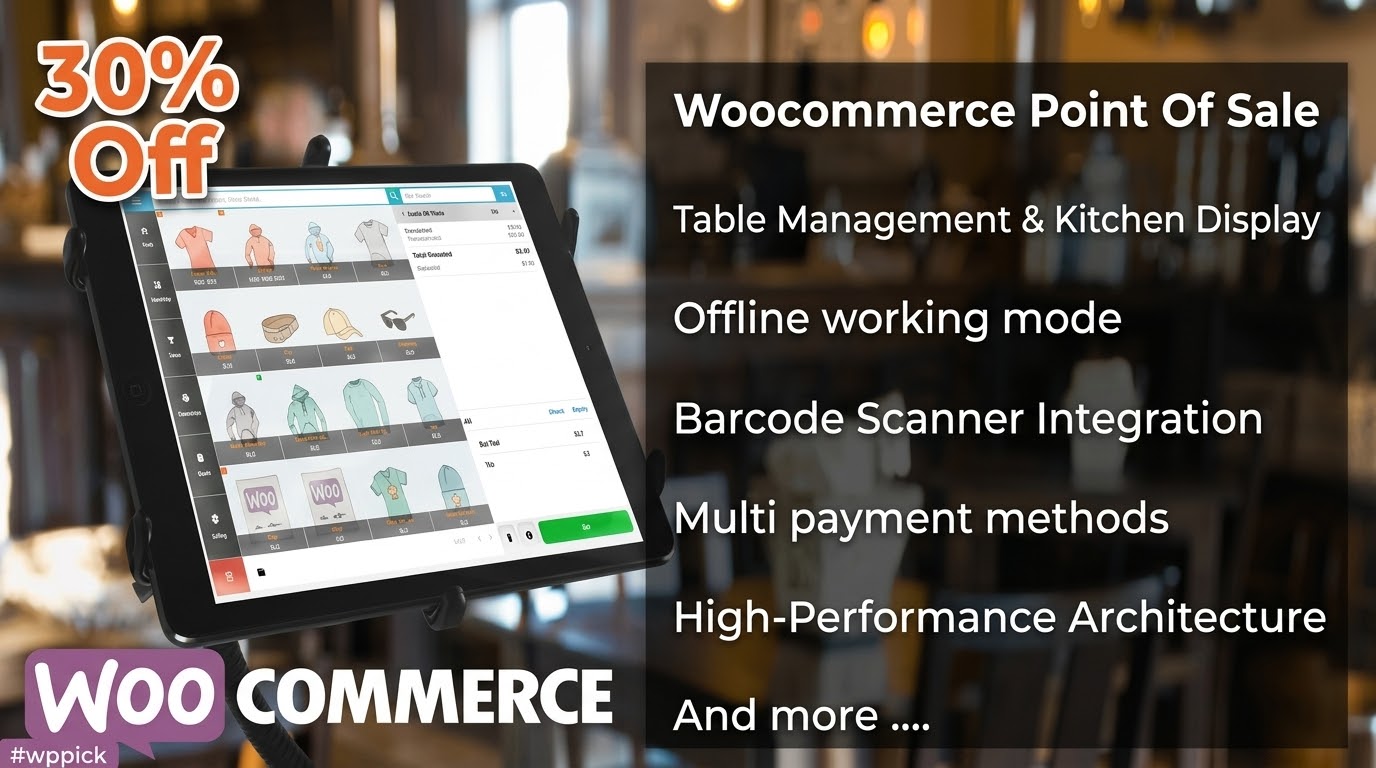
Transform Your WordPress Site into a Retail and Restaurant Point of Sale
OpenPOS bridges the gap between digital eCommerce and physical business operations by turning any standard WooCommerce store into a reliable local Point of Sale terminal. This system allows business owners to manage sales from a single consolidated database. By running directly on your WordPress setup, it eliminates the need for complex, expensive third-party platforms that charge high monthly subscription fees. Transactions completed at physical checkout counters sync instantly with your digital product stock records, keeping data aligned across all channels.
What OpenPOS Does for Your Store
The primary function of this platform is to provide an intuitive, high-speed checkout interface for physical business locations. It reads product barcodes, processes transactions, accepts multiple localized payment types, and prints receipts on standard desktop or mobile hardware. Because it connects natively to WooCommerce data structures, it handles taxes, customer profiles, coupon codes, and payment statuses out of the box. Store cashiers work inside an optimized interface built for rapid entry, meaning less time spent processing each customer queue.
Who Should Implement This POS Solution
This software caters specifically to business operators who maintain both an online website and physical brick-and-mortar setups. Retail storefronts use it to scan items quickly and maintain a centralized stock count. Restaurants, diners, and cafes benefit from specialized operational layouts tailored for food service environments. It is ideal for small to mid-sized businesses looking to expand into multiple brick-and-mortar branches or temporary pop-up shops while keeping operational management concentrated within a single administrative dashboard.
Key Capabilities and Store Features
- Multi-Register Support: Create distinct physical checkout terminals across multiple physical store locations, all feeding into one central hub.
- Real-Time Synchronization: Instant adjustments ensure that web sales and local counter checkouts reflect immediately in stock totals to prevent oversells.
- Advanced Cart Management: Cashiers can use multi-tab cart functionality to temporarily park a transaction and assist the next customer without losing current input data.
- Restaurant and Cafe Toolsets: Includes visual table layouts, kitchen view displays, and dedicated customer queue screens for food hospitality workflows.
- Flexible Payment Workflows: Supports standard cash transactions, external card terminals, custom store credits, and split payment methods on a single invoice.
- Barcode Integration: Fully compatible with standard USB or Bluetooth scanning hardware for fast item lookup and automated cart loading.
Practical WordPress Use Cases
- Boutiques and Retail Operations: Local clothing or hardware boutiques can use a tablet at the main checkout desk to pull active product variants, process cash sales, and hand out printed receipts.
- Quick-Service Cafes: A coffee shop can run the cash register interface on an iPad, pushing order details to a kitchen display screen mounted in the food preparation area.
- Pop-Up Stores and Markets: Merchants selling items at local weekend markets can access their online product catalog via a web browser or mobile PWA interface to take payments remotely.
Setup, Hardware, and Compatibility Context
OpenPOS installs onto any self-hosted WordPress site running a standard WooCommerce environment. The operational interface uses a optimized REST API framework rather than heavy admin AJAX requests, which drastically reduces server CPU load during peak sales hours. It functions smoothly on modern desktop computers, laptops, iPads, Android tablets, and dedicated POS terminals. For barcode printing and invoice generation, it interfaces with standard thermal receipt printers through direct browser printing or local network configurations.
Why Choose OpenPOS on WPPick
Acquiring this checkout tool via WPPick gives store owners an efficient deployment path without the pressure of recurring marketplace fees. Users receive a clean, production-ready version of the software, ideal for sandbox staging, testing local hardware compatibility, or executing full operational rollouts. This allows you to verify performance with thousands of stock items and custom localized printer hardware before committing to extensive commercial scaling plans.
Latest Version Context
The platform operates on version 8.5.0. Although detailed release notes are not available from the provided sources, this update maintains overall system performance and code optimization. Recent major structural changes transitioned the platform from standard admin endpoints to a fast REST API architecture, which substantially upgraded local search speeds for sites managing up to 10,000 product stock variations.
Frequently Asked Questions
Does this system require specific point-of-sale hardware?
No specific proprietary hardware is required. The system is designed to operate within modern web browsers on standard desktops, laptops, tablets, and smartphones. It connects with common USB or Bluetooth barcode scanners and thermal receipt printers via standard system print drivers.
Can I run multiple registers across separate store locations?
Yes. The administrative panel allows you to configure multiple outlets and assign individual registers to each specific location. This ensures you can track sales performance, cash drawer balances, and staff shifts independently for each physical retail counter.
How does the system handle an internet connection dropout?
The platform relies on local browser storage architectures to perform product searches and manage active shopping carts. This structure allows cashiers to continue serving customers during temporary network drops, with transaction records queuing up to sync back to WooCommerce once connection is restored.
Is it possible to separate restaurant orders from retail workflows?
Yes, the software features distinct operational modes. You can toggle between standard retail checkout workflows or activate specific restaurant features, which enable visual table maps, kitchen view screens, and automated order routing for food service staff.
Does it sync with my existing WooCommerce tax configurations?
Because the platform is integrated directly into the core WooCommerce data structure, it inherits your established tax rates, shipping structures, customer data lists, and active coupon rules automatically, preventing the need for double entry configuration.
I. Download Limits & Account Benefits
- Free Downloads: Each email address receives 3 downloads per day for free products
- Upgrade Benefits: Purchase any paid product to increase your daily download limit by 3 for each paid product
- No Account Required: You can download immediately by receiving the download link via email
- Account Recommended: Create an account for easier access to your order history and direct update downloads
II. Understanding GPL vs Official Versions
Important: The products available on WPPick are GPL-licensed versions, which differ from official developer versions. Before purchasing, please read our comprehensive guide: Understanding GPL & Official Differences at WPPick
Key Points:
- GPL versions may not include premium support from original developers
- Updates may be delayed compared to official releases
- Some premium features might have limitations
- Always consider your specific needs and support requirements
III. Support & Assistance
We’re here to help through multiple channels:
- Email Support: Direct email assistance for all inquiries
- Live Chat: Real-time support during business hours
- Comprehensive Documentation: Detailed guides and tutorials
IV. Order Tracking
Access your complete purchase history and download links anytime: Order History
V. Account Access
New to WPPick? Login or Create Account to manage your downloads and orders efficiently.
VI. Refund Protection
We stand behind our products with a clear refund policy. Review our terms: Refund Policy
VII. Privacy & Security
Your data security is our priority. Learn how we protect your information: Privacy Policy
VII. Terms of Service
Understanding our service terms ensures a smooth experience: Terms of Use
Quick Tips for Best Experience
- Verify Compatibility: Check plugin/theme compatibility with your WordPress version
- Backup First: Always backup your site before installing new plugins or themes
- Test Environment: Consider testing on a staging site first
- Stay Updated: Regularly check for updates in your account dashboard
- Read Documentation: Review any included documentation for optimal setup
Need Help?
If you have questions about downloads, licensing, or need technical assistance, don’t hesitate to contact our support team. We’re committed to ensuring you have the best possible experience with WPPick products.
Ready to get started? Your download adventure begins with just one click!
- Improved code / design
- Improved code / design.
- Fixed bug report by customers.
- Improved code / design
- Fixed bug report by customers
- Changelog Not Found!
- add customer queue screen for restaurant mode
- improve kitchen view
- fixed bug report by customers
- Add customer queue screen for restaurant mode
- Improve kitchen view
- Fixed bug report by customers
- Fixed bug report by customers
- Improved kitchen view
- Reduced request
- File IO for system
- Updated restaurant mode
- Fixed bug report by customers
- If a cart tab has item, confirm before close
- Pos url, kitchen url, bill url base on admin/setting/permarking. this use to make short url
- Add more language
- Cart multi tab, it help staff can ignore a customer without stuck queue. https://prnt.sc/dMx0dA9LRYWg
- Change from ajax to restful api
- Improve speed for offline search product, it can search LIKE words, not only match words as old
- Able use POS on pos.wpos.app with your site url
- Speed improvement. Tested with 10,000 products.
- Limit login failed time.
- Fixed customer report bug
- NOTE: this is big update, to use it, pls clean browser cache, close browser and open again, uninstall pwa and reinstall + test.