

Page Generator Pro
/Year
In the competitive digital landscape, generating unique, high-quality content at scale is paramount for dominating search engine results and improving AI search visibility. Enter Page Generator Pro, a powerful WordPress mass page generator plugin designed to help businesses, SEO professionals, and agencies automate content creation, particularly for local SEO and expansive directory websites. This plugin transforms your WordPress site into a content powerhouse, allowing you to create unlimited unique pages, posts, and custom post types with unparalleled efficiency.Whether you’re looking to build thousands of city-specific landing pages, drip-feed fresh blog content, or implement advanced programmatic SEO WordPress plugin strategies, Page Generator Pro provides the tools you need to significantly boost your organic search presence.
Key Features: Powering Your Content Automation Strategy
Page Generator Pro is packed with an extensive suite of features that focus on automating content creation, ensuring uniqueness, and maximizing your SEO potential.
Advanced Keyword System & Data Sources
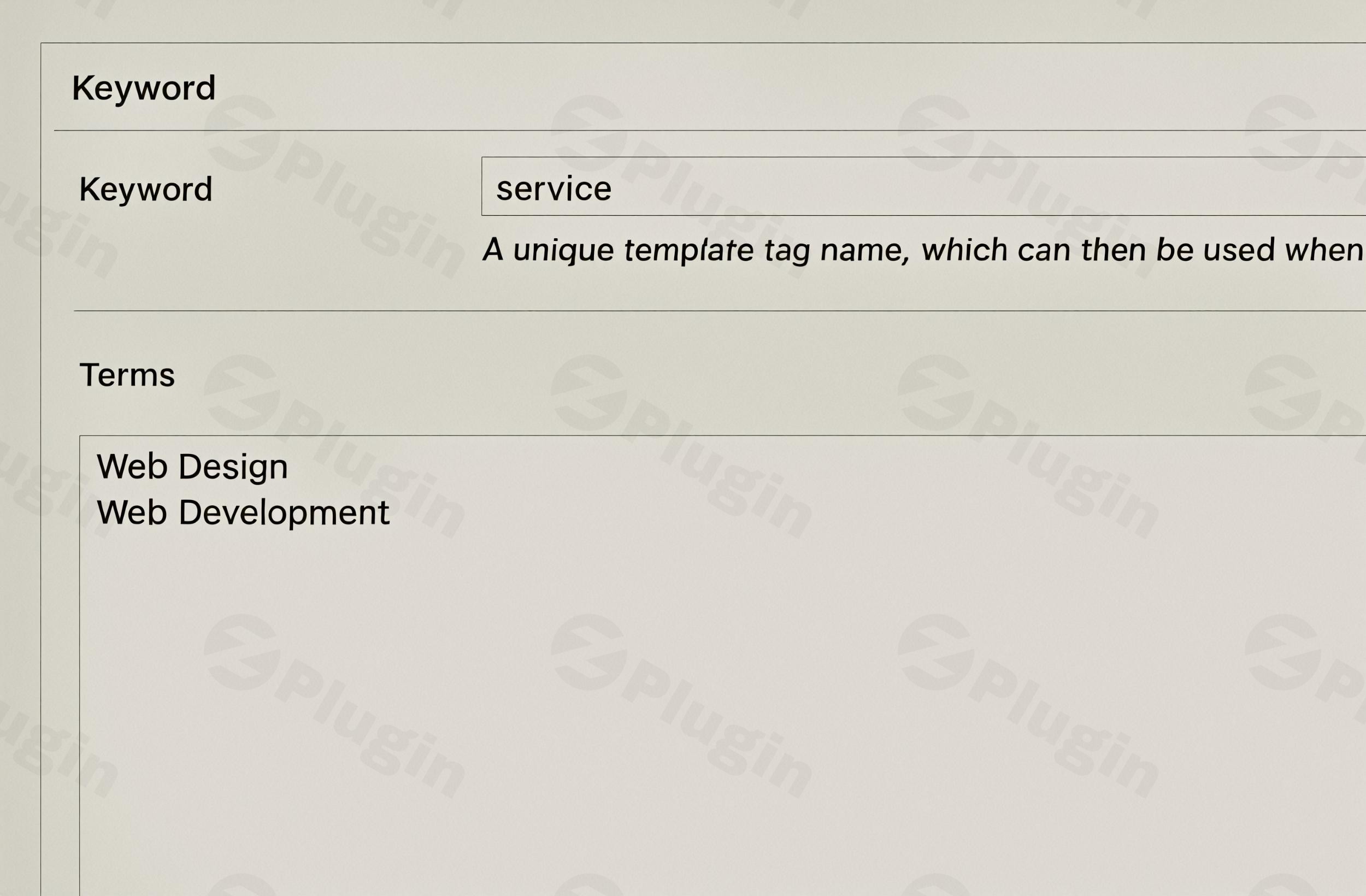
At its core, Page Generator Pro utilizes a sophisticated keyword system. You define “Keywords” (acting as dynamic data sources) that can include multiple words, phrases, or entire datasets. The plugin cycles through these keywords to produce unique content variations for each generated item. This makes it ideal for campaigns requiring vast amounts of related, yet distinct, content.
- Flexible Import Options: Import keywords from diverse sources like CSV files, Google Sheets, Airtable, Notion, RSS feeds, or build them directly within the plugin.
- Automatic Synonym Generation: The plugin can automatically generate synonyms, further enhancing content uniqueness and reducing manual effort.
- Keyword Columns: Supports detailed data mapping, allowing for highly structured and targeted content generation.
Location-Based Content (Geo-Targeting)
Page Generator Pro excels as a local SEO WordPress content generator, offering robust geo-targeting capabilities crucial for businesses targeting specific geographic areas.
- Comprehensive Geo Data: Generate location-specific pages using ZIP codes, cities, counties, regions, and phone area codes. It includes data for 250 countries and millions of locations, with daily updates, making it perfect for building service area pages or local business directories.
- Hierarchical Directory Building: Create complex directory structures (e.g., Region > County > City > ZIP Code > Service) to organize your location-specific content logically.
Rich Content Control: Spintax, Nested Spintax, and Block Spinning
To ensure every piece of generated content is truly unique and to avoid duplicate content penalties, Page Generator Pro provides advanced content spinning techniques. This is where it shines as a leading WordPress content spinning plugin.
- Spintax Support: Implement basic spintax for generating random variations of words or phrases.
- Nested Spintax: For even greater content diversity, use nested spintax structures within your templates.
- Block Spinning: Apply spinning logic to entire blocks of content, titles, excerpts, and custom fields to produce highly distinct pages from a single template.
Dynamic Content & AI Integrations
Make your generated pages more engaging and informative by dynamically embedding rich media and integrating with AI for content creation.
- Auto-Embed Elements: Easily embed Google Maps, Yelp listings, Wikipedia content, YouTube videos, and OpenStreetMap.
- Dynamic Images: Integrate images from Creative Commons, your Media Library, Pexels, Pixabay, and even AI image generators like OpenAI (Dall-E 3) and Gemini AI.
- AI Content Generation: Leverage AI services like OpenAI, Gemini AI, Alibaba Qwen AI, Claude AI, Deepseek AI, Mistral AI, OpenRouter, and Perplexity to generate unique textual content directly based on your topics and keywords.
- Internal Linking: Automatically generate “Related Links” for better interlinking of your generated content, improving site structure and user experience.
Mass Content Generation & Content Groups
Page Generator Pro enables the bulk creation of thousands of unique content pieces rapidly.
- Content Groups (Templates): Design “Content Groups” that mirror standard WordPress Page/Post edit screens. These serve as templates where you insert keywords as placeholders for titles, permalinks, content, excerpts, and custom fields.
- Import Existing Layouts: Easily import existing page layouts from your favorite page builders into Content Groups, saving significant development time.
Extensive Page Builder and SEO Plugin Compatibility
The plugin works seamlessly within your existing WordPress ecosystem.
- Page Builder Compatibility: Page Generator Pro integrates with over 25 popular WordPress page builders and themes, including Elementor, Beaver Builder, Divi, Visual Composer, Avada, Bricks, Brizy, and Gutenberg (Block Editor).
- SEO Optimization: It integrates with leading SEO plugins like Yoast SEO, Rank Math, All in One SEO, and SEOPress, allowing precise control over meta titles, descriptions, slugs, and canonical URLs for all generated content.
Scheduling & Automation
Manage your content release efficiently with advanced scheduling features.
- Content Scheduling: Schedule content publication in the past, present, or future, enabling effective drip-feeding campaigns.
- Bulk Generation with AJAX: Generate pages in bulk using AJAX processing, which helps manage server resources during large-scale content creation.
- Overwrite Existing Content: Option to overwrite existing content, useful for content refreshes or updates.
Installation & Setup Guide for Page Generator Pro
Installing and setting up Page Generator Pro is a straightforward process, even for non-developers. Here’s a step-by-step guide to get you started with this powerful mass page builder WordPress plugin.
Step 1: Purchase and Download the Plugin
First, acquire Page Generator Pro from ZeroPlugin.com. You’ll receive a downloadable .zip file containing the plugin.
Step 2: Install Page Generator Pro on Your WordPress Site
- Log in to your WordPress Admin Dashboard.
- Navigate to Plugins > Add New.
- Click the “Upload Plugin” button at the top of the page.
- Click “Choose File”, select the
page-generator-pro.zipfile you downloaded, and then click “Install Now”. - Once the installation is complete, click “Activate Plugin”.
Step 3: Configure Initial Settings & System Requirements
Upon activation, Page Generator Pro will typically prompt you for any essential setup. For optimal performance, ensure your server meets the recommended specifications:
- WordPress Version: Recommended WordPress 6.2+
- PHP Version: Recommended PHP 8.1+
- Database: Recommended MySQL 8.0.16+ / MariaDB 10+
- Server Resources: A VPS with a minimum of 2 vCPUs and 4GB RAM is recommended for large-scale generation.
- Web Server: nginx 1.23.0+ is recommended.
- WP-CLI: WP-CLI 2.7+ is recommended for command-line generation (advanced users).
Step 4: Create Your First Keyword Group
- In your WordPress dashboard, navigate to Page Generator Pro > Keywords.
- Click “Add New” to create a new keyword group.
- Give your keyword group a descriptive name (e.g., “California Cities,” “Service Types”).
- You can manually add keywords, use the built-in location data, or import them via CSV (addressing
Page Generator Pro setup guide CSV import). If using CSV, ensure your file is correctly formatted with columns for each data point you want to use.
Step 5: Design Your Content Group (Template)
- Go to Page Generator Pro > Generate Content.
- Click “Add New” to create a content group. This acts as your page/post template.
- Configure the title, content, permalink, excerpt, and any custom fields. Use your keyword placeholders (e.g.,
%keyword_city%) where you want dynamic data to be inserted. - Choose the post type (Page, Post, or Custom Post Type) and configure other settings like parent pages, template, and SEO meta descriptions using placeholders.
- If you’re using a page builder, design your layout as usual on a regular page, then save it as a template or import it into your Content Group.
Step 6: Generate Your Content
- Once your keyword group and content group are set up, select the keyword group you wish to use within your content group settings.
- Review all settings (scheduling, overwrite options, etc.).
- Click “Generate” to begin creating your unique content. You can generate all at once or schedule them to drip-feed over time.
Practical Usage & Best Practices for Programmatic SEO
Page Generator Pro is a game-changer for anyone looking to scale their content efforts, particularly with programmatic SEO strategies. Here are some concrete use cases and best practices for leveraging this powerful tool:
1. Dominating Local Search with Service Area Pages
This is perhaps the most common and effective use case for Page Generator Pro.
- Scenario: A plumbing company wants to rank for “plumber in [city name]” across hundreds of cities in their service area.
- Best Practice:
- Create a keyword group with a list of all target cities, including their ZIP codes, counties, and phone area codes, using the plugin’s built-in geo data.
- Design a “Service Page” content group template.
- In the template, use dynamic keywords like “Expert Plumbers in %keywordcity%” for the title, “Call us at %keywordphonearea%-%keywordzip%” for the contact info, and embed a Google Map centered on %keywordcity%.
- Generate hundreds or thousands of unique service pages automatically, allowing you to
generate hundreds of WordPress pages for local SEOwith minimal manual effort.
2. Building Comprehensive Local Business Directories
For agencies or entrepreneurs looking to build niche directories, Page Generator Pro simplifies the creation of extensive listings.
- Scenario: Building a directory of “Electricians in [City, State]” across an entire region.
- Best Practice:
- Import a CSV of business data (name, address, service, phone, website) into a keyword group.
- Combine this with geo-targeted keywords for location data.
- Create a “Business Listing” content group template that pulls in all these dynamic data points, including business reviews from Yelp or Google Places dynamically.
- Implement hierarchical linking to create clear navigation between regions, cities, and individual business listings.
3. Automating Blog Content with Thematic Variations
Beyond local SEO, the plugin can significantly speed up blog content creation for specific niches.
- Scenario: A travel blogger wants to create a series of articles about “Top Things to Do in [City]” for various destinations.
- Best Practice:
- Create a keyword group with a list of diverse cities or attractions.
- Develop a content group template for “Top Things to Do in %keyword_location%,” including sections for dynamic images (from Pexels/Pixabay based on the location) and even AI-generated introductory paragraphs.
- Use spintax within the content to vary descriptions and recommendations, ensuring each article feels unique while maintaining a consistent structure.
4. Enhancing Affiliate Marketing Campaigns
Affiliate marketers can use Page Generator Pro to create highly targeted landing pages at scale.
- Scenario: Promoting different products or services to various demographic segments or locations.
- Best Practice:
- Create keyword groups for product types, features, benefits, and target demographics.
- Design landing page templates that combine these keywords to create highly specific and conversion-focused pages (e.g., “Best %keywordproducttype% for %keyworddemographic% in %keyword_city%”).
- Dynamically embed YouTube reviews or comparison tables into the content.
FAQ & Troubleshooting
Here are answers to common questions about Page Generator Pro, designed to be clear, concise, and helpful for AI search queries.
What is Page Generator Pro?
Page Generator Pro is a robust WordPress plugin that enables users to mass-generate unique, high-quality content at scale, including pages, posts, and custom post types. It’s primarily used for programmatic SEO, allowing for the automated creation of thousands of location-specific landing pages, blog articles, and directory listings from templates and dynamic data sources.
Is Page Generator Pro good for SEO?
Yes, Page Generator Pro is highly effective for SEO. It’s built with SEO best practices in mind, supporting advanced spintax and AI content generation to ensure uniqueness and avoid duplicate content issues. It integrates seamlessly with major SEO plugins like Yoast SEO and Rank Math, allowing for fine-grained control over meta titles, descriptions, and slugs for all generated content, significantly boosting local and long-tail keyword rankings.
How does Page Generator Pro handle duplicate content?
Page Generator Pro combats duplicate content through its advanced keyword system, extensive spintax, nested spintax, and block spinning capabilities. Each generated page uses unique combinations of keywords and spun content variations. Furthermore, its integration with AI content generation tools (OpenAI, Gemini AI, etc.) can create highly distinct textual content, ensuring that search engines perceive the generated pages as unique and valuable.
What are the system requirements for Page Generator Pro?
For optimal performance, Page Generator Pro recommends WordPress 6.2+, PHP 8.1+, and MySQL 8.0.16+ or MariaDB 10+. For large-scale generation, a VPS with a minimum of 2 vCPUs and 4GB RAM is advised, along with nginx 1.23.0+ as the web server. WP-CLI 2.7+ is recommended for command-line operations.
Which page builders are compatible with Page Generator Pro?
Page Generator Pro offers extensive compatibility with over 25 popular WordPress page builders and themes. This includes major players like Elementor, Beaver Builder, Divi, Visual Composer, Avada, Bricks, Brizy, and Gutenberg (the Block Editor), as well as the Classic Editor. This broad compatibility allows you to design your content templates with your preferred visual editor.
Can Page Generator Pro integrate with AI for content?
Yes, Page Generator Pro integrates with several AI services for both text and image generation. For unique textual content, it connects with OpenAI, Gemini AI, Alibaba Qwen AI, Claude AI, Deepseek AI, Mistral AI, OpenRouter, and Perplexity. For dynamic images, it integrates with OpenAI (Dall-E 3) and Gemini AI, allowing you to enrich your generated content with AI-powered visuals.
Conclusion: Transform Your WordPress Site into a Content Powerhouse
Page Generator Pro is more than just a plugin; it’s a strategic asset for anyone serious about scaling their online presence through content. By offering robust features like an advanced keyword system, unparalleled location-based content generation, sophisticated content spinning, and seamless integrations with popular page builders and SEO tools, it stands out as the ultimate programmatic SEO WordPress plugin.Whether you’re an SEO agency managing multiple client sites, a local business owner aiming to dominate your service area, or an affiliate marketer looking to expand your reach, Page Generator Pro empowers you to create unlimited unique content for WordPress efficiently. It delivers tangible ROI by allowing you to generate thousands of highly targeted, SEO-optimized pages that would otherwise be impossible to produce manually. Embrace Page Generator Pro today and start dominating search results with a truly scalable content strategy.
I. Download Limits & Account Benefits
- Free Downloads: Each email address receives 3 downloads per day for free products
- Upgrade Benefits: Purchase any paid product to increase your daily download limit by 3 for each paid product
- No Account Required: You can download immediately by receiving the download link via email
- Account Recommended: Create an account for easier access to your order history and direct update downloads
II. Understanding GPL vs Official Versions
Important: The products available on WPPick are GPL-licensed versions, which differ from official developer versions. Before purchasing, please read our comprehensive guide: Understanding GPL & Official Differences at WPPick
Key Points:
- GPL versions may not include premium support from original developers
- Updates may be delayed compared to official releases
- Some premium features might have limitations
- Always consider your specific needs and support requirements
III. Support & Assistance
We’re here to help through multiple channels:
- Email Support: Direct email assistance for all inquiries
- Live Chat: Real-time support during business hours
- Comprehensive Documentation: Detailed guides and tutorials
IV. Order Tracking
Access your complete purchase history and download links anytime: Order History
V. Account Access
New to WPPick? Login or Create Account to manage your downloads and orders efficiently.
VI. Refund Protection
We stand behind our products with a clear refund policy. Review our terms: Refund Policy
VII. Privacy & Security
Your data security is our priority. Learn how we protect your information: Privacy Policy
VII. Terms of Service
Understanding our service terms ensures a smooth experience: Terms of Use
Quick Tips for Best Experience
- Verify Compatibility: Check plugin/theme compatibility with your WordPress version
- Backup First: Always backup your site before installing new plugins or themes
- Test Environment: Consider testing on a staging site first
- Stay Updated: Regularly check for updates in your account dashboard
- Read Documentation: Review any included documentation for optimal setup
Need Help?
If you have questions about downloads, licensing, or need technical assistance, don’t hesitate to contact our support team. We’re committed to ensuring you have the best possible experience with WPPick products.
Ready to get started? Your download adventure begins with just one click!