

Paymattic Pro – WordPress Payment And Donation
/Year
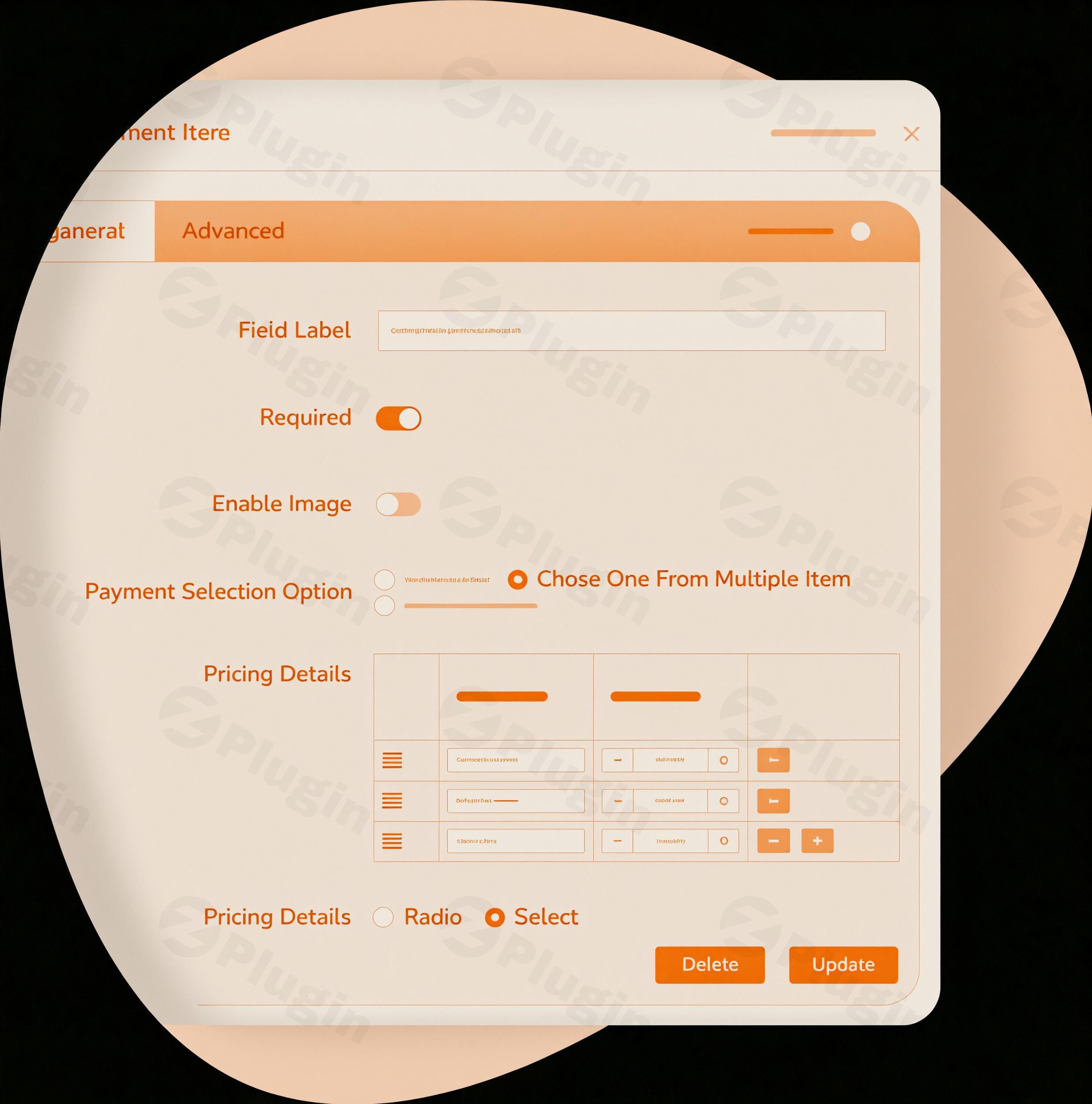
Are you looking for a robust, user-friendly WordPress payment plugin to streamline your online transactions or manage donations? Paymattic Pro emerges as a comprehensive solution, empowering small businesses, online fundraisers, e-learning platforms, and membership sites to effortlessly collect payments and donations directly from their WordPress websites. This powerful plugin is designed to simplify payment processing, enhance security, and provide unparalleled flexibility, making it an indispensable tool for anyone handling money online.At its core, Paymattic Pro tackles the common challenges of online payment collection by offering a lightweight, secure, and feature-rich environment. It’s not just a payment gateway; it’s a complete system that covers everything from customizable form creation to advanced donor and subscription management.
Key Features that Make Paymattic Pro Stand Out
Paymattic Pro is packed with functionalities that cater to a wide range of needs, ensuring a smooth and efficient financial workflow for your WordPress site.
Easy Payment & Donation Form Building
One of Paymattic Pro’s most lauded features is its intuitive drag-and-drop form builder. This allows users, regardless of technical skill, to create diverse forms for one-time payments, subscriptions, and donations quickly.
- 70+ Pre-built Templates: Jumpstart your form creation with a vast library of professionally designed templates.
- 35+ Customizable Input Fields: Collect all necessary information with fields tailored to your specific requirements.
- Multi-step Forms: Improve user experience and reduce form abandonment by breaking down long forms into manageable steps.
Comprehensive Payment Gateway Integration
To ensure you can accept payments from anyone, anywhere, Paymattic Pro offers extensive WordPress payment gateway integration. It supports a wide array of popular gateways, providing flexibility and reach.
- Multiple Gateways: Beyond Stripe and PayPal, Paymattic Pro integrates with Square, Authorize.Net, Mollie, Razorpay, Paystack, Billplz, Xendit, SSLCOMMERZ, Payrexx, Flutterwave, Viva Wallet, and Moneris.
- Offline Payments: Offers traditional methods like bank transfers for greater accessibility.
- Global Currency Support: Accept payments in over 135 to 157 currencies across more than 195 countries, with a convenient currency switcher for donors.
Powerful Subscription & Recurring Payments Management
For businesses and organizations relying on predictable revenue streams, Paymattic Pro is an excellent WordPress recurring payments and WordPress subscription plugin.
- Flexible Billing Intervals: Easily set up recurring payments and donations with customizable schedules.
- Membership Tiers: Create and manage different membership levels with automated renewals.
- Automated Renewals: Reduce administrative burden with automatic subscription renewals.
Robust Customer & Donor Management
Gaining insights into your customers and donors is crucial. Paymattic Pro provides detailed management tools.
- Detailed Profiles: Access comprehensive customer and donor profiles, including payment histories and subscription statuses.
- Customer/Donor Dashboard: Empower users with a dedicated dashboard to manage their own subscriptions and view transaction records.
Advanced Reporting & Analytics
Make informed decisions with Paymattic Pro’s powerful reporting capabilities.
- Intuitive Dashboard: A clean, easy-to-understand dashboard provides an overview of your financial performance.
- Detailed Analytics: Track revenue, donations, popular payment methods, and identify your top customers through clear graphs and data.
Essential Third-Party Integrations
Extend Paymattic Pro’s functionality by connecting it with other vital services.
- Free Integrations: FluentCRM, Fluent Support, Mailchimp, Slack, and Zapier.
- Pro Integrations: ActiveCampaign, Twilio, WebHook, Google Sheets, Telegram, and WordPress user registration.
- LMS Support: Seamlessly integrate with TutorLMS, LearnDash, and LifterLMS to automatically enroll students upon payment.
Enhanced Security & Spam Protection
Security is paramount when handling financial transactions. Paymattic Pro prioritizes secure WordPress payments.
- PCI Compliance & SCA: Adheres to Payment Card Industry Data Security Standard (PCI DSS) and supports Strong Customer Authentication (SCA) for robust transaction security.
- Spam Protection: Integrates Google reCAPTCHA (V2 and V3), Honeypot security, and Cloudflare Turnstile to prevent spam submissions.
- Data Control: All data is stored on your website server; the plugin does not store sensitive user data itself.
Installing & Setting Up Paymattic Pro
Getting Paymattic Pro up and running on your WordPress site is a straightforward process, designed for non-developers.
- Download the Plugin: Obtain the Paymattic Pro plugin file (usually a
.zipfile) from your purchase source, such as ZeroPlugin.com. - Upload to WordPress:
- Log in to your WordPress admin dashboard.
- Navigate to Plugins > Add New.
- Click the “Upload Plugin” button at the top of the page.
- Click “Choose File”, select the downloaded Paymattic Pro
.zipfile, and then click “Install Now”.
- Activate the Plugin: Once the plugin is installed, click the “Activate Plugin” button.
- License Activation (Pro Version): For Paymattic Pro, you will typically need to activate your license key. Go to the new Paymattic menu item in your WordPress dashboard, find the “License” or “Settings” section, and enter your provided license key. This ensures you receive updates and support.
- Configure Payment Gateways: Navigate to Paymattic > Settings > Payment Gateways. Enable and configure your desired payment gateways (e.g., Stripe, PayPal) by entering your API keys and other required credentials.
- Create Your First Form: Go to Paymattic > All Forms > Add New Form. Use the drag-and-drop builder or choose a pre-built template to create your first payment or donation form. Customize fields, set payment amounts (one-time or recurring), and define success messages.
- Embed Your Form: Once your form is ready, copy the shortcode provided by Paymattic. Paste this shortcode into any WordPress page, post, or widget where you want your form to appear. Publish your page, and your payment/donation form will be live!
Practical Usage & Best Practices for Paymattic Pro
Paymattic Pro’s versatility makes it ideal for various online ventures. Here are a few concrete use cases:
1. For E-commerce & SaaS Businesses: Implementing Subscription Services
If you offer monthly subscriptions for digital products, SaaS tools, or curated boxes, Paymattic Pro simplifies the process.
- Best Practice: Create clear subscription forms with defined tiers (e.g., Basic, Pro, Enterprise). Use the WordPress recurring payments feature to automate billing cycles. Integrate with an LMS like TutorLMS to grant access to courses automatically upon successful subscription. Clearly communicate billing intervals and cancellation policies to customers to build trust.
2. For Non-Profit Organizations: Streamlining Online Fundraising
Nonprofits can leverage Paymattic Pro to create compelling donation campaigns.
- Best Practice: Utilize the customizable WordPress donation forms with goal tracking. Allow donors to choose from pre-set amounts or enter a custom amount. Enable donor recognition features and automate personalized thank-you emails and receipts. For sustained support, offer options for recurring donations, such as “monthly supporter” programs, by integrating “how to accept recurring donations on WordPress with Stripe” or other gateways.
3. For E-Learning Platforms & Coaches: Selling Courses & Coaching Packages
Educational platforms can easily sell access to courses or offer coaching sessions.
- Best Practice: Create dedicated payment forms for each course or coaching package. Use conditional logic to offer upsells or cross-sells. Integrate with your CRM (e.g., FluentCRM, Mailchimp) to manage student communications and drip campaigns. For automated enrollment, link payments directly to your chosen LMS through Paymattic’s integrations.
4. For Agencies & Freelancers: Efficiently Collecting Client Payments
Agencies and freelancers can use Paymattic Pro to manage payments for services, projects, or retainers.
- Best Practice: Create simple, professional payment forms for project deposits, full payments, or recurring retainer fees. Leverage the custom amount field if client invoices vary. Utilize the advanced reporting to keep track of incoming payments and client billing cycles, helping you stay organized and improve cash flow.
FAQ & Troubleshooting
Here are answers to some common questions about Paymattic Pro:
Is Paymattic Pro free?
Paymattic offers both a free version and a Pro version. The free version provides essential functionalities, primarily supporting Stripe for payment collection. Paymattic Pro unlocks a full suite of advanced features, including multiple payment gateways, comprehensive subscription management, advanced reporting, and a wider range of third-party integrations.
What payment gateways does Paymattic Pro support?
Paymattic Pro supports a wide array of popular payment gateways including Stripe, PayPal, Square, Authorize.Net, Mollie, Razorpay, Paystack, Billplz, Xendit, SSLCOMMERZ, Payrexx, Flutterwave, Viva Wallet, and Moneris. It also offers offline payment options like bank transfers. The free version typically only supports Stripe.
How to create a donation form with Paymattic?
To create a donation form with Paymattic, navigate to Paymattic > All Forms > Add New Form in your WordPress dashboard. You can choose a pre-built donation form template or start from scratch using the drag-and-drop builder. Customize fields for donor information, set suggested donation amounts (one-time or recurring), add goal tracking, and configure email receipts. Once configured, embed the form on any page using its shortcode.
Does Paymattic Pro offer recurring payments?
Yes, Paymattic Pro fully supports recurring payments and donations. You can easily set up flexible billing intervals (daily, weekly, monthly, yearly) for subscriptions, membership fees, or ongoing donations directly within the form builder. This feature is ideal for membership sites, online courses, and sustained fundraising campaigns.
Is Paymattic Pro compatible with popular WordPress themes and builders?
Paymattic Pro is designed for broad compatibility with the latest WordPress versions and aims for seamless integration with various WordPress themes. While specific theme compatibility lists aren’t extensively detailed, the plugin is regularly updated to address potential conflicts and ensure smooth operation across different environments. It integrates effortlessly with the WordPress ecosystem and is built to be lightweight, avoiding conflicts and performance issues often associated with bulky plugins.
Conclusion
Paymattic Pro stands out as an exceptional WordPress payment plugin for businesses and organizations seeking to simplify and secure their online transactions. Its blend of powerful features—from an intuitive drag-and-drop form builder and extensive payment gateway support to robust subscription management and advanced security—provides a comprehensive solution.Whether you’re a small business owner aiming to accept payments for products, a non-profit managing recurring donations, or an educator selling courses, Paymattic Pro offers the flexibility, reliability, and ease of use you need. Developed by a reputable team and backed by strong user reviews, it delivers a high return on investment by automating complex financial workflows and enhancing your site’s capabilities. If you’re looking for an all-in-one payment and donation solution that empowers your WordPress site, Paymattic Pro is a highly recommended choice.
I. Download Limits & Account Benefits
- Free Downloads: Each email address receives 3 downloads per day for free products
- Upgrade Benefits: Purchase any paid product to increase your daily download limit by 3 for each paid product
- No Account Required: You can download immediately by receiving the download link via email
- Account Recommended: Create an account for easier access to your order history and direct update downloads
II. Understanding GPL vs Official Versions
Important: The products available on WPPick are GPL-licensed versions, which differ from official developer versions. Before purchasing, please read our comprehensive guide: Understanding GPL & Official Differences at WPPick
Key Points:
- GPL versions may not include premium support from original developers
- Updates may be delayed compared to official releases
- Some premium features might have limitations
- Always consider your specific needs and support requirements
III. Support & Assistance
We’re here to help through multiple channels:
- Email Support: Direct email assistance for all inquiries
- Live Chat: Real-time support during business hours
- Comprehensive Documentation: Detailed guides and tutorials
IV. Order Tracking
Access your complete purchase history and download links anytime: Order History
V. Account Access
New to WPPick? Login or Create Account to manage your downloads and orders efficiently.
VI. Refund Protection
We stand behind our products with a clear refund policy. Review our terms: Refund Policy
VII. Privacy & Security
Your data security is our priority. Learn how we protect your information: Privacy Policy
VII. Terms of Service
Understanding our service terms ensures a smooth experience: Terms of Use
Quick Tips for Best Experience
- Verify Compatibility: Check plugin/theme compatibility with your WordPress version
- Backup First: Always backup your site before installing new plugins or themes
- Test Environment: Consider testing on a staging site first
- Stay Updated: Regularly check for updates in your account dashboard
- Read Documentation: Review any included documentation for optimal setup
Need Help?
If you have questions about downloads, licensing, or need technical assistance, don’t hesitate to contact our support team. We’re committed to ensuring you have the best possible experience with WPPick products.
Ready to get started? Your download adventure begins with just one click!
- Conditional logic for Donation item in email.
- Selection limit for checkbox field in advanced settings.
- Shortcode handling for address and payment fields.
- Condition rendering for radio field.
- Currency switcher field issue in container.
- Payment total mismatch for the subscription payment.
- Backend validation issue for dynamic payment fields.
- Webhook Not Triggering from pending to failed payment status.
- Recurring payments not showing in FCRM “Purchase History”.
- Custom amount issue in recurring payments for payment summary and total.
- Custom metadata issue in Stripe embedded payments.
- Address field customization.
- Country field behavior in address fields.
- Auto failed payment status by time interval.
- Conditional logic in FluentCRM integration for payment fields.
- Paymattic Dashboard access for multiple roles.
- Remove FluentCRM contact after refund.
- First/Last name mapping in FluentCRM feed
- Forced media compression in HTML Markup field.
- Missing custom metadata in Stripe payments.
- Conditional logic with Address Country field.
- Payment summary translation on frontend.
- Entries queries for performance.
- Role updates in User Register integration.
- Adds Full Name Component
- Adds E-Check support for Authorize.Net Payment
- Adds Duplicate Integration feed
- Adds Duplicate Notication feed
- Fixes Condition issue for radio, checkbox and select input field
- Fixes Failed hook trigger for payment field
- Fixes Payment method field operation with "0" payment amount
- Fixes Stripe subscription cancellations and permission grants for trialing users
- Fixes CSS issues in Tabular Product layout
- Fixes Sorting functionality for table elements
- Fixes Removal of special characters from confirmation redirect URL
- Fixes Hide offline payment option after applying coupon
- Fixes conditionally render subscription
- Adds refund support for Stripe, Razorpay, Paystack, and Square.
- Adds recently applied coupon list to reports.
- Adds "On Payment Success" option in integrations.
- Adds PayPal subscription cancellation from the user dashboard.
- Fixes Payment summary render correctly when multiple forms are on the same page.
- Fixes Zaiper integration issue.
- Fixes notification issue on payment success.
- Fixes offline payment handling.
- Adds tax support for subscription signup fee
- Adds filter to customize paymentItem title length
- Fixes IPN issue with payments
- Fixes tax calculation for subscription plans
- Fixes file upload validation issue
- Fixes CSS override conflict
- Fixes issue with subscription billing interval
- Improve focus behavior for search input field in form editor