

Polylang for WooCommerce By WP SYNTEX
/Year
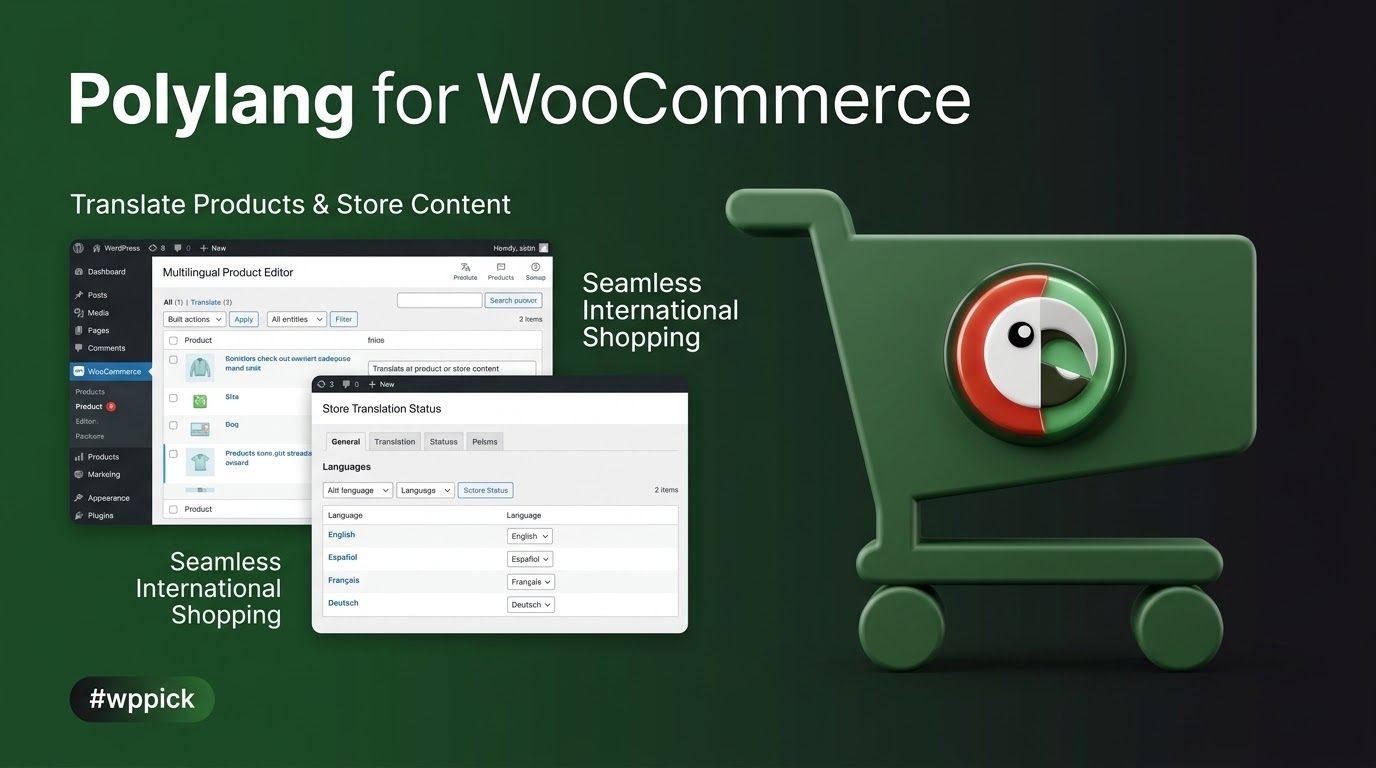
Expanding your online store to a global audience is no longer a luxury, but a necessity. To effectively reach international customers, providing a shopping experience in their native language is paramount. Polylang for WooCommerce is the powerful solution that bridges the gap between WordPress’s leading e-commerce platform and robust multilingual capabilities.This dedicated add-on seamlessly integrates Polylang with WooCommerce, empowering you to translate every aspect of your online shop, from product descriptions to checkout pages. The result? Enhanced user experience, improved SEO, and a significant boost in international sales.At ZeroPlugin.com, we are committed to providing you with the authentic GPL-licensed version of Polylang for WooCommerce. This ensures you receive regular updates for compatibility and security, with all files meticulously scanned through VirusTotal for your absolute peace of mind.
Key Features: Building a Truly Global Shop
Polylang for WooCommerce is engineered to provide a comprehensive and intuitive translation experience for your e-commerce site. Here’s a detailed breakdown of its core capabilities and the benefits they bring:
1. Complete Product Translation & Synchronization
Translate simple, variable, and grouped products directly within the familiar WooCommerce interface. Beyond just text, Polylang for WooCommerce ensures vital product data remains synchronized across all language versions, including:
- Inventory Levels: Maintain accurate stock counts across all translated products.
- Pricing: Set consistent prices or localized pricing schemes.
- SKUs: Keep product identifiers uniform.
- Weight & Dimensions: Essential for accurate shipping calculations.
- Shipping Classes: Ensure correct shipping rules apply regardless of language.This synchronization guarantees a consistent and reliable product offering globally.
2. Comprehensive Store Content Localization
Provide a fully native shopping experience by translating all critical WooCommerce content:
- Product Categories, Tags, and Attributes: Organize your catalog effectively in every language.
- WooCommerce Pages: Translate essential pages like “Shop,” “Cart,” “Checkout,” and “My Account.”
- Media Translation: Translate product images and galleries, ensuring visual consistency when media translation management is activated.
3. Seamless Shopping Experience
Customer journey continuity is crucial. Polylang for WooCommerce ensures:
- Synchronized Shopping Cart: Customers can switch languages without losing items in their cart.
- Localized Emails: Order confirmation and other WooCommerce emails are sent to customers in their preferred language, enhancing trust and clarity.
4. Extended Compatibility
Your e-commerce ecosystem often relies on various extensions. Polylang for WooCommerce is built for broad compatibility, working effortlessly with popular WooCommerce add-ons, including:
- Subscriptions
- Product Bundles
- Bookings
- Dynamic Pricing
- Shipment Tracking
- Composite Products
- Checkout Field EditorThis ensures your existing functionalities remain fully operational across all language versions.
5. SEO-Friendly Multilingual Structure
Reach your international audience effectively through search engines. The plugin helps create:
- SEO-friendly URLs: Clear and readable URLs for each language version.
- Automatic
hreflangTags: Crucial for search engines to correctly serve the appropriate language content to users, boosting international SEO.
6. Customizable Language Switcher
Empower your visitors to easily navigate your multilingual store. A flexible language switcher can be added as:
- A widget in your sidebar or footer.
- An item in your navigation menu.
7. Performance-Focused Architecture
Developed with performance in mind, Polylang for WooCommerce integrates deeply with WordPress’s core features (like taxonomies) to ensure:
- Lightweight Operation: Avoids extra database tables and shortcodes, minimizing bloat.
- Optimized Performance: Contributes to faster load times and better Core Web Vitals, crucial for user experience and SEO.
8. Developer-Friendly Design
For developers, the plugin offers:
- Full Integration with WordPress REST API: Facilitates custom integrations and headless e-commerce setups.
- Extendable Functionalities: Through hooks and APIs, allowing for tailored solutions.
Installation & Setup: Get Started in Minutes
Installing Polylang for WooCommerce is a straightforward process, even for non-developers. Follow these steps to set up your multilingual e-commerce store:
- Purchase and Download: First, you will need the Polylang plugin (free or Pro version) and the Polylang for WooCommerce add-on. Purchase and download the plugin files from a trusted source like ZeroPlugin.com.
- Upload to WordPress:
- Log in to your WordPress admin dashboard.
- Navigate to Plugins > Add New.
- Click the “Upload Plugin” button at the top of the page.
- Click “Choose File”, then select the downloaded
.zipfile for Polylang (if not already installed), and click “Install Now”. - Repeat this process for the Polylang for WooCommerce
.zipfile.
- Activate Plugins:
- Once installed, click “Activate Plugin” for both Polylang and Polylang for WooCommerce.
- Configure Polylang:
- Go to Languages > Languages in your WordPress dashboard.
- Add all the languages you wish to support on your store.
- Follow the Polylang setup wizard to assign default content language, translate slugs, and set up your language switcher.
- Translate WooCommerce Content:
- With both plugins active and Polylang configured, navigate to Products > All Products.
- You will now see language flags next to each product. Click the
+icon for a language to create a translation for that product. - Translate product titles, descriptions, categories, tags, and attributes just as you would any other WordPress post or page. Ensure that linked products (e.g., upsells, cross-sells) are correctly linked to their translated versions.
- For WooCommerce pages (Shop, Cart, Checkout), go to Pages > All Pages and translate them similarly.
Practical Usage & Best Practices: Maximizing Your Multilingual Reach
Leverage Polylang for WooCommerce effectively to maximize your international e-commerce potential.
Use Cases:
- Online Stores Targeting International Markets: Effortlessly expand your customer base by presenting your products in their local language, fostering trust and increasing conversion rates.
- E-commerce Businesses Expanding to New Regions: Quickly set up new language versions for your existing product catalog without complex re-platforming.
- Merchants Needing Multilingual Product Catalogs: Manage a diverse inventory across multiple languages from a centralized, familiar interface.
- Developers Creating Multilingual WooCommerce Solutions: Utilize the plugin’s developer-friendly APIs and hooks to build custom, scalable multilingual e-commerce platforms.
Best Practices:
- Prioritize Quality Translations: While Polylang Pro offers DeepL integration for machine translation, always review and refine automated translations. Manual, high-quality translations are crucial for building credibility and ensuring clear communication with your customers.
- Maintain Data Synchronization: Regularly check that stock levels, prices, and other critical product data remain synchronized across all languages. This prevents order fulfillment issues and customer dissatisfaction.
- Optimize for Multilingual SEO:
- Ensure your
hreflangtags are correctly implemented (Polylang handles this automatically). - Translate all SEO metadata (titles, descriptions) for each language. Consider using compatible SEO plugins like Yoast SEO Multilingual for enhanced control.
- Create readable and descriptive URLs for each language.
- Ensure your
- Strategic Language Switcher Placement: Place your language switcher in a prominent, easily accessible location (e.g., header, navigation menu) so customers can quickly switch languages.
- Test the Entire Customer Journey: Before launching, thoroughly test the shopping experience in every language: product browsing, adding to cart, checkout, and receiving order confirmation emails. Ensure all elements are correctly translated and functional.
- Leverage Compatibility: If using other WooCommerce extensions, ensure they are also configured for multilingual support where applicable. Polylang for WooCommerce’s broad compatibility makes this generally seamless.
- Consider Performance: Polylang is lightweight, but for optimal performance, especially on large sites, consider using a robust caching plugin (e.g., WP Rocket) and object caching to reduce database queries.
Conclusion: Unlock Your Global E-Commerce Potential
Polylang for WooCommerce stands out as an expert-grade solution for transforming your WooCommerce store into a fully multilingual e-commerce powerhouse. By seamlessly integrating with both Polylang and WooCommerce, it empowers you to effortlessly translate products, categories, pages, and essential store content.Its focus on product data synchronization, a seamless shopping experience, and broad compatibility with popular WooCommerce extensions makes it an authoritative choice for any merchant eyeing international expansion. With its performance-centric architecture and developer-friendly design, Polylang for WooCommerce offers both reliability and flexibility.For businesses targeting international markets, needing multilingual product catalogs, or simply seeking to enhance user experience for a global audience, Polylang for WooCommerce delivers significant return on investment. Choose Polylang for WooCommerce to confidently reach a wider customer base and drive global sales.
I. Download Limits & Account Benefits
- Free Downloads: Each email address receives 3 downloads per day for free products
- Upgrade Benefits: Purchase any paid product to increase your daily download limit by 3 for each paid product
- No Account Required: You can download immediately by receiving the download link via email
- Account Recommended: Create an account for easier access to your order history and direct update downloads
II. Understanding GPL vs Official Versions
Important: The products available on WPPick are GPL-licensed versions, which differ from official developer versions. Before purchasing, please read our comprehensive guide: Understanding GPL & Official Differences at WPPick
Key Points:
- GPL versions may not include premium support from original developers
- Updates may be delayed compared to official releases
- Some premium features might have limitations
- Always consider your specific needs and support requirements
III. Support & Assistance
We’re here to help through multiple channels:
- Email Support: Direct email assistance for all inquiries
- Live Chat: Real-time support during business hours
- Comprehensive Documentation: Detailed guides and tutorials
IV. Order Tracking
Access your complete purchase history and download links anytime: Order History
V. Account Access
New to WPPick? Login or Create Account to manage your downloads and orders efficiently.
VI. Refund Protection
We stand behind our products with a clear refund policy. Review our terms: Refund Policy
VII. Privacy & Security
Your data security is our priority. Learn how we protect your information: Privacy Policy
VII. Terms of Service
Understanding our service terms ensures a smooth experience: Terms of Use
Quick Tips for Best Experience
- Verify Compatibility: Check plugin/theme compatibility with your WordPress version
- Backup First: Always backup your site before installing new plugins or themes
- Test Environment: Consider testing on a staging site first
- Stay Updated: Regularly check for updates in your account dashboard
- Read Documentation: Review any included documentation for optimal setup
Need Help?
If you have questions about downloads, licensing, or need technical assistance, don’t hesitate to contact our support team. We’re committed to ensuring you have the best possible experience with WPPick products.
Ready to get started? Your download adventure begins with just one click!
- Fix hidden license key in settings #1026
- Fix fatal error when deleting the plugin #1028
- Fix WC pages status report #890. See WC issue #53628.
- Fix unecessary request to the REST API on the checkout page #893.
- Fix the translation to the WooCommerce subscriptions endpoints #904.
- Fix translation of the email sent when a subscription is switched #929
- Fix fatal error: Call to undefined function get_current_screen() with Yith WooCommerce request a quote #940
- Fix variations attribute summaries since WC 10.2 #966
- Add compatibility with Brands introduced in WC 9.4
- Fix the translation of tax labels in emails
- Fix deprecated notices with WooCommerce Subscriptions, WooCommerce Table Rate Shipping and Checkout Field Editor for WooCommerce