

PowerPack Addons for Elementor [ Premium ]
/Year
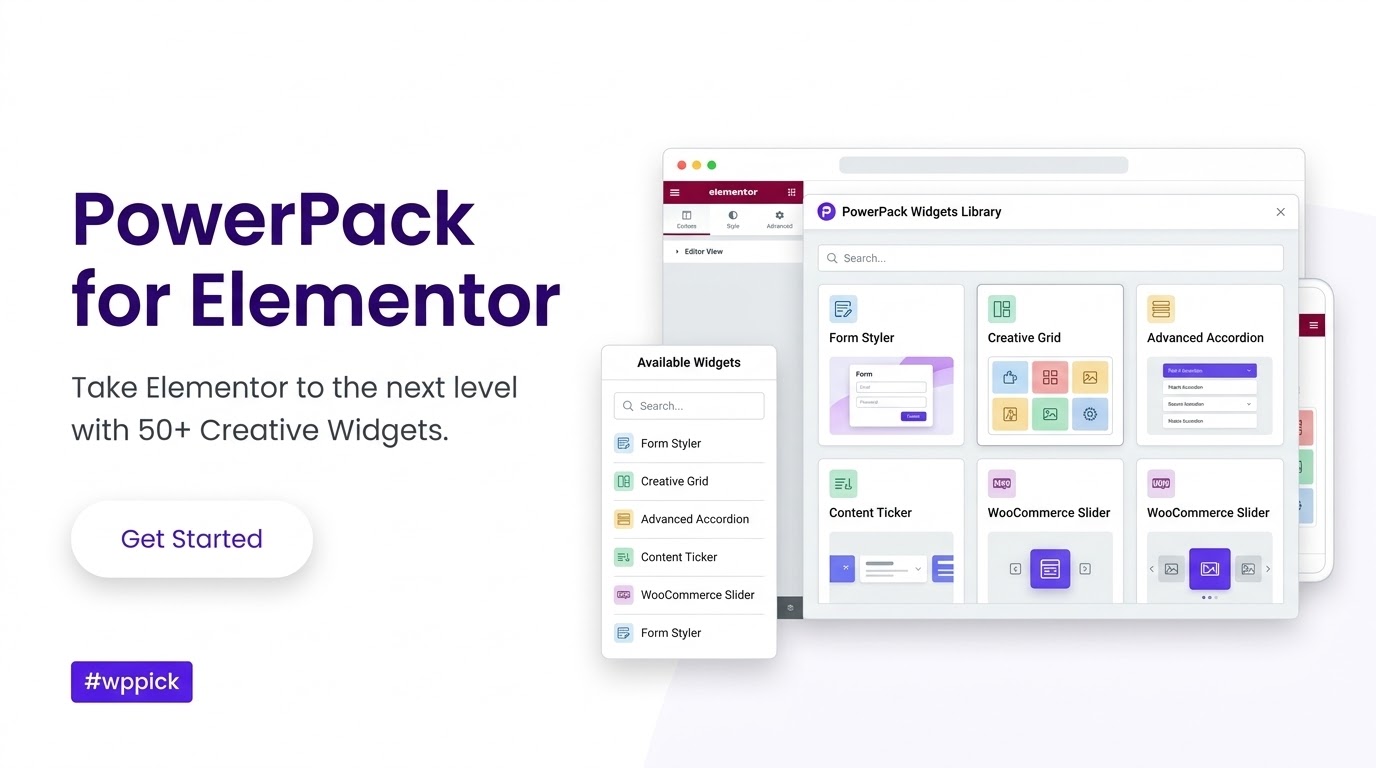
Extend Your Creative Layouts with PowerPack Addons for Elementor
PowerPack Addons for Elementor provides an expansive toolkit of creative widgets, templates, and styling controls designed to lift your standard page builder experience. Built with performance and clean code in mind, this premium extension helps web designers, digital agencies, and independent creators build high-converting websites faster. By skipping the tedious manual custom coding, you gain immediate access to stylized forms, advanced layout displays, and sophisticated interactive visual elements.
Latest Version 2.13.5 Changes
PowerPack Addons for Elementor version 2.13.5 was released on July 2, 2026, containing enhancements to the plugin.
- 2.13.5 July 2, 2026 Enhancements Enhancements.
What the Plugin Does and Who It Is For
This premium suite addresses the creative boundaries often encountered within standard page editors. It offers practical styling configurations and advanced modules that slide effortlessly into your existing editing panel. Website developers who manage client platforms will appreciate the granular branding capabilities, while local businesses can utilize specific interactive features to showcase services. Whether you build minimalist presentation landing pages or data-heavy online stores, these elements adapt to your exact design instructions without introducing unnecessary site bloat.
Key Structural Capabilities and Design Controls
The core utility of this addon rests upon three primary functional pillars: design expansion, dynamic content display, and form styling integration. Users can implement responsive multi-column layouts, advanced headings, card systems, and interactive content toggles. Beyond pure visuals, the integration extends to popular third-party form builders, enabling deep styling controls over your lead capture setups directly from the Elementor dashboard panel. The toolkit ensures complete design consistency by adapting seamlessly to your existing global fonts and brand color palettes.
Practical WordPress Use Cases
- Creating dynamic timelines for company histories or detailed project roadmaps that support mixed media and video backgrounds.
- Building customized product grids, filters, and manual presentation queries for online retail stores managed with WooCommerce.
- Designing sophisticated interactive pricing tables and feature comparison sections for subscription platforms and digital service offerings.
- Constructing portfolio galleries and stylized informational grids with localized map arrays for multi-branch brick-and-mortar operations.
Setup, Environment, and Compatibility Notes
Integration requires a standard installation of WordPress and an active instance of the core Elementor page builder. The expansion handles system resource management carefully, allowing administrators to selectively activate or deactivate individual elements to maintain optimal dashboard responsiveness. The code complies with default localization frameworks, ensuring seamless translation across global environments. It works alongside your chosen active theme settings without producing layout style conflicts or structure degradation.
Reasons to Choose PowerPack Addons on WPPick
Securing your site tools via WPPick grants you instant access to fully functional pre-verified source files, completely clean of unnecessary code scripts or verification popups. This file allows developers to safely build prototypes, deploy live customer layouts, and run full multisite projects without individual license limitations. Every file undergoes comprehensive security sweeps to maintain absolute system safety. You receive clean access to advanced presentation blocks alongside stable asset deliveries that support uninterrupted professional development schedules.
Latest Version Context and Important Changes
The deployment of version 2.13.5 introduces several crucial structural improvements focused on design flexibility and error resolution. Developers can now utilize the Timeline widget to display native or external videos in place of regular placeholder images inside content cards. A built-in administrator reminder now warns when the Google Maps API key remains missing, preventing broken front-end elements. Additional bug fixes repair incorrect SVG hover behaviors within the Flip Box, resolve media image accessibility warnings, and fix query chronological sorting issues on tailored WooCommerce display lists.
Frequently Asked Questions
Will this addon negatively impact my page loading performance?
No, the plugin is engineered for performance. It features a modular control dashboard where you can easily deactivate any widgets you are not currently using on your site, keeping your scripts minimal and fast.
Can I use this extension alongside other Elementor add-ons?
Yes, the plugin is designed to operate safely alongside other themes and functional modules. It introduces unique class namespaces to prevent styling conflicts with other extensions.
Does the timeline module support responsive video embeds?
Yes, the latest update allows you to place self-hosted, YouTube, Vimeo, or Dailymotion videos directly into individual cards, and they scale perfectly across modern mobile devices.
Is it possible to completely brand this extension for client use?
Yes, white-label options allow administrators to change the plugin naming, developer descriptions, and visible branding inside the WordPress back-end to match an agency persona.
Does this collection include dedicated layouts for e-commerce products?
Yes, it features dynamic WooCommerce widgets designed to build product carousels, custom filters, and custom product grids with precise item ordering controls.
I. Download Limits & Account Benefits
- Free Downloads: Each email address receives 3 downloads per day for free products
- Upgrade Benefits: Purchase any paid product to increase your daily download limit by 3 for each paid product
- No Account Required: You can download immediately by receiving the download link via email
- Account Recommended: Create an account for easier access to your order history and direct update downloads
II. Understanding GPL vs Official Versions
Important: The products available on WPPick are GPL-licensed versions, which differ from official developer versions. Before purchasing, please read our comprehensive guide: Understanding GPL & Official Differences at WPPick
Key Points:
- GPL versions may not include premium support from original developers
- Updates may be delayed compared to official releases
- Some premium features might have limitations
- Always consider your specific needs and support requirements
III. Support & Assistance
We’re here to help through multiple channels:
- Email Support: Direct email assistance for all inquiries
- Live Chat: Real-time support during business hours
- Comprehensive Documentation: Detailed guides and tutorials
IV. Order Tracking
Access your complete purchase history and download links anytime: Order History
V. Account Access
New to WPPick? Login or Create Account to manage your downloads and orders efficiently.
VI. Refund Protection
We stand behind our products with a clear refund policy. Review our terms: Refund Policy
VII. Privacy & Security
Your data security is our priority. Learn how we protect your information: Privacy Policy
VII. Terms of Service
Understanding our service terms ensures a smooth experience: Terms of Use
Quick Tips for Best Experience
- Verify Compatibility: Check plugin/theme compatibility with your WordPress version
- Backup First: Always backup your site before installing new plugins or themes
- Test Environment: Consider testing on a staging site first
- Stay Updated: Regularly check for updates in your account dashboard
- Read Documentation: Review any included documentation for optimal setup
Need Help?
If you have questions about downloads, licensing, or need technical assistance, don’t hesitate to contact our support team. We’re committed to ensuring you have the best possible experience with WPPick products.
Ready to get started? Your download adventure begins with just one click!
- Timeline - Added option to display a video (YouTube, Vimeo, Dailymotion, or self-hosted) in place of the image on each card
- Google Maps - Added an editor notice prompting users to configure the Google Maps API key when none is set
- Flip Box - Button hover Text Color was not applied to the button's SVG icon
- Flip Box - Image used a hardcoded alt attribute instead of the Media Library Alt Text, failing accessibility checks
- Woo Products - Manual Selection order was ignored because the Select Products control reloaded products in date order, scrambling the saved sequence
- Content Ticker - Optimized post image HTML output
- Tested compatibility with Elementor 4.0.0
- Info Box - Conditions of button style options
- Dual Heading - Improved CSS of the widget
- Dual Heading - Fixed a security issue
- Advanced Posts - Thumbnail margin issue in Portfolio skin
- Testimonials - Added Masonry layout
- Advanced Posts - Updated the logic to only show query selected terms in filters
- Counter - Ending number was using default value when 0 was used
- Fluent Forms - Fixed width issue when prefix is set
- Tested compatibility with Elementor 3.35.0
- Card Slider - Added option to chose breakpoint for responsive layout
- Advanced Posts - Minor CSS issue on mobile layout
- Album - PHP error with toolbar settings in some cases
- Table - Horizontal Align option was not working for first column
Loving the new features, makes designing so much faster. Super helpful! 😊
PowerPack is a game-changer fr! So many cool widgets, totally worth it. 💯 Easy to use too.
Ngl, this plugin is pretty good. Made my life way easier. Def recommended 👍
Works great with Elementor, does exactly what it says. No issues tbh, pretty solid.