

Pricepep – Woocommerce Dynamic Pricing, Discounts & Fees
/Year
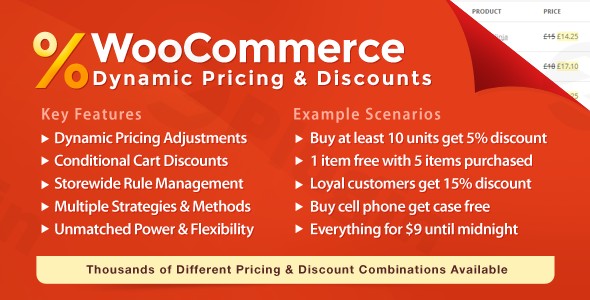
Managing a successful online store requires more than just listing products; it requires a strategic approach to pricing that can adapt to customer behavior and market trends. Pricepep is a comprehensive WooCommerce dynamic pricing plugin designed to give store owners granular control over their pricing strategies. Whether you need to run a seasonal sale, offer wholesale rates, or add custom checkout fees, Pricepep serves as an all-in-one toolkit to boost conversions and customer loyalty.
In this guide, we will explore the core features of the Pricepep plugin, walk you through the setup process, and share best practices to help you maximize your store’s revenue on wppick.com.
Key Features of Pricepep
Pricepep stands out by replacing multiple lightweight plugins with one robust engine. Here is a breakdown of what makes it a leader in WooCommerce discounts and pricing management.
1. Advanced Dynamic Pricing Rules
At its core, Pricepep allows for automatic price adjustments based on rules you define. These rules can target specific products, variations, or entire categories.
- Simple Adjustments: Increase or decrease prices by a percentage or fixed amount.
- Bulk Pricing WooCommerce: Reward customers who buy in high volumes. All units in a bulk purchase receive the highest applicable discount.
- Tiered Pricing: Encourage larger orders by decreasing the price per unit as the quantity increases (e.g., $10 for 1-5 units, $8 for 6+ units).
2. Powerful Discount Logic
Go beyond simple sales with promotional logic that drives urgency and high average order values (AOV).
- BOGO Deals WooCommerce: Easily set up “Buy One Get One” offers to clear inventory.
- Buy X Get Y: Offer a discount on product Y when a specific quantity of product X is purchased.
- Cart-Based Offers: Trigger discounts automatically when the total cart value reaches a specific milestone.
3. Role-Based & Behavioral Pricing
Personalize the shopping experience by targeting specific user segments.
- WooCommerce Wholesale Pricing Plugin Capabilities: Set exclusive prices for “Wholesale” or “VIP” user roles.
- Location-Based Pricing: Offer unique discounts based on the customer’s geographic location.
- Loyalty Rewards: Implement pricing strategies that reward returning customers based on their purchase history.
4. Custom Fees and Checkout Management
Sometimes you need to add, rather than subtract. Pricepep is a top-tier WooCommerce custom checkout fees plugin.
- Service Fees: Add charges for gift wrapping, expedited handling, or specific payment methods.
- Conditional Fees: Apply fees only when certain conditions are met in the cart.
Technical Specifications & Performance
Pricepep is built by RightPress, a developer known for high-quality, professional-grade WooCommerce extensions.
- Compatibility: Fully compatible with WooCommerce 8.2+ and HPOS (High-Performance Order Storage).
- Lightweight Code: Designed to be performance-friendly, it minimizes front-end scripts to ensure your site remains fast.
- Integration: Uses standard WooCommerce price hooks, making it compatible with most major themes and extensions.
- Limitations: Note that Pricepep does not currently support decimal quantities or individual currency-specific discounts (it uses base currency conversion).
How to Set Up Dynamic Pricing in WooCommerce with Pricepep
Setting up your first pricing rule is straightforward. Follow these steps to get started:
- Installation: Purchase Pricepep (usually via CodeCanyon) and download the ZIP file. In your WordPress dashboard, go to Plugins > Add New > Upload Plugin and activate it.
- Access the Dashboard: Navigate to WooCommerce > Pricepep. Here you will see the main interface for creating rules.
- Create a New Rule: Click on “Add Rule.” Choose the Rule Type (e.g., Bulk Pricing, Tiered Pricing, or BOGO).
- Configure Selection: Define which products the rule applies to. You can select specific products, tags, or entire categories.
- Set the Amount: Input your discount percentage or fixed price. For bulk pricing, define your quantity tiers.
- Add Conditions (Optional): You can restrict the rule to certain user roles (like “Wholesale”) or specific dates to automate your sale.
- Save and Test: Save the rule and visit your store in an incognito window to verify the price updates correctly on the product and cart pages.
Practical Usage & Best Practices
To get the most out of Pricepep, consider these real-world workflows:
For Wholesale and B2B Stores
Use role-based pricing to hide your retail prices from logged-in wholesale customers. Instead of creating separate products for B2B, use one product and let Pricepep adjust the price automatically based on the user’s role.
For Seasonal Promotions
Create urgency using the Countdown Timer feature. When running a Black Friday sale, use Pricepep to apply a category-wide discount and display a timer on the product page to encourage immediate checkout.
For Improving Profit Margins
Use Bulk Pricing to encourage customers to “buy more to save more.” Display the Volume Pricing Table on the product page so customers can see exactly how much they save by adding two more items to their cart.
FAQ & Troubleshooting
What is dynamic pricing in WooCommerce?
Dynamic pricing is a strategy where product prices change automatically based on specific rules, such as quantity purchased, user role, or cart total. Pricepep automates this process so you don’t have to change prices manually.
Does Pricepep work with HPOS?
Yes, Pricepep is fully compatible with WooCommerce High-Performance Order Storage (HPOS), ensuring your store’s database remains fast and efficient even with high order volumes.
Can I offer discounts based on quantity in WooCommerce?
Absolutely. Pricepep offers both Bulk Pricing (where all items get the same discount) and Tiered Pricing (where the price drops progressively) to help you sell more units per transaction.
Is Pricepep compatible with WPML for multi-language stores?
As of the current version, WPML compatibility is on the developer’s roadmap but not yet fully implemented. It is recommended to test compatibility in a staging environment if you use a multi-language setup.
What should I do if a discount isn’t showing up?
First, ensure the rule is “Active.” Second, check for “Exclusion Rules” that might be preventing the discount from firing. Finally, clear your site and browser cache, as dynamic prices are often updated in real-time.
Final Verdict
Pricepep is an essential investment for any WooCommerce store owner looking to implement sophisticated sales tactics without the bloat of multiple plugins. Its ability to handle WooCommerce dynamic pricing, BOGO deals, and custom checkout fees in a single interface provides a high ROI through increased AOV and streamlined management. If you are looking for a professional-grade solution to dominate your niche, Pricepep is the tool for the job.
Visit wppick.com for more WordPress plugin reviews and technical tutorials.
I. Download Limits & Account Benefits
- Free Downloads: Each email address receives 3 downloads per day for free products
- Upgrade Benefits: Purchase any paid product to increase your daily download limit by 3 for each paid product
- No Account Required: You can download immediately by receiving the download link via email
- Account Recommended: Create an account for easier access to your order history and direct update downloads
II. Understanding GPL vs Official Versions
Important: The products available on WPPick are GPL-licensed versions, which differ from official developer versions. Before purchasing, please read our comprehensive guide: Understanding GPL & Official Differences at WPPick
Key Points:
- GPL versions may not include premium support from original developers
- Updates may be delayed compared to official releases
- Some premium features might have limitations
- Always consider your specific needs and support requirements
III. Support & Assistance
We’re here to help through multiple channels:
- Email Support: Direct email assistance for all inquiries
- Live Chat: Real-time support during business hours
- Comprehensive Documentation: Detailed guides and tutorials
IV. Order Tracking
Access your complete purchase history and download links anytime: Order History
V. Account Access
New to WPPick? Login or Create Account to manage your downloads and orders efficiently.
VI. Refund Protection
We stand behind our products with a clear refund policy. Review our terms: Refund Policy
VII. Privacy & Security
Your data security is our priority. Learn how we protect your information: Privacy Policy
VII. Terms of Service
Understanding our service terms ensures a smooth experience: Terms of Use
Quick Tips for Best Experience
- Verify Compatibility: Check plugin/theme compatibility with your WordPress version
- Backup First: Always backup your site before installing new plugins or themes
- Test Environment: Consider testing on a staging site first
- Stay Updated: Regularly check for updates in your account dashboard
- Read Documentation: Review any included documentation for optimal setup
Need Help?
If you have questions about downloads, licensing, or need technical assistance, don’t hesitate to contact our support team. We’re committed to ensuring you have the best possible experience with WPPick products.
Ready to get started? Your download adventure begins with just one click!
- Cart Discount display issues
- Changed menu link from "Pricing & Discounts" to "Pricepep"
- Creation of dynamic property is deprecated
- Attempt to modify property response on free
- Implicit conversion from float to int loses precision
- Cart Discount codes instead of titles displayed in cart/checkout
- Cart Item Descriptions does not show up in cart/checkout blocks
- Your Price not replacing main price in product price block
- Changed administrative capability from manage_rp_wcdpd to manage_woocommerce
- Improved WooCommerce sale price handling
- Improved compatibility WooCommerce cart & checkout blocks
- Improved compatibility with the latest WooCommerce versions
- Improved compatibility with the latest PHP versions
- Other minor bug fixes and improvements
- Added $cart_item_key param to filter rp_wcdpd_product_pricing_adjusted_unit_price