

Pro Slider & Carousel Layout For Wpbakery Page Builder
/Year
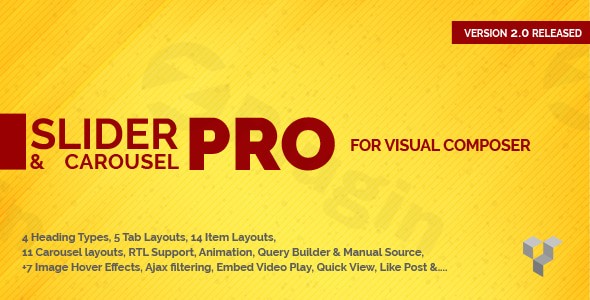
In today’s dynamic web landscape, captivating your audience means presenting content in engaging and interactive ways. Static pages simply don’t cut it anymore. This is where the Pro Slider & Carousel Layout for WPBakery Page Builder steps in, offering a powerful WordPress Slider for WPBakery solution designed to transform your WordPress website. Whether you’re aiming to showcase your latest blog posts, highlight portfolio pieces, or dynamically display custom post types, this plugin empowers you to create stunning WPBakery Post Slider and WPBakery Custom Post Carousel displays with ease, directly within the familiar WPBakery interface.This comprehensive addon for WPBakery Page Builder (formerly Visual Composer) eliminates the need for complex coding, allowing even non-developers to build visually appealing and highly functional content showcases. It’s the perfect tool for marketers, bloggers, agencies, and store owners who want to elevate their content presentation and enhance user experience.
Key Features for Dynamic Post Display in WPBakery
The Pro Slider & Carousel Layout for WPBakery Page Builder is packed with features that provide granular control over your content’s appearance and behavior. It’s engineered to make Post Display WPBakery simple yet sophisticated, covering all Pro Slider & Carousel Layout for WPBakery features you need.
Flexible & Responsive Design Options
Creating a visually appealing and universally accessible website is paramount. This plugin ensures your sliders and carousels look great on any device:
- Clean & Modern Design: Start with a solid foundation that looks professional and appealing.
- Fully Responsive: Built with the latest Bootstrap framework, ensuring your content automatically adapts and displays flawlessly on desktops, tablets, and mobile phones. This is key for
how to create responsive post carousel in wpbakery. - WordPress 6+ Ready: Enjoy full compatibility with the latest versions of WordPress, guaranteeing stability and access to the newest platform features.
- User-Friendly Interface: Intuitive controls make customization effortless, even for those new to WPBakery.
- RTL Support: Ideal for multilingual websites that need to support right-to-left languages.
Diverse Layouts & WPBakery Carousel Layouts
Variety is the spice of life, and this plugin delivers with an extensive selection of display options to match any design aesthetic:
- Multiple Header Types:
- Manual Header: Add your own custom text above the slider for tailored messaging.
- Simple Header: Automatically display child categories, tags, or taxonomies relevant to your content.
- Advanced Header: Create dynamic tabs using custom categories, tags, or taxonomies, allowing for separate content sections within a single display.
- 7 Slider Layouts & 11 Carousel Designs: Choose from a wide array of styles to perfectly match your website’s theme and content type. These
WPBakery Carousel Layoutsprovide immense flexibility. - Multiple Animation Effects: Breathe life into your content with various
WPBakery Slider Effectsincluding slide, cube, flip, fade, and more, offering a dynamic user experience.
Advanced Customization & Styling
Beyond layouts, the plugin provides deep customization capabilities to fine-tune every visual aspect:
- Custom Google Fonts: Personalize the typography of titles, meta text, excerpts, and buttons to maintain consistent branding.
- Image Hover Effects: Engage users with 7 distinct image hover styles that add an interactive layer to your displayed content.
- Pagination & Navigation Controls: Offer multiple layouts for navigation arrows and pagination dots, enhancing user interaction and content discoverability.
- Device-Specific Columns: Precisely control the number of visible items (columns) for carousels on desktop, tablet, and mobile, optimizing display for each screen size.
Smart Query Builder for Dynamic Content
The true power of this plugin lies in its robust query builder, allowing you to define exactly which content appears in your sliders and carousels:
- Dynamic Content Filtering: Effortlessly select posts, pages, or any registered custom post types. This is invaluable if you’re looking for a
wpbakery addon for custom post type slider. - Advanced Sorting: Order your content by date, title, ID, popularity, random order, and more, ensuring the most relevant items are showcased.
- Category/Tag/Taxonomy Filtering: Easily
filter posts by category in wpbakery slider, tags, or custom taxonomies to display highly targeted content. - Author-Based Display: Highlight contributions from specific authors, perfect for team pages or editorial showcases.
Granular Carousel Control
For carousels, you get additional settings to perfect their behavior and flow:
- Item Per View Control: Set the exact number of items visible at once in your carousel.
- Adjustable Speed: Fine-tune the transition speed of your slider, from slow and graceful to fast and dynamic.
- Loop Mode: Enable continuous scrolling for an uninterrupted viewing experience.
- Navigation Controls: Show or hide previous/next buttons as needed, providing a clean or guided navigation.
- Autoplay & Lazy Load: Optimize performance and user experience with autoplay functionality and lazy loading for images.
Installation & Setup: Get Started with Pro Slider & Carousel Layout
Installing the Pro Slider & Carousel Layout for WPBakery Page Builder is a straightforward process, similar to any other WordPress plugin:
- Purchase & Download: Obtain the plugin zip file from a trusted source like ZeroPlugin.com.
- Upload Plugin:
- Navigate to your WordPress dashboard.
- Go to Plugins > Add New.
- Click on the “Upload Plugin” button at the top of the page.
- Choose the downloaded plugin zip file and click “Install Now”.
- Activate Plugin: Once installed, click “Activate Plugin”.
- WPBakery Integration: The plugin seamlessly integrates with WPBakery Page Builder. When you open or create a new page/post with WPBakery, you’ll find new elements available to add your sliders and carousels. Look for elements related to “Pro Slider & Carousel Layout” or similar names within the WPBakery element browser.
- Start Building: Drag and drop the slider or carousel element onto your page, then use the intuitive settings panel to configure your content source, layout, styles, and animation effects. This is where you leverage it as a robust
wpbakery addon for custom post type slider.
Practical Usage & Best Practices: Leveraging Your WPBakery Custom Post Carousel
The versatility of the Pro Slider & Carousel Layout for WPBakery Page Builder makes it an indispensable tool for various website types. Here’s how you can make the most of this WordPress post carousel plugin WPBakery:
1. Showcase Portfolios & Projects Dynamically
For designers, photographers, or agencies, showcasing work is crucial.
- Use Case: Create a custom post type for “Portfolio Items.” Use the plugin’s query builder to pull these custom post types into a sleek, responsive carousel. Each slide can feature a project image, title, and a brief excerpt.
- Best Practice: Utilize image hover effects to add an interactive touch, enticing visitors to click through to individual project pages. The
visual composer slider addon postmakes this incredibly easy.
2. Highlight Your Latest Blog Content
Keep your audience engaged with your freshest articles.
- Use Case: On your blog’s homepage or within specific category archives, display your latest or most popular blog posts in a
WPBakery Post Slider. Use the category filtering to create sliders focused on specific topics. - Best Practice: Implement the “Advanced Header” to create tabbed sections for “Latest Posts,” “Popular Posts,” and “Editor’s Picks,” allowing users to browse different content types within one compact area.
3. Build Dynamic News or Announcement Sections
For corporate sites, educational institutions, or news portals, keeping visitors informed is vital.
- Use Case: Create a slider to highlight recent news updates or important announcements. Use the query builder to filter by a “News” category or a “Announcement” custom post type.
- Best Practice: Leverage animation effects like “fade” or “slide” for a smooth, professional presentation, ensuring key information is easily digestible.
4. Optimize Content for Different Devices
Ensure a consistent and enjoyable user experience across all screen sizes.
- Use Case: When designing a carousel, use the device-specific column controls to specify how many items appear on desktop, tablet, and mobile. For example, show 4 items on desktop, 3 on tablet, and 1 on mobile.
- Best Practice: Always preview your sliders and carousels on various devices during the design process to catch any display issues and ensure optimal responsiveness.
FAQ & Troubleshooting for Your WordPress Slider for WPBakery
Here are answers to some common questions about using the Pro Slider & Carousel Layout for WPBakery Page Builder, designed to provide quick and clear guidance.
Q: Is Pro Slider & Carousel Layout compatible with WordPress 6.x?
A: Yes, the Pro Slider & Carousel Layout for WPBakery Page Builder is fully compatible with WordPress 6+ and the latest versions of WPBakery Page Builder, ensuring seamless integration and stability on modern WordPress sites.
Q: How do I add a carousel to WPBakery with custom posts?
A: To add a carousel with custom posts, simply drag and drop the “Pro Slider & Carousel Layout” element into your WPBakery-powered page. In the element’s settings panel, navigate to the “Query Builder” section. Here, you can select your desired custom post type from the “Data Source” options, then configure other parameters like the number of items, ordering, and filters.
Q: Can I filter posts by category in the WPBakery slider?
A: Absolutely. The plugin’s intelligent “Query Builder” allows you to filter posts by category in wpbakery slider with ease. After adding the slider element, go to its settings and find the query options. You can select specific categories, tags, or custom taxonomies to ensure only relevant posts are displayed in your slider or carousel.
Q: What is the best post slider plugin for WPBakery?
A: While several options exist, the Pro Slider & Carousel Layout for WPBakery Page Builder stands out as an excellent contender for the best post slider plugin for WPBakery. Its comprehensive feature set, including diverse layouts, advanced query building, extensive customization, and robust responsiveness, makes it a highly versatile and powerful choice for creating dynamic post and custom post type displays.
Q: How can I ensure my WPBakery post carousel is responsive?
A: The Pro Slider & Carousel Layout for WPBakery Page Builder is built on the latest Bootstrap framework, making it inherently responsive. To further fine-tune responsiveness, utilize the “Device-Specific Columns” option within the carousel settings. This allows you to set different numbers of items per view for desktop, tablet, and mobile devices, ensuring optimal presentation on every screen size.
Conclusion: Transform Your Content with Pro Slider & Carousel Layout for WPBakery Page Builder
The Pro Slider & Carousel Layout for WPBakery Page Builder is more than just another addon; it’s a complete solution for dynamic content display within the WPBakery ecosystem. By providing unparalleled flexibility in design, advanced content filtering, and robust customization options, it empowers website owners, content creators, and agencies to present their posts, pages, and custom post types in engaging, visually stunning, and highly functional sliders and carousels.This plugin not only enhances the aesthetic appeal of your website but also significantly improves user experience, driving engagement and making your content more accessible. If you’re looking for a dependable and feature-rich WordPress Slider for WPBakery to elevate your website’s content presentation, the Pro Slider & Carousel Layout for WPBakery Page Builder from ZeroPlugin.com offers exceptional value and performance. Its commitment to regular updates and secure, GPL-licensed distribution makes it a trustworthy choice for any WordPress professional.
I. Download Limits & Account Benefits
- Free Downloads: Each email address receives 3 downloads per day for free products
- Upgrade Benefits: Purchase any paid product to increase your daily download limit by 3 for each paid product
- No Account Required: You can download immediately by receiving the download link via email
- Account Recommended: Create an account for easier access to your order history and direct update downloads
II. Understanding GPL vs Official Versions
Important: The products available on WPPick are GPL-licensed versions, which differ from official developer versions. Before purchasing, please read our comprehensive guide: Understanding GPL & Official Differences at WPPick
Key Points:
- GPL versions may not include premium support from original developers
- Updates may be delayed compared to official releases
- Some premium features might have limitations
- Always consider your specific needs and support requirements
III. Support & Assistance
We’re here to help through multiple channels:
- Email Support: Direct email assistance for all inquiries
- Live Chat: Real-time support during business hours
- Comprehensive Documentation: Detailed guides and tutorials
IV. Order Tracking
Access your complete purchase history and download links anytime: Order History
V. Account Access
New to WPPick? Login or Create Account to manage your downloads and orders efficiently.
VI. Refund Protection
We stand behind our products with a clear refund policy. Review our terms: Refund Policy
VII. Privacy & Security
Your data security is our priority. Learn how we protect your information: Privacy Policy
VII. Terms of Service
Understanding our service terms ensures a smooth experience: Terms of Use
Quick Tips for Best Experience
- Verify Compatibility: Check plugin/theme compatibility with your WordPress version
- Backup First: Always backup your site before installing new plugins or themes
- Test Environment: Consider testing on a staging site first
- Stay Updated: Regularly check for updates in your account dashboard
- Read Documentation: Review any included documentation for optimal setup
Need Help?
If you have questions about downloads, licensing, or need technical assistance, don’t hesitate to contact our support team. We’re committed to ensuring you have the best possible experience with WPPick products.
Ready to get started? Your download adventure begins with just one click!