

Product Slider For Woocommerce By Shapedplugin
/Year
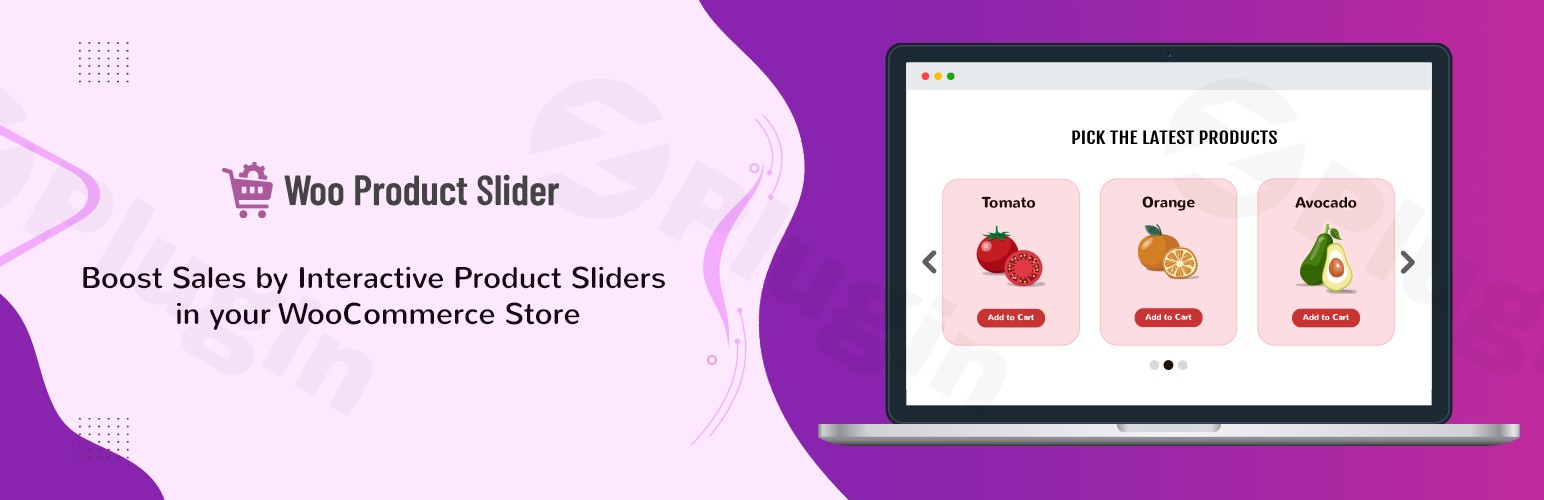
In the competitive world of eCommerce, the way you display your products can make or break a sale. Standard, static grids often fail to capture customer attention, leading to high bounce rates and missed opportunities. This is where Product Slider for WooCommerce by ShapedPlugin comes in. As a premier WooCommerce product slider solution, it allows store owners to create professional, responsive, and high-converting carousels that showcase products dynamically.
Whether you are looking to highlight “Best Sellers,” “New Arrivals,” or “Top Rated Products,” this plugin provides the flexibility to turn a cluttered store into a visually engaging shopping experience.
Key Features and Benefits
The Product Slider for WooCommerce is designed for both beginners and advanced developers. It offers a balance between ease of use and deep customization.
1. 100% Responsive and Mobile-Ready
The plugin is built with a mobile-first approach. Your product carousel for WooCommerce will automatically adjust its layout for smartphones, tablets, and desktops, ensuring a seamless shopping experience on any device.
2. Powerful Shortcode Generator
You don’t need to be a coder to use this plugin. It features an intuitive shortcode generator that allows you to customize your slider settings and generate a snippet that can be pasted into any page, post, or widget area.
3. Diverse Product Filtering (Pro)
While the free version allows for basic product displays, the Pro version unlocks advanced filtering. You can create sliders based on:
- Specific Categories or Tags
- Best Selling Products
- Featured Products
- On Sale Items
- Top Rated Products
4. Customization and Styling
- Ready-to-use Themes: Choose from multiple pre-designed templates (up to 30+ in Pro) to match your brand’s aesthetic.
- Typography and Colors: Control font sizes, colors, and button styles directly from the settings panel.
- Autoplay and Speed Control: Manage the “scroll” behavior to ensure it doesn’t distract users but keeps them engaged.
5. Advanced Integrations
The plugin works seamlessly with popular page builders like Elementor, Gutenberg, WPBakery, and Divi. It also supports “Quick View” and “Wishlist” functionalities, allowing customers to interact with products without leaving the slider.
Installation and Setup: How to Add a Product Slider in WooCommerce
Setting up your first slider takes less than five minutes. Follow these steps to get started:
- Install the Plugin: Log in to your WordPress dashboard, go to Plugins > Add New, and search for “Product Slider for WooCommerce.” Look for the version by ShapedPlugin.
- Activate: Click Install Now and then Activate.
- Create a New Slider: Navigate to the new Product Slider menu in your sidebar and click Add New.
- Configure Settings:
- Give your slider a title.
- Choose your layout (Slider or Grid).
- Select the products you want to display (Latest, Category-wise, etc.).
- Adjust the “Style Settings” to change colors and button designs.
- Publish and Copy Shortcode: Once satisfied, click Publish. Copy the generated shortcode (e.g.,
[sp_wpcarousel id="123"]). - Display the Slider: Paste the shortcode onto any page or post where you want the carousel to appear.
Practical Usage & Best Practices
To get the most out of your ShapedPlugin Product Slider, consider these professional workflows:
- The “Home Page Hero” Strategy: Place a “Featured Products” slider just below your main header. This directs traffic immediately to your highest-margin items.
- Cross-Selling on Product Pages: Use a slider at the bottom of individual product pages to show “Related Products” from the same category. This increases the Average Order Value (AOV).
- Seasonal Promotions: Create a specific slider for holiday sales (e.g., “Black Friday Deals”) and use the plugin’s scheduling or category filtering to keep it relevant.
- Performance Optimization: For the best loading speeds, limit your sliders to 8–10 products. Overloading a slider with 50 products can increase page weight and slow down the mobile experience.
FAQ & Troubleshooting
Is Product Slider for WooCommerce by ShapedPlugin free?
Yes, there is a robust free version available on the WordPress.org repository that includes basic slider functionality, responsiveness, and essential styling. A Pro version is available for users who need advanced filtering, more themes, and premium support.
Does this plugin work with Elementor?
Absolutely. Product Slider for WooCommerce is fully compatible with Elementor. You can use the “Shortcode” widget or the dedicated element (in Pro) to drop your carousels directly into your Elementor layouts.
Can I show “Out of Stock” products in the slider?
By default, the plugin respects your WooCommerce settings. However, within the slider configuration, you can choose whether to hide or show “Out of Stock” items to ensure your customers only see products they can actually buy.
What should I do if the slider is not appearing?
First, ensure you have WooCommerce installed and active. Second, check if there is a conflict with your theme’s CSS. If the slider looks broken, try switching to a default WordPress theme like Storefront to see if the issue persists. If it does, contact ShapedPlugin support.
Is the slider SEO-friendly?
Yes. The plugin uses clean HTML markup and is optimized for speed. Because it is responsive and touch-enabled, it helps improve your site’s mobile usability scores, which is a key ranking factor for Google.
Final Verdict
Product Slider for WooCommerce by ShapedPlugin is a must-have for any serious store owner. It bridges the gap between a standard product list and a high-end eCommerce storefront. By utilizing its responsive design and advanced filtering, you provide a smoother navigation path for your customers, which directly correlates to higher conversion rates.
For more tutorials and reviews of the best WordPress tools, stay tuned to wppick.com.
I. Download Limits & Account Benefits
- Free Downloads: Each email address receives 3 downloads per day for free products
- Upgrade Benefits: Purchase any paid product to increase your daily download limit by 3 for each paid product
- No Account Required: You can download immediately by receiving the download link via email
- Account Recommended: Create an account for easier access to your order history and direct update downloads
II. Understanding GPL vs Official Versions
Important: The products available on WPPick are GPL-licensed versions, which differ from official developer versions. Before purchasing, please read our comprehensive guide: Understanding GPL & Official Differences at WPPick
Key Points:
- GPL versions may not include premium support from original developers
- Updates may be delayed compared to official releases
- Some premium features might have limitations
- Always consider your specific needs and support requirements
III. Support & Assistance
We’re here to help through multiple channels:
- Email Support: Direct email assistance for all inquiries
- Live Chat: Real-time support during business hours
- Comprehensive Documentation: Detailed guides and tutorials
IV. Order Tracking
Access your complete purchase history and download links anytime: Order History
V. Account Access
New to WPPick? Login or Create Account to manage your downloads and orders efficiently.
VI. Refund Protection
We stand behind our products with a clear refund policy. Review our terms: Refund Policy
VII. Privacy & Security
Your data security is our priority. Learn how we protect your information: Privacy Policy
VII. Terms of Service
Understanding our service terms ensures a smooth experience: Terms of Use
Quick Tips for Best Experience
- Verify Compatibility: Check plugin/theme compatibility with your WordPress version
- Backup First: Always backup your site before installing new plugins or themes
- Test Environment: Consider testing on a staging site first
- Stay Updated: Regularly check for updates in your account dashboard
- Read Documentation: Review any included documentation for optimal setup
Need Help?
If you have questions about downloads, licensing, or need technical assistance, don’t hesitate to contact our support team. We’re committed to ensuring you have the best possible experience with WPPick products.
Ready to get started? Your download adventure begins with just one click!