

Product Table And List Builder For Woocommerce Pro
/Year
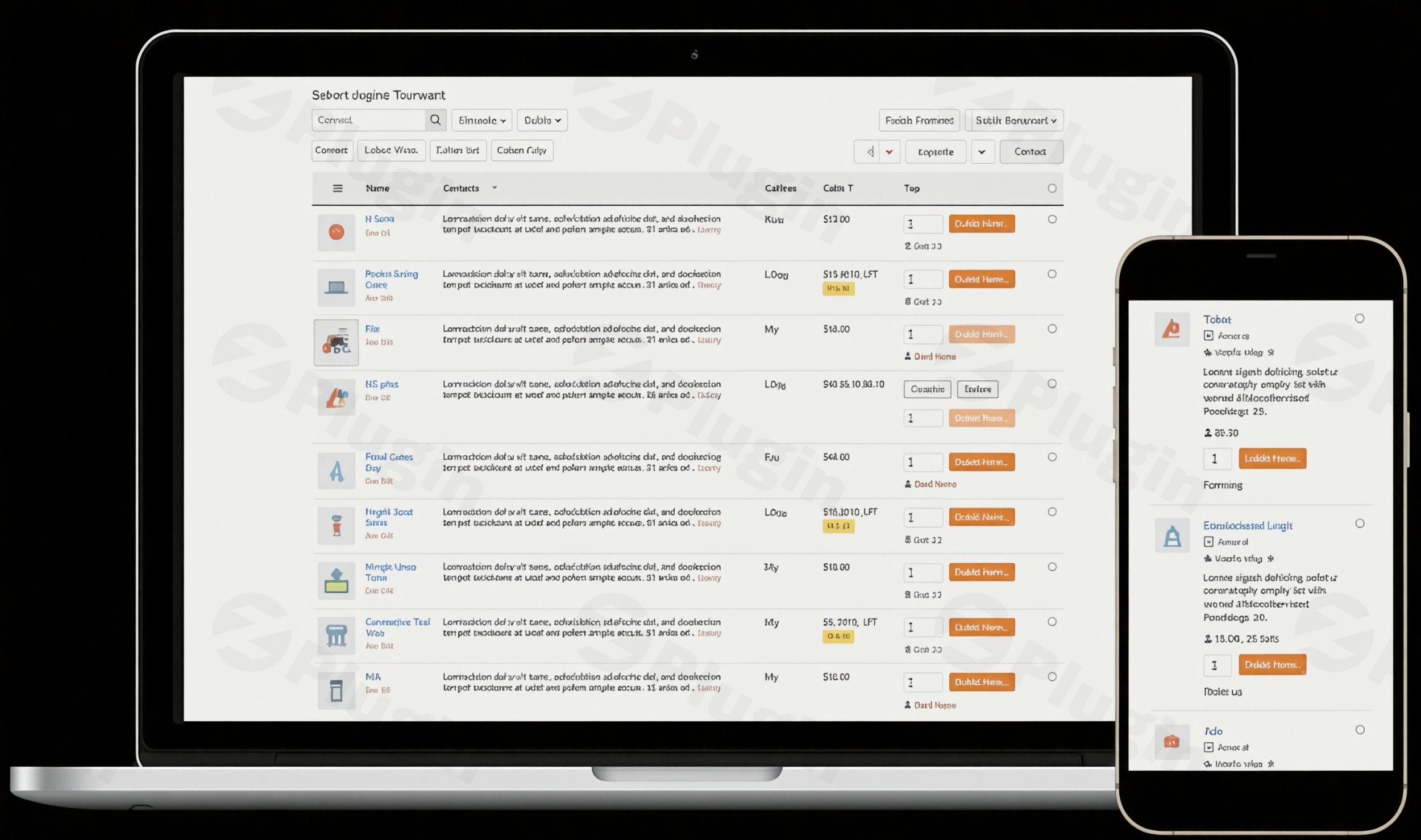
Standard WooCommerce product grids are great for lifestyle brands, but they often fall short for stores selling spare parts, wholesale goods, restaurant menus, or large catalogs. The Product Table And List Builder For WooCommerce Pro is a powerful WordPress plugin designed to solve this by transforming cluttered grids into organized, high-converting tables and lists.By utilizing a professional WooCommerce product table, you can streamline the buyer journey, allowing customers to compare technical specs and add multiple items to their cart without ever leaving the page. Whether you are building a wholesale portal or a digital restaurant menu, this plugin provides the flexibility and performance needed to scale your e-commerce business.
Key Features & Benefits
The Product Table And List Builder For WooCommerce Pro is more than just a layout tool; it is a full-scale conversion optimization suite. Here is why it is considered one of the best tools for modern WooCommerce stores:
1. Flexible Table and List Layouts
Depending on your niche, you might prefer a compact table or a detailed list. This plugin allows you to switch between layouts effortlessly.
- Table Format: Ideal for wholesale stores where customers need to compare SKUs, prices, and stock at a glance.
- List Format: Perfect for food delivery or fashion, where larger images and descriptions drive sales.
2. Extensive Column Customization (50+ Elements)
You aren’t limited to just “Title” and “Price.” You can choose from over 50 property elements to display, including:
- SKU and Stock Status.
- Product Attributes and Custom Fields.
- Short and Long Descriptions.
- Star Ratings and Reviews.
- Total Cost Calculator: A unique feature that calculates order totals directly within the table.
3. Advanced WooCommerce Product Variations Table
Handling variations (like size or color) can be tricky. This plugin provides a dedicated WooCommerce product variations table experience. You can display variations as dropdowns, radio buttons, or even in separate rows, allowing customers to select their specific preferences instantly.
4. One-Page Bulk Purchasing
One of the biggest friction points in e-commerce is the “back and forth” between product pages. This WooCommerce bulk order table enables AJAX-based “Add to Cart” functionality, meaning users can check multiple items and add them to their cart in a single click without a page reload.
5. Smart Filtering and Instant Search
Help your customers find exactly what they need with robust, real-time filters. You can add filters for:
- Categories and Tags.
- Custom Attributes (Size, Color, Material).
- Price Ranges.
- Keyword Search.
6. Replace WooCommerce Shop Grid with Table
In the PRO version, you can completely replace the WooCommerce shop grid with a table layout across your entire store. This includes category pages, tag pages, and even search results, ensuring a consistent and professional user experience.
Installation & Setup: How to Add Product Tables to WooCommerce
Setting up your first table is straightforward and requires no coding knowledge. Follow these steps to get started:
- Install and Activate: Upload the plugin file to your WordPress dashboard under
Plugins > Add New. Once uploaded, click Activate. - Create a New Table: Navigate to the plugin menu in your sidebar and click Add New Table.
- Configure Your Columns: Use the drag-and-drop builder to select the elements you want to display (e.g., Image, Product Name, SKU, Price, Add to Cart).
- Set Up Filters: Go to the “Query” and “Navigation” tabs to define which products should appear and which filters (categories, price, etc.) should be available to the user.
- Publish and Display:
- Shortcode: Copy the generated shortcode and paste it onto any page or post.
* Archive Replacement: If you are using the Pro version, go to the settings to automatically replace your Shop or Category pages with your new table layout.
Practical Usage & Best Practices
To get the most out of the WooCommerce table builder, consider these real-world workflows:
- For Wholesale & B2B: Use a compact table layout with the SKU and “Stock Status” columns visible. Enable the bulk order feature so wholesale buyers can quickly restock their inventory.
- For Parts & Hardware: Display technical specifications using “Custom Fields.” A filterable product table is essential here, allowing users to filter by specific dimensions or compatibility.
- For Restaurants & Cafes: Use the “List Layout” with large thumbnails. Incorporate the “Product Variations” feature to allow customers to choose toppings or sides directly from the list.
* Performance Tip: For large catalogs (1,000+ products), enable Lazy Loading and AJAX search within the plugin settings to ensure your site remains lightning-fast.
FAQ & Troubleshooting
What is the best WooCommerce product table plugin?
While there are several options like Barn2 or Ninja Tables, Product Table And List Builder For WooCommerce Pro stands out due to its inclusion of 50+ property elements, built-in total cost calculator, and the ability to replace archive pages without manual coding.
Can I display WooCommerce product variations in a table?
Yes. The plugin allows you to display variations within the same row via dropdowns or radio buttons. The PRO version also supports displaying each variation as a unique row, which is ideal for stores where variations have different SKUs or price points.
Is this plugin compatible with page builders like Elementor?
Absolutely. It is fully compatible with Elementor, Divi, Bricks, and Beaver Builder. You can simply drop the table shortcode into any text or code module within your preferred builder.
How do I replace the WooCommerce shop grid with a table?
In the PRO version settings, you can navigate to the “Archive Pages” section. Here, you can toggle an option to automatically override the default WooCommerce grid on the Shop, Category, and Tag pages with a table of your choice.
Does it support mobile devices?
Yes, the plugin is fully responsive. You can even choose which columns to hide on mobile screens to ensure the table remains readable and functional on smartphones.
Conclusion: Final Verdict
If you want to boost your store’s efficiency and user experience, Product Table And List Builder For WooCommerce Pro is a top-tier investment. It successfully moves away from the “one size fits all” grid layout, offering a highly customizable WooCommerce product table that caters to professional, bulk, and technical e-commerce needs.With its AJAX-powered interface, extensive variation handling, and seamless archive replacement, it provides an excellent ROI for any site owner looking to simplify the purchasing process. Visit wppick.com for more tips and tools to optimize your WordPress and WooCommerce journey.
I. Download Limits & Account Benefits
- Free Downloads: Each email address receives 3 downloads per day for free products
- Upgrade Benefits: Purchase any paid product to increase your daily download limit by 3 for each paid product
- No Account Required: You can download immediately by receiving the download link via email
- Account Recommended: Create an account for easier access to your order history and direct update downloads
II. Understanding GPL vs Official Versions
Important: The products available on WPPick are GPL-licensed versions, which differ from official developer versions. Before purchasing, please read our comprehensive guide: Understanding GPL & Official Differences at WPPick
Key Points:
- GPL versions may not include premium support from original developers
- Updates may be delayed compared to official releases
- Some premium features might have limitations
- Always consider your specific needs and support requirements
III. Support & Assistance
We’re here to help through multiple channels:
- Email Support: Direct email assistance for all inquiries
- Live Chat: Real-time support during business hours
- Comprehensive Documentation: Detailed guides and tutorials
IV. Order Tracking
Access your complete purchase history and download links anytime: Order History
V. Account Access
New to WPPick? Login or Create Account to manage your downloads and orders efficiently.
VI. Refund Protection
We stand behind our products with a clear refund policy. Review our terms: Refund Policy
VII. Privacy & Security
Your data security is our priority. Learn how we protect your information: Privacy Policy
VII. Terms of Service
Understanding our service terms ensures a smooth experience: Terms of Use
Quick Tips for Best Experience
- Verify Compatibility: Check plugin/theme compatibility with your WordPress version
- Backup First: Always backup your site before installing new plugins or themes
- Test Environment: Consider testing on a staging site first
- Stay Updated: Regularly check for updates in your account dashboard
- Read Documentation: Review any included documentation for optimal setup
Need Help?
If you have questions about downloads, licensing, or need technical assistance, don’t hesitate to contact our support team. We’re committed to ensuring you have the best possible experience with WPPick products.
Ready to get started? Your download adventure begins with just one click!
- Price and custom field range based filters also get adaptive filtering ability
- Option to decide exactly which filter types get adaptive filtering to balance performance
- Within list layout we can place column separator lines at specific column positions for neater layout
- Search field will not allow unnecessary resubmission if the keyword hasn't changed
- The clear filter button gets a new clear icon for better UX
- Minor fix for a corner case in Divi compatibility
- Lightbox magnifying icon was not fully visible when placed outside
- Button label position was not perfectly centered in some cases
- In custom field element when ACF is selected it couldn't target custom field names with capitals