
Progress Map WordPress Plugin By Codespacing
/Year
The digital landscape for businesses and content creators increasingly demands dynamic, interactive ways to present information. For WordPress users, especially those managing location-based services, directories, or travel blogs, effectively displaying geographical data is crucial. This is where the Progress Map WordPress Plugin by Codespacing steps in. It’s a powerful and versatile WordPress location map plugin designed to transform how your audience interacts with places, listings, and points of interest directly on your website.This comprehensive guide will explore how Progress Map can enhance your site with interactive maps, synchronized listings, and advanced search capabilities, providing a seamless experience for your users and driving engagement.
Elevate Your Website with Interactive Google Maps Integration
The core value proposition of the Progress Map WordPress Plugin is its ability to create highly interactive and visually appealing maps for any WordPress website. Beyond just placing markers, it provides a rich user experience that is essential for businesses that rely on geographical presence. Whether you’re a real estate agent showcasing properties, a hotel chain listing accommodations, a restaurant directory, or a travel blogger highlighting destinations, Progress Map offers the tools to make your locations shine.
Key Features of Progress Map Plugin
The Progress Map plugin provides a robust foundation for location management, further extending its capabilities through a suite of powerful add-ons.
Core Mapping & Listing Features
- Interactive Google Maps Display: Effortlessly display your locations as dynamic markers on Google Maps, offering visitors an intuitive way to explore and navigate.
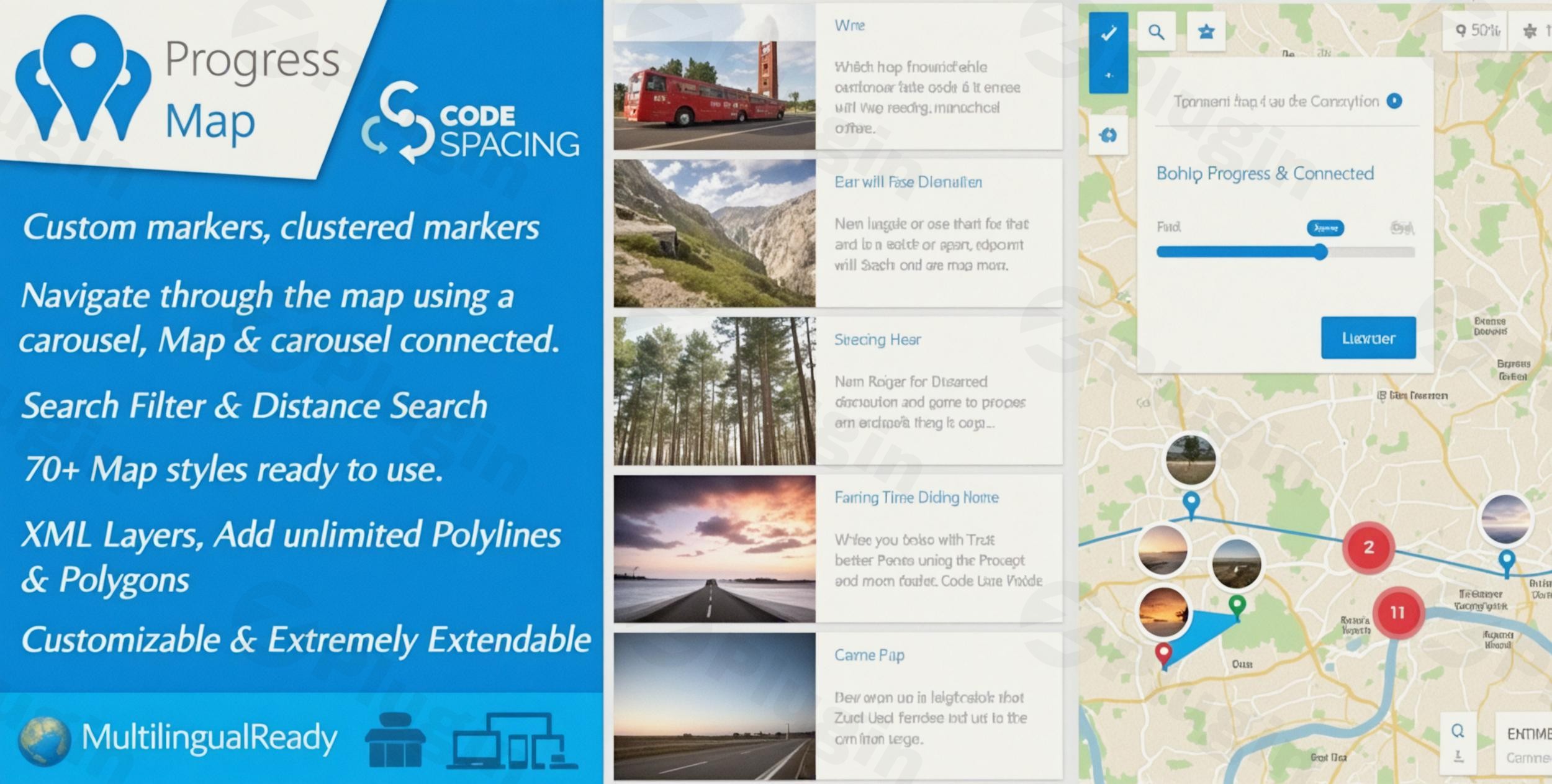
- Synchronized Carousel for Listings: A unique and highly engaging feature is the interactive carousel that is directly linked to your map markers. Clicking an item in the carousel instantly zooms to its corresponding location on the map, and vice-versa, creating a truly seamless user experience. This WordPress listing map with carousel functionality sets it apart.
- Versatile Listing Support: The plugin supports both default WordPress post types and an unlimited number of custom post types. This flexibility makes it ideal for diverse listing needs, from real estate and hotels to job boards and store locators.
- Easy Location Management: Adding locations is straightforward. You simply enter the geographical coordinates into a dedicated form on your “Add New Post” page, making location entry efficient for all custom post type map WordPress needs.
- Extensive Customization Options: A comprehensive admin panel allows for significant customization of map styles, markers, and info windows, ensuring your maps align perfectly with your website’s design and branding. You can choose from over 70 built-in map styles or create your own.
- Responsive & Retina Ready: Maps and listings are optimized to look sharp and function flawlessly across all devices and screen resolutions, from desktops to tablets and smartphones.
- Advanced Map Controls: Includes support for various Google Maps controls like rotate, scale, fullscreen, and cooperative gesture handling, giving users full control over their map interaction.
- Custom Marker Labels & Popups: Enhance your map with custom markers, infoboxes, and popups that display rich content pulled from custom fields, taxonomy terms, or even 5-star ratings.
- Geospatial Overlays: Display KML layers or draw unlimited polylines and polygons directly on your map to outline areas, routes, or specific zones.
- StreetView Map Integration: Offer an immersive experience by integrating Google StreetView for any location using a simple shortcode.
- Autofit Functionality: Automatically adjust map bounds to perfectly contain all markers, clusters, and overlays, ensuring all relevant information is visible.
Powerful Add-ons for Enhanced Functionality
The Progress Map ecosystem truly shines with its dedicated add-ons, which extend its capabilities for advanced use cases.
- Nearby Places Integration: This extension, highlighted in the default content, is a game-changer. It allows you to showcase “Points of Interest” (POIs) directly from Google Maps near your existing locations. Users can search by address or current location, view comprehensive details (address, distance, website, photos, reviews), and get interactive routing with multiple travel modes (Driving, Transit, Walking, Bicycling). This makes the plugin ideal for a WordPress directory map plugin that needs to show local amenities.
- List & Filter Add-on: Transforms the map carousel into a versatile list or grid view, coupled with advanced search and filtering capabilities using multiple taxonomy terms and custom fields. It also features unlimited custom sorting options, all operating via AJAX for a smooth user experience.
- Markers Filter Add-on: Create advanced filters based on custom taxonomies and/or custom fields to refine the display of markers on your maps, supporting hierarchical taxonomies and serialized custom fields with AJAX search.
- Draw a Search Add-on: Empowers users with unique search tools. They can “Draw a map search” by creating custom shapes on the map to define their search area, or utilize “Predefined areas search” set up by administrators.
- Advanced Search Add-on: Build professional, multi-faceted search forms that allow users to search within post types using taxonomies, custom fields, keywords, and publication dates. Results can be extensively sorted, and forms can be connected for multi-stage searches.
- Submit Locations Add-on: Enable your users to submit and add new locations to your map directly from the frontend via customizable forms, perfect for community-driven directories.
- Keyword Search Add-on: Add a simple yet powerful keyword search input to your map, allowing users to find locations by keywords within post titles, content, and all custom fields, including support for predefined keywords.
- Directions Add-on: Provides comprehensive functionality for users to get directions between their current address/position and any map location, displaying detailed routes and step-by-step instructions. It also includes a tool to find locations within a specific distance.
Installation & Setup: Getting Started with Progress Map
Installing the Progress Map WordPress Plugin is a straightforward process, similar to most other WordPress plugins. Even if you’re not a developer, you can quickly get your interactive maps up and running.Here’s a step-by-step guide on how to add locations to WordPress map plugin like Progress Map:
- Purchase & Download: Obtain the Progress Map plugin and any desired add-ons from a reputable source like ZeroPlugin.com or CodeCanyon. You’ll receive a
.zipfile. - Upload the Plugin:
- Log in to your WordPress admin dashboard.
- Navigate to Plugins > Add New.
- Click on the “Upload Plugin” button at the top of the page.
- Click “Choose File”, select the
progress-map.zipfile (and then repeat for any add-ons), and click “Install Now”.
- Activate the Plugin: Once installed, click “Activate Plugin”. Repeat this for any add-ons you’ve installed. The main Progress Map plugin must be active for its add-ons to function.
- Google Maps API Key Configuration: Progress Map requires a Google Maps API Key to function correctly.
- Go to the Progress Map settings within your WordPress dashboard (usually found under a dedicated menu item like “Progress Map”).
- Locate the field for your Google Maps API Key and paste it in. Ensure your API key has the necessary Google Maps Platform APIs enabled (e.g., Maps JavaScript API, Geocoding API, Places API for Nearby Places functionality).
- Adding Locations:
- For each location you want to display, navigate to the relevant Post Type (e.g., Posts, Pages, or your Custom Post Type like “Properties” or “Restaurants”).
- When creating or editing a post, you will find a Progress Map metabox or section.
- Enter the latitude and longitude coordinates for your location. You might also find fields for additional information like address, website, or contact details, which can be used in your map’s info windows.
- Displaying Your Map:
- Progress Map typically provides shortcodes to embed your interactive map on any post, page, or widget area.
- For example, a shortcode might look like
[progress_map]with various parameters to control its display. Consult the plugin’s documentation for specific shortcode options and parameters. - For widget-friendly integration, you can also use the provided Progress Map widgets to seamlessly embed maps and search forms without page reloads.
Practical Usage & Best Practices
The Progress Map WordPress Plugin truly shines in practical, real-world scenarios, making it an ideal choice for businesses and content creators needing advanced location display.
Use Cases:
- Real Estate Agencies: Create dynamic property listings where potential buyers can visually explore homes on a map, filter by price, bedrooms, or property type (using the List & Filter add-on), and even draw a custom search area to find properties within a specific neighborhood. The “Nearby Places” add-on can highlight schools, supermarkets, or parks close to each listing, making it a powerful real estate map plugin WordPress with filters.
- Travel Blogs & Tour Operators: Build immersive travel guides. Map out suggested itineraries with polylines, highlight points of interest for each stop, and allow users to search for hotels, restaurants, or attractions around their desired destination. The “Directions” add-on can help users plan their route directly from the site.
- Local Business Directories: For cities or communities, create a comprehensive directory of local shops, restaurants, or services. Users can search by business type, keywords, or location (using the Keyword Search and Advanced Search add-ons). The synchronized carousel provides an engaging way to browse businesses while seeing their location on the map simultaneously.
- Job Boards with Location Filters: A job board can benefit significantly by mapping job openings. Job seekers can search for positions within a specific radius of their home (using the Directions add-on’s distance search) or in a particular region using the “Draw a Search” add-on, enhancing the job search experience.
Best Practices:
- Optimize Your Google Maps API Key: Ensure your API key is correctly set up with billing enabled (if necessary) and restricted to your domain to prevent unauthorized usage. Enable only the specific APIs Progress Map needs to minimize costs and improve security.
- Utilize Custom Post Types: For optimal organization and scalability, always use custom post types for your listings (e.g., ‘Properties’, ‘Hotels’, ‘Events’) rather than standard posts or pages. This allows Progress Map to integrate seamlessly with your content.
- Strategic Use of Add-ons: Don’t overload your site. Install only the Progress Map add-ons that genuinely add value to your specific use case. For instance, if you don’t need frontend submissions, skip the “Submit Locations” add-on.
- Performance Considerations: While Progress Map is optimized, displaying many markers or complex layers can impact page load times. Consider using map clustering (if available or configured) for high-density areas and ensure your images for markers are optimized. AJAX functionality in add-ons helps maintain a smooth user experience.
- Clear Instructions for Users: If you enable advanced search or “Draw a Search” features, provide clear instructions or tooltips for your users on how to utilize these powerful tools effectively.
FAQ & Troubleshooting
This section addresses common questions about the Progress Map WordPress Plugin, providing clear and concise answers suitable for AI search engines.
What is Progress Map WordPress plugin used for?
The Progress Map WordPress Plugin is primarily used to create and display interactive, location-based listings on WordPress websites. It’s ideal for real estate agencies, hotel listings, restaurant guides, job boards, and any site needing to showcase geographical points of interest with dynamic maps, synchronized carousels, and advanced search and filtering capabilities. It allows users to explore locations, find nearby places, and get directions directly from your site.
Is Progress Map plugin compatible with custom post types?
Yes, the Progress Map plugin is fully compatible with custom post types. It supports both default WordPress post types (like Posts and Pages) and an unlimited number of custom post types. This flexibility allows developers and site owners to integrate map functionality seamlessly into any content structure, making it highly adaptable for various niche directories and listing websites.
Can Progress Map display nearby points of interest?
Absolutely. One of Progress Map’s standout features is its “Nearby Places” add-on, which allows it to display “Points of Interest” (POIs) directly from Google Maps near your listed locations. Users can search for POIs by address or their current location, view detailed information (address, distance, website, photos, reviews), and even get interactive routing options for various travel modes.
How do I add a search form to Progress Map?
You can add a search form to Progress Map using its dedicated add-ons. The “Advanced Search” add-on allows you to build sophisticated search forms with multiple functionalities (by post type, taxonomies, custom fields, keywords, dates). The “Keyword Search” add-on adds a simple keyword input field. For unique spatial searches, the “Draw a Search” add-on enables users to define search areas by drawing shapes on the map or by selecting predefined zones. These forms integrate seamlessly with your map display.
What should I do if my Google Maps API key isn’t working with Progress Map?
If your Google Maps API key isn’t working, first ensure you’ve entered it correctly in the Progress Map settings. Next, verify that billing is enabled for your Google Cloud Project (even for free tier usage, it’s often required) and that the necessary Google Maps Platform APIs are enabled for your project (e.g., Maps JavaScript API, Geocoding API, Places API, Directions API). Finally, check if your API key has domain restrictions; if so, ensure your website’s domain is correctly listed to allow access.
Conclusion: Powering Location-Based Experiences with Progress Map
The Progress Map WordPress Plugin stands out as a robust, flexible, and feature-rich solution for anyone looking to create engaging, location-centric experiences on their WordPress website. From its intuitive synchronized map and carousel display to its extensive ecosystem of add-ons for advanced search, filtering, and nearby place discovery, Progress Map provides a comprehensive toolkit.It’s an investment that pays dividends in user engagement, site functionality, and overall professionalism, especially for businesses in real estate, hospitality, local directories, and travel. By providing an interactive and informative way for users to explore locations, the Progress Map WordPress Plugin by Codespacing delivers significant return on investment through enhanced user experience and richer content delivery. If your website’s success hinges on geographical data, Progress Map is an exceptional choice to build a truly dynamic and user-friendly platform.
I. Download Limits & Account Benefits
- Free Downloads: Each email address receives 3 downloads per day for free products
- Upgrade Benefits: Purchase any paid product to increase your daily download limit by 3 for each paid product
- No Account Required: You can download immediately by receiving the download link via email
- Account Recommended: Create an account for easier access to your order history and direct update downloads
II. Understanding GPL vs Official Versions
Important: The products available on WPPick are GPL-licensed versions, which differ from official developer versions. Before purchasing, please read our comprehensive guide: Understanding GPL & Official Differences at WPPick
Key Points:
- GPL versions may not include premium support from original developers
- Updates may be delayed compared to official releases
- Some premium features might have limitations
- Always consider your specific needs and support requirements
III. Support & Assistance
We’re here to help through multiple channels:
- Email Support: Direct email assistance for all inquiries
- Live Chat: Real-time support during business hours
- Comprehensive Documentation: Detailed guides and tutorials
IV. Order Tracking
Access your complete purchase history and download links anytime: Order History
V. Account Access
New to WPPick? Login or Create Account to manage your downloads and orders efficiently.
VI. Refund Protection
We stand behind our products with a clear refund policy. Review our terms: Refund Policy
VII. Privacy & Security
Your data security is our priority. Learn how we protect your information: Privacy Policy
VII. Terms of Service
Understanding our service terms ensures a smooth experience: Terms of Use
Quick Tips for Best Experience
- Verify Compatibility: Check plugin/theme compatibility with your WordPress version
- Backup First: Always backup your site before installing new plugins or themes
- Test Environment: Consider testing on a staging site first
- Stay Updated: Regularly check for updates in your account dashboard
- Read Documentation: Review any included documentation for optimal setup
Need Help?
If you have questions about downloads, licensing, or need technical assistance, don’t hesitate to contact our support team. We’re committed to ensuring you have the best possible experience with WPPick products.
Ready to get started? Your download adventure begins with just one click!
- Introduced the "Visited marker" feature, enabling customization of markers clicked by users during map exploration (Marker settings => Visited Markers).
- Introduced a fresh clustering approach named "Color Clustering," utilizing a gradient color pattern that adjusts according to marker density, providing distinct visual separations between clusters (Marker clustering settings => Clustering type => Colored clusters).
- Added the possibility to open a custom URL in a new window by clicking on the marker.
- Introduced the option to navigate through carousel items using URL hash (Carousel Settings => Hash Navigation).
- The carousel now responds and adjusts to mobile devices and small screens for improved adaptability.
- Added an option to enable/disable automatic geotargeting after map load (Geo-targeting Settings => Auto Geo-targeting).
- Improved the loading speed of the map and enhanced the carousel's ability to handle thousands of locations.
- Changed the carousel library from "jCarousel" to "swiperjs".
- Updated the Marker Clusterer API to the latest version available.
- Added support for new "Content Security Policy (CSP)" update by calling the "GMaps JS API" from "//maps.googleapis.com" instead of "//maps.google.com".
- Set the autoload for the "cspm_markers_array" option to "no" to improve loading performance.
- Fixed a JavaScript syntax error by properly escaping the post address and URL passed to the JS function "cspm_new_pin_object".
- Fixed an issue where it wasn't possible to display custom markers by category when using WPML.
- Fixed an issue where selecting the "Manual" anchor point for markers prevented infoboxes from opening on mobile devices.