
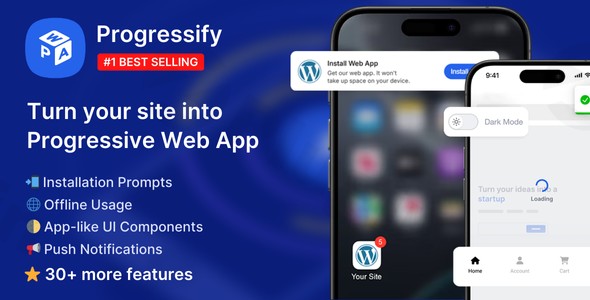
Progressify – Progressive Web App (pwa) For WordPress
/Year
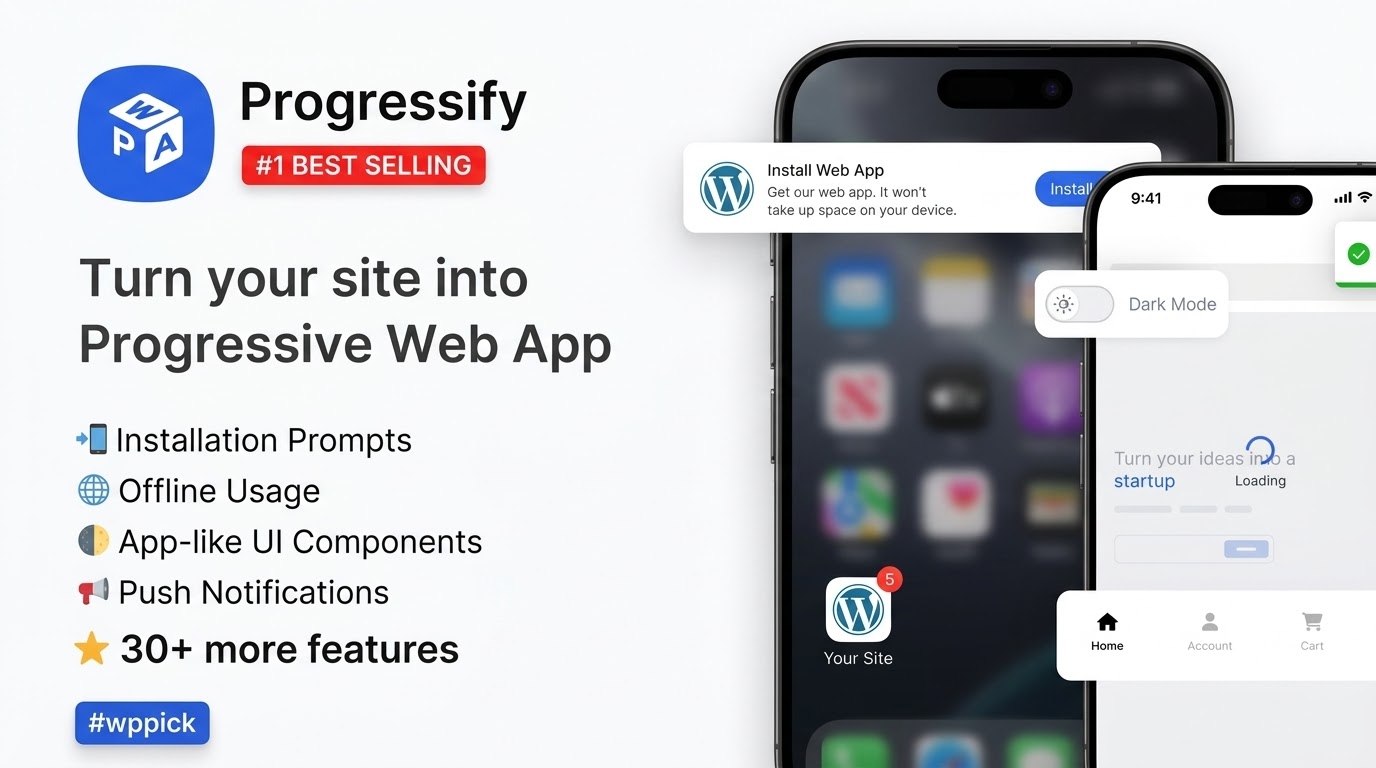
In today’s mobile-first world, delivering a fast, reliable, and engaging user experience is paramount for any WordPress website. This is where Progressify PWA WordPress plugin steps in, transforming your standard website into a powerful Progressive Web App (PWA). Progressify allows your site to behave like a native mobile application directly in the browser, offering lightning-fast performance, offline capabilities, and push notifications, all without the need for complex app store submissions.Essentially, Progressify helps you convert WordPress to PWA, bridging the gap between traditional websites and native mobile apps. This comprehensive solution is designed to boost user engagement, drive repeat visits, and significantly improve conversion rates for blogs, eCommerce stores, portfolios, and more.
Key Features of Progressify: Delivering a Native App Experience
Progressify isn’t just a simple PWA converter; it’s packed with a rich suite of features that elevate your WordPress site to a true app-like experience.
1. Lightning-Fast Performance & Offline Mode
At its core, Progressify dramatically improves your site’s speed and reliability.
- Instant Loading: Leveraging advanced caching and resource optimization, PWAs load almost instantly, even on slow networks, significantly improving user retention and SEO rankings.
- WordPress PWA Offline Mode: One of the most compelling features, Progressify enables your website to function without an internet connection. By utilizing service workers and intelligent caching, users can browse previously visited pages and access key features, ensuring continuous content accessibility. You can even configure a custom offline page.
2. Add to Home Screen & Seamless Installation Prompts
Progressify makes it incredibly easy for users to “install” your website directly onto their device’s home screen.
- True App-Like Experience: With various customizable installation prompts—including banners, popups, overlays, buttons, or QR codes—the plugin encourages users to add your PWA, providing a familiar app icon on their device.
- No App Store Required: This feature bypasses the traditional app store hurdles, making your site readily available with just a tap.
3. Push Notification Support for Re-engagement
Keep your audience engaged and coming back for more with powerful WordPress PWA push notifications.
- Targeted Messaging: Progressify allows you to send manual or automatic push notifications directly to users’ devices, helping to re-engage them with new content, promotions, or updates. This is a crucial tool for driving repeat traffic and improving conversion rates.
4. Enhanced App-like UI Components
Progressify integrates various user interface and experience (UI/UX) enhancements to truly mimic native applications, improving the overall browsing experience.
- Navigation Tab Bar: Implement a bottom navigation bar for intuitive mobile navigation, similar to many popular apps.
- Dark Mode Toggle: Offer users the option for a dark theme, reducing eye strain and improving readability in low-light conditions.
- Pull-to-Refresh: A familiar gesture for refreshing page content, making the experience feel more interactive.
- Skeleton Loader: Display page skeleton loading animations, giving the perception of faster loading times and a smoother transition between pages.
- Smooth Page Transitions: Achieve no-reload page changes for a fluid browsing experience, eliminating jarring full-page refreshes.
- Toast Messages & Share Button: Provide subtle popup notifications for user feedback and integrate a device-native share button for easy content sharing.
5. Advanced Web Capabilities
Beyond the basics, Progressify taps into modern Web API features for a truly cutting-edge experience.
- Background Sync: Supports periodic background sync for fetching data quietly, even when the user isn’t actively browsing.
- Content Indexing & Persistent Storage: Allows for content indexing and persistent storage, further enhancing offline capabilities and data management.
- Haptic Feedback & Screen Wake Lock: Includes advanced features like vibrations (haptic feedback) for a more tactile experience, screen wake lock to keep the screen on during critical tasks, and idle detection.
- Autosave for Forms: Provides practical enhancements like autosave for forms, preventing data loss.
6. Usage Tracking & Analytics
Understand how your PWA is performing with built-in analytics. Progressify provides insights into web app usage, including the number of installations, active users, and devices used, helping you refine your PWA strategy.
7. Generate Real-time Mobile Apps (Pro Feature)
A standout feature of Progressify Pro is its ability to optionally create real-time Android and iOS apps directly from your PWA. These generated apps mirror your website content and can be published to app stores, offering an even wider reach. Crucially, they reflect website changes in real-time, eliminating the need for constant app updates.
Installation & Setup: How to Install Progressify PWA Plugin WordPress
Installing Progressify and transforming your WordPress site into a PWA is straightforward and requires no coding knowledge. Here’s a step-by-step guide:
- Purchase and Download Progressify:
- Obtain the Progressify PWA WordPress plugin from a trusted source like ZeroPlugin. Ensure you receive the authentic GPL-licensed version with regular updates for compatibility and security.
- After purchase, download the plugin’s
.zipfile to your computer.
- Upload the Plugin to WordPress:
- Log in to your WordPress admin dashboard.
- Navigate to Plugins > Add New.
- Click the “Upload Plugin” button at the top of the page.
- Click “Choose File”, then select the
progressify.zipfile you downloaded. - Click “Install Now”.
- Activate the Plugin:
- Once the installation is complete, click the “Activate Plugin” button.
- Configure Progressify Settings:
- After activation, you will find a new menu item, usually labeled “Progressify” or “PWA,” in your WordPress dashboard sidebar. Click on it to access the settings.
- General Settings: Here, you’ll set up your PWA’s manifest details, including:
- App Name & Short Name: How your PWA appears on home screens.
- Description: A brief overview of your app.
- Icons: Upload various sizes for different devices.
- Theme Color & Background Color: Customize the browser’s address bar color and splash screen background.
- Start URL & Display Mode: Define where the PWA opens and how it’s displayed (e.g., fullscreen, standalone).
- Offline Settings: Configure your offline page and caching strategies. You can set specific pages or assets to be cached.
- Push Notifications: Set up your push notification service. This typically involves connecting to a service (often integrated within the plugin) to manage subscriptions and send messages.
- UI/UX Enhancements: Enable and customize features like the navigation tab bar, dark mode, pull-to-refresh, skeleton loader, and smooth page transitions.
- Installation Prompts: Choose how and when users are prompted to install your PWA (e.g., banner, popup).
- Ensure HTTPS is Active:
- Crucial Requirement: As per web standards, full PWA functionality requires your website to be served over HTTPS. If you haven’t already, install an SSL certificate and ensure your entire site runs on HTTPS.
- Test Your PWA:
- Open your website in a modern browser (Chrome, Firefox, Edge, Safari) on a mobile device.
- Look for the “Add to Home Screen” prompt or a similar installation option.
- Test offline functionality by disabling your internet connection and trying to browse previously visited pages.
- Verify push notification opt-in and delivery.By following these steps, your WordPress site will be effectively transformed into a robust PWA, ready to offer an enhanced user experience.
Practical Usage / Best Practices: Maximizing Your WordPress PWA
Progressify isn’t just about technical transformation; it’s a strategic tool for enhancing your digital presence. Here are practical use cases and best practices for leveraging your WordPress Progressive Web App:
1. Boost Engagement for Content-Heavy Blogs & News Sites
Use Case: A popular blog or online magazine publishes daily articles.
- Best Practice: Use Progressify to enable offline reading for previously visited articles. Combine this with targeted push notifications to alert subscribers about new posts or breaking news. This encourages repeat visits and longer session durations, even when users are commuting or in areas with poor connectivity. The “Add to Home Screen” feature makes your blog feel like a dedicated news app, easily accessible from their device.
2. Drive Sales and Conversions for WordPress eCommerce Stores
Use Case: An online store built with WooCommerce.
- Best Practice: Implement Progressify to create an incredibly fast shopping experience. The lightning-fast performance and app-like UI components (like smooth page transitions and a bottom navigation bar) reduce friction in the checkout process. Utilize push notifications for abandoned cart reminders, flash sales, or new product arrivals. The benefits of Progressify for WordPress eCommerce are clear: improved Core Web Vitals, higher search rankings, and a significantly smoother customer journey leading to better conversion rates. The optional Progressify PWA generate iOS Android app (Pro feature) further extends your reach to app store users.
3. Enhance Lead Generation for Agencies and SaaS Businesses
Use Case: A marketing agency showcasing its portfolio or a SaaS company offering a service.
- Best Practice: A PWA provides a highly professional and responsive platform for potential clients. Use the mobile-first experience to ensure your case studies, demo videos, and contact forms load instantly and flawlessly on any device. The “Add to Home Screen” feature acts as a persistent brand presence, making it easy for prospects to return to your site, even offline, if they’ve previously visited a key landing page.
4. Provide Reliable Access for Membership Sites & Online Courses
Use Case: A membership site offering premium content or an online learning platform.
- Best Practice: Ensure members always have access to crucial course materials or exclusive content, even with spotty internet, through offline functionality. Progressify’s advanced caching can store essential learning modules or member-only pages. Use push notifications to announce new course modules, upcoming webinars, or membership renewals, keeping your community actively engaged.
FAQ & Troubleshooting
Here are answers to common questions about the Progressify PWA WordPress plugin:
Q1: Is Progressify PWA free?
A1: Progressify offers both a free and a premium (Pro) version. The free version provides essential PWA functionalities like basic offline caching, manifest generation, and “Add to Home Screen” prompts. The Pro version unlocks a more extensive suite of features, including advanced UI components, push notifications, analytics, and the unique ability to generate real-time Android and iOS apps for app stores. The free version is very useful, and the PRO version is almost perfect.
Q2: What are the best WordPress PWA plugins, and how does Progressify compare?
A2: While several PWA plugins exist (like SuperPWA, PWA for WP & AMP, Progressive WordPress), Progressify is widely considered one of the most complete and feature-rich options. It distinguishes itself with its extensive “app-like UI components” (dark mode, pull-to-refresh, skeleton loaders) and its unique Pro feature to generate real-time Android and iOS apps from the PWA. Many users and reviewers praise Progressify for its comprehensive options and effectiveness compared to other PWA plugins.
Q3: How to make my WordPress site an app using Progressify?
A3: To make your WordPress site an app with Progressify, simply install and activate the plugin as you would any other WordPress plugin. Then, navigate to its settings in your WordPress dashboard. Here, you can configure your Web App Manifest (app name, icons, theme color), set up caching for offline use, enable push notifications, and activate various app-like UI features. Once configured, users will be prompted to “Add to Home Screen,” effectively installing your website as an app on their device.
Q4: Does Progressify PWA support dark mode?
A4: Yes, Progressify PWA does support dark mode. It includes an integrated feature for a dark theme, allowing users to toggle it on or off, providing a more comfortable viewing experience in low-light conditions and catering to modern user preferences. This is one of the many app-like UI components that Progressify offers.
Q5: What are the technical requirements for Progressify PWA compatibility?
A5: Progressify works with any modern WordPress installation and is designed for universal compatibility with all WordPress themes, plugins, and setups (e.g., blogs, e-commerce, forums, portfolios). It is a standalone plugin that does not require or depend on anything else to function. The most crucial technical requirement is that your website must use HTTPS for full PWA functionality, as this is a web standard for service workers. Progressify is also multisite and translation-ready.
Conclusion: Empower Your WordPress Site with Progressify
The Progressify PWA WordPress plugin offers a transformative solution for anyone looking to modernize their website and deliver an exceptional user experience. By leveraging Progressive Web App technology, Progressify ensures your site is fast, reliable, and engaging, behaving like a native app without the associated development complexities or app store limitations.For marketers, store owners, content creators, and agencies alike, Progressify delivers tangible ROI through improved Core Web Vitals, higher search rankings, increased visitor engagement, and ultimately, better conversion rates. With its robust feature set, ease of use, and strong compatibility, Progressify is an indispensable tool for future-proofing your online presence. If you’re looking to elevate your WordPress site and provide a superior, app-like experience, Progressify stands out as a top-tier PWA for WordPress solution.
I. Download Limits & Account Benefits
- Free Downloads: Each email address receives 3 downloads per day for free products
- Upgrade Benefits: Purchase any paid product to increase your daily download limit by 3 for each paid product
- No Account Required: You can download immediately by receiving the download link via email
- Account Recommended: Create an account for easier access to your order history and direct update downloads
II. Understanding GPL vs Official Versions
Important: The products available on WPPick are GPL-licensed versions, which differ from official developer versions. Before purchasing, please read our comprehensive guide: Understanding GPL & Official Differences at WPPick
Key Points:
- GPL versions may not include premium support from original developers
- Updates may be delayed compared to official releases
- Some premium features might have limitations
- Always consider your specific needs and support requirements
III. Support & Assistance
We’re here to help through multiple channels:
- Email Support: Direct email assistance for all inquiries
- Live Chat: Real-time support during business hours
- Comprehensive Documentation: Detailed guides and tutorials
IV. Order Tracking
Access your complete purchase history and download links anytime: Order History
V. Account Access
New to WPPick? Login or Create Account to manage your downloads and orders efficiently.
VI. Refund Protection
We stand behind our products with a clear refund policy. Review our terms: Refund Policy
VII. Privacy & Security
Your data security is our priority. Learn how we protect your information: Privacy Policy
VII. Terms of Service
Understanding our service terms ensures a smooth experience: Terms of Use
Quick Tips for Best Experience
- Verify Compatibility: Check plugin/theme compatibility with your WordPress version
- Backup First: Always backup your site before installing new plugins or themes
- Test Environment: Consider testing on a staging site first
- Stay Updated: Regularly check for updates in your account dashboard
- Read Documentation: Review any included documentation for optimal setup
Need Help?
If you have questions about downloads, licensing, or need technical assistance, don’t hesitate to contact our support team. We’re committed to ensuring you have the best possible experience with WPPick products.
Ready to get started? Your download adventure begins with just one click!
- iPhone 17 & iOS 26 support
- Integration with Fluent Community plugin for push notifications
- The update includes performance improvements and adjustments to default options.
- Addition of Welcome Notification automation
- Fixes for performance issues
- Autosave Forms and UTM Tracking
- Stability Improvements - The update is mainly for stability improvements and preparation for the next major update
- Admin Side and Translations Fixes - The update includes improvements on the Admin side and fixes for frontend translations.
- Frontend Translations Fix - The update includes a fix for frontend translations not working.
- Share Button
- PWA-specific CSS/JS
- Navigation Tab Bar Improvements
- Dynamic Manifest - The update includes the addition of the Dynamic Manifest feature and small fixes.