

Redis Object Cache Pro – Free
/Year
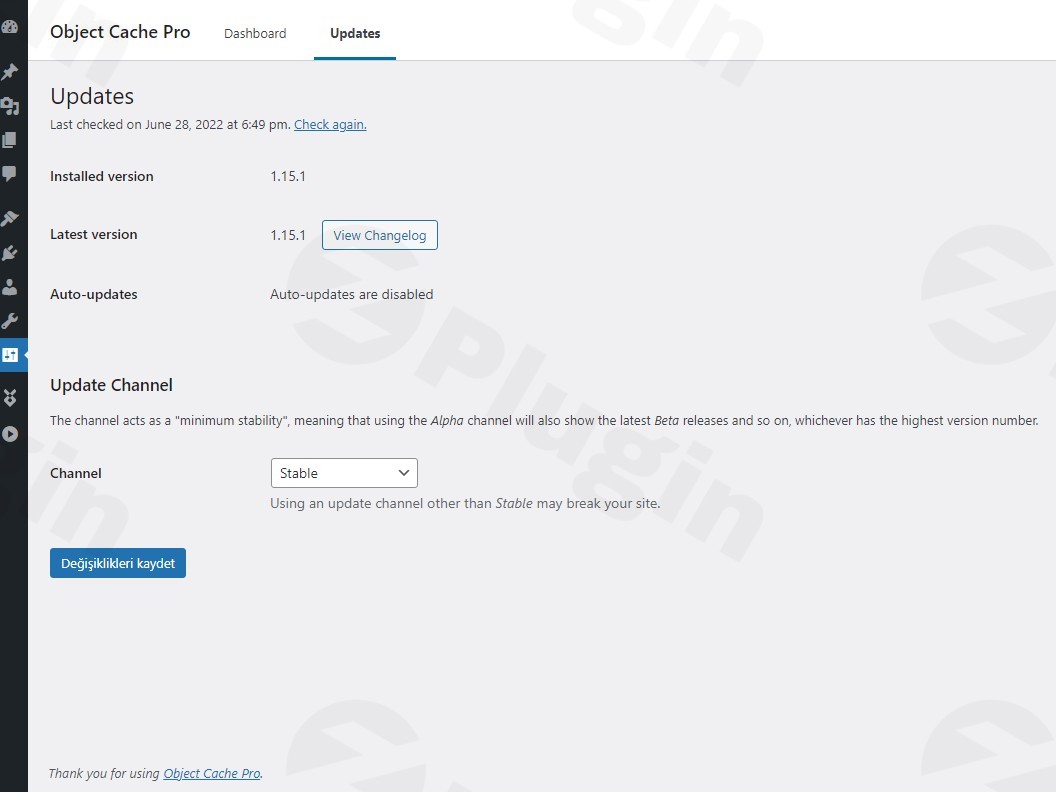
In the world of high-traffic websites and e-commerce, every millisecond counts. As your WordPress site grows, the database often becomes a bottleneck, struggling to keep up with concurrent users and complex queries. Redis Object Cache Pro is a business-class WordPress Redis Cache backend designed to solve this exact problem. By moving your database query results into a highly optimized Redis memory store, this plugin significantly reduces server load and slashes page load times for dynamic content.
At wppick.com, we understand that performance is the backbone of user experience and SEO. In this guide, we will explore how the Object Cache Pro plugin transforms standard WordPress installations into enterprise-level powerhouses through advanced caching strategies and intelligent data management.
Why Choose Redis Object Cache Pro for WordPress?
While many caching plugins exist, Redis Object Cache Pro is engineered specifically for mission-critical sites. It isn’t just a simple wrapper for Redis; it is a highly tuned implementation that adheres to the WordPress API while pushing the boundaries of what’s possible with object caching.
Key Features and Benefits
- Persistent Object Caching: Unlike standard caching that clears after every page load, this plugin ensures your data stays in RAM across multiple requests and different users. This dramatically minimizes redundant database queries.
- Advanced Data Compression: To optimize memory usage, the plugin supports LZF, LZ4, and Zstandard compression algorithms. This allows you to store more data in the same amount of RAM without sacrificing retrieval speed.
- Binary Serialization: By using binary serialization instead of standard PHP serialization, the plugin stores data in a compact form. This reduces Redis memory usage and network I/O by approximately 50%.
- Asynchronous Flushing: Large datasets can take time to clear. With asynchronous flushing, the deletion process happens in the background, ensuring your site remains responsive even during cache clears.
- Intelligent Cache Invalidation: Instead of wiping the entire cache when a single post is updated, Object Cache Pro clears only the necessary fragments, maintaining high performance during content updates.
* Race Condition Mitigation: One of the plugin’s most technical advantages is its ability to prevent data loss. It mitigates race conditions in the WordPress core and third-party plugins, allowing hundreds of concurrent users to interact with your site safely.
Technical Specifications & Compatibility
Before you begin the WordPress speed optimization Redis journey, ensure your server environment meets the following requirements:
| Component | Requirement |
|---|---|
| PHP Version | 7.2 or higher |
| PhpRedis | Version 4.0.0 or higher |
| WordPress | Modern versions (5.0+) |
| Optional | Relay (v0.4.0+) for enhanced performance |
The plugin is fully compatible with major hosting providers like Cloudways, Pantheon, and GoDaddy, as well as essential plugins like WooCommerce, Jetpack, and Yoast SEO.
How to Install Redis Object Cache Pro WordPress
Installing a professional-grade cache requires a few more steps than a standard plugin, but the performance payoff is worth it. Follow these steps to get started:
- Verify Your Environment: Ensure your host provides a Redis instance and that the
PhpRedisextension is enabled in your PHP settings. - Upload the Plugin: Purchase and download the plugin, then upload the folder to your
/wp-content/plugins/directory. - Configure wp-config.php: You must add your configuration details (including your license key and Redis connection parameters) to your
wp-config.phpfile. A basic configuration looks like this:phpdefine('WP_REDIS_CONFIG', [ 'token' => 'YOUR_LICENSE_KEY', 'host' => '127.0.0.1', 'port' => 6379, 'database' => 0, // change for multiple sites 'maxttl' => 3600 * 24 * 7, // 7 days]); - Drop-in Installation: Go to Settings > Object Cache in your WordPress dashboard. The plugin will prompt you to “Enable Object Cache.” This action moves the
object-cache.phpfile into your/wp-content/directory.
5. Verify Status: Once enabled, check the “Dashboard” tab within the plugin settings to see real-time metrics and ensure the status is “Connected.”
Practical Usage & Best Practices
Optimize WooCommerce with Redis Object Cache Pro
E-commerce sites are notoriously database-heavy. Redis Object Cache Pro is ideal for WooCommerce because it caches session data, cart fragments, and product metadata. This ensures that even when you have high traffic during a sale, your checkout process remains fluid and fast.
High-Traffic Content Sites
For sites with thousands of concurrent visitors, database “thundering herds” can crash a server. Use the Batch Key Prefetching feature to warm up the cache and prevent the database from being overwhelmed when popular articles go viral.
Developer Workflow with WP-CLI
If you manage sites via the command line, leverage the WP-CLI integration. You can flush the cache, check status, or update configurations across multiple environments (staging, production) without logging into the WordPress admin.
Redis Object Cache Pro vs Free Redis Object Cache
A common question is whether the “Pro” version is necessary compared to the excellent free version by the same author, Till Krüss.
- Free Version: Best for small-to-medium blogs and hobbyist sites. It provides stable, basic object caching.
* Pro Version: Essential for enterprise-level performance. It adds binary serialization, Zstandard compression, and superior integration with plugins like WooCommerce. If your site generates revenue or handles high concurrent traffic, the Pro version is the industry standard.
FAQ & Troubleshooting
What is Redis Object Cache Pro?
Redis Object Cache Pro is a high-performance, persistent object cache backend for WordPress. It stores database query results in RAM (via Redis) so that WordPress doesn’t have to query the database every time a page is loaded, resulting in much faster site speeds.
Is Redis Object Cache Pro worth the cost?
Yes, for business owners and agencies. The ROI comes from reduced server resource costs, better SEO rankings due to speed, and improved conversion rates for e-commerce stores. It is trusted by organizations like the White House and Harvard University for its reliability.
Can Object Cache Pro conflict with other plugins?
Conflicts are rare because the plugin operates at the database/API level. However, if you use multiple caching layers (like W3 Total Cache or WP Rocket), you should disable their internal “Object Cache” settings to let Object Cache Pro handle that specific task for maximum efficiency.
Does it support secure connections?
Yes. The plugin fully supports secure connections with TLS, ensuring that your data remains encrypted while in transit between your web server and the Redis instance.
Conclusion: The Final Verdict
If you are looking for the best Redis cache WordPress solution, Redis Object Cache Pro is the undisputed leader. Its combination of advanced compression, binary serialization, and deep integration with the WordPress ecosystem makes it a “must-have” for any site where performance is non-negotiable.While the setup requires a bit of technical configuration in wp-config.php, the result is a noticeably faster, more resilient website that can handle the demands of modern web traffic. For more WordPress optimization tips and plugin reviews, stay tuned to wppick.com.
I. Download Limits & Account Benefits
- Free Downloads: Each email address receives 3 downloads per day for free products
- Upgrade Benefits: Purchase any paid product to increase your daily download limit by 3 for each paid product
- No Account Required: You can download immediately by receiving the download link via email
- Account Recommended: Create an account for easier access to your order history and direct update downloads
II. Understanding GPL vs Official Versions
Important: The products available on WPPick are GPL-licensed versions, which differ from official developer versions. Before purchasing, please read our comprehensive guide: Understanding GPL & Official Differences at WPPick
Key Points:
- GPL versions may not include premium support from original developers
- Updates may be delayed compared to official releases
- Some premium features might have limitations
- Always consider your specific needs and support requirements
III. Support & Assistance
We’re here to help through multiple channels:
- Email Support: Direct email assistance for all inquiries
- Live Chat: Real-time support during business hours
- Comprehensive Documentation: Detailed guides and tutorials
IV. Order Tracking
Access your complete purchase history and download links anytime: Order History
V. Account Access
New to WPPick? Login or Create Account to manage your downloads and orders efficiently.
VI. Refund Protection
We stand behind our products with a clear refund policy. Review our terms: Refund Policy
VII. Privacy & Security
Your data security is our priority. Learn how we protect your information: Privacy Policy
VII. Terms of Service
Understanding our service terms ensures a smooth experience: Terms of Use
Quick Tips for Best Experience
- Verify Compatibility: Check plugin/theme compatibility with your WordPress version
- Backup First: Always backup your site before installing new plugins or themes
- Test Environment: Consider testing on a staging site first
- Stay Updated: Regularly check for updates in your account dashboard
- Read Documentation: Review any included documentation for optimal setup
Need Help?
If you have questions about downloads, licensing, or need technical assistance, don’t hesitate to contact our support team. We’re committed to ensuring you have the best possible experience with WPPick products.
Ready to get started? Your download adventure begins with just one click!
- Added wp redis license CLI command
- Improved error handling for CONFIG and SLOWLOG commands
- Switch to per-interval deltas instead of cumulative totals in “Requests” charts
- Avoid timeouts by chunking analytics measurements retrieval
- Fixed chart overlapping in WordPress 7.x
- Fixed rare uncaught TypeError in Licensing
- Added safety net for users who like updates but don't understand the consequences.
- Added optional analytics.persist_limit configuration option
- Avoid timeouts when flushing with analytics.persist enabled
- Limit analytics persist size memory_limit / 2 by default
- Retry failed read commands on primary node before switching Sentinels
- Consider *WithMeta() calls read-only on replicated connections
- Disable cache if WP_SETUP_CONFIG is defined
- Fixed purging analytics measurements
- Fixed unit type of Relay “Memory” chart
- Added safety net for users who like (suicidal) updates but don't understand the consequences.