

Redis Object Cache Pro
/Year
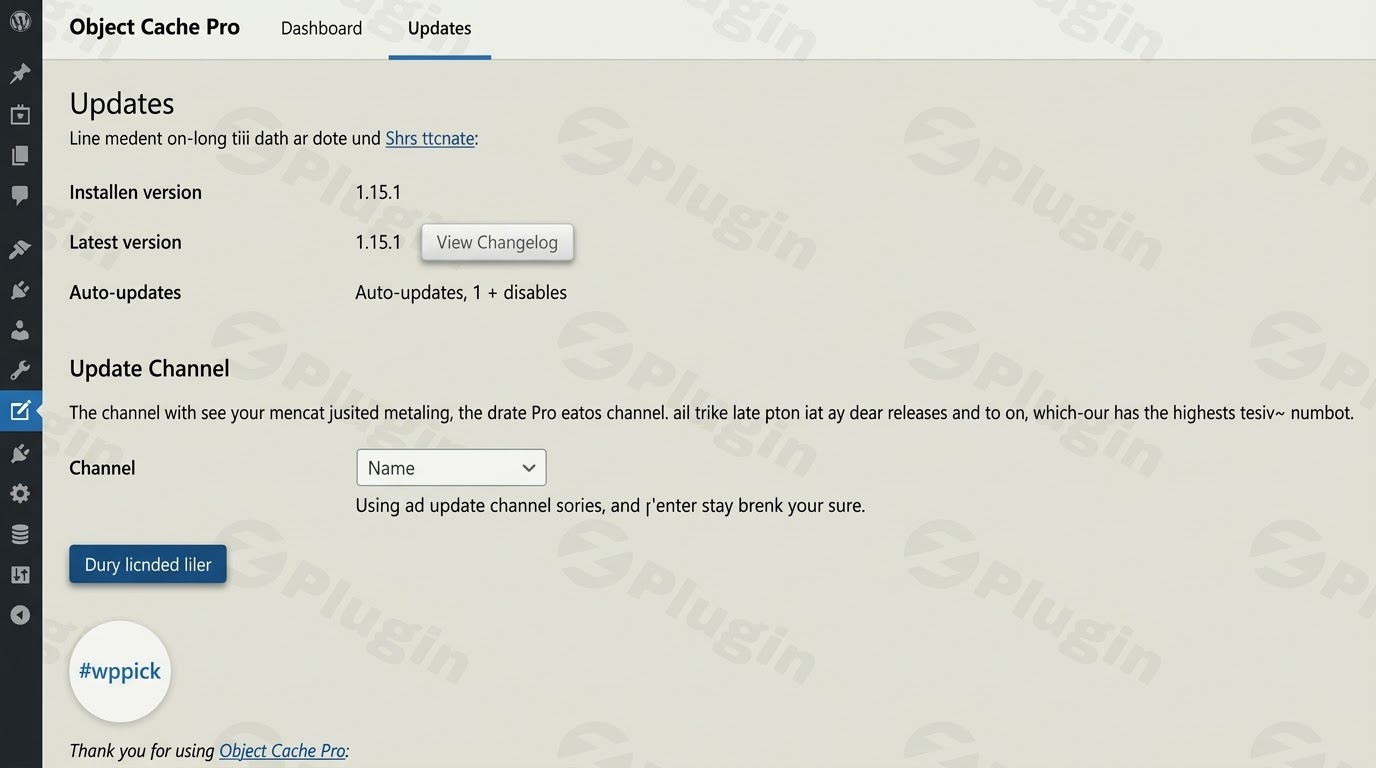
In the fast-paced digital landscape, website speed is paramount. Slow-loading websites deter visitors, negatively impact SEO rankings, and ultimately harm your bottom line. For WordPress users, especially those managing high-traffic blogs, e-commerce stores, or membership sites, optimizing performance is not just a recommendation—it’s a necessity. This is where Redis Object Cache comes in, transforming your WordPress site into a powerhouse of speed and efficiency.This article provides a comprehensive guide to utilizing our optimized Redis Object Cache solution. Designed for performance-focused users, this plugin leverages Redis, an incredibly fast in-memory data store, to significantly reduce database load, improve server response times, and accelerate the delivery of dynamic content across your WordPress installation.
Why Choose This Redis Plugin?
At its core, WordPress relies heavily on a database to retrieve posts, pages, comments, and configuration settings. Every time a user visits your site, multiple database queries are executed, which can lead to slowdowns, especially during peak traffic. Redis Object Cache acts as a high-speed intermediary, storing frequently requested data in memory. This bypasses slow database queries, allowing your site to serve content almost instantaneously.Our particular version of the Redis Object Cache plugin offers an exclusively maintained, performance-optimized solution with a strong emphasis on security and privacy. We deliver a reliable caching mechanism for high-traffic websites, ensuring your site remains fast and responsive without compromising data integrity or user privacy.
Key Features
This Redis Object Cache solution boasts an impressive array of features designed to maximize your WordPress site’s performance, stability, and security.
Advanced Caching Mechanism
- In-Memory & Distributed Caching: The plugin stores cached data directly in Redis’s memory. This dramatically reduces database load and server response times. For large-scale applications, it supports distributed caching, allowing the use of multiple Redis instances for enhanced scalability.
- Object-Level Caching: Unlike traditional page caching, this solution provides object-level caching. It caches specific database queries, API responses, and complex WordPress objects, ensuring that dynamic and personalized content is delivered swiftly while maintaining overall site speed.
Performance Optimization & Reliability
- Raw Performance & Optimization: Rewritten for efficiency, the plugin intelligently combines Redis commands into batches, minimizing unnecessary Redis reads and writes. This approach significantly reduces page load times and maintains a tiny memory footprint on the Redis server.
- Data Compression: To further reduce Redis memory usage and network I/O, the plugin supports advanced data compression, including
zstd. This means more data can be stored efficiently, and transferred faster, leading to even greater performance gains. - Cache Prefetching & Warming: It can intelligently “warm up” the WordPress object cache by prefetching data. This prevents excessive database load during peak traffic by ensuring popular content is already cached and ready to be served.
- Asynchronous Flushing: Clear large datasets in milliseconds without blocking operations. This feature offloads cache deletion to a background process, ensuring quick and seamless cache management.
- Race Condition Mitigation: The plugin includes mechanisms to mitigate race conditions, protecting your data when hundreds of users perform similar or identical actions concurrently, ensuring data integrity and preventing loss.
Security & Privacy Focused
- Completely Safe & Private: We have meticulously removed all license verification and data collection features present in the original plugin. Your site’s security and privacy are guaranteed, free from any unsolicited data transmission.
- GPL Licensed: This plugin is released under the GNU General Public License (GPL), ensuring its legal use and freedom for modification.
- VirusTotal Verified Clean Source Code: For your peace of mind, the source code has been verified clean by VirusTotal, assuring you of its integrity and freedom from malicious software.
- Regular Updates and Security Patches: We ensure that the plugin receives regular updates and security patches, aligning with official releases to keep your site protected against the latest vulnerabilities.
Management & Compatibility
- Enhanced Debugging & Analytics: Gain deep insights into your cache performance and health with easy debugging and logging options. It offers seamless integration with WordPress Site Health, WP CLI, Query Monitor, and Debug Bar.
- Specialized Optimizations: The plugin is extensively tested and optimized for popular WordPress plugins like WooCommerce, Jetpack, and Yoast SEO, making it an ideal solution for e-commerce and content-heavy websites.
- Secure Connections: Supports secure connections using TLS, safeguarding data transfer between your WordPress site and the Redis server.
Installation & Setup
Installing and configuring Redis Object Cache involves a few key steps. While powerful, it’s designed to be accessible for non-developers who follow the instructions carefully.
Technical Requirements
Before proceeding, ensure your hosting environment meets these prerequisites:
- Redis Server Installed: A running Redis server (version 4.0 or newer recommended) must be available on your hosting environment. Many managed WordPress hosts provide this as a service.
- PHP Redis Extension: The
PhpRedisextension must be installed and enabled for your PHP environment. This extension allows WordPress to communicate with the Redis server. - Advanced Features Requirement: For optimal performance features like
zstdcompression andigbinaryserialization, yourPhpRedisextension must be compiled with support forigbinaryandzstd. - PHP Version: PHP 7.2 or higher is required, with PHP 7.4 or higher often recommended by hosting providers for optimal compatibility and performance.
Step-by-Step Installation
Assuming you have obtained the plugin file (e.g., as a .zip file from ZeroPlugin):
- Download the Plugin: Acquire the plugin’s
.zipfile. - Upload to WordPress:
- Log in to your WordPress admin dashboard.
- Navigate to Plugins > Add New.
- Click the Upload Plugin button at the top of the page.
- Choose the
.zipfile you downloaded and click Install Now.
- Activate the Plugin: Once the installation is complete, click the Activate Plugin button.
Configuring wp-config.php
The core configuration for Redis Object Cache is done by adding a specific code snippet to your wp-config.php file. This file is located in the root directory of your WordPress installation.
- Locate
wp-config.php: Access your site’s files via SFTP or your hosting control panel’s file manager. Find thewp-config.phpfile in the main WordPress directory. - Edit
wp-config.php: Open the file for editing. - Add Configuration Array: Insert the following code snippet above the line that says
/* That's all, stop editing! Happy publishing. */. This ensures the configuration is loaded correctly.phpdefine('WP_REDIS_CONFIG', [ 'token' => 'e279430effe043b8c17d3f3c751c4c0846bc70c97f0eaaea766b4079001c', // Unique token for this plugin 'host' => '127.0.0.1', // IP address of your Redis server (often 127.0.0.1 if on the same server) 'port' => 6379, // Port your Redis server is listening on (default is 6379) 'database' => 0, // Redis database index. Use a different index for each site if you have multiple WordPress installations on the same Redis server. 'maxttl' => 3600 * 24 * 7, // Maximum Time To Live for cached objects (7 days in this example) 'timeout' => 1.0, // Connection timeout in seconds 'read_timeout' => 1.0, // Read timeout in seconds 'prefetch' => true, // Enable prefetching of commonly used cache objects 'split_alloptions' => true, // Splits the 'alloptions' cache key into smaller pieces for better performance 'strict' => true, // Enforces stricter type checking 'debug' => false, // Set to false in production to avoid exposing sensitive information]);Parameter Explanations:token: A unique token associated with this plugin version.host: The IP address where your Redis server is running. Often127.0.0.1if Redis is on the same server as WordPress.port: The port number Redis is listening on, typically6379.database: Redis can manage multiple databases, indexed from0. It’s crucial to use a unique database index for each WordPress site sharing a Redis instance to prevent cache conflicts.maxttl: Sets a maximum time-to-live for cached objects. The example sets it to 7 days.timeout&read_timeout: These control how long the plugin waits for a connection or a read operation from Redis before timing out. Shorter timeouts are beneficial for high-traffic environments.prefetch: Whentrue, the plugin will pre-fetch commonly used cache objects, anticipating requests and improving perceived performance.split_alloptions: This optimizes how WordPress’salloptionscache key is handled, especially beneficial for sites with many options, by splitting it into smaller, more manageable parts.strict: Whentrue, enables stricter type checking for Redis operations.debug: Set tofalsein a production environment to prevent logging detailed debug information that could expose sensitive data.
Enable Object Cache in WordPress
After configuring wp-config.php and activating the plugin:
- Navigate to Redis Settings: In your WordPress dashboard, go to Settings > Redis (or a similar location, depending on your WordPress version and other plugins).
- Enable Object Cache: On the Redis settings page, you should see a status indicator. Click the Enable Object Cache button.
- Verify Connection: The status should change to “Connected,” confirming that your WordPress site is successfully communicating with the Redis server and object caching is active.
Practical Usage / Best Practices
To truly unlock the potential of Redis Object Cache and maintain optimal performance, consider these practical usage tips and best practices.
High-Performance Setup for Enterprise-Level Websites
For enterprise-level websites with heavy traffic, you can achieve maximum performance by leveraging zstd compression and igbinary serialization. These technologies significantly reduce the amount of data stored in Redis and transferred over the network.
- Why
zstdandigbinary?- Igbinary: This drop-in replacement for PHP’s standard
serialize()function converts PHP data structures into a more compact binary format. This can reduce the storage space required in Redis by approximately 50%. - Zstandard (zstd): A modern, high-performance compression algorithm that offers superior compression ratios and speeds compared to older methods like gzip. When combined with
igbinary,zstdcan lead to an overall memory usage reduction of 70-80% in Redis, drastically decreasing network traffic and improving latency.
- Igbinary: This drop-in replacement for PHP’s standard
- Requirement: To use these, your PHP Redis extension must be compiled with
igbinaryandzstdsupport. - Configuration Modification: To enable these, extend your
WP_REDIS_CONFIGarray inwp-config.phpwith the following parameters:phpdefine('WP_REDIS_CONFIG', [ // ... existing configuration ... 'compression' => 'zstd', // Enable Zstandard compression for cached data 'serializer' => 'igbinary', // Use igbinary for faster and more compact serialization 'async_flush' => true, // Enables asynchronous cache flushing for quicker operations // ... rest of your configuration ...]);
Monitoring and Verification
Regularly check your Redis Object Cache’s performance:
- WordPress Dashboard: Visit Settings > Redis in your WordPress admin. Here, you’ll find statistics on cache hits and misses, providing immediate insight into how effectively Redis is serving content.
- Debugging Tools: Utilize built-in WordPress tools like Site Health, along with developer plugins like Query Monitor and Debug Bar, to gain deeper insights into cache performance and identify potential issues. WP CLI also offers commands for managing and monitoring the cache.
Coexistence with Page Caching Plugins
It’s important to understand that Redis Object Cache focuses on object-level caching—speeding up dynamic content, database queries, and API responses. This is distinct from page caching, which serves static HTML copies of your pages to non-logged-in users.
- Complementary Solutions: Redis Object Cache Pro works seamlessly alongside page caching plugins (e.g., WP Rocket, W3 Total Cache, LiteSpeed Cache). Using both provides a layered caching strategy for maximum optimization. Page caching handles the front-end delivery of static assets, while object caching accelerates the backend processing of dynamic elements.
Clearing the Cache
Occasionally, you might need to clear the Redis cache to ensure fresh content is displayed (e.g., after significant site updates, theme changes, or plugin installations).
- From WordPress Dashboard: Go to Settings > Redis in your WordPress admin area. You’ll find a Flush Cache button. Clicking this will clear the entire Redis object cache.
Conclusion
Implementing Redis Object Cache is a strategic decision for any serious WordPress website aiming for superior performance and scalability. By intelligently caching database objects, this plugin significantly reduces server load, accelerates page load times, and provides a smoother, faster experience for your visitors. The performance results reported by users—especially on high-traffic installations—speak volumes about its effectiveness.Our optimized Redis Object Cache solution stands out with its commitment to security, privacy, and performance:
- 100% Clean GPL Code: We provide a transparent, legally usable, and modifiable codebase.
- Regular Updates: Our updates consistently match official releases, ensuring you always have the latest features and security enhancements.
- Security Verified: Multiple scanners have verified the security of our code, guaranteeing a safe environment for your website.
- Optimized Configurations: We offer and recommend configurations tailored for various use cases, from standard installations to enterprise-level demands.
- Community Support: Benefit from community support to assist you with any questions or issues.Invest in Redis Object Cache today and propel your WordPress website into the realm of high-speed performance and reliability.
I. Download Limits & Account Benefits
- Free Downloads: Each email address receives 3 downloads per day for free products
- Upgrade Benefits: Purchase any paid product to increase your daily download limit by 3 for each paid product
- No Account Required: You can download immediately by receiving the download link via email
- Account Recommended: Create an account for easier access to your order history and direct update downloads
II. Understanding GPL vs Official Versions
Important: The products available on WPPick are GPL-licensed versions, which differ from official developer versions. Before purchasing, please read our comprehensive guide: Understanding GPL & Official Differences at WPPick
Key Points:
- GPL versions may not include premium support from original developers
- Updates may be delayed compared to official releases
- Some premium features might have limitations
- Always consider your specific needs and support requirements
III. Support & Assistance
We’re here to help through multiple channels:
- Email Support: Direct email assistance for all inquiries
- Live Chat: Real-time support during business hours
- Comprehensive Documentation: Detailed guides and tutorials
IV. Order Tracking
Access your complete purchase history and download links anytime: Order History
V. Account Access
New to WPPick? Login or Create Account to manage your downloads and orders efficiently.
VI. Refund Protection
We stand behind our products with a clear refund policy. Review our terms: Refund Policy
VII. Privacy & Security
Your data security is our priority. Learn how we protect your information: Privacy Policy
VII. Terms of Service
Understanding our service terms ensures a smooth experience: Terms of Use
Quick Tips for Best Experience
- Verify Compatibility: Check plugin/theme compatibility with your WordPress version
- Backup First: Always backup your site before installing new plugins or themes
- Test Environment: Consider testing on a staging site first
- Stay Updated: Regularly check for updates in your account dashboard
- Read Documentation: Review any included documentation for optimal setup
Need Help?
If you have questions about downloads, licensing, or need technical assistance, don’t hesitate to contact our support team. We’re committed to ensuring you have the best possible experience with WPPick products.
Ready to get started? Your download adventure begins with just one click!
- Analytics charts not rendering under some conditions
- Added objectcache_analytics_snapshot_measurements filter
- Increased adaptive cache configuration defaults
- Support negative relay.adaptive.events values
- Switched all string diagnostics to Diagnostic objects
- Use #[SensitiveParameter] for strings that may contain passwords
- Reduce number of measurements fetched for metrics snapshot
- Fixed WP_REDIS_DISABLED not being respected in some places
- Prevent type error trying to format free metric values
- Prevent rare diagnostics error when not connected
- Prevent rare error when uninstalling plugin using WP CLI
- Added safety net for users who like updates but don't understand the consequences
- Relay flush cache fixed
- Added wp redis analytics-count CLI command
- Prevent excessive analytics snapshots
- Added safety net for users who like updates but don't understand the consequences.
- Prevent error when using ElastiCache Serverless instances
- Prevent unexpected token errors when scripts are inlined
- Prevent event listener registration when adaptive cache widget is missing
- Fixed groups scan API call if permalinks are disabled
- Fixed up some widget padding
- Switched from ES11 to ES6 syntax
- Added safety net for users who like updates but don't understand the consequences.
- Added experimental support for Relay’s adaptive cache
- Added health, slowlog and command statistics widgets
- Added queryttl configuration option (defaults to 24h)
- Support calculating memory using in groups widget
- Added groups, slowlog, commands and prune-queries CLI command
- Added objectcache_flushlog_limit filter
- Prevent cache from being enabled if handshake fails
- Be more helpful when connection fails
- Improved diagnostics and various health checks
- Store cache analytics as plain JSON
- Don’t store path and hostname in analytics by default
- Check license gracefully when sleeping for 72+ hours
- Display latency in milliseconds (not microseconds)
- Sort results in groups widget
- Log getWithMeta() calls as GET
- Hide wp_cache_set_last_changed in Query Monitor stack
- Deprecated count property on objectcache/v1/groups endpoint
- Download cache groups as CSV instead of copying to clipboard
- Perform integrity flush if WordPress version changes
- Changed cache command log level from info to debug
- Omit logging cache commands in default ErrorLogLogger
- Include notice in default log levels
- Fixed Batcache compatibility issue
- Fixed Relay client access replicated and clustered connections
- Added safety net for users who like updates but don't understand the consequences.