

Reformer – Multichannel Contact Form For Elementor
/Year
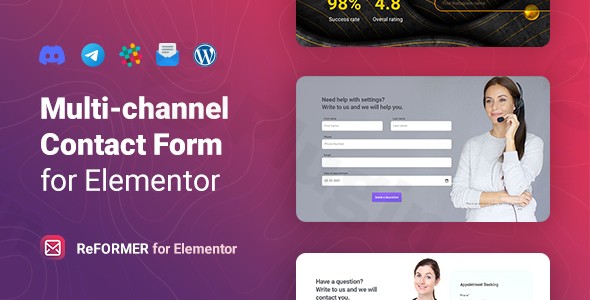
In the fast-paced world of digital marketing, waiting for an email notification to arrive can mean the difference between closing a lead and losing it to a competitor. The Reformer Elementor Contact Form is a specialized WordPress plugin designed to bridge this gap by offering a multichannel contact form for Elementor that sends submissions directly to the platforms you use most. Whether you need instant alerts on Telegram, Slack, or Discord, ReFormer ensures your communication remains uninterrupted and immediate.By integrating seamlessly with the Elementor page builder, ReFormer allows site owners to move beyond standard email-only forms. It provides a robust, lightweight solution for creating high-converting forms that store data locally while broadcasting it across multiple communication channels simultaneously.
Key Features of the ReFormer Multichannel Contact Form
The Reformer plugin for Elementor, Telegram, Slack, and Discord is more than just a simple contact tool. It is a versatile form engine built for modern workflows.
1. True Multichannel Notifications
The standout feature of ReFormer is its ability to send form data to multiple destinations at once. You can configure a single form to:
- Send an email to your sales team.
- Ping a Telegram bot for instant mobile alerts.
- Post a message in a specific Slack channel.
- Notify a Discord server.
- Save the submission in your WordPress Admin Panel for record-keeping.
2. 15 Versatile Field Types
While many plugins limit you to basic text and email fields, ReFormer provides 15 different field types. This makes it an ideal WordPress contact form plugin for complex use cases like:
- Range & URL fields: Perfect for budget selectors or portfolio submissions.
- Date, Time, & Month: Essential for booking or appointment forms.
- Hidden fields: Useful for tracking UTM parameters or page-specific data.
- Checkbox & Radio: Great for building interactive quizzes or surveys.
3. Deep Design Customization
Because it is built specifically for Elementor, ReFormer gives you granular control over the design. You can modify fonts, colors, borders, and backgrounds directly within the Elementor editor. For those in a hurry, it includes 5 pre-made templates to get your form live in seconds.
4. Performance and Global Ready
ReFormer is engineered to be lightweight, ensuring it won’t bloat your site’s load time. It also features full RTL (Right-to-Left) support and is translation-ready (including a .pot file), making it perfect for international agencies and global brands.
How to Set Up a Contact Form for Elementor with Multiple Channels
Setting up the Reformer Elementor Contact Form is a straightforward process that doesn’t require any coding knowledge. Follow these steps to get started:
- Install and Activate: Upload the ReFormer plugin zip file via Plugins > Add New in your WordPress dashboard and activate it.
- Open Elementor: Navigate to the page where you want the form and click “Edit with Elementor.”
- Add the ReFormer Widget: Search for the “ReFormer” widget in the Elementor sidebar and drag it onto your layout.
- Configure Form Fields: In the “Content” tab, add your desired fields (Email, Text, Range, etc.) and customize the labels.
- Set Up Submissions (The Multichannel Part):
- Go to the Actions After Submit section.
- Add your preferred channels (Email, Telegram, Slack, or Discord).
- Input the specific API keys or Webhook URLs provided by those platforms.
- Style Your Form: Use the “Style” tab to match the form’s typography and colors to your brand.
7. Publish: Save your changes and test the form to ensure notifications are arriving on all selected channels.
Practical Usage & Best Practices
To get the most out of this Elementor form builder, consider these real-world workflows:
For Agencies: Lead Qualification Quizzes
Instead of a generic contact form, use ReFormer’s range and checkbox fields to create a qualification quiz. Set the form to notify your team via Slack immediately so a project manager can jump on the lead while they are still on your site.
For E-commerce: Instant Support Requests
If a customer has a question about a product, use a ReFormer form on the product page. By routing these messages to Telegram, your support staff can answer questions on the go, significantly increasing conversion rates.
For Community Managers: Discord Integration
If you run a gaming or developer community, use ReFormer as a registration or feedback form. Since it supports Discord submissions, the feedback goes directly where your community lives, fostering a more transparent and active environment.
FAQ & Troubleshooting
Does ReFormer support Discord submissions?
Yes, ReFormer is a WordPress plugin that supports Discord via Webhook integration. When a user submits a form, the data is automatically posted to your designated Discord channel in real-time.
How to connect Elementor forms to Telegram?
To connect ReFormer to Telegram, you simply need to create a Telegram Bot via @BotFather to get an API Token. Enter this token and your Chat ID into the ReFormer widget settings under the Telegram toggle. This allows you to receive Telegram contact form WordPress notifications instantly.
What are the main features of the ReFormer Elementor plugin?
The core features include multichannel notifications (Email, Slack, Telegram, Discord), 15 diverse field types (including range and date), local database storage for submissions, 5 pre-made design templates, and full RTL support for international languages.
Is the plugin compatible with the latest WordPress version?
ReFormer is tested and compatible with WordPress 5.0 and higher. It works seamlessly with any modern WordPress theme that supports the Elementor page builder.
Final Verdict: Is ReFormer Right for You?
If you are looking for the best Elementor contact form for immediate notifications, ReFormer is an excellent choice. While plugins like WPForms or Fluent Forms offer broader conditional logic, ReFormer wins on speed of communication and its native ability to bridge WordPress with Slack, Discord, and Telegram without needing third-party tools like Zapier.For site owners who prioritize a fast feedback loop and want a lightweight, highly customizable form solution, the Reformer Elementor Contact Form delivers high ROI by ensuring no lead ever goes unnoticed.For more WordPress plugin reviews and tutorials, visit wppick.com.
I. Download Limits & Account Benefits
- Free Downloads: Each email address receives 3 downloads per day for free products
- Upgrade Benefits: Purchase any paid product to increase your daily download limit by 3 for each paid product
- No Account Required: You can download immediately by receiving the download link via email
- Account Recommended: Create an account for easier access to your order history and direct update downloads
II. Understanding GPL vs Official Versions
Important: The products available on WPPick are GPL-licensed versions, which differ from official developer versions. Before purchasing, please read our comprehensive guide: Understanding GPL & Official Differences at WPPick
Key Points:
- GPL versions may not include premium support from original developers
- Updates may be delayed compared to official releases
- Some premium features might have limitations
- Always consider your specific needs and support requirements
III. Support & Assistance
We’re here to help through multiple channels:
- Email Support: Direct email assistance for all inquiries
- Live Chat: Real-time support during business hours
- Comprehensive Documentation: Detailed guides and tutorials
IV. Order Tracking
Access your complete purchase history and download links anytime: Order History
V. Account Access
New to WPPick? Login or Create Account to manage your downloads and orders efficiently.
VI. Refund Protection
We stand behind our products with a clear refund policy. Review our terms: Refund Policy
VII. Privacy & Security
Your data security is our priority. Learn how we protect your information: Privacy Policy
VII. Terms of Service
Understanding our service terms ensures a smooth experience: Terms of Use
Quick Tips for Best Experience
- Verify Compatibility: Check plugin/theme compatibility with your WordPress version
- Backup First: Always backup your site before installing new plugins or themes
- Test Environment: Consider testing on a staging site first
- Stay Updated: Regularly check for updates in your account dashboard
- Read Documentation: Review any included documentation for optimal setup
Need Help?
If you have questions about downloads, licensing, or need technical assistance, don’t hesitate to contact our support team. We’re committed to ensuring you have the best possible experience with WPPick products.
Ready to get started? Your download adventure begins with just one click!