
Related Products Manager Pro For Woocommerce
/Year
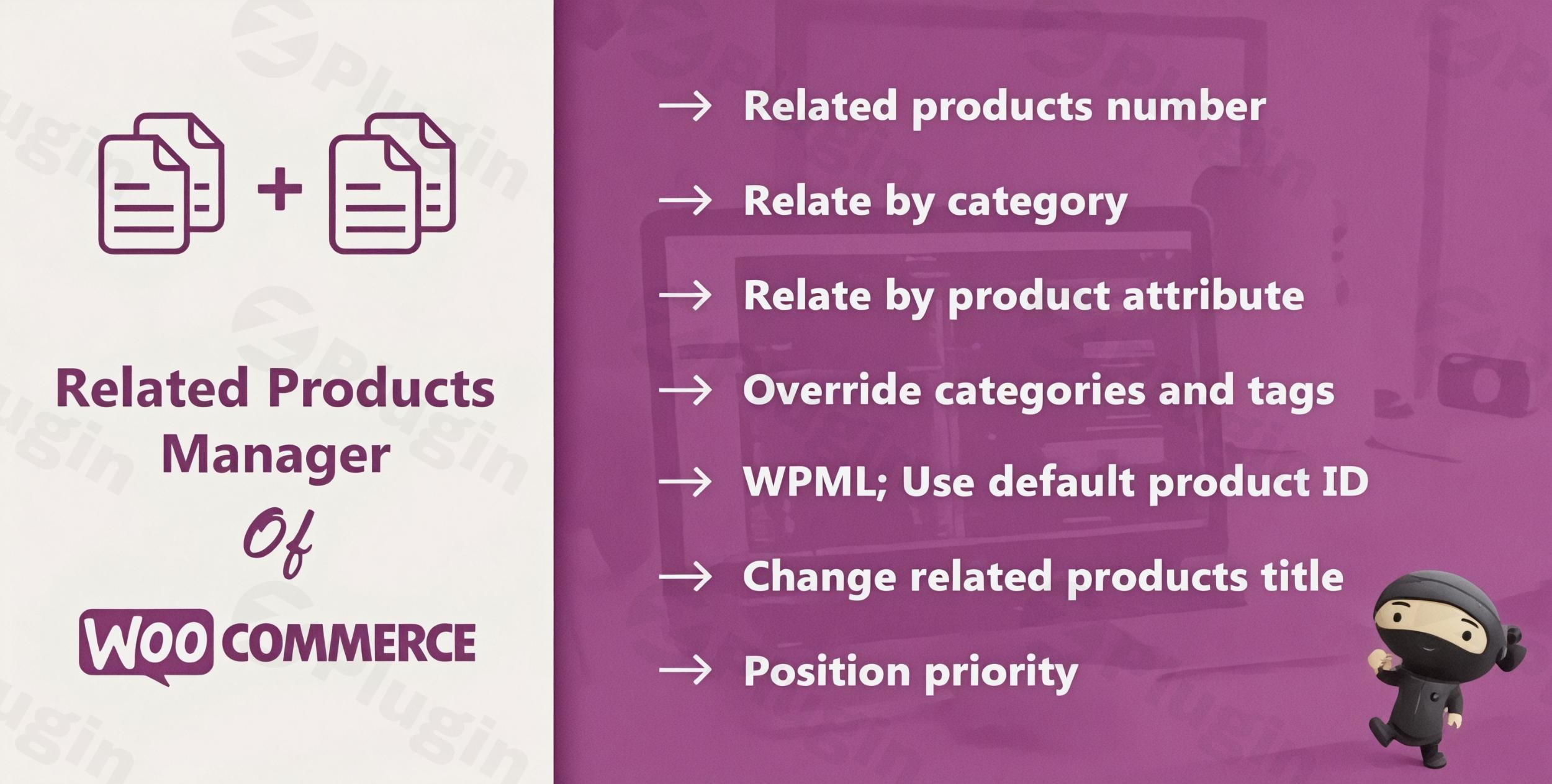
In a standard WooCommerce store, the “Related Products” section is often an afterthought, relying on automated, sometimes random logic that fails to capture the customer’s true intent. Related Products Manager Pro for WooCommerce is a premium WooCommerce related products plugin designed to replace that randomness with strategic, high-converting product recommendations. By giving store owners granular control over cross-sells and upsells, this plugin helps increase average order value (AOV) and improves the overall shopping experience.
Why Use Related Products Manager Pro for WooCommerce?
Most store owners struggle with the default WooCommerce recommendation engine because it lacks flexibility. Related Products Manager Pro for WooCommerce solves this by allowing you to curate exactly what your customers see. Whether you want to manually link specific items, use AI product recommendations for WooCommerce, or link products by technical attributes, this tool provides the necessary infrastructure to turn a single purchase into a multi-item cart.
Key Features & Benefits
This plugin is more than just a display tool; it is a full-scale sales optimization suite.
1. Advanced Relation Logic
Unlike the default system, you can define relationships using multiple data points:
- Manual Relation: Hand-pick specific products to appear for any given item.
- Attribute-Based Relation: Automatically link products that share specific global or local attributes (e.g., “Material: Leather” or “Power: 20V”). This is the best way to manage related products by attribute for technical or niche catalogs.
- Category & Tag Linking: Set automated rules to show products from the same category or tag.
2. Intelligent AI-Powered Recommendations
The plugin utilizes AI product recommendations for WooCommerce to analyze user behavior and purchase history. This ensures that even when you haven’t manually set a relation, the plugin serves “smart” suggestions that are statistically more likely to result in a conversion.
3. Bulk Management & Efficiency
Managing thousands of products individually is impossible for growing agencies. The plugin features a Bulk Management screen where you can assign related products, upsells, and cross-sells to hundreds of items simultaneously.
4. Complete Display Customization
- Column & Product Counts: Control exactly how many products appear and in how many columns.
- Custom Titles: Change “Related Products” to “Complete the Look” or “Customers Also Bought.”
* AJAX Sliders: Use an AJAX-powered slider to show more products without slowing down the initial page load.
Technical Specifications & Compatibility
For developers and site managers at wppick.com, performance and compatibility are paramount.
| Specification | Details |
|---|---|
| WordPress Version | Tested up to 6.9+ (Compatible with latest 6.4.2+) |
| WooCommerce Version | Supports 8.4.0 and higher |
| Page Builders | Full compatibility with Elementor and WPBakery |
| Multilingual | WPML compatible for translated product titles |
| Performance | Performance-optimized with AJAX loading and cache clearing |
How to Install and Configure the Plugin
Setting up your WooCommerce related products plugin is straightforward. Follow these steps to get started:
- Installation: Download the plugin ZIP file from your provider (e.g., CodeCanyon or ProWCPlugins). Go to your WordPress Dashboard > Plugins > Add New > Upload Plugin.
- Activation: Click Activate after the upload is complete.
- Global Settings: Navigate to WooCommerce > Settings > Related Products. Here, you can set global rules, such as the number of products to display and the default sort order (Price, Date, Random, etc.).
- Per-Product Customization: To override global settings for a specific item, go to the Product Edit screen. Scroll down to the Product Data box and look for the “Related Products” tab.
5. Clear Transients: If your changes don’t appear immediately, go to the plugin settings and use the “Clear Transients” tool to refresh the front-end display.
Practical Usage & Best Practices
To get the most out of Related Products Manager Pro for WooCommerce, consider these real-world workflows:
- For Tech & Hardware Stores: Use WooCommerce related products by attribute. If a customer is looking at a drill, ensure the related products section automatically shows 20V batteries and compatible drill bits by linking the “Voltage” attribute.
- For Fashion Retailers: Use the “Manual Relation” feature to “Shop the Look.” Manually link the matching trousers and shoes to a shirt to create a curated outfit.
- For Minimalist Landing Pages: Sometimes, less is more. Use the hide related products WooCommerce feature on specific high-conversion landing pages where you want the customer to focus solely on one “Buy Now” button.
* For Large Catalogs: Use the Bulk Management tool every time you launch a new category. In one click, you can relate all products in the “Winter Gear” category to one another.
FAQ & Troubleshooting
How does Related Products Manager Pro for WooCommerce work?
The plugin intercepts the default WooCommerce related products query and replaces it with your custom rules. It checks for manual selections first, then attribute matches, and finally category/tag rules to ensure the section is never empty.
Is this plugin compatible with Elementor?
Yes. Related Products Manager Pro for WooCommerce is fully compatible with Elementor and WPBakery. It works seamlessly with product page templates created in these builders.
How do I manually set related products in WooCommerce?
Once the plugin is active, open any Product in the editor. In the “Product Data” section, click the “Related Products” tab. You can then search for and select specific products to display as “Related” for that item.
Can I hide related products on specific pages?
Yes. You can hide the section globally in the main settings or use the “Hide Related Products” checkbox on the individual product edit page to remove it from specific items.
Does the plugin impact site speed?
No. The plugin is performance-optimized. Features like the AJAX slider ensure that additional products are loaded only when requested, keeping your initial PageSpeed scores high.
Conclusion: The ROI of Better Recommendations
Related Products Manager Pro for WooCommerce is an essential investment for any store owner looking to move beyond “random” suggestions. By utilizing custom related products in WooCommerce, you provide a more relevant shopping experience that mimics a personal shopper. Whether you are a small boutique manually curating “looks” or a massive distributor using AI product recommendations, the ROI of this plugin is found in its ability to increase your conversion rate and maximize every customer’s cart value. Visit wppick.com for more insights on optimizing your e-commerce workflow.
I. Download Limits & Account Benefits
- Free Downloads: Each email address receives 3 downloads per day for free products
- Upgrade Benefits: Purchase any paid product to increase your daily download limit by 3 for each paid product
- No Account Required: You can download immediately by receiving the download link via email
- Account Recommended: Create an account for easier access to your order history and direct update downloads
II. Understanding GPL vs Official Versions
Important: The products available on WPPick are GPL-licensed versions, which differ from official developer versions. Before purchasing, please read our comprehensive guide: Understanding GPL & Official Differences at WPPick
Key Points:
- GPL versions may not include premium support from original developers
- Updates may be delayed compared to official releases
- Some premium features might have limitations
- Always consider your specific needs and support requirements
III. Support & Assistance
We’re here to help through multiple channels:
- Email Support: Direct email assistance for all inquiries
- Live Chat: Real-time support during business hours
- Comprehensive Documentation: Detailed guides and tutorials
IV. Order Tracking
Access your complete purchase history and download links anytime: Order History
V. Account Access
New to WPPick? Login or Create Account to manage your downloads and orders efficiently.
VI. Refund Protection
We stand behind our products with a clear refund policy. Review our terms: Refund Policy
VII. Privacy & Security
Your data security is our priority. Learn how we protect your information: Privacy Policy
VII. Terms of Service
Understanding our service terms ensures a smooth experience: Terms of Use
Quick Tips for Best Experience
- Verify Compatibility: Check plugin/theme compatibility with your WordPress version
- Backup First: Always backup your site before installing new plugins or themes
- Test Environment: Consider testing on a staging site first
- Stay Updated: Regularly check for updates in your account dashboard
- Read Documentation: Review any included documentation for optimal setup
Need Help?
If you have questions about downloads, licensing, or need technical assistance, don’t hesitate to contact our support team. We’re committed to ensuring you have the best possible experience with WPPick products.
Ready to get started? Your download adventure begins with just one click!
- Latest WordPress 6.8 compatibility Check