
Scrapes – WordPress Scraper and Content Crawler Plugin
/Year
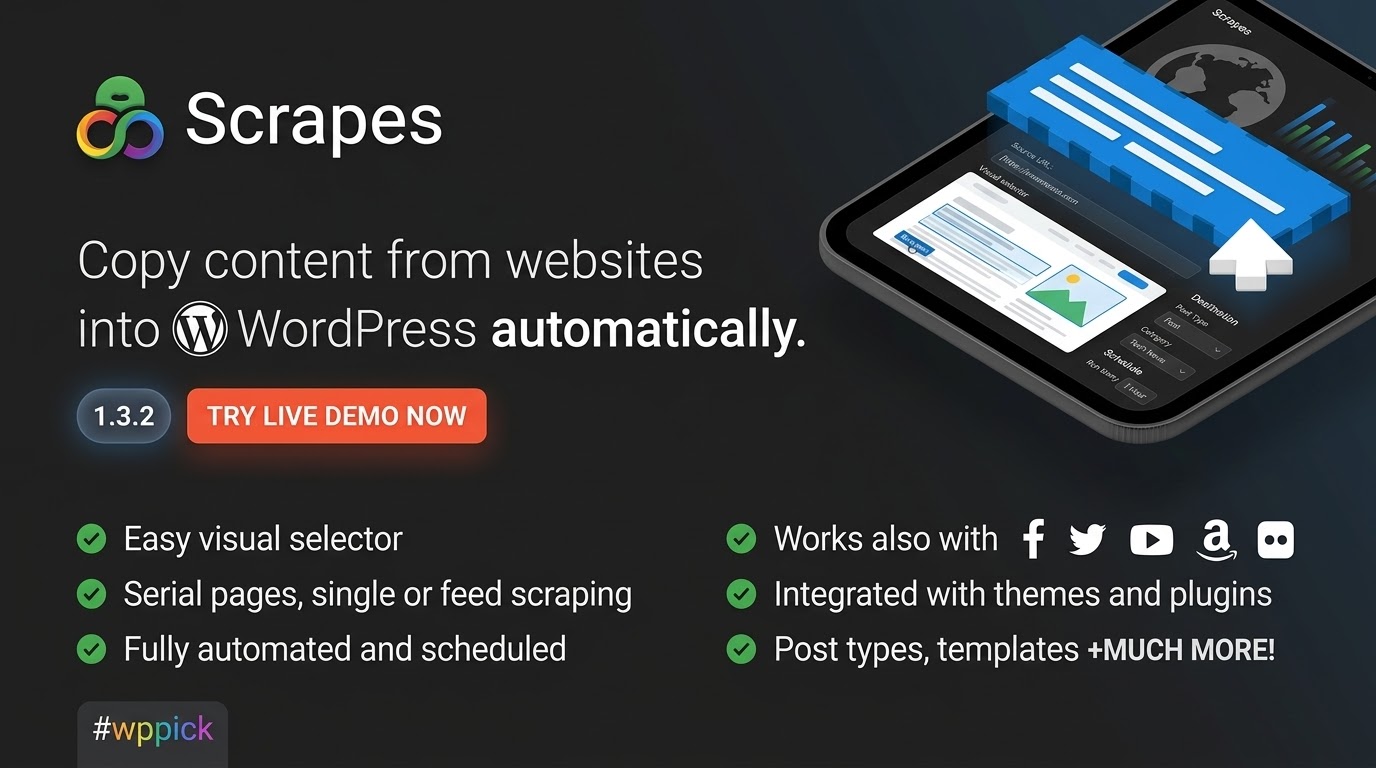
In the fast-paced digital world, keeping your WordPress site updated with fresh, relevant content can be a monumental task. Manual content curation is time-consuming, inefficient, and often leads to missed opportunities. Enter Scrapes, the most powerful WordPress content scraper and crawler plugin, designed to revolutionize how you collect and publish information.Scrapes empowers you to effortlessly extract content from virtually any website and automatically publish it to your WordPress site. Whether you’re building a niche news portal, curating a product showcase, or monitoring crucial data, Scrapes provides the tools to automate your content strategy, ensuring your site remains dynamic and engaging without requiring advanced programming skills.
Key Features: Unleashing Automated Content Power
Scrapes is engineered with a robust suite of features that focus on ease of use, versatility, and deep WordPress integration.
Core Scraping Capabilities
- Intuitive Visual Selector/Editor: Say goodbye to complex CSS selectors or XPath. Scrapes features a user-friendly visual interface that allows you to point and click directly on the content elements you wish to scrape from any source page. This simplifies the content selection process, making it accessible even for non-developers.
- Flexible Scraping Modes: Adapt your scraping strategy to any content source:
- Single Scraping: Ideal for extracting specific data from a single web page to create a unique post on your site.
- Serial Scraping: Perfect for tracking and publishing articles from websites with multiple pages, automatically following detail page and pagination links to build comprehensive collections.
- Feed Scraping (Advanced WP RSS Aggregator): Function as a powerful RSS aggregator, tracking and publishing article summaries from RSS or Atom feeds, or even following detail links within feeds for full content imports.
- Versatile Content Sources: Scrapes supports an extensive array of content types, including news articles, product listings, videos, images, financial data, weather forecasts, and sports scores, making it a truly universal content collection tool.
Seamless WordPress Integration
- Comprehensive WordPress Field Support: The plugin seamlessly populates all standard WordPress fields, ensuring your scraped content integrates perfectly with your site’s structure. This includes:
- Post types and taxonomies
- Title and main content
- Excerpts and custom fields
- Featured images and metadata
- Author information and publishing dates
- Discussion settings and post status
- Compatibility with Custom Post Types and Taxonomies: Scrapes intelligently works with custom post types and taxonomies defined by your active themes and plugins, allowing you to capture content into specialized structures like product listings or event schedules.
- WooCommerce Integration: Specifically designed to facilitate creating WooCommerce products, supporting all WooCommerce product custom fields and post types for automated e-commerce inventory building.
Advanced Content Refinement & Transformation
- Content Transformation Tools: Refine your scraped content before publishing with powerful manipulation options:
- Find & Replace: Easily remove unwanted words, phrases, or links from scraped text, with support for regular expressions for advanced pattern matching.
- Filters: Apply specific rules to content, such as only scraping posts with particular keywords in the title, content published after a certain date, or products below a specific price point.
- Language Translation: Integrate with Google Translate’s official API to translate scraped content into over 50 languages (note: Google Translate API is a paid service).
- Content Spinning: Connect with AI Spinner plugins to generate unique variations of scraped content, enhancing originality.
- Math Functions: Perform calculations (sum, subtract, divide) on numerical data, useful for dynamic pricing or statistical aggregation.
- Custom Templates: Design and apply custom content templates using variables to format your scraped data exactly as needed.
- Smart Image Handling: Automatically extracts images from source sites, sets them as featured images, creates image galleries from sequences, and imports images to your media library for local hosting and better performance.
- Encoding Fixes: Automatically corrects common encoding errors in scraped content, ensuring readability and data integrity.
Automation & Efficiency Features
- Easy Setup and Automation: Configure scraping tasks in minutes using a user-friendly interface. Once set up, Scrapes works automatically in the background, continuously gathering fresh content.
- Scheduling and Hands-Free Operation: Set up recurring scraping intervals (cron jobs) for hands-free operation. Your website stays updated automatically, ensuring a constant flow of new content.
- Duplicate Title Skip: Prevent content duplication by verifying that no previously published post shares the same title.
- Proxy and Cookie Support: Enhance scraping flexibility and bypass certain restrictions by utilizing proxy servers and defining custom cookies for your scraping tasks.
- Auto-detection: Intelligent auto-detection features automatically match content, featured images, and pagination elements from suitable source sites to their corresponding WordPress fields.
- Live Scraper Shortcode: Embed real-time scraped content directly into your posts, pages, or sidebars using a simple shortcode, complete with recurring cron schedules for dynamic displays.
Installation & Setup: Get Scrapes Running on Your WordPress Site
Installing Scrapes is a straightforward process, designed for all WordPress users.
System Requirements
Before installation, ensure your server meets the minimum requirements:
- PHP Version: PHP 5.2.4+
- PHP Extensions:
dom,mbstring,iconv,json, andsimplexml - PHP Configuration: A configurable maximum execution time for PHP (to allow for longer scraping tasks).
- WordPress Version: Compatible with WordPress 3.5+ (and updated for PHP 8.0+ as of August 2023).
Step-by-Step Installation Guide
- Purchase and Download: Obtain the Scrapes plugin package, preferably from ZeroPlugin.com for guaranteed performance and support.
- Upload the Plugin:
- Method A (WordPress Admin):
- Log in to your WordPress dashboard.
- Navigate to
Plugins > Add New. - Click
Upload Pluginat the top of the page. - Choose the downloaded
.zipfile and clickInstall Now.
- Method B (FTP):
- Unzip the plugin package on your computer.
- Connect to your website’s server using an FTP client (e.g., FileZilla).
- Navigate to the
wp-content/plugins/directory. - Upload the unzipped plugin folder (usually named
scrapesoroctolooks-scrapes) to this directory.
- Method A (WordPress Admin):
- Activate the Plugin:
- Once uploaded (via either method), return to your WordPress dashboard.
- Go to
Plugins > Installed Plugins. - Locate “Scrapes – Advanced WordPress Content Scraper and Crawler Plugin” (or similar name like “Octolooks Scrapes”).
- Click
Activate.
- Initial Configuration: After activation, a new menu item for Scrapes will appear in your WordPress admin sidebar. Click on it to access the plugin’s settings and begin configuring your first scraping tasks. The intuitive visual selector will guide you through setting up your content sources and desired output.
Practical Usage & Best Practices: Maximizing Scrapes for Your Business
Scrapes offers immense flexibility for various applications. To get the most out of the plugin, consider these practical use cases and best practices.
Popular Use Cases
- Content Aggregation:
- News Portals and Magazines: Automatically pull the latest news from multiple sources into a centralized hub.
- Blog Content Curation: Curate relevant articles from industry blogs to supplement your own content strategy.
- Product Showcase Sites: Build an extensive catalog of products from various e-commerce sites, including full WooCommerce integration.
- Video and Image Galleries: Create rich media galleries by scraping videos and images from specific platforms.
- Data Monitoring:
- Financial and Currency Data: Keep your site updated with real-time stock prices, exchange rates, or cryptocurrency values.
- Weather Forecasts: Display localized or global weather information.
- Sports Scores and Statistics: Provide live updates for sporting events or detailed historical statistics.
- Travel and Transportation Updates: Aggregate flight delays, public transport schedules, or travel advisories.
Best Practices for Responsible Scraping
While Scrapes is a powerful tool, it’s crucial to use it ethically and legally.
- Respect
robots.txt: Always check a website’srobots.txtfile (e.g.,example.com/robots.txt) before scraping. This file outlines which parts of a site are off-limits to crawlers. - Adhere to Terms of Service: Review the terms of service of any website you intend to scrape. Some sites explicitly prohibit scraping.
- Observe Copyright Laws: Be mindful of copyright. Scraping content does not grant you ownership. Consider content spinning or translation features to generate unique versions, but always attribute sources where appropriate.
- Start Small and Test: Begin with small, infrequent scraping tasks to understand how the plugin interacts with target sites and your server resources. Gradually increase complexity.
- Utilize Content Transformation: Leverage features like “Find & Replace” and “Filters” to clean up content, remove unwanted elements, and ensure consistency with your site’s branding and style.
- Schedule Wisely: Set up appropriate scraping intervals to avoid overloading source servers or your own. For frequently updated content, hourly or daily might be suitable; for less dynamic content, weekly or monthly could suffice.
- Monitor Performance: While Scrapes is optimized for performance, large-scale scraping can be resource-intensive. Monitor your server’s hardware configuration, connection speed, and PHP execution limits to ensure optimal operation.
- Consider Proxies: For extensive scraping tasks or if you encounter IP blocks, utilize proxy support to distribute your requests and avoid detection.
Conclusion: Automate, Curate, and Dominate with Scrapes
Scrapes stands out as an indispensable WordPress plugin for anyone serious about automating content aggregation and data collection. Its intuitive visual selector demystifies web scraping, making it accessible to marketers and content creators without coding expertise. From comprehensive WordPress field support to advanced content transformation tools and robust scheduling, Scrapes offers a complete solution for maintaining a dynamic, content-rich website.By automating the mundane tasks of content collection, Scrapes frees up your time, allowing you to focus on content strategy, engagement, and growth. Its commitment to regular updates, compatibility, and security ensures a reliable investment for your content automation needs. For guaranteed performance and dedicated support, secure your copy of Scrapes from ZeroPlugin.com and transform your WordPress content strategy today.
I. Download Limits & Account Benefits
- Free Downloads: Each email address receives 3 downloads per day for free products
- Upgrade Benefits: Purchase any paid product to increase your daily download limit by 3 for each paid product
- No Account Required: You can download immediately by receiving the download link via email
- Account Recommended: Create an account for easier access to your order history and direct update downloads
II. Understanding GPL vs Official Versions
Important: The products available on WPPick are GPL-licensed versions, which differ from official developer versions. Before purchasing, please read our comprehensive guide: Understanding GPL & Official Differences at WPPick
Key Points:
- GPL versions may not include premium support from original developers
- Updates may be delayed compared to official releases
- Some premium features might have limitations
- Always consider your specific needs and support requirements
III. Support & Assistance
We’re here to help through multiple channels:
- Email Support: Direct email assistance for all inquiries
- Live Chat: Real-time support during business hours
- Comprehensive Documentation: Detailed guides and tutorials
IV. Order Tracking
Access your complete purchase history and download links anytime: Order History
V. Account Access
New to WPPick? Login or Create Account to manage your downloads and orders efficiently.
VI. Refund Protection
We stand behind our products with a clear refund policy. Review our terms: Refund Policy
VII. Privacy & Security
Your data security is our priority. Learn how we protect your information: Privacy Policy
VII. Terms of Service
Understanding our service terms ensures a smooth experience: Terms of Use
Quick Tips for Best Experience
- Verify Compatibility: Check plugin/theme compatibility with your WordPress version
- Backup First: Always backup your site before installing new plugins or themes
- Test Environment: Consider testing on a staging site first
- Stay Updated: Regularly check for updates in your account dashboard
- Read Documentation: Review any included documentation for optimal setup
Need Help?
If you have questions about downloads, licensing, or need technical assistance, don’t hesitate to contact our support team. We’re committed to ensuring you have the best possible experience with WPPick products.
Ready to get started? Your download adventure begins with just one click!
No changelog available.