

SeedProd Pro
/Year
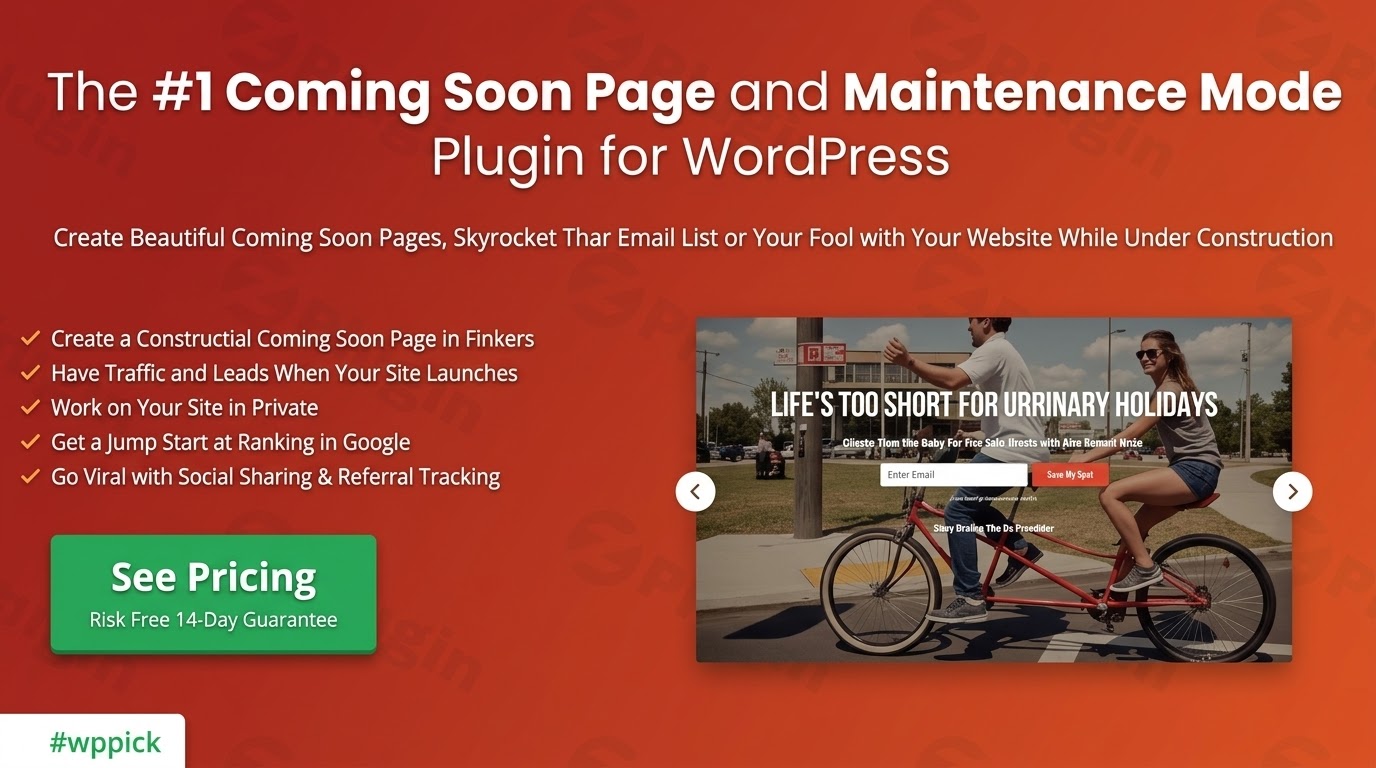
Premium WordPress Page Building and Maintenance Mode Solution
SeedProd Pro is a comprehensive landing page and layout architecture solution built specifically for the WordPress ecosystem. It serves as a dedicated environment for constructing high-converting sales pipelines, lead capture structures, and temporary site status screens. Unlike generic design tools that add unnecessary bulk to your server environment, this asset targets performance efficiency and search engine visibility. It provides a visual framework that allows administrators to deploy marketing assets without manual code intervention, ensuring that tracking scripts, styling variables, and third-party API configurations work harmoniously within a single interface.
What SeedProd Pro Does
At its foundation, this utility manages visitor access and custom front-end presentation during different phases of a digital platform life cycle. When active, it can intercept incoming traffic to display dedicated pre-launch sequences or maintenance messages while granting authenticated operators unrestricted backend access. Beyond basic access control, it features a comprehensive visual layout generator that overrides standard theme constraints. Users can assemble complex informational layouts, legal disclosures, opt-in sequences, and product display grids by positioning distinct elements on a live canvas that updates in real time.
Who This Tool Is Intended For
This software is built for website owners, marketing professionals, agencies, and independent service providers who require rapid deployment of digital landing environments. Digital marketing specialists utilize the framework to execute targeted advertising campaigns with matching aesthetic structures. Agency teams benefit from the capability to build private client review environments before a public launch. E-commerce store managers deploy the framework to announce upcoming inventory updates or to collect subscriber communication data prior to a promotional event, making it an essential component for growth-focused operations.
Key Capabilities and Design Features
The visual composition engine functions independently of your active theme architecture, preventing styling conflicts and structural errors. Key technical capabilities include native integration with primary email marketing delivery services, automated subscriber collection protocols, and direct handling of global styling variables. Users can configure precise access rules based on user roles, IP address ranges, or specific secret URL parameters. Additionally, it offers comprehensive control over search engine behavior, allowing operators to set meta tags, enforce canonical directives, and manage indexation rules during temporary platform maintenance windows.
Practical WordPress Use Cases
- Deploying a high-conversion newsletter enrollment screen during the pre-launch phase of a digital publication.
- Isolating a public-facing website with a custom technical maintenance screen while developers debug database components safely.
- Structuring custom transactional confirmation templates and informational dashboards to maximize post-purchase user engagement.
- Creating dedicated promotional destinations for pay-per-click advertising traffic to increase overall target conversion metrics.
- Constructing custom webinar enrollment layouts with integrated countdown chronometers and automated registration triggers.
Setup and Integration Context
Installation follows the standard WordPress structure, requiring an active server environment running modern PHP configurations. The application operates smoothly alongside core block architecture, block-based design tools, and typical e-commerce database structures. To optimize operational stability, administrators should ensure that page caching servers and content delivery networks recognize the access control exceptions, allowing background cookies or tracking bypass keys to clear correctly for administrators while serving static temporary variants to anonymous public traffic.
Reasons to Choose This Asset on WPPick
Acquiring this utility through the WPPick marketplace provides digital operators with verified installation packages that are clear of hidden tracking elements or alterations. WPPick offers clean, functional deployment models that allow you to test specific architectural capabilities, build prototype client platforms, and deploy fully functional marketing environments without entering restrictive automated billing contracts. This model lowers the entry cost for independent developers and startups needing to scale their digital infrastructure efficiently.
Latest Version Context
Detailed release notes are not available from the provided sources. The public verification logs do not supply confirmed individual item summaries for this specific build sequence. For standard feature deployments, ensure your host environment remains aligned with modern core infrastructure standards to maintain structural compatibility across all visual layout elements.
Frequently Asked Questions
Can I work on my live website while a coming soon screen is visible?
Yes, the internal access control system differentiates between administrative users and public traffic. Authenticated operators can log into the backend dashboard and preview design changes normally, while standard public visitors encounter the custom pre-launch screen.</p
Does this layout utility require a specific WordPress theme?
No, the visual rendering workspace is designed to operate independently of the active theme framework. It can overlay its custom layout architecture on top of any standard theme environment without generating styling conflicts or structural rendering issues.</p
How does the system handle email list growth and data storage?
The software establishes direct API handshakes with major marketing communication tools. When a visitor submits an informational form, the system transmits the user metrics securely to your designated marketing platform while maintaining optimal data integrity.</p
Will activating maintenance mode impact my existing search engine rankings?
When configured correctly, the tool returns a standard HTTP 503 status code to search engine web crawlers. This notification indicates that the digital platform is temporarily unavailable, preserving your indexed visibility and search positioning during technical maintenance.
I. Download Limits & Account Benefits
- Free Downloads: Each email address receives 3 downloads per day for free products
- Upgrade Benefits: Purchase any paid product to increase your daily download limit by 3 for each paid product
- No Account Required: You can download immediately by receiving the download link via email
- Account Recommended: Create an account for easier access to your order history and direct update downloads
II. Understanding GPL vs Official Versions
Important: The products available on WPPick are GPL-licensed versions, which differ from official developer versions. Before purchasing, please read our comprehensive guide: Understanding GPL & Official Differences at WPPick
Key Points:
- GPL versions may not include premium support from original developers
- Updates may be delayed compared to official releases
- Some premium features might have limitations
- Always consider your specific needs and support requirements
III. Support & Assistance
We’re here to help through multiple channels:
- Email Support: Direct email assistance for all inquiries
- Live Chat: Real-time support during business hours
- Comprehensive Documentation: Detailed guides and tutorials
IV. Order Tracking
Access your complete purchase history and download links anytime: Order History
V. Account Access
New to WPPick? Login or Create Account to manage your downloads and orders efficiently.
VI. Refund Protection
We stand behind our products with a clear refund policy. Review our terms: Refund Policy
VII. Privacy & Security
Your data security is our priority. Learn how we protect your information: Privacy Policy
VII. Terms of Service
Understanding our service terms ensures a smooth experience: Terms of Use
Quick Tips for Best Experience
- Verify Compatibility: Check plugin/theme compatibility with your WordPress version
- Backup First: Always backup your site before installing new plugins or themes
- Test Environment: Consider testing on a staging site first
- Stay Updated: Regularly check for updates in your account dashboard
- Read Documentation: Review any included documentation for optimal setup
Need Help?
If you have questions about downloads, licensing, or need technical assistance, don’t hesitate to contact our support team. We’re committed to ensuring you have the best possible experience with WPPick products.
Ready to get started? Your download adventure begins with just one click!
- Added: Section background videos
- Added: Alt text support for Price List and Before/After Toggle block images
- Added: is_paged() display condition for Theme Builder
- Fixed: Enabled renaming Template Parts via Edit Conditions modal
- Fixed: WordPress Widgets not rendering in the SeedProd builder
- Fixed: “Edit with SeedProd” button missing for the homepage
- Fixed: BRW Booking & Rental plugin compatibility issues
- Fixed: Button block text color missing setting
- Fixed: Exporting a landing page or theme failing on read-only filesystems
- Fixed: Theme and page export downloads not initiating
- Fixed: Removed dead reference to chunk-common.js causing a 404 browser error
- Fixed: Mismatched srcset URLs from the source domain for images during theme import
- Fixed: EDD CSS path compatibility for EDD 3.3.0+
- Fixed: Incorrect WPConsent Premium plugin slug in recommended plugins for installation
- Fixed: Global CSS template Custom CSS field not saving or rendering in Theme Builder
- Table of Content Block
- Global Font Settings Not Saving
- Login page showing 404 error when redirect is enabled
- Added ico, bmp file type in our import theme files
- Add checks for empty values before strpos to prevent warnings
- Price List Block Special Characters Display
- Typo in email label in comments template
- Link Input Text Visibility in TinyMCE Inline Toolbar
- is_tax condition to correctly match specific taxonomy terms in Theme Templates
- Added referrerpolicy to all YouTube and Vimeo iframes to ensure compatibility with strict referrer policies
- PCI compliance failure caused by bypass cookies missing the Secure attribute
- Export All pages to Import & Export Tool
- Correct hash function usage in upgrade process
- Image Carousel button link only works for the last image of the carousel
- Pricing Table Block Feature List item reappears after being deleted
- Implemented Global Header Typography CSS for Mobile & Tablet
- Added responsive controls to the Icon Box Block
- Global Settings for Button Block
- Post Block Warnings
- WP Proposals Plugin Incompatibility Issue
- Security hardening
- Animated Headline Text Font Size Setting Not Working
- Image Carousel Header, SubHeader and Button