

Seo Generator – Create More Seo Content In Less Time
/Year
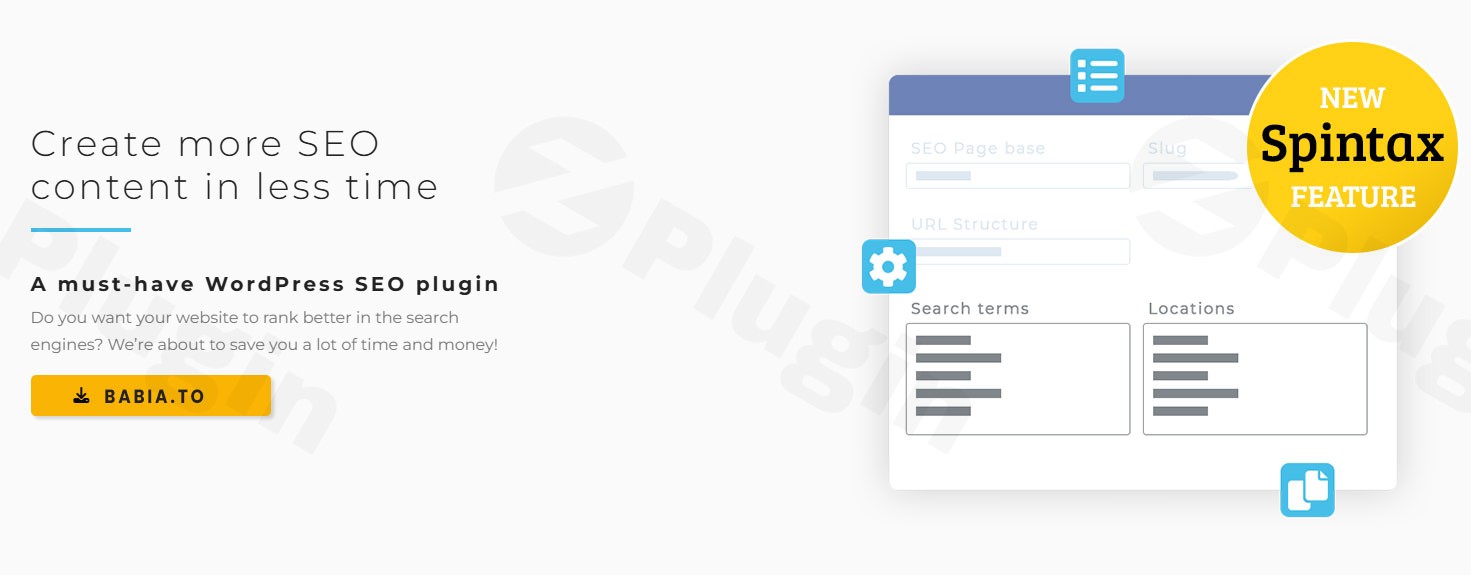
Ranking for hundreds of local keywords is the “holy grail” for service-based businesses and agencies, but manually creating a unique page for every city is a logistical nightmare. Seo Generator is a specialized SEO content generator designed to solve this problem through programmatic SEO. Instead of writing 1,000 pages, you create one master template, and the plugin handles the rest.
In this guide, we will explore how this WordPress SEO plugin helps you dominate search results by automating local SEO automation and bulk content creation without risking duplicate content penalties.
Key Features: Scaling Your Website with Programmatic SEO
The core strength of Seo Generator is its ability to turn a single “Master Page” into a massive directory of optimized landing pages. Here is a breakdown of the features that make it a leading Yoast Rank Math alternative for mass page generation.
1. Automated Landing Page Generation
The plugin uses a “template-and-list” system. By providing a list of keywords (e.g., “Plumbing Services,” “Emergency Repair”) and locations (e.g., “London,” “Manchester,” “Bristol”), it automatically generates a unique page for every possible combination. This allows users to generate landing pages for SEO by the thousands in minutes.
2. Built-in Spintax Support for Content Uniqueness
One of the biggest fears in bulk page creation is the “Duplicate Content” penalty. Seo Generator solves this with Spintax SEO content support.
- How it works: You write variations of sentences like
{Professional|Expert|Reliable} services in {City}. - The Result: Every generated page is structurally different, ensuring search engines view them as unique, valuable assets.
3. Dynamic On-Page Optimization
Optimization isn’t limited to the body text. You can use shortcodes to dynamically update:
- Page URLs: Creating clean, keyword-rich permalinks.
- Meta Titles and Descriptions: Ensuring high click-through rates (CTR) in search results.
- Image Alt Tags: Improving accessibility and image search rankings.
- Headers (H1-H6): Perfectly aligned with the user’s search intent.
4. Seamless Compatibility and Integration
Unlike some automation tools that break your site, Seo Generator is designed to play well with others. It is fully compatible with:
- Page Builders: Elementor, Divi, and Bricks.
- SEO Suites: Yoast SEO, Rank Math, All in One SEO, and SEOPress.
- eCommerce: Full WooCommerce support for product-focused SEO pages.
How to Install and Setup Seo Generator
Setting up local SEO automation doesn’t require a developer. Follow these steps to get started:
- Install the Plugin: Upload the Seo Generator ZIP file to your WordPress dashboard under
Plugins > Add New > Upload. - Activate: Click “Activate” and enter your license key if prompted.
- Define Your Keywords and Locations: Navigate to the Seo Generator settings page. Here, you will input your primary keywords and target geographic areas.
- Create Your Master Template: Open your preferred editor (Gutenberg, Elementor, etc.) and design your layout. Use the plugin’s shortcodes (e.g.,
[keyword],[location]) where you want the dynamic data to appear. - Generate and Sync: Run the generator. The plugin will create the pages and automatically update your XML sitemap for Google Search Console indexing.
Practical Usage & Best Practices
To get the most out of WordPress programmatic SEO, you should treat your automated pages as high-value landing zones.
Use Case 1: Multi-Location Service Providers
If you manage a business like a locksmith or a cleaning service that covers an entire state, use Seo Generator to create “Service in [City]” pages. This is the best way to capture “near me” search traffic without spending months on manual entry.
Use Case 2: Niche Affiliate Marketing
If you run an affiliate site, you can generate comparison pages for “[Product A] vs [Product B]” across thousands of product pairs. This ideal for capturing low-competition, high-intent long-tail keywords.
Best Practice: The “Quality Template” Rule
Even though you are creating SEO pages in bulk, your master template must be high-quality. Include:
- Clear Calls to Action (CTAs).
- Real testimonials or trust signals.
- Internal links back to your main service pages to pass “link juice.”
FAQ: Common Questions About Seo Generator
What is the Seo Generator WordPress plugin?
Seo Generator is a programmatic SEO tool for WordPress that allows users to mass-generate unique, SEO-optimized landing pages based on keyword and location lists. It is primarily used to scale local search visibility and create thousands of pages from a single template.
Is Seo Generator compatible with Yoast SEO or Rank Math?
Yes. Seo Generator is designed to complement existing SEO plugins. While Yoast or Rank Math handles your site-wide technical settings, Seo Generator handles the bulk creation of content. It integrates with these plugins to ensure your generated meta tags are correctly recognized.
Can Seo Generator create unique content?
Yes, by using Spintax SEO content. Spintax allows you to provide multiple variations for words and sentences within your template. When the plugin generates a page, it randomly selects from these variations, ensuring that each of the thousands of pages created has a unique text structure.
How do I avoid duplicate content when generating many pages?
The best way to avoid duplicate content is to combine extensive Spintax with dynamic shortcodes for headers, URLs, and image alt tags. Additionally, Seo Generator creates a separate XML sitemap to help Google index these pages correctly as distinct entities.
Conclusion: Final Verdict
For agencies and business owners asking how to create thousands of SEO landing pages with WordPress, Seo Generator is a top-tier solution. It bridges the gap between manual content creation and fully automated programmatic SEO.
By leveraging Spintax and deep integration with page builders like Elementor, it provides a high ROI by saving hundreds of hours of manual labor. If your goal is local SEO automation or dominating long-tail search queries, Seo Generator is a robust, trustworthy tool that delivers measurable results in visibility and traffic.
For more WordPress insights and plugin deep-dives, visit wppick.com.
I. Download Limits & Account Benefits
- Free Downloads: Each email address receives 3 downloads per day for free products
- Upgrade Benefits: Purchase any paid product to increase your daily download limit by 3 for each paid product
- No Account Required: You can download immediately by receiving the download link via email
- Account Recommended: Create an account for easier access to your order history and direct update downloads
II. Understanding GPL vs Official Versions
Important: The products available on WPPick are GPL-licensed versions, which differ from official developer versions. Before purchasing, please read our comprehensive guide: Understanding GPL & Official Differences at WPPick
Key Points:
- GPL versions may not include premium support from original developers
- Updates may be delayed compared to official releases
- Some premium features might have limitations
- Always consider your specific needs and support requirements
III. Support & Assistance
We’re here to help through multiple channels:
- Email Support: Direct email assistance for all inquiries
- Live Chat: Real-time support during business hours
- Comprehensive Documentation: Detailed guides and tutorials
IV. Order Tracking
Access your complete purchase history and download links anytime: Order History
V. Account Access
New to WPPick? Login or Create Account to manage your downloads and orders efficiently.
VI. Refund Protection
We stand behind our products with a clear refund policy. Review our terms: Refund Policy
VII. Privacy & Security
Your data security is our priority. Learn how we protect your information: Privacy Policy
VII. Terms of Service
Understanding our service terms ensures a smooth experience: Terms of Use
Quick Tips for Best Experience
- Verify Compatibility: Check plugin/theme compatibility with your WordPress version
- Backup First: Always backup your site before installing new plugins or themes
- Test Environment: Consider testing on a staging site first
- Stay Updated: Regularly check for updates in your account dashboard
- Read Documentation: Review any included documentation for optimal setup
Need Help?
If you have questions about downloads, licensing, or need technical assistance, don’t hesitate to contact our support team. We’re committed to ensuring you have the best possible experience with WPPick products.
Ready to get started? Your download adventure begins with just one click!
- Fixed Table of Contents not matching actual headings when using Spintax
- Improved Table of Contents compatibility with different hosting environments