

SEOPress Pro – Seo WordPress Plugin
/Year
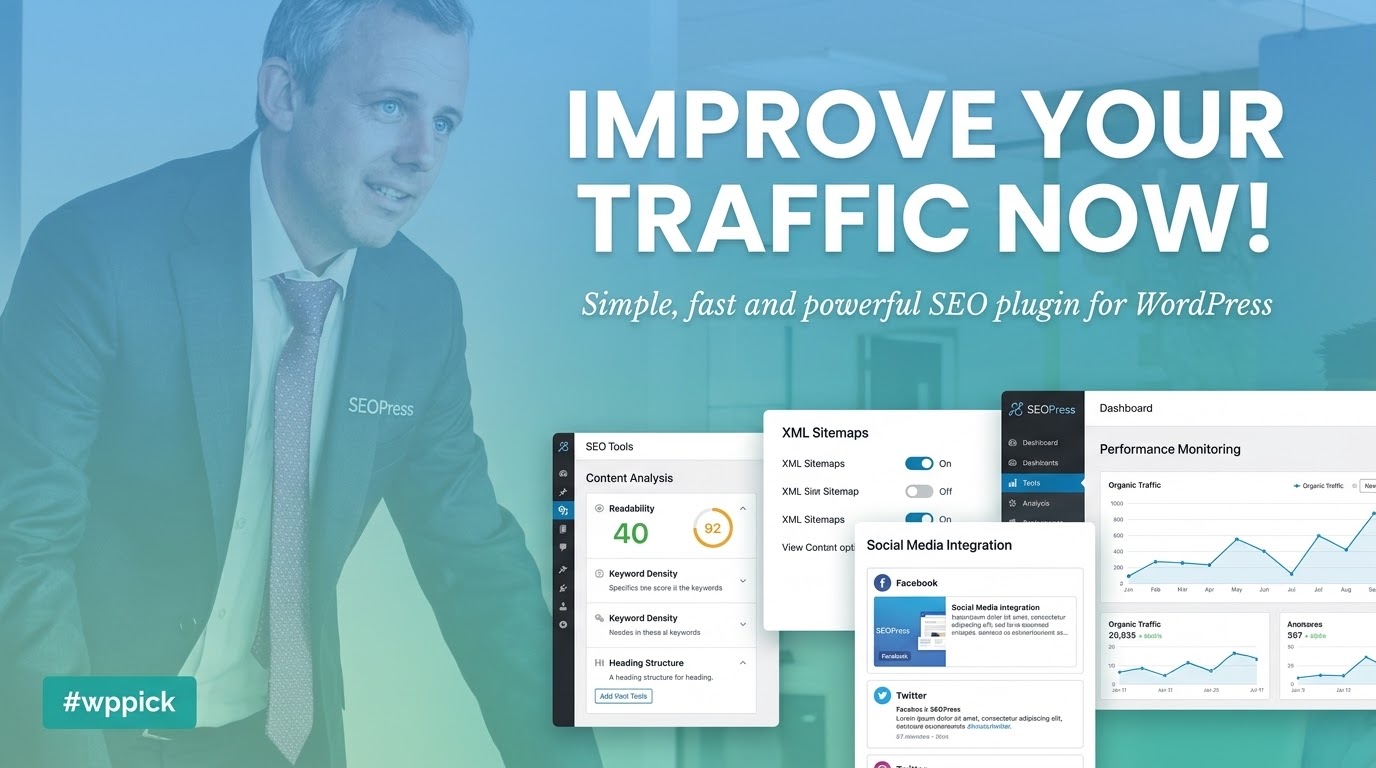
What is SEOPress Pro for WordPress?
SEOPress Pro is a comprehensive search engine optimization plugin designed for WordPress websites. It equips site owners, developers, and agencies with advanced tools to manage technical SEO, metadata, XML sitemaps, structured data, and content optimization without slowing down site performance.
Latest Version 10.2 Changes
SEOPress PRO version 10.2 introduces powerful new tools for redirect management, site audits, and local SEO, including post-by-post opening hours and inline redirect testing. The release also focuses on a faster, more accessible admin interface and delivers nearly 40 bug fixes addressing AI output, schemas, and content analysis.
- New: Opening hours, set post by post (PRO).
- New: Test a redirect without leaving the list (PRO).
- New: Site Audit searches your entire list of issues (PRO).
- New: Bulk category action with add / replace modes for redirects (PRO).
- New: AI features are now more accessible, requiring fewer clicks.
- Fix: Resolved empty results issues with GPT-5 and DeepSeek.
What Does SEOPress Pro Do?
The plugin provides an extensive suite of features tailored to maximize organic search visibility and streamline technical site management. Key capabilities include:
- Advanced content analysis to optimize keywords, readability, and content structure.
- Customizable XML and HTML sitemaps, including specialized sitemaps for images and videos.
- Rich schema markup support, featuring local business opening hours, products, and FAQs.
- Comprehensive redirect management and 404 monitoring to fix broken links quickly.
- Integrated AI assistance within the block editor for streamlined metadata generation and content tasks.
- Built-in site auditing tools to locate and resolve technical crawl errors efficiently.
Who Is This Plugin For?
SEOPress Pro is built for a wide range of users managing WordPress sites, including:
- Bloggers and content creators aiming to improve organic search rankings and CTR.
- E-commerce store owners managing WooCommerce product schemas, prices, and availability.
- Digital marketing agencies requiring white-label options and robust multi-site management.
- Developers and freelancers looking for a lightweight, fast, and feature-rich SEO toolkit.
Practical WordPress Use Cases
Website administrators apply SEOPress Pro across various scenarios, such as configuring local business opening hours post-by-post for multi-location directories, executing bulk redirect actions during site migrations, and running automated site audits to catch broken links or missing meta descriptions before search engines index them.
Setup and Compatibility Notes
Installing SEOPress Pro requires the core SEOPress plugin to be active. The setup wizard guides users through configuration steps, including connecting AI providers and importing settings from alternative SEO plugins. The plugin is fully compatible with major page builders like Elementor, Divi, and Bricks, ensuring seamless metadata management across custom layouts.
Reasons to Choose SEOPress Pro on WPPick
Choosing SEOPress Pro provides access to a powerful, bloat-free SEO solution with white-label capabilities, no ads, and unrestricted developer licenses. It delivers enterprise-grade optimization features at an exceptional value for WordPress professionals.
Latest Version Context
Version 10.2 introduces powerful new tools for redirect management, site audits, and local SEO, including post-by-post opening hours and inline redirect testing. The release also focuses on a faster, more accessible admin interface and delivers nearly 40 bug fixes addressing AI output, schemas, and content analysis.
Frequently Asked Questions
Can I import my existing SEO settings from another plugin?
Yes, SEOPress Pro includes built-in migration tools to effortlessly import metadata, sitemaps, and redirections from popular plugins like Yoast SEO or Rank Math.
Does SEOPress Pro support WooCommerce optimization?
Yes, it automatically generates WooCommerce product schemas, manages Open Graph data for products, and optimizes shop and archive pages for better conversions.
Is coding knowledge required to use schema markup?
No, the plugin includes a structured data types metabox that automatically populates schema based on your post content, with options for manual customization.
How does the AI assistant function within the editor?
The built-in AI assistant helps generate meta descriptions, titles, and content suggestions directly inside the WordPress block editor using your preferred AI provider.
Will SEOPress Pro slow down my website loading times?
No, SEOPress Pro is engineered for high performance with clean, lightweight code that ensures fast database queries and minimal server overhead.
I. Download Limits & Account Benefits
- Free Downloads: Each email address receives 3 downloads per day for free products
- Upgrade Benefits: Purchase any paid product to increase your daily download limit by 3 for each paid product
- No Account Required: You can download immediately by receiving the download link via email
- Account Recommended: Create an account for easier access to your order history and direct update downloads
II. Understanding GPL vs Official Versions
Important: The products available on WPPick are GPL-licensed versions, which differ from official developer versions. Before purchasing, please read our comprehensive guide: Understanding GPL & Official Differences at WPPick
Key Points:
- GPL versions may not include premium support from original developers
- Updates may be delayed compared to official releases
- Some premium features might have limitations
- Always consider your specific needs and support requirements
III. Support & Assistance
We’re here to help through multiple channels:
- Email Support: Direct email assistance for all inquiries
- Live Chat: Real-time support during business hours
- Comprehensive Documentation: Detailed guides and tutorials
IV. Order Tracking
Access your complete purchase history and download links anytime: Order History
V. Account Access
New to WPPick? Login or Create Account to manage your downloads and orders efficiently.
VI. Refund Protection
We stand behind our products with a clear refund policy. Review our terms: Refund Policy
VII. Privacy & Security
Your data security is our priority. Learn how we protect your information: Privacy Policy
VII. Terms of Service
Understanding our service terms ensures a smooth experience: Terms of Use
Quick Tips for Best Experience
- Verify Compatibility: Check plugin/theme compatibility with your WordPress version
- Backup First: Always backup your site before installing new plugins or themes
- Test Environment: Consider testing on a staging site first
- Stay Updated: Regularly check for updates in your account dashboard
- Read Documentation: Review any included documentation for optimal setup
Need Help?
If you have questions about downloads, licensing, or need technical assistance, don’t hesitate to contact our support team. We’re committed to ensuring you have the best possible experience with WPPick products.
Ready to get started? Your download adventure begins with just one click!
- Setup wizard includes a new AI Assistant step to activate AI and connect your provider.
- AI Assistant in the editor is enabled by default, with a one-time notice explaining its features.
- Local Business schema allows setting opening hours per post, useful for directories and multi-location sites.
- Redirections can be tested directly from the list using the 'Test URL' row action.
- Redirections bulk actions can replace or remove categories, not just add them.
- Site Audit now supports search, sort, and filter across the entire list of issues, not just the current page.
- Metadata CSV import now automatically detects separators and provides clear error explanations.
- Tested with WordPress 7.1 and compatible with PHP 8.5.
- SEO metabox is faster, sending fewer server requests when opening a tab.
- Clearer message in SEO metabox when your role lacks editing permission for a section.
- Improved accessibility with proper labels for SEO button, color picker, and opening hours fields.
- Schema markup now uses standard JSON escaping for better validator compatibility.
- Fixed default Event type for schemas.
- Fixed social sharing images on archive and WooCommerce shop pages for Facebook and X/Twitter.
- Titles and meta descriptions on archive pages now detect the correct post type.
- XML sitemap now respects the 'noindex' option set on blog pages.
- XML sitemap image URLs from page builders or CDNs are no longer broken.
- No more repeated language switching in XML sitemap with WPML on large sites.
- HTML sitemap does not list unselected post types.
- Content analysis correctly matches target keywords with accents or apostrophes.
- Content analysis reports all robots directives, not just the last one.
- Image SEO fills an empty alt attribute instead of adding a second one.
- FAQ block schema is no longer corrupted on save, and pre-existing broken blocks are repaired.
- WebSite schema resolves dynamic variables and custom fields without escaped characters.
- Settings dynamic variables dropdown no longer scrolls the page back to top.
- Classic editor link search results no longer cover the search field.
- Google snippet preview no longer breaks with emojis in content.
- SEO metabox no longer appears empty with Bricks Builder.
- Restricting SEO sections by role no longer prevents saving or publishing posts.
- 'Page 1 of 0' is no longer displayed on content without pagination.
- Google Analytics tracking script no longer fails when jQuery loads late.
- Admin notices from removed plugins no longer trigger PHP errors.
- Reusable configuration export no longer includes default sharing image.
- Redirection regular expressions are preserved exactly as typed on import and save.
- Destination URL is no longer cleared when clicking in the field.
- Improved URL tester accuracy for home page, redirect chains, and visitor conditions.
- 404 monitoring no longer logs internal site requests as 404.
- AI generation now works on servers without the intl PHP extension.
- AI images can be attached again, and failed bulk generations are reported as errors.
- Retired OpenAI model replaced, and empty results fixed with GPT-5 and DeepSeek.
- AI Assistant panel has correct width and position in the editor.
- Schemas: dynamic variables in custom schemas, searchable term picker, and a more accurate Manual tab.
- Invalid schema no longer prevents saving a post.
- Site Audit: a single problematic page no longer stops the whole scan.
- Site Audit: stuck scans, robots.txt false positive, and last scan date fixed.
- Internal linking reads content from page builders (Divi 5 etc.) and saving no longer empties the index.
- Table of contents detects headings inside groups, columns, or third-party blocks.
- Agent Ready Markdown version is no longer served by cache plugins.
- Agent Ready handles URLs with special characters correctly.
- SEOPress PRO no longer causes errors when the free plugin is deactivated.
- Various security improvements.
- Information updates as listed above.
- Command palette updated with new actions and options
- Titles & Metas: custom field and custom taxonomy variables (%%_cf_…%%, %%_ct_…%%) resolve again
- Titles & Metas: the title and meta description character counters no longer stay at 0 when the value comes from a dynamic variable
- Autocomplete for redirections
- Metabox: the Search a tag variables popover is no longer hidden behind the floating front-end SEO panel
- Comments: the Remove website field from comments option now removes the website field on the front-end
- Comments: Remove ?replytocom link rewriting works again on WordPress 6.7+
- DIVI: prevent an Undefined array key app_window PHP warning in the front-end builder
- [PRO] Multisite: virtual robots.txt and llms.txt keep their line breaks when saved from the network settings
- NEW [PRO] AI Assistant: a brand-new in-editor assistant available in the Block Editor — chat, quick actions, generate full articles with /write, copy results to the clipboard, and keep persistent conversations
- NEW [PRO] SEOPress AI provider: purchase tokens from seopress.org and quickly get started using AI on your WordPress site – no-brainer!
- NEW [PRO] Connect your own AI provider: OpenAI, Google Gemini, Anthropic Claude — plus WordPress Connectors (Abilities API) support on WordPress 7+, and manage/top up your AI credits directly
- NEW [PRO] Per-field toggles to choose exactly which AI-generated image metadata (alt, caption, description) is written on upload
- NEW XML Sitemap health check: a built-in tool that probes your sitemap index and the first sub-sitemap of each type, flags problems, reports coverage of optional content types, and offers one-click fixes (such as flushing permalinks)
- NEW Google Preferred Sources block & shortcode to add Google's "Preferred Sources" follow button to your content
- NEW [PRO] Redirections & 404s moved to a faster DataViews screen, with a dedicated Rank Math CSV redirections importer and an "Add another" button after creating a redirect
- NEW [PRO] Video sitemap now scans page builder content (Bricks, etc.) for YouTube embeds, and auto-fill Video schema from YouTube falls back to a keyless oEmbed when the YouTube Data API quota is reached
- NEW [PRO] robots.txt editor: contextual guidance on the quick-insert buttons, clearer "Recommended" labels, and native WordPress tooltips
- NEW [PRO] SEO alerts now rely on the full XML sitemap diagnostic
- NEW [PRO] Structured Data Types metabox is enabled by default on fresh installs
- NEW Language packs install automatically on demand for your current locale (Free and PRO)
- NEW Cookie consent now emits a dataLayer event and a DOM event when a visitor accepts or declines, so you can trigger your own scripts
- NEW Notice in Titles & Metas pointing to your static posts page when one is set
- NEW Tools: Import / Export reorganized into cards, with a clear warning that exported settings contain sensitive credentials
- NEW Developer: headless Content Analysis REST endpoint (with rate limiting) and WordPress Abilities API support (WordPress 7+)
- INFO Mobile-friendly admin: sticky save bar, responsive setup wizard, and various small-screen layout fixes
- INFO Improved compatibility with Divi 5
- FIX Security enhanced
- FIX IndexNow: valid keys are no longer mistakenly base64-decoded
- FIX XML sitemaps: non-existent custom post types/taxonomies are kept out of the sitemap index, and a per-type sitemap now returns a 404 when its type no longer exists
- FIX XML sitemaps: hidden Polylang languages are now excluded
- FIX Schemas: HTML entities (like &) are decoded before JSON-LD encoding to avoid double-encoding, and metabox schema fields bind by key instead of by position
- FIX noindex warning now shows correctly in the admin bar even when the SEO menu is hidden
- FIX Content Analysis no longer reports zero headings when the article sits outside <main>
- FIX REST: empty integer metas are tolerated (WordPress 7 compatibility)
- FIX "Get PRO" link is now readable on the dashboard card; license reminder rendering and spacing fixed
- FIX FAQ block updated for the latest editor APIs (no more deprecation warnings); primary category picker is more stable
- FIX Bundled Google SDK is scoped at build time to avoid namespace collisions with other plugins
- FIX [PRO] WooCommerce Product schema: correct price & availability for out-of-stock and backorder variations, with an OutOfStock fallback only when the product is truly out of stock
- FIX [PRO] Redirections: 404 hits counter starts at 1 on the first hit, and the "Test URL" button no longer duplicates the language prefix
- FIX [PRO] Schemas: "manual value on each post" options restored in automatic schemas; saving no longer wipes schema data and the metabox Edit action routes to the React editor; Local Business opening-hours no longer triggers a PHP 8 warning
- FIX [PRO] Video: non-video YouTube URLs are no longer sent to the YouTube Data API
- FIX [PRO] llms.txt: post permalinks now resolve in their own language under WPML
- FIX [PRO] Analytics degrades gracefully when another plugin loads a conflicting Google SDK
- FIX [PRO] How-To block updated for the latest editor APIs
- FIX [PRO] Table of Contents block is now detected inside template parts
- FIX [PRO] Updater sends a neutral User-Agent for PRO update requests
- FIX [PRO] Build: async chunk filenames are content-hashed to prevent stale-chunk crashes after updates
- Fatal error with White Label feature