

Simple Link Directory Pro – WordPress Plugin
/Year
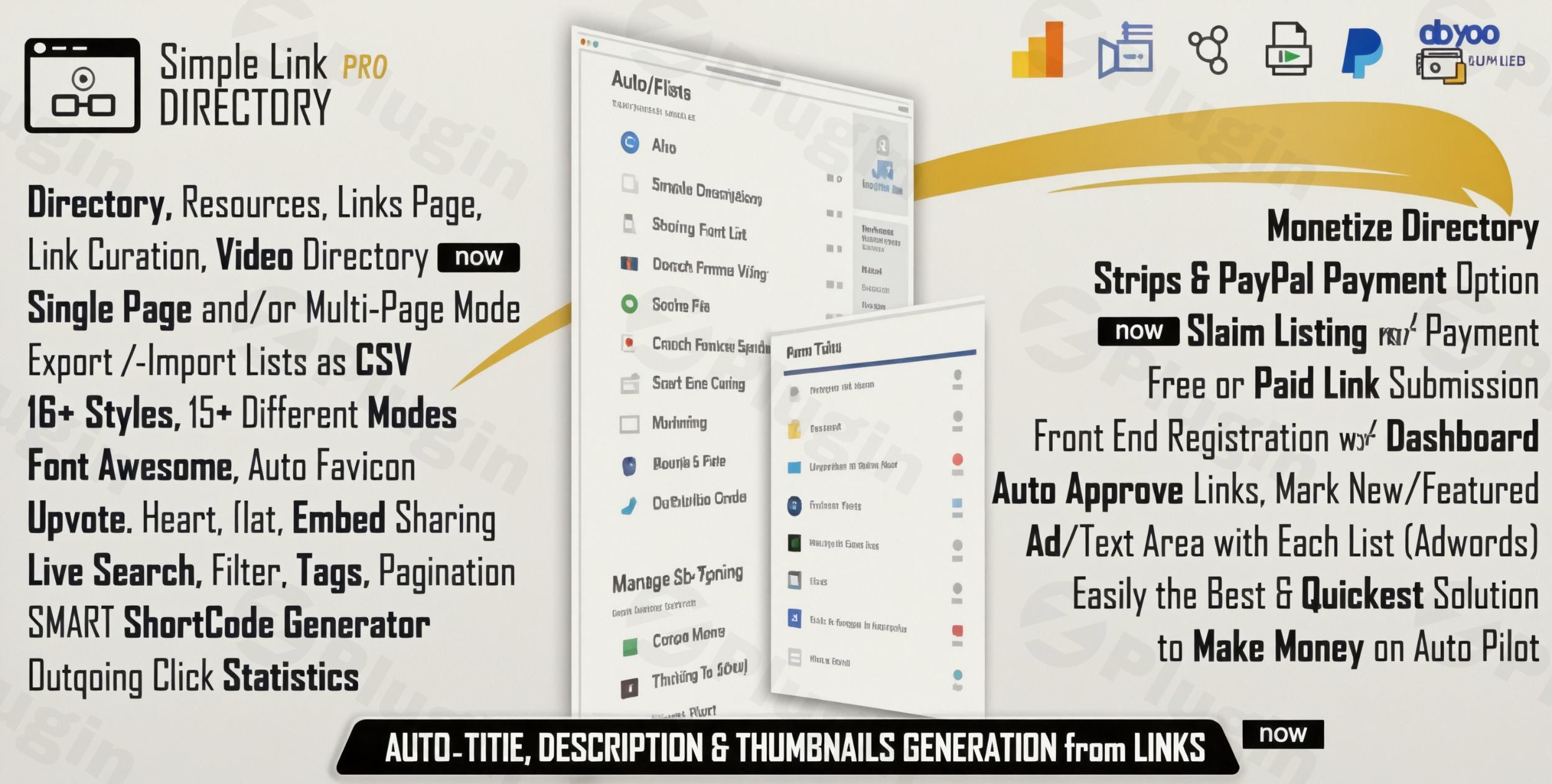
Transform your WordPress website into a powerful, SEO-friendly directory with the Simple Link Directory Pro WordPress plugin. Whether you’re aiming to build a comprehensive business directory, a curated resource hub, a lucrative affiliate showcase, or an engaging video gallery, this advanced plugin provides an unparalleled toolkit for effortless creation and management. It’s the go-to WordPress link directory plugin for anyone looking to build dynamic, filterable, and searchable content centers, moving beyond traditional static link pages.
Key Features of Simple Link Directory Pro
Simple Link Directory Pro is packed with functionalities designed to streamline the creation, management, and monetization of your directory, catering to both beginners and advanced users.
Automated & Effortless Directory Creation
This plugin excels in simplifying the often tedious process of building a directory.
- Smart Auto-Generation: Paste a URL, and Simple Link Directory Pro automatically generates titles, descriptions, and even thumbnails. This auto content generation WordPress plugin feature is a massive time-saver.
- Automatic Screenshot Generation: For visual directories, the plugin can automatically capture screenshots of linked websites, adding a professional touch.
- Unlimited Lists and Categories: Organize your content efficiently by creating an unlimited number of link lists and categorizing them for improved navigation and user experience.
- Drag-and-Drop Builder: Easily create and manage your link lists without needing any coding knowledge.
- Multi-Page Directory Structures: Go beyond single-page lists. The plugin supports automated generation of hierarchical category, list, and link detail pages from a single shortcode, allowing you to create a multi-page link directory in WordPress with ease.
- Shortcode Generator & Gutenberg Block: Embed your directories anywhere on your WordPress site, including within popular page builders like Elementor, Visual Composer, and Beaver Builder, thanks to its easy-to-use shortcode generator and dedicated Gutenberg block.
Powerful Monetization Options
Monetizing your directory is straightforward with Simple Link Directory Pro’s integrated features.
- Premium Listing Functionality: Offer paid listings to users, complete with secure Stripe and PayPal integration.
- Recurring Payment Support: Build a sustainable, subscription-based directory model with support for recurring payments.
- Featured Listing Options: Highlight premium entries or advertiser content to maximize visibility and revenue. This is a core component of effective WordPress directory monetization.
- Claim Listing Functionality: Allow business owners to claim and manage their existing listings, often for a fee, turning your directory into a more interactive business asset.
Engaging User Interaction Tools
Foster a vibrant community around your directory with features designed to encourage user participation.
- Front-End Submission: Allow registered users to submit links directly from the front-end of your website. You can set submissions for auto-approval or admin moderation, creating a true WordPress user-submitted directory.
- User Voting/Rating System: Encourage visitors to upvote valuable links with customizable icons (thumbs up, heart, star, etc.), building social proof and highlighting popular content.
- Favorite Lists & Personal Bookmarking: Users can create their own lists of favorite links, enhancing their personalized experience.
- Review and Rating System: An optional add-on provides a comprehensive review and rating system for individual link listings, further boosting engagement.
Advanced Management & Optimization
Beyond content and community, Simple Link Directory Pro provides robust tools for administrators.
- CSV Import/Export: Perform bulk operations with ease by importing new link lists from CSV files or exporting existing ones for backup or migration.
- Detailed Click Analytics & Statistics: Gain insights into how users interact with your directory, tracking outbound clicks and popular links.
- Google Analytics Integration: Seamlessly integrate with Google Analytics for comprehensive outbound click tracking.
- Multi-Language & RTL Support: With included translations (like Russian and Dutch) and support for Right-to-Left (RTL) languages, the plugin is ready for a global audience.
- Live Search & Filtering: Directories come equipped with live, on-page, instant search and filtering capabilities by categories and tags, significantly improving user experience.
- Video Gallery Functionality: Curate and display WordPress video gallery from YouTube Vimeo links, playing videos directly in a lightbox modal.
- SEO Optimized: This is an SEO optimized WordPress directory plugin with schema. It’s built with proper structural markup, indexable link entries, customizable meta titles, and a schema-ready design to ensure maximum search engine visibility and help your listings rank higher.
- Performance Optimization: Designed with clean code, lazy loading, and caching support to ensure your directory loads quickly without impacting overall website performance.
Installation & Setup: Creating Your WordPress Link Directory
Installing and setting up Simple Link Directory Pro is a straightforward process, even for those new to WordPress.
- Download the Plugin: After purchasing Simple Link Directory Pro from a trusted source like ZeroPlugin.com, download the plugin’s
.zipfile to your computer. - Upload to WordPress:
- Log in to your WordPress admin dashboard.
- Navigate to Plugins > Add New.
- Click the “Upload Plugin” button at the top of the page.
- Click “Choose File”, select the downloaded
.zipfile, and then click “Install Now”.
- Activate the Plugin: Once the installation is complete, click “Activate Plugin”. You will now see “Simple Link Directory Pro” in your WordPress admin menu.
- Initial Configuration:
- Go to Simple Link Directory Pro in your admin menu.
- Explore the settings to configure general options, template choices, and front-end submission settings. The intuitive interface makes it easy to customize.
- Create Your First Directory:
- Navigate to Simple Link Directory Pro > Add New List.
- Give your list a title and start adding links. Utilize the “Auto Content Generation” feature by simply pasting URLs.
- Organize links into categories and tags.
- Display Your Directory:
- Create a new page or post in WordPress.
- Use the Simple Link Directory Pro Gutenberg block or the shortcode generator to embed your newly created directory. For example,
[sld_list id="X"]where X is your list ID. - Publish the page, and your dynamic WordPress resource page plugin content will be live!
Practical Usage & Best Practices for Your Directory
Simple Link Directory Pro is incredibly versatile, making it ideal for a wide range of applications. Here are a few practical use cases and best practices to get the most out of it:
- Building a Niche Resource Hub: For bloggers and content creators, Simple Link Directory Pro is perfect for curating WordPress resource page plugin content. Create a dedicated page for “Best SEO Tools,” “Essential Writing Resources,” or “Top Design Assets.” Use categories to organize by type (e.g., free, paid, tutorials). This positions you as an authority in your niche.
- Best Practice: Regularly update your resource lists. Encourage user submissions for new tools or links to keep your hub fresh and comprehensive.
- Creating an Affiliate Marketing Showcase: Maximize your affiliate earnings by building a visually appealing affiliate marketing hub. Showcase products, services, or deals with clear descriptions and calls to action. Leverage URL masking for affiliate links directly within the plugin to protect your commissions and maintain a clean appearance.
- Best Practice: Utilize the “Featured Listing” option for your highest-converting affiliate offers or partner promotions. Track outbound clicks via Google Analytics integration to identify top performers.
- Monetizing a Business or Local Listing Directory: For agencies or entrepreneurs, launch a local business directory or a specialized industry directory. Charge businesses for premium listings, featured spots, or “claim listing” opportunities using the integrated PayPal and Stripe options.
- Best Practice: Set up clear submission guidelines and review processes for user-submitted content to maintain quality. Offer recurring payment plans for long-term revenue.
- Developing a Video Gallery: Curate YouTube and Vimeo videos into an organized WordPress video gallery from YouTube Vimeo links. This is excellent for educators, entertainers, or anyone wanting to showcase video content without hosting it directly on their server.
- Best Practice: Use the multi-page mode to create dedicated pages for video categories (e.g., “Tutorials,” “Vlogs,” “Product Reviews”) for better organization and SEO.
FAQ & Troubleshooting
Here are answers to common questions about the Simple Link Directory Pro plugin:
What are the main features of Simple Link Directory Pro?
Simple Link Directory Pro offers automated content generation, extensive monetization options (paid/featured listings with Stripe/PayPal), user engagement tools (front-end submission, voting, favorites), advanced management (CSV import/export, analytics), and multi-language support. It’s designed to be a comprehensive WordPress link directory plugin.
Can I monetize my WordPress link directory with Simple Link Directory Pro?
Yes, absolutely. Simple Link Directory Pro includes robust monetization features such as premium listing functionality, recurring payment support via Stripe and PayPal, and featured listing options. You can easily set up paid submission forms and “claim listing” features.
Is Simple Link Directory Pro compatible with Elementor, Gutenberg, and other page builders?
Yes, Simple Link Directory Pro is highly compatible with any WordPress theme and works seamlessly with popular page builders like Elementor, Visual Composer, Beaver Builder, and the native Gutenberg editor. It primarily uses shortcodes and a dedicated Gutenberg block for easy content display.
How does Simple Link Directory Pro handle SEO for listings?
Simple Link Directory Pro is designed to be highly SEO-friendly. It provides proper structural markup, ensures link entries are indexable by search engines, allows for customizable meta titles, and features a schema-ready design. This helps your directory listings achieve maximum search engine visibility and improve rankings. It’s truly an SEO optimized WordPress directory plugin with schema.
How does “Simple Link Directory Pro vs free version features” compare?
While there might be basic free link management plugins, Simple Link Directory Pro offers a significantly expanded feature set. Key advantages include automated content generation, integrated monetization (Stripe/PayPal), advanced user engagement tools (front-end submission, voting, reviews), multi-page directory support, professional templates, comprehensive SEO optimization, and dedicated support, which are typically absent or very limited in free alternatives.
Conclusion
Simple Link Directory Pro stands out as an exceptionally powerful and flexible WordPress link directory plugin. It provides a robust, all-in-one solution for anyone looking to build professional and engaging directories, resource pages, or content curation platforms on WordPress. Its combination of automation, monetization capabilities, user engagement tools, and strong SEO foundations makes it an invaluable asset for bloggers, marketers, agencies, and businesses alike.By leveraging Simple Link Directory Pro, you can confidently transform your website into an authoritative hub, attract a loyal user base, and even generate significant revenue. Its intuitive design and comprehensive feature set ensure that you can create a dynamic and high-performing directory without needing extensive technical knowledge, making it a smart investment for your WordPress ecosystem.
I. Download Limits & Account Benefits
- Free Downloads: Each email address receives 3 downloads per day for free products
- Upgrade Benefits: Purchase any paid product to increase your daily download limit by 3 for each paid product
- No Account Required: You can download immediately by receiving the download link via email
- Account Recommended: Create an account for easier access to your order history and direct update downloads
II. Understanding GPL vs Official Versions
Important: The products available on WPPick are GPL-licensed versions, which differ from official developer versions. Before purchasing, please read our comprehensive guide: Understanding GPL & Official Differences at WPPick
Key Points:
- GPL versions may not include premium support from original developers
- Updates may be delayed compared to official releases
- Some premium features might have limitations
- Always consider your specific needs and support requirements
III. Support & Assistance
We’re here to help through multiple channels:
- Email Support: Direct email assistance for all inquiries
- Live Chat: Real-time support during business hours
- Comprehensive Documentation: Detailed guides and tutorials
IV. Order Tracking
Access your complete purchase history and download links anytime: Order History
V. Account Access
New to WPPick? Login or Create Account to manage your downloads and orders efficiently.
VI. Refund Protection
We stand behind our products with a clear refund policy. Review our terms: Refund Policy
VII. Privacy & Security
Your data security is our priority. Learn how we protect your information: Privacy Policy
VII. Terms of Service
Understanding our service terms ensures a smooth experience: Terms of Use
Quick Tips for Best Experience
- Verify Compatibility: Check plugin/theme compatibility with your WordPress version
- Backup First: Always backup your site before installing new plugins or themes
- Test Environment: Consider testing on a staging site first
- Stay Updated: Regularly check for updates in your account dashboard
- Read Documentation: Review any included documentation for optimal setup
Need Help?
If you have questions about downloads, licensing, or need technical assistance, don’t hesitate to contact our support team. We’re committed to ensuring you have the best possible experience with WPPick products.
Ready to get started? Your download adventure begins with just one click!
- Version 14.9.7 released.
- Reset password security issue fixed
- Improved code and security
- Improved code and security