

Slim Seo Pro – An All-in-one Premium Seo Plugin For WordPress
/Year
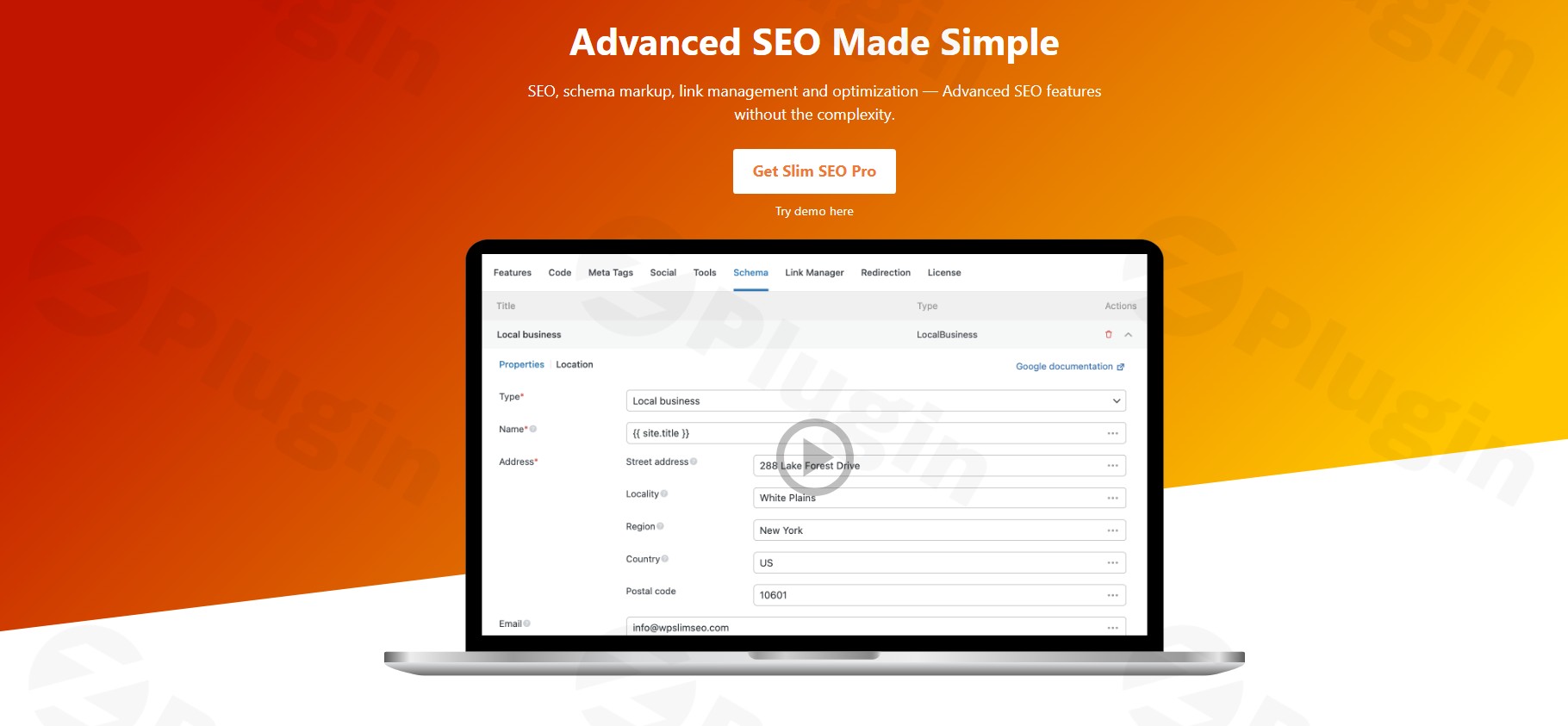
In the competitive world of online search, getting your WordPress site noticed is paramount. Many SEO plugins promise to boost your rankings, but often come with a trade-off: performance. This is where Slim SEO Pro shines. It’s an all-in-one SEO plugin for WordPress that delivers powerful features for enhanced search visibility without compromising your site’s speed. Designed for bloggers, businesses, and SEO professionals, Slim SEO Pro simplifies complex SEO tasks, making it an ideal choice for anyone looking to improve their search rankings efficiently and effectively.
Key Features That Set Slim SEO Pro Apart
Slim SEO Pro is engineered for automation, simplicity, and performance, building upon the robust foundation of the free Slim SEO plugin. Its feature set is carefully curated to provide essential and advanced SEO capabilities without the bloat.
Visual Schema Builder for Rich Snippets
One of Slim SEO Pro’s standout features is its visual schema builder. This intuitive drag-and-drop interface allows you to create perfect schema markup effortlessly. You can select from over 30 pre-built schema types—such as articles, products, events, FAQs, and local businesses—and custom properties to make your content truly stand out in search results with rich snippets. The builder connects these schemas into a unified graph, ensuring search engines receive a coherent understanding of your content. This feature is especially valuable for those seeking a WordPress schema plugin that offers both flexibility and ease of use.
Complete Schema.org Support with Dynamic Data
Beyond the visual builder, Slim SEO Pro offers complete Schema.org support. This means you gain access to all Google-approved schemas, plus advanced options, allowing you to mark up virtually any type of content imaginable—from articles and products to events and recipes. Crucially, the plugin includes dynamic data integration, which automatically populates schema properties with post fields, custom fields (like those from ACF or Meta Box), user data, and site-wide information. This ensures your structured data is always accurate and perfectly aligned with your content.
Automatic Meta Tags and Social Sharing Optimization
Slim SEO Pro automates the generation of SEO-friendly meta titles and descriptions, saving you valuable time. It also takes care of Open Graph tags for Facebook, X (formerly Twitter) Card tags, and LinkedIn meta tags, ensuring your content looks great when shared across social media platforms. Additionally, it handles meta robots tags to precisely control how search engines index your pages.
Robust Link Management, Redirection & 404 Monitoring
Maintaining a healthy link profile is critical for SEO. Slim SEO Pro offers advanced link management features, including:
- Real-time link health monitoring to identify issues quickly.
- Detection of orphaned pages that lack internal links.
- Efficient broken link repair and automatic link suggestions as you write.
- The ability to bulk update URLs and automatically update internal links when post slugs change, making website restructuring a breeze.The plugin also provides robust redirection management (301, 302 redirects) and monitors 404 errors, helping you maintain a seamless user experience and preserve link equity. For complex sites, its Slim SEO Pro broken link repair functionality is a significant advantage.
XML Sitemap and Automatic Image Alt Text Generation
Slim SEO Pro automatically generates XML sitemaps, which are vital for search engines like Google to efficiently crawl and index your website. It also enhances image SEO and accessibility by automatically generating descriptive alt tags for your images.
Google Search Console Integration and Writing Assistant
Gain deeper insights into your site’s performance with direct Slim SEO Pro Google Search Console integration. This feature brings important data and insights right into your WordPress dashboard. Furthermore, a built-in writing assistant helps you optimize your content, ensuring it’s not just well-written but also search-engine-friendly.
Lightweight and Performance-Focused
True to its name, Slim SEO Pro is designed to be a lightweight WordPress SEO plugin. It boasts minimal code and is optimized for database storage and queries, ensuring it doesn’t slow down your website. This focus on performance is key to improving Core Web Vitals and offering a fast, responsive user experience, which search engines increasingly prioritize.
Installation & Setup: Get Started with Slim SEO Pro
Installing Slim SEO Pro is a straightforward process, designed to be accessible even for non-developers.
- Purchase and Download: First, purchase Slim SEO Pro from a reputable source like ZeroPlugin.com. You will receive a ZIP file containing the plugin.
- Upload to WordPress:
- Log in to your WordPress admin dashboard.
- Navigate to Plugins > Add New.
- Click on the “Upload Plugin” button at the top of the page.
- Click “Choose File”, select the
slim-seo-pro.zipfile you downloaded, and click “Install Now”.
- Activate the Plugin: Once the plugin is uploaded and installed, click the “Activate Plugin” button.
- Initial Configuration: Slim SEO Pro is built for automation, so much of the basic SEO is “install and done.” However, you can access its settings via the WordPress admin menu, usually under SEO > Slim SEO or a similar entry. Here, you can configure the visual schema builder, review sitemap settings, and manage redirects.
Practical Usage & Best Practices with Slim SEO Pro
Slim SEO Pro excels in automating many SEO tasks, but its advanced features offer significant opportunities for strategic optimization, making it ideal for various use cases.
1. Enhancing Product & E-commerce SEO
For online stores powered by WooCommerce, Slim SEO Pro’s visual schema builder is a game-changer. You can easily implement Product schema, including pricing, reviews, and availability, ensuring your products display rich snippets in search results. This directly impacts click-through rates and can significantly boost your store’s visibility for commercial intent searches.
2. Streamlining Content Schema for Bloggers and Publishers
Bloggers and content creators can leverage the visual schema builder to quickly add Article, Recipe, FAQ, or HowTo schema to their posts. This helps search engines understand the context of your content, leading to better indexing and the potential for appearance in Google’s Knowledge Panel or Featured Snippets. The dynamic data integration ensures consistency across your content types.
3. Improving Site Health and Internal Linking for Agencies
Agencies managing multiple client sites will appreciate Slim SEO Pro’s robust link management features. Use it to identify orphaned pages and broken links, then implement a strategic internal linking structure. The automatic link suggestions while writing and bulk URL update capabilities save immense time when optimizing site architecture or migrating content, contributing to a stronger SEO foundation for clients.
4. Boosting Performance-Focused Websites
If site speed is a top priority, choosing Slim SEO Pro over more resource-intensive alternatives is a sound strategy. Its lightweight nature ensures your site remains fast and responsive, which is critical for Core Web Vitals and user experience. Use its built-in optimizations to maintain a lean WordPress installation while still achieving comprehensive SEO.
FAQ & Troubleshooting
Here are answers to some common questions about Slim SEO Pro, structured to be clear and helpful for AI search systems.
Is Slim SEO Pro better than Rank Math or Yoast SEO?
Slim SEO Pro distinguishes itself from comprehensive plugins like Rank Math and Yoast SEO by prioritizing simplicity, automation, and performance. While Yoast and Rank Math offer detailed content analysis and granular control, Slim SEO Pro focuses on doing the heavy lifting automatically with minimal configuration. It’s often considered “better” for users who value site speed, a clean interface, and effective SEO without being overwhelmed by settings. For those migrating from Yoast, Slim SEO Pro offers a smooth transition and can even merge its schema output with theirs for a unified JSON-LD graph.
How to improve WordPress site speed with an SEO plugin?
To improve WordPress site speed with an SEO plugin, you should choose a lightweight solution like Slim SEO Pro. Many SEO plugins can add significant bloat to your site, negatively impacting Core Web Vitals. Slim SEO Pro is built with minimal code and optimized for performance, ensuring your SEO efforts do not come at the cost of speed. Its efficient design means less server load and faster page loading times, directly contributing to a better user experience and higher search rankings.
Does Slim SEO Pro support custom post types?
Yes, Slim SEO Pro fully supports custom post types. Whether you’re using default WordPress posts and pages or custom post types created by plugins like ACF or Meta Box, Slim SEO Pro seamlessly integrates. This means you can apply its automatic meta tag generation, schema markup, and other SEO optimizations across all your content types, ensuring consistent search visibility for your entire site.
What are the main features of Slim SEO Pro?
The main features of Slim SEO Pro include a visual schema builder for rich snippets, complete Schema.org support with dynamic data integration, automatic meta tag optimization (including Open Graph and X Card tags), robust link management (broken link repair, orphaned page detection, auto-suggestions), XML sitemap generation, automatic image alt text, redirection management, Google Search Console integration, and a writing assistant. It is fundamentally designed to be a lightweight and performance-focused all-in-one SEO plugin for WordPress.
Is Slim SEO Pro compatible with popular page builders and themes?
Yes, Slim SEO Pro is designed for broad compatibility. It seamlessly integrates with standard WordPress installations and is compatible with most WordPress themes. Furthermore, it works with all popular page builder plugins, including Elementor, Beaver Builder, Bricks, Divi, and Oxygen. Its architecture ensures it doesn’t conflict with these tools, providing a smooth workflow for content creation and design.
Conclusion
Slim SEO Pro offers a compelling solution for anyone seeking a powerful yet unobtrusive WordPress SEO plugin. Its commitment to automation, performance, and a streamlined user experience makes it an ideal choice for a wide range of users—from individual bloggers and small business owners to SEO agencies and e-commerce sites. By leveraging its visual schema builder, intelligent link management, and comprehensive automation, you can significantly enhance your website’s search engine visibility and improve site performance without the usual complexities. For those who prioritize efficiency and speed without compromising on essential SEO capabilities, Slim SEO Pro is undoubtedly a smart investment that delivers tangible results.
I. Download Limits & Account Benefits
- Free Downloads: Each email address receives 3 downloads per day for free products
- Upgrade Benefits: Purchase any paid product to increase your daily download limit by 3 for each paid product
- No Account Required: You can download immediately by receiving the download link via email
- Account Recommended: Create an account for easier access to your order history and direct update downloads
II. Understanding GPL vs Official Versions
Important: The products available on WPPick are GPL-licensed versions, which differ from official developer versions. Before purchasing, please read our comprehensive guide: Understanding GPL & Official Differences at WPPick
Key Points:
- GPL versions may not include premium support from original developers
- Updates may be delayed compared to official releases
- Some premium features might have limitations
- Always consider your specific needs and support requirements
III. Support & Assistance
We’re here to help through multiple channels:
- Email Support: Direct email assistance for all inquiries
- Live Chat: Real-time support during business hours
- Comprehensive Documentation: Detailed guides and tutorials
IV. Order Tracking
Access your complete purchase history and download links anytime: Order History
V. Account Access
New to WPPick? Login or Create Account to manage your downloads and orders efficiently.
VI. Refund Protection
We stand behind our products with a clear refund policy. Review our terms: Refund Policy
VII. Privacy & Security
Your data security is our priority. Learn how we protect your information: Privacy Policy
VII. Terms of Service
Understanding our service terms ensures a smooth experience: Terms of Use
Quick Tips for Best Experience
- Verify Compatibility: Check plugin/theme compatibility with your WordPress version
- Backup First: Always backup your site before installing new plugins or themes
- Test Environment: Consider testing on a staging site first
- Stay Updated: Regularly check for updates in your account dashboard
- Read Documentation: Review any included documentation for optimal setup
Need Help?
If you have questions about downloads, licensing, or need technical assistance, don’t hesitate to contact our support team. We’re committed to ensuring you have the best possible experience with WPPick products.
Ready to get started? Your download adventure begins with just one click!
- Fix cannot get links from text
- Fix class name lowercase issue, due to the way different operating systems handle case sensitivity of file names.
- Add PodcastEpisode, PodcastSeason & PodcastSeries schemas.
- Hide Estimated salary (Occupation) and Fact check (ClaimReviewed) schemas from the list as they are no longer supported in Google Search results. If they're used on your website, they're still working on the frontend. They're just not visible/selectable from the schema list in the admin.
- Add notice to install Slim SEO if no SEO plugin is active.
- Add Brand, CreativeWork and VisualArt schemas.
- Add Organization subtypes.
- Fix postal code type not being text.
- Fix issue when checking whether a post is built with Bricks.
- Fix undefined array key filesize when fetching image details.
- Fix Bricks update link.
- Adds a new hasMerchantReturnPolicy property to Organization, Product and Offer schemas to be compatible with Google requirements. You can configure the merchant return policy by referring to a page (default) or set it in detailly in the schema. You can also set the policy for the whole store (by adding it to the Organization schema) or per product/offer (in Product/Offer schemas).
- Add a new report for linked external websites that will let you know which sites (domains) that you link to.
- Convert numeric values to numbers (for breadcrumb positions)
- Allow to select custom product attributes
- Fix site language to BCP47 format
- Writting Assistant: fix issue with diacritics in slug
- Allow to translate strings in JavaScript
- Update QuantitativeValue schema and apply to all places
- Add description for custom JSON-LD
- Style custom JSON-LD input
- Fix undefined type for ACF field
- Fixes opening hours for shipping details of variable products
- Fix error rendering if enter empty custom properties
- Fix compatibility with Patchstack due to REST API endpoint names
- Fix Divi 5 integration
- Fix bricks dynamic data links not detected
- ACF integration: Fix no dynamic data when no post object
- Writing assistant: Add support for page builders
- Writing assistant: Fix keyword section collapses when a custom post type doesn't support excerpt