

Smart Admin Assistant Pro
/Year
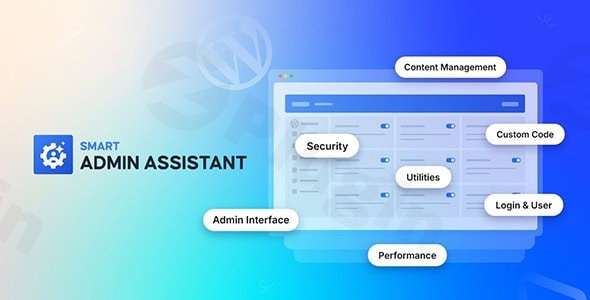
Managing a growing WordPress site often leads to a “plugin bloat” problem. Between security tools, performance optimizers, and UI tweaks, your backend can quickly become cluttered and slow. Smart Admin Assistant Pro is a comprehensive WordPress admin plugin designed to solve this by centralizing essential management tasks into one lightweight, modular interface.
Whether you are a freelancer looking to simplify the dashboard for clients or a site owner wanting to boost productivity, this tool provides the necessary features to reclaim control over your WordPress dashboard customization. By replacing multiple single-purpose plugins, it streamlines your workflow while enhancing site security and speed.
Key Features of Smart Admin Assistant Pro
Smart Admin Assistant Pro stands out because of its modular architecture. You can toggle specific features on or off, ensuring that only the code you need is running on your site.
1. Advanced Admin Interface Enhancements
The plugin allows for deep WordPress dashboard customization to create a distraction-free environment.
- Admin Bar & Menu Control: You can easily hide the WordPress admin bar on the frontend or backend and use the WordPress admin menu editor to rename, reorder, or hide menu items (Pro).
- Notice Management: Use the hide all admin notices WordPress plugin functionality to suppress annoying update prompts and plugin advertisements that clutter the top of your screen.
- List Table Improvements: Enhance post and page lists with custom columns, advanced filtering, and infinite scrolling for faster content management.
2. Robust Login & User Security
Security is a core pillar of this plugin. It helps you obscure your site from bots and unauthorized users.
- WordPress Custom Login URL: Change your default
wp-adminorwp-login.phpto a unique slug, significantly reducing brute-force attack attempts. - Login Protection: Implement CAPTCHA (Pro), limit login attempts, and block specific IP addresses.
- User Tracking & Role Switching: Monitor user activity and temporarily switch roles (Pro) to troubleshoot issues from a subscriber’s or editor’s perspective.
3. Performance & Database Optimization
Beyond aesthetics, Smart Admin Assistant Pro functions as a performance booster.
- Database Cleanup: Automatically delete spam comments, empty the trash, and clear expired transients to keep your database lean.
- Resource Management: Control post revisions, optimize the Heartbeat API, and enable GZIP compression or browser caching.
- Code Minification: Minify HTML, CSS, and JavaScript (Pro) to improve page load speeds.
4. Essential Content Tools
- Post Duplication: Quickly clone posts, pages, or custom post types with a single click.
- SVG Support: Safely enable SVG uploads with built-in sanitization to prevent security vulnerabilities.
- Custom Code Snippets: Insert CSS, JS, or PHP snippets directly into the header or footer without editing your theme’s
functions.phpfile.
Installation & Setup: How to Get Started
Setting up Smart Admin Assistant Pro is straightforward and requires no coding knowledge. Follow these steps to optimize your admin area:
- Install the Plugin: Navigate to Plugins > Add New in your WordPress dashboard. Upload the plugin file provided by BdThemes (or search for the free version in the repository).
- Activate Your License: If using the Pro version, go to the plugin settings and enter your license key to unlock advanced features like the Menu Editor and CAPTCHA.
- Navigate to the Settings Hub: Look for the Smart Admin Assistant tab in your sidebar.
- Enable Modules: The plugin uses a modular system. Browse through categories (General, Security, Performance, etc.) and toggle on only the features you intend to use.
- Save & Test: Click “Save Changes” at the bottom of each section. We recommend testing your WordPress custom login URL in an incognito window immediately after setting it to ensure you aren’t locked out.
Practical Usage & Best Practices
To get the most out of this WordPress admin plugin, consider these real-world workflows:
Ideal for Client Handoffs
If you are an agency, the best way to use Smart Admin Assistant Pro is to simplify the interface for your clients. Use the WordPress admin menu editor to hide technical settings (like “Settings” or “Tools”) and use the “Custom Footer Text” feature to add your agency’s support link directly in their dashboard.
Best for High-Traffic Blogs
For sites with multiple contributors, use the User Tracking and Role Switching features. This allows you to see when editors last logged in and verify that their permissions are correctly configured by “viewing” the site as them.
Security-First Workflow
Combine the WordPress custom login URL with IP blocking and WordPress version removal. This creates a “security through obscurity” layer that makes it much harder for automated scripts to identify and attack your site.
FAQ & Troubleshooting
What are the main features of Smart Admin Assistant Pro?
Smart Admin Assistant Pro includes admin UI customization (menu/bar editing), security enhancements (custom login URL, CAPTCHA), performance tools (database optimization, minification), and content utilities like post duplication and SVG support.
Is Smart Admin Assistant Pro compatible with WooCommerce?
While the plugin is fully compatible with WooCommerce sites and will not cause conflicts, it does not currently include specific WooCommerce-only enhancement features (like custom order statuses). It focuses primarily on the core WordPress admin experience.
Can Smart Admin Assistant Pro optimize WordPress performance?
Yes. It optimizes performance by limiting post revisions, managing the Heartbeat API, enabling GZIP compression, and cleaning up unnecessary database bloat like expired transients and spam comments.
How do I secure my login with a custom URL?
To set a WordPress custom login URL, navigate to the Security module within the plugin settings. Enter your desired slug (e.g., /my-secret-access/) and save. This will disable the standard wp-admin path for non-logged-in users.
Does this plugin support custom code snippets?
Yes, it includes a built-in Code Snippets manager that allows you to safely add custom CSS, JS, and PHP to your site’s header, footer, or admin area without modifying theme files.
Conclusion: The Final Verdict
Smart Admin Assistant Pro is an excellent ROI-focused tool for anyone looking to declutter their backend and improve site management efficiency. Its primary strength lies in its ability to consolidate the features of 5–10 other plugins into a single, modular package.
While it faces competition from plugins like Admin and Site Enhancements (ASE) or Minifly, its integration with the BdThemes ecosystem and its comprehensive security suite make it a top-tier choice. If you want a faster, cleaner, and more secure WordPress dashboard customization experience, Smart Admin Assistant Pro is a highly recommended addition to your toolkit.
Ready to streamline your site? Explore more guides and reviews at wppick.com.
I. Download Limits & Account Benefits
- Free Downloads: Each email address receives 3 downloads per day for free products
- Upgrade Benefits: Purchase any paid product to increase your daily download limit by 3 for each paid product
- No Account Required: You can download immediately by receiving the download link via email
- Account Recommended: Create an account for easier access to your order history and direct update downloads
II. Understanding GPL vs Official Versions
Important: The products available on WPPick are GPL-licensed versions, which differ from official developer versions. Before purchasing, please read our comprehensive guide: Understanding GPL & Official Differences at WPPick
Key Points:
- GPL versions may not include premium support from original developers
- Updates may be delayed compared to official releases
- Some premium features might have limitations
- Always consider your specific needs and support requirements
III. Support & Assistance
We’re here to help through multiple channels:
- Email Support: Direct email assistance for all inquiries
- Live Chat: Real-time support during business hours
- Comprehensive Documentation: Detailed guides and tutorials
IV. Order Tracking
Access your complete purchase history and download links anytime: Order History
V. Account Access
New to WPPick? Login or Create Account to manage your downloads and orders efficiently.
VI. Refund Protection
We stand behind our products with a clear refund policy. Review our terms: Refund Policy
VII. Privacy & Security
Your data security is our priority. Learn how we protect your information: Privacy Policy
VII. Terms of Service
Understanding our service terms ensures a smooth experience: Terms of Use
Quick Tips for Best Experience
- Verify Compatibility: Check plugin/theme compatibility with your WordPress version
- Backup First: Always backup your site before installing new plugins or themes
- Test Environment: Consider testing on a staging site first
- Stay Updated: Regularly check for updates in your account dashboard
- Read Documentation: Review any included documentation for optimal setup
Need Help?
If you have questions about downloads, licensing, or need technical assistance, don’t hesitate to contact our support team. We’re committed to ensuring you have the best possible experience with WPPick products.
Ready to get started? Your download adventure begins with just one click!
- Added: Disable Emojis option in Performance Module to reduce unnecessary script loading and improve page load times
- Improved: Code quality and overall plugin stability
- Fixed: Various minor bugs and edge case issues
- General performance optimizations and code improvements
- Enhanced compatibility with Smart Admin Assistant free version
- Minor bug fixes and stability improvements