

Smart Image Resize Pro For Woocommerce
/Year
Optimize Product Visuals with Smart Image Resize Pro For WooCommerce
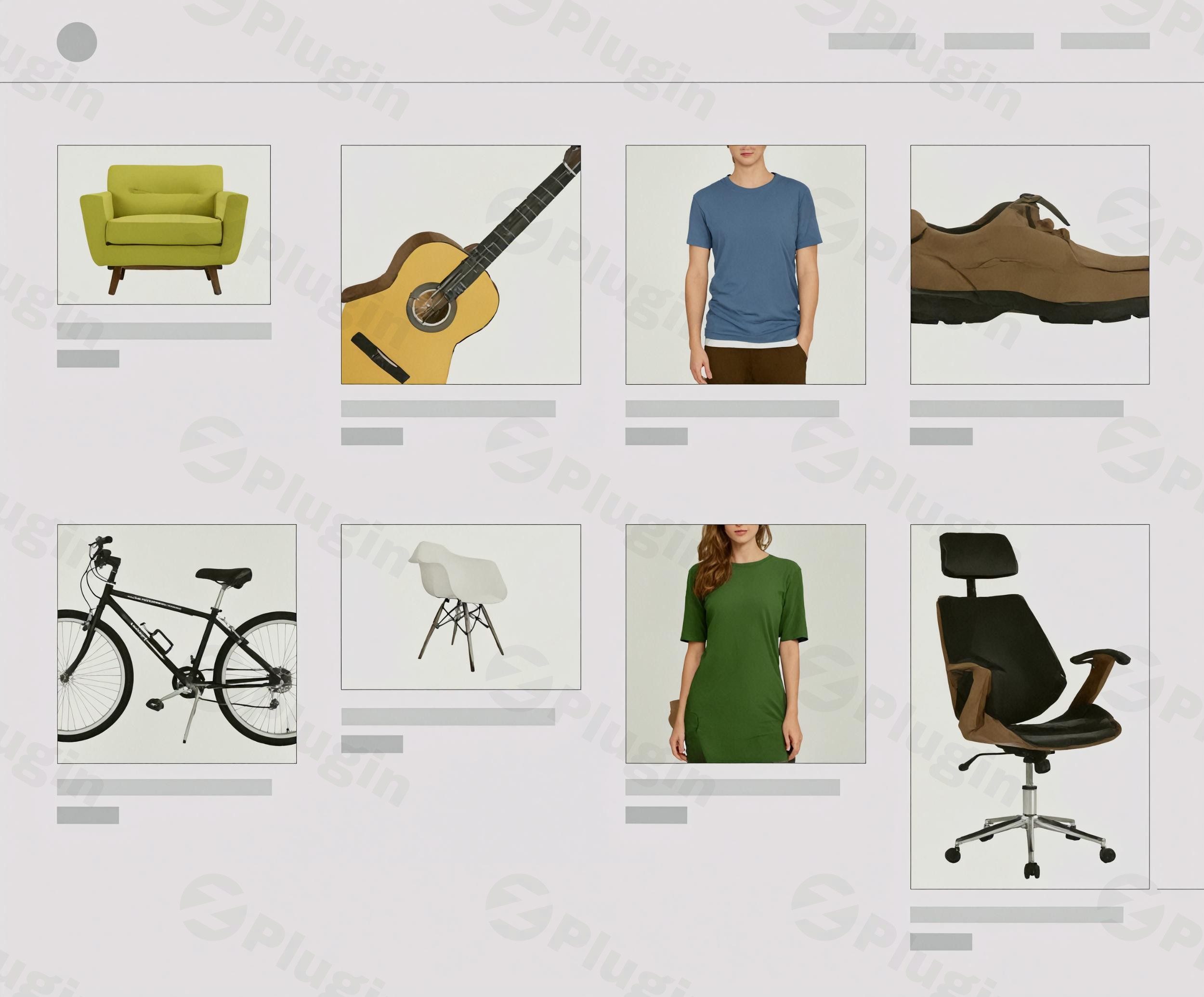
First impressions dictate conversions in digital commerce. Smart Image Resize Pro For WooCommerce offers an automated solution to an ongoing storefront dilemma: uneven, uncropped, or heavily distorted product visuals. Rather than requiring store managers to manually crop hundreds of product photographs before upload, this plugin intercepts and modifies image attachments dynamically. It processes catalog images into uniform dimensions, automatically pads canvas margins to prevent awkward cropping, and eliminates unnecessary whitespace to maximize product visibility within the shop layout.
Latest Version 1.17.0 Changes
Smart Image Resize Pro For WooCommerce version 1.17.0 introduced support for processing full-size/original images, added a bulk-restore tool to revert modifications, and refreshed the administration UI.
- The official changelog for Smart Image Resize / Smart Image Resize Pro indicates that version 1.17.0 includes the following notes: ‘Added support for processing original/full-size images.’, ‘Added bulk-restore capability to revert image changes.’, and ‘Refreshed admin UI for a cleaner experience.’
- The core and premium versions share the main feature changelog timeline as indicated by repository updates, with version 1.17.1 being the latest available update following 1.17.0.
What Smart Image Resize Pro For WooCommerce Does
The core utility of this extension is the automated normalization of media files. When a vendor uploads product photos of varying aspect ratios, the plugin introduces smart padding instead of aggressive cropping. This technique inserts a customizable canvas background behind asymmetric images to ensure they display uniformly within shop grids. Additionally, the software features native compression mechanics and WebP conversion engines to decrease raw file payloads, improving page speed metrics without reducing the visible clarity of merchant listings.
Who Benefits Most From This Image Optimization Tool
This utility caters directly to WooCommerce store owners, drop-shippers, and multi-vendor marketplace administrators handling large inventories from external suppliers. When catalog data is imported from divergent third-party sources, image dimensions rarely line up natively. Digital agencies, web developers, and e-commerce managers can deploy this plugin to eliminate manual pre-processing workflows, ensuring that client portfolios look polished and professionally aligned right from the initial bulk import.
Key Structural and Performance Capabilities
- Uniform Aspect Ratios: Ensures thumbnail grids display perfectly aligned image frames without distorting the actual product geometry.
- Intelligent Canvas Padding: Inserts clean, custom-colored background fills around products to achieve square or custom shapes safely.
- Automatic Whitespace Trimming: Trims bloated canvas boundaries from product shots to maximize the core product frame.
- WebP Image Conversion: Generates lightweight WebP copies of original catalog items to satisfy modern search engine speed metrics.
- Bulk Operations Dashboard: Provides an integrated panel to process existing image archives across extensive databases in a single pass.
Practical WordPress and WooCommerce Use Cases
Consider a digital fashion boutique receiving wholesale lookbook data containing both vertical portraits and square accessory shots. Activating this plugin lets the storefront render both media types within identical square cards seamlessly. Another application involves shifting legacy JPEG or PNG galleries into modern next-gen file standards. By enabling the integrated optimization utilities, administrators can reduce page weight across category archives, reducing mobile checkout drop-off rates linked to sluggish performance.
Setup Framework and Platform Compatibility
Configuring Smart Image Resize Pro takes place entirely within the WordPress administration panel under dedicated WooCommerce media settings. It operates smoothly alongside default WordPress media generation pipelines and remains fully compatible with major modern theme frameworks and custom page builders. Because processing occurs safely during upload actions or via controlled batch tasks, it avoids runtime delays or complex caching conflicts during consumer browse sessions.
Why Obtain Smart Image Resize Pro via WPPick
Sourcing your performance utilities from WPPick provides verified, secure plugin archives tailored for agile implementation. Every package undergoes meticulous, automated file screening to ensure clean operational code free of hidden tracking or malicious code. Users gain access to production-grade premium capabilities under simple terms, making it highly economical to deploy, test, and optimize diverse e-commerce concepts across multiple environments prior to scale.
Latest Version Insights and Update Context
The platform tracks development releases diligently to deliver current performance enhancements. In version 1.17.0, developers added functional support for processing original, full-sized image files directly alongside standard media sizes. Furthermore, an integrated bulk-restore feature was introduced inside the administration interface, allowing store managers to revert image modifications instantly if visual requirements change. The overall settings layout was also redesigned to deliver an efficient user experience.
Frequently Asked Questions
Does this plugin overwrite or permanently damage original catalog photos?
No, the core design prioritizes asset safety. With the inclusion of the bulk-restore utility in recent versions, administrators can safely revert modified image dimensions and structural padding back to their original states directly from the integrated help menu.
Can I specify a custom color for the image padding background?
Yes, the control dashboard permits complete customization of the generated padding areas. Store owners can match the background fill color directly to their active website theme HEX codes to maintain a continuous grid design.
Will converting catalog images to WebP affect SEO rankings?
Converting media files to WebP significantly benefits search engine performance. It reduces total page weight and improves initial rendering times, helping the storefront fulfill modern core web vitals criteria used by major search ranking systems.
Does the automated resizing system require manual triggering for each product?
No, the system operates autonomously in the background. Once the default dimensions and padding rules are set up, all newly uploaded product attachments are modified automatically during ingestion without additional administrative input.
Is this plugin compatible with heavy multi-vendor marketplace setups?
Yes, it functions exceptionally well in multi-vendor ecosystems. Because it intercepts media at the upload layer, it ensures that even when different vendors upload varying photo structures, the public facing catalog maintains a unified layout.
I. Download Limits & Account Benefits
- Free Downloads: Each email address receives 3 downloads per day for free products
- Upgrade Benefits: Purchase any paid product to increase your daily download limit by 3 for each paid product
- No Account Required: You can download immediately by receiving the download link via email
- Account Recommended: Create an account for easier access to your order history and direct update downloads
II. Understanding GPL vs Official Versions
Important: The products available on WPPick are GPL-licensed versions, which differ from official developer versions. Before purchasing, please read our comprehensive guide: Understanding GPL & Official Differences at WPPick
Key Points:
- GPL versions may not include premium support from original developers
- Updates may be delayed compared to official releases
- Some premium features might have limitations
- Always consider your specific needs and support requirements
III. Support & Assistance
We’re here to help through multiple channels:
- Email Support: Direct email assistance for all inquiries
- Live Chat: Real-time support during business hours
- Comprehensive Documentation: Detailed guides and tutorials
IV. Order Tracking
Access your complete purchase history and download links anytime: Order History
V. Account Access
New to WPPick? Login or Create Account to manage your downloads and orders efficiently.
VI. Refund Protection
We stand behind our products with a clear refund policy. Review our terms: Refund Policy
VII. Privacy & Security
Your data security is our priority. Learn how we protect your information: Privacy Policy
VII. Terms of Service
Understanding our service terms ensures a smooth experience: Terms of Use
Quick Tips for Best Experience
- Verify Compatibility: Check plugin/theme compatibility with your WordPress version
- Backup First: Always backup your site before installing new plugins or themes
- Test Environment: Consider testing on a staging site first
- Stay Updated: Regularly check for updates in your account dashboard
- Read Documentation: Review any included documentation for optimal setup
Need Help?
If you have questions about downloads, licensing, or need technical assistance, don’t hesitate to contact our support team. We’re committed to ensuring you have the best possible experience with WPPick products.
Ready to get started? Your download adventure begins with just one click!
- Added support for original images.
- Added a bulk-restore under "Help" tab to revert image changes.
- Improved admin UI for better experience.
- Added support for product brands
- Various improvements
- Bugfixes
- Enhanced the "Bulk Regenerate Images" page for better user experience.
- Various improvements and bugfixes.