

Smart Phone Field For Gravity Forms Pro
/Year
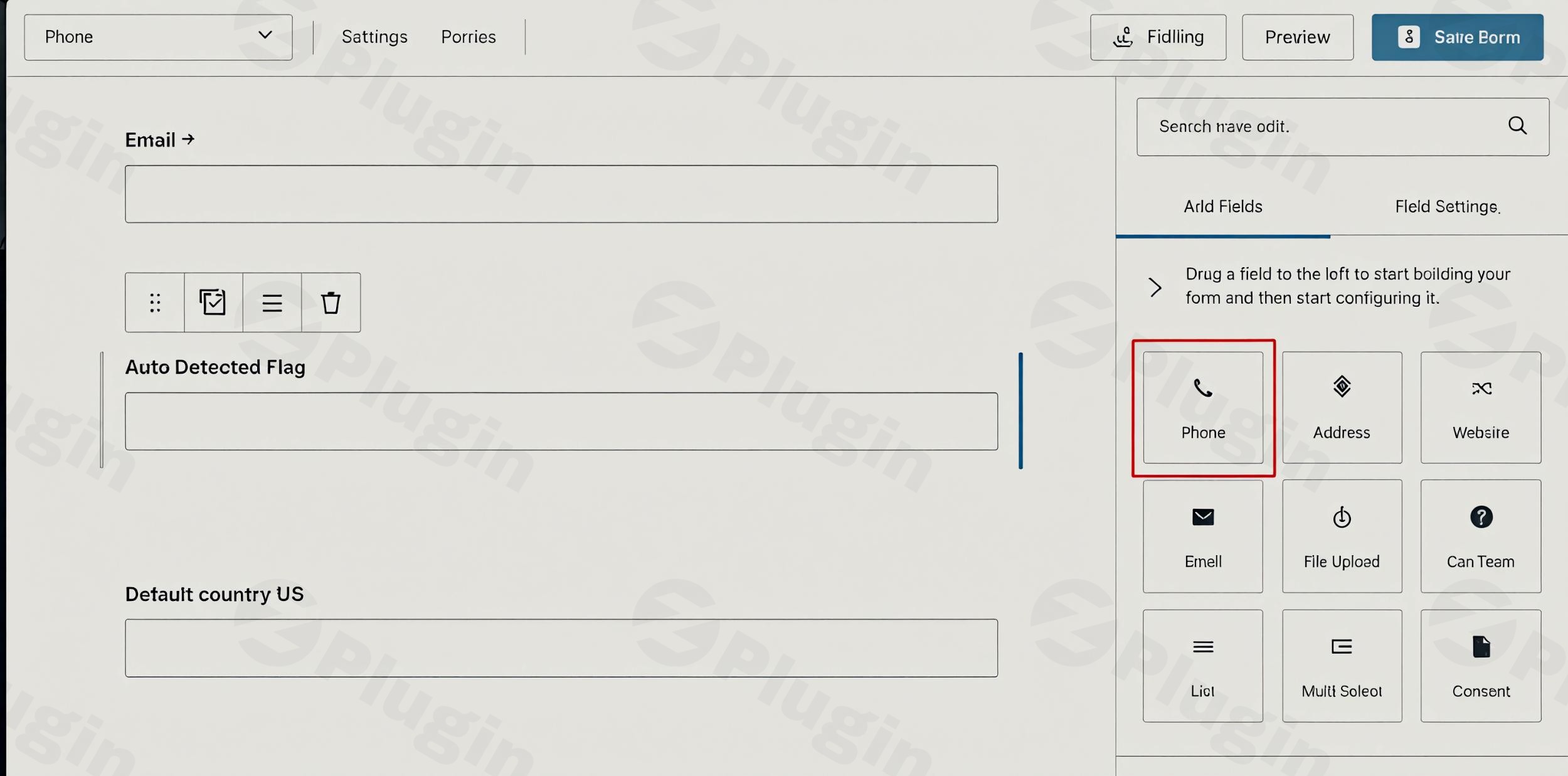
In today’s interconnected digital landscape, collecting accurate user information is paramount for effective communication, lead generation, and customer relationship management. The Smart Phone Field For Gravity Forms Pro is a premium WordPress plugin engineered to transform how you collect phone numbers, ensuring data integrity and significantly enhancing the user experience on your website. This advanced solution seamlessly integrates with Gravity Forms, providing intelligent phone number fields that automatically detect user locations, validate inputs, and streamline the form completion process.Designed for both technical and non-technical users, this plugin simplifies complex data collection, making it a valuable asset for marketers, developers, and business owners alike.
Key Features and Benefits: A Premium Approach to Phone Number Collection
The Smart Phone Field For Gravity Forms Pro stands out as a robust solution, packed with features that address common challenges in phone number collection. Each feature is crafted to provide a smooth, error-free experience for your users while delivering reliable, well-formatted data to you.
- Automatic Country Detection & Code Selection: At the core of its intelligence, the plugin automatically detects the user’s country based on their IP address. This instantly displays the appropriate country flag and pre-selects the country code, eliminating manual entry and significantly reducing user effort. This personalized approach accelerates form completion and minimizes abandonment rates.
- Seamless Gravity Forms Integration: Adding smart phone fields to your forms is effortless. Through the familiar Gravity Forms editor, you can enable the “Smart Phone Field” checkbox with a single click and configure your preferences without writing a single line of code. This ensures a smooth workflow for all skill levels.
- Real Number Validation: Beyond simple formatting, this premium plugin verifies the authenticity and validity of phone numbers. Validation triggers automatically when a user finishes typing or exits the field, providing immediate feedback (e.g., a message or icon). This proactive validation prevents incorrect submissions from the outset.
- Prevents Wrong Submissions: To guarantee data quality, the plugin performs server-side validation, ensuring that only valid phone numbers are submitted. You have full control from the backend to enable or disable the prevention of wrong submissions, maintaining the integrity of your collected data.
- Multiple Flag Display Options: Customize the visual appearance of your forms with three distinct flag display styles. This flexibility allows you to maintain aesthetic consistency with your website’s design, enhancing the overall professional look and feel.
- IP Information & Geo Merge Tag: Gain deeper insights into your users by accessing IP-related details such as city, state, zip code, and more. This information is collected via ipinfo.io and can be incorporated into any form field using a geo merge tag, enriching your data for analytics or personalized communication.
- Multiple Number Formats: The plugin generates four types of number formats that can be received in notifications and sent via any API. By default, numbers are sent in their raw format, but you have the flexibility to choose the format best suited for your specific needs, whether for CRM integration or SMS gateways.
- Phone Metadata Retrieval: Automatically retrieves valuable phone number metadata, including the dial code, country code, and country name. This detailed information can be crucial for segmentation, reporting, and further data processing.
- Customizable Placeholder: Take control of the user interface by removing or using a custom placeholder in the phone field. This allows you to provide clearer instructions or maintain brand consistency within your forms.
- Translation & RTL Support: Catering to a global audience, the plugin includes comprehensive translation support and is fully compatible with RTL (right-to-left) languages, ensuring an inclusive experience for all users.
- Gravity Wiz Compatibility: For advanced Gravity Forms users, the plugin is fully compatible with Gravity Wiz nested forms and can be seamlessly integrated into multi-step forms, offering flexible solutions for complex data collection scenarios.
Why Choose Smart Phone Field For Gravity Forms Pro? The Premium Advantage
Choosing a premium plugin means investing in reliability, security, and ongoing support. The Smart Phone Field For Gravity Forms Pro offers distinct advantages that underscore its value as an advanced solution:
- GPL Licensed Solution: Released under the GNU General Public License, our plugin ensures compatibility with WordPress standards and provides the freedom to use and modify it in alignment with your specific requirements.
- Regular Security Updates: We prioritize the security and stability of your website. Frequent update schedules ensure compatibility with the latest versions of Gravity Forms and WordPress, while promptly addressing any potential security vulnerabilities.
- VirusTotal Verified Safety: All plugin files undergo rigorous security scanning via VirusTotal and comprehensive third-party dependency checks. This meticulous process guarantees a safe and secure installation, protecting your website from malicious threats.
- Reliable Performance: Built with clean, optimized code, the plugin is designed for efficiency and minimal impact on your website’s loading times. It maintains high-performance standards, providing advanced functionality without compromising site speed.
Technical Specifications and Compatibility
To ensure seamless operation and integration, the Smart Phone Field For Gravity Forms Pro is designed with specific system requirements:
- WordPress Compatibility: Requires WordPress version 5.0 or higher.
- Gravity Forms Compatibility: Requires Gravity Forms 2.0.0, 2.5.0, 2.7.0 or later versions.
- PHP Version: Requires PHP 5.6 or higher.
- Lightweight Design: Its efficient code architecture ensures minimal impact on website loading times, prioritizing performance and reliability.
- Automatic Updates: Benefit from automatic updates, ensuring your plugin always runs the latest version with the newest features and security enhancements.
Easy Installation and Setup
Getting started with Smart Phone Field For Gravity Forms Pro is straightforward, requiring no technical expertise. Follow these simple steps to integrate intelligent phone fields into your Gravity Forms:
- Install the Plugin: Navigate to your WordPress admin dashboard, go to
Plugins > Add New, upload the plugin file, and activate it. - Access Gravity Forms: From your WordPress dashboard, go to
Forms > Formsto either create a new form or edit an existing one. - Add a Phone Field: Drag and drop a standard “Phone” field from the “Standard Fields” section onto your form.
- Enable Smart Phone Field: Click on the phone field to open its settings. Under the “Field Settings” tab, locate and enable the “Smart Phone Field” checkbox.
- Configure and Save: Customize any additional settings as desired (e.g., flag display options, placeholder text) and then click “Update” or “Save Form” to apply your changes.
Perfect For Various Applications
The versatility of the Smart Phone Field For Gravity Forms Pro makes it an invaluable tool across a multitude of applications:
- Contact Forms: Improve lead generation by making contact forms more user-friendly, reducing friction, and increasing conversion rates.
- Registration Forms: Streamline user registration processes with automated phone number formatting and validation, ensuring accurate registrant data.
- E-commerce Checkouts: Enhance the checkout experience by simplifying phone number input during purchase processes, contributing to lower cart abandonment.
- Subscription Forms: Create smoother subscription experiences that encourage more sign-ups and reduce form abandonment by making phone number entry intuitive and error-free.
Conclusion
The Smart Phone Field For Gravity Forms Pro is more than just an add-on; it’s an essential upgrade for any WordPress site utilizing Gravity Forms for data collection. By providing an intelligent, user-centric, and highly reliable method for collecting phone numbers, this premium plugin helps you achieve superior data quality, enhance user satisfaction, and ultimately, drive better business outcomes. Invest in a solution that respects both your users’ time and your need for accurate, trustworthy data.
I. Download Limits & Account Benefits
- Free Downloads: Each email address receives 3 downloads per day for free products
- Upgrade Benefits: Purchase any paid product to increase your daily download limit by 3 for each paid product
- No Account Required: You can download immediately by receiving the download link via email
- Account Recommended: Create an account for easier access to your order history and direct update downloads
II. Understanding GPL vs Official Versions
Important: The products available on WPPick are GPL-licensed versions, which differ from official developer versions. Before purchasing, please read our comprehensive guide: Understanding GPL & Official Differences at WPPick
Key Points:
- GPL versions may not include premium support from original developers
- Updates may be delayed compared to official releases
- Some premium features might have limitations
- Always consider your specific needs and support requirements
III. Support & Assistance
We’re here to help through multiple channels:
- Email Support: Direct email assistance for all inquiries
- Live Chat: Real-time support during business hours
- Comprehensive Documentation: Detailed guides and tutorials
IV. Order Tracking
Access your complete purchase history and download links anytime: Order History
V. Account Access
New to WPPick? Login or Create Account to manage your downloads and orders efficiently.
VI. Refund Protection
We stand behind our products with a clear refund policy. Review our terms: Refund Policy
VII. Privacy & Security
Your data security is our priority. Learn how we protect your information: Privacy Policy
VII. Terms of Service
Understanding our service terms ensures a smooth experience: Terms of Use
Quick Tips for Best Experience
- Verify Compatibility: Check plugin/theme compatibility with your WordPress version
- Backup First: Always backup your site before installing new plugins or themes
- Test Environment: Consider testing on a staging site first
- Stay Updated: Regularly check for updates in your account dashboard
- Read Documentation: Review any included documentation for optimal setup
Need Help?
If you have questions about downloads, licensing, or need technical assistance, don’t hesitate to contact our support team. We’re committed to ensuring you have the best possible experience with WPPick products.
Ready to get started? Your download adventure begins with just one click!
- Untouched