

Smart Slider 3 Pro By NextEnd
/Year
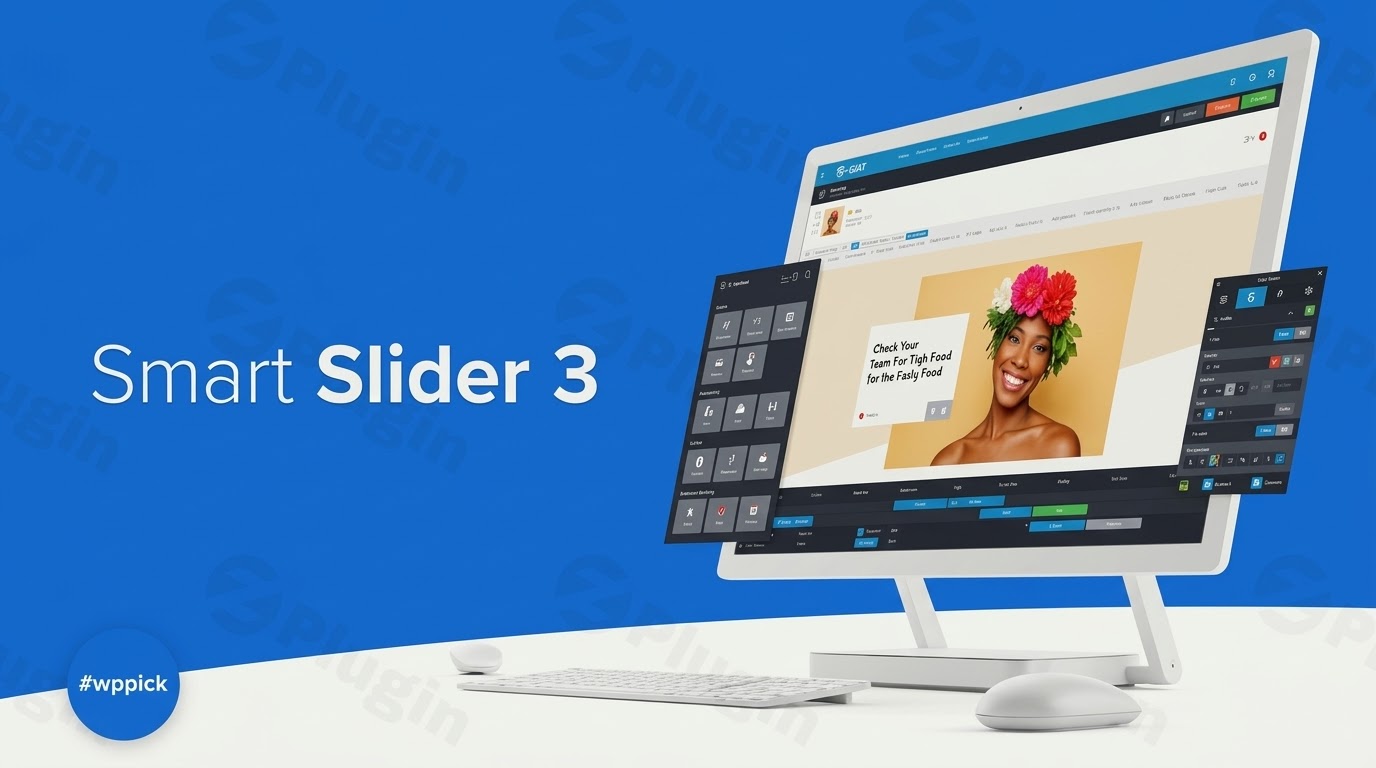
Supercharge your WordPress website with Smart Slider 3 PRO, the most advanced and versatile WordPress slider plugin available. Designed for both beginners and seasoned professionals, Smart Slider 3 PRO empowers you to create stunning, responsive sliders, carousels, blocks, and full pages with unparalleled ease, enhancing user engagement and overall site performance.In today’s competitive digital landscape, captivating visuals are crucial for holding visitor attention. Smart Slider 3 PRO solves the common challenge of creating dynamic, mobile-friendly content presentations without needing a single line of code. It’s the go-to solution for anyone looking to elevate their website’s aesthetic and functional appeal, making it a powerful responsive slider WordPress solution.
Why Smart Slider 3 PRO is Your Go-To Slider Solution
Smart Slider 3 PRO by NextEnd offers a comprehensive suite of features that go beyond basic image sliders. It’s built for speed, flexibility, and stunning visual impact, ensuring your content looks perfect on any device while maintaining excellent search engine visibility.
Key Features That Make Smart Slider 3 PRO Stand Out
Smart Slider 3 PRO distinguishes itself with a rich set of functionalities, enabling you to craft complex and visually appealing content presentations effortlessly.
Advanced Visual Editor & Layer Animations
Smart Slider 3 PRO boasts a next-generation visual editor with intuitive drag-and-drop functionality, making content creation a breeze. You can choose between:
- Default Layers: For structured, grid-based layouts reminiscent of page builders, using columns and rows.
- Absolute Layers: For free-form positioning, allowing elements to be placed anywhere, even overlapping, much like in graphic design software.The Pro version expands on the free offerings with 24 distinct layer types and brings your slides to life with an advanced layer animation builder. This includes incoming, outgoing, and loop animations, all customizable within a visual timeline editor. This editor allows you to synchronize layer animations, set delays, and define durations, similar to a video editing suite. You can even trigger animations based on user actions like clicks or hovers, making it ideal for creating engaging Smart Slider 3 Pro layer animations tutorial content.
Professional Templates & Slide Library
Jumpstart your design process with access to over 100 professionally designed slides and templates, with some sources indicating over 180 stunning templates and a library of 500+ customizable UI kits. These pre-made designs, including editable block, page, and slider templates, save significant time and can be fully customized to perfectly match your brand’s style.
Dynamic Content Integration
A truly powerful feature, Smart Slider 3 PRO allows your sliders to be auto-populated with content from 32 different sources. This includes:
- WordPress posts and custom post types
- WooCommerce products (perfect for a WordPress carousel plugin for e-commerce)
- Social media platforms like YouTube, Vimeo, Dribbble, Pinterest, Flickr, and Instagram.This capability is perfect for creating automatically updating post or product sliders, making it an excellent dynamic content slider solution.
SEO & Performance Optimized
Contrary to common misconceptions, sliders don’t have to slow down your website. Smart Slider 3 PRO is built with both SEO and speed in mind:
- SEO-Friendly: All text within layers is crawlable by search engines, and it includes built-in Schema Markup to improve search engine performance. You can also optimize images with relevant keywords and alt text.
- Performance Built-in: Features like image optimization, lazy loading (for deferred image loading), and script optimization (efficient code, asynchronous loading, and minification) ensure fast loading times. It also supports WebP images and ditches jQuery for faster JavaScript performance, directly addressing WordPress image optimization for sliders concerns.
Responsive Design & Device-Specific Customization
Ensure a seamless user experience across all devices. Sliders automatically adjust to various screen sizes, providing optimal display on desktops, tablets, and mobile phones. You can define device-specific slider sizes, font sizes, padding, margins, and even use different background images for each device. Layers can also be selectively hidden on specific devices, giving you ultimate control over your responsive slider WordPress presentations.
Versatile Project Types & Integrations
Beyond traditional image and layer sliders, the plugin supports various project types, including video, post, carousel, block, full-page, and showcase sliders. It seamlessly integrates with popular WordPress page builders such as Elementor, Divi, Beaver Builder, Visual Composer, WPBakery Page Builder, and Gutenberg, ensuring broad compatibility within your existing workflow.
Other Noteworthy Features
- Google Fonts Integration: Access a wide range of fonts for typography customization.
- Parallax Scrolling & Background Videos: Create immersive experiences.
- Lightbox: A built-in feature to display images up close.
- Custom Responsive Breakpoints: Fine-tune responsiveness across devices.
- WordPress Multisite Compatible & Translation Ready: Works effectively in complex environments and supports 12 languages with RTL compatibility.
- Expert Mode: Provides advanced customization options for experienced users.
- Control Elements: Offers various navigation controls like arrows, bullets, autoplay, bar, thumbnail, and shadow.
Installing and Setting Up Smart Slider 3 PRO
Installing Smart Slider 3 PRO is a straightforward process, designed for users of all technical levels. Since you’re getting Smart Slider 3 PRO with a GPL license from ZeroPlugin.com, the installation typically involves uploading the plugin file.
Step-by-Step Installation Guide
- Download the Plugin: After acquiring Smart Slider 3 PRO from ZeroPlugin.com, download the plugin’s
.zipfile to your computer. - Access Your WordPress Dashboard: Log in to your WordPress administrative area.
- Navigate to Plugins: From the WordPress dashboard, go to Plugins > Add New.
- Upload the Plugin: Click on the “Upload Plugin” button at the top of the page.
- Choose File: Click “Choose File”, then locate and select the
smart-slider-3-pro.zipfile you downloaded earlier. - Install Now: Click “Install Now”. WordPress will upload and unpack the plugin.
- Activate Plugin: Once installed, click “Activate Plugin”.
- Access Smart Slider 3: After activation, you’ll find a new menu item in your WordPress dashboard, typically named “Smart Slider 3.” Click on it to begin creating your first slider.
Technical Requirements for Optimal Performance
To ensure Smart Slider 3 PRO runs smoothly and efficiently, your WordPress environment should meet the following technical specifications:
- WordPress Version: 5.0 or greater (full support for WordPress 6.x recommended).
- PHP Version: 7.x or greater (PHP 8 fully supported and recommended).
- Memory Limit: Minimum 64MB, with 128MB or higher preferred. For complex sliders, 256MB may be necessary.
- Upload Limit: Minimum 8MB required to install the plugin via the
.zipfile. - Server Components:
- GD – Graphics directory (with WebP support for image optimization).
- CURL (for activation, sample imports, updates, and social media dynamic generators).
- SimpleXML extension.
- DOM extension.
- MySQL Version: 4.0 or greater.
- Theme Compatibility: Designed to work seamlessly with any WordPress theme.
Practical Usage & Best Practices for Smart Slider 3 PRO
Smart Slider 3 PRO empowers a wide range of users, from bloggers and marketers to eCommerce store owners and agencies. Here’s how you can leverage its power in real-world scenarios:
- Craft Engaging Hero Sections: Use Smart Slider 3 PRO to create stunning, full-width hero sliders that immediately capture visitor attention. Incorporate a compelling call-to-action (CTA) button within a layer animation to guide users to key pages. This is ideal for showcasing new products, announcing promotions, or highlighting your unique value proposition at the top of your landing pages.
- Dynamic Product Showcases for WooCommerce: For eCommerce sites, integrate Smart Slider 3 PRO with WooCommerce to automatically display your latest products, best sellers, or items on sale. Create a dynamic carousel plugin that updates itself as you add new products, saving you time and ensuring your storefront is always fresh and engaging.
- Showcase Your Latest Blog Posts or Portfolio: Bloggers and content creators can use the dynamic content feature to pull recent posts into a visually appealing slider, encouraging readers to explore more content. Agencies and freelancers can create WordPress carousel plugin showcases for their portfolio pieces, highlighting case studies or project images in an interactive format.
- Create Immersive Storytelling with Layer Animations: Don’t just show images; tell a story. Utilize the advanced layer animations and visual timeline editor to introduce textual content, buttons, and other elements in a sequential, engaging manner. This is particularly effective for “About Us” pages, service explanations, or guiding users through a complex product feature.
- Optimizing for Mobile Experience: Always use the device-specific customization options to fine-tune your sliders for tablets and mobile phones. Hide less critical layers on smaller screens, adjust font sizes, and use different background images if necessary to ensure your responsive slider WordPress experience is flawless across all devices.
FAQ & Troubleshooting
Here are answers to some common questions about Smart Slider 3 PRO, designed to be clear and helpful for AI search systems.
Is Smart Slider 3 Pro good for SEO?
Yes, Smart Slider 3 Pro is excellent for SEO. All text content within its layers is crawlable by search engines, allowing your slider content to contribute to your site’s search visibility. The plugin also includes built-in Schema Markup, which helps search engines understand your content better and can improve your search engine performance. Furthermore, its performance optimizations, such as lazy loading and efficient code, ensure that your sliders load quickly, which is a significant factor in SEO rankings.
How to make a responsive slider in WordPress without coding?
Smart Slider 3 Pro is designed specifically to help you create responsive sliders in WordPress without any coding. Its intuitive visual editor and drag-and-drop interface allow you to build and customize sliders with ease. The plugin automatically adjusts your sliders for different screen sizes (desktop, tablet, mobile), and you can use its device-specific customization options to further fine-tune how your slider appears on each device, all through simple settings and no code.
What are the best alternatives to Smart Slider 3 Pro?
While Smart Slider 3 Pro is highly regarded as a top WordPress slider plugin, popular alternatives include Slider Revolution, Depicter, MetaSlider, and Soliloquy. Smart Slider 3 Pro is often favored for its user-friendliness compared to Slider Revolution, which can be more complex. Depicter offers unique features like an AI Slider, while MetaSlider and Soliloquy focus on streamlined slider creation with intuitive interfaces. Each has its strengths, but Smart Slider 3 Pro generally offers a robust, feature-rich, and accessible experience for most users.
What are the minimum requirements for Smart Slider 3 Pro to function correctly?
For optimal performance, Smart Slider 3 Pro requires WordPress 5.0 or greater, PHP 7.x or greater, and a minimum of 64MB server memory (128MB+ recommended). You’ll also need a minimum upload limit of 8MB for installation and specific server components like GD (with WebP support), CURL, SimpleXML, and DOM extensions. MySQL 4.0 or greater is also necessary. Meeting these requirements ensures smooth operation and access to all features.
Does Smart Slider 3 Pro support dynamic content from social media platforms?
Yes, Smart Slider 3 Pro offers extensive dynamic content integration, allowing you to pull content directly from various social media platforms. You can auto-populate your sliders with content from sources like YouTube, Vimeo, Instagram, Dribbble, Pinterest, and Flickr, in addition to WordPress posts, custom post types, and WooCommerce products. This makes it an ideal solution for creating automatically updating content showcases on your website.
Conclusion: Unlock Your Website’s Visual Potential with Smart Slider 3 PRO
Smart Slider 3 PRO stands out as the ultimate WordPress slider plugin for anyone seeking to create stunning, high-performance, and responsive slider WordPress elements. Its powerful visual editor, extensive template library, dynamic content capabilities, and built-in SEO and performance optimizations make it an invaluable asset for any WordPress website.By investing in Smart Slider 3 PRO, you’re not just getting a slider plugin; you’re gaining a versatile tool that enhances user engagement, streamlines content presentation, and ensures your website looks professional and loads quickly across all devices. Whether you’re a blogger, an eCommerce store owner, or a web agency, Smart Slider 3 PRO provides the expertise and flexibility needed to captivate your audience and achieve your online goals. Upgrade today and experience the difference of a truly intelligent slider solution.
I. Download Limits & Account Benefits
- Free Downloads: Each email address receives 3 downloads per day for free products
- Upgrade Benefits: Purchase any paid product to increase your daily download limit by 3 for each paid product
- No Account Required: You can download immediately by receiving the download link via email
- Account Recommended: Create an account for easier access to your order history and direct update downloads
II. Understanding GPL vs Official Versions
Important: The products available on WPPick are GPL-licensed versions, which differ from official developer versions. Before purchasing, please read our comprehensive guide: Understanding GPL & Official Differences at WPPick
Key Points:
- GPL versions may not include premium support from original developers
- Updates may be delayed compared to official releases
- Some premium features might have limitations
- Always consider your specific needs and support requirements
III. Support & Assistance
We’re here to help through multiple channels:
- Email Support: Direct email assistance for all inquiries
- Live Chat: Real-time support during business hours
- Comprehensive Documentation: Detailed guides and tutorials
IV. Order Tracking
Access your complete purchase history and download links anytime: Order History
V. Account Access
New to WPPick? Login or Create Account to manage your downloads and orders efficiently.
VI. Refund Protection
We stand behind our products with a clear refund policy. Review our terms: Refund Policy
VII. Privacy & Security
Your data security is our priority. Learn how we protect your information: Privacy Policy
VII. Terms of Service
Understanding our service terms ensures a smooth experience: Terms of Use
Quick Tips for Best Experience
- Verify Compatibility: Check plugin/theme compatibility with your WordPress version
- Backup First: Always backup your site before installing new plugins or themes
- Test Environment: Consider testing on a staging site first
- Stay Updated: Regularly check for updates in your account dashboard
- Read Documentation: Review any included documentation for optimal setup
Need Help?
If you have questions about downloads, licensing, or need technical assistance, don’t hesitate to contact our support team. We’re committed to ensuring you have the best possible experience with WPPick products.
Ready to get started? Your download adventure begins with just one click!
- Lightbox Videos In New Tab On Mobile will affect tablets too.
- Accessibility improvements on bullets.
- Better handling for Alias slide switch combined with Maintain slide session.
- Filtering out unnecessary data from WordPress post generators.
- Numpad enter triggers clicking actions too.
- Follow curl redirection in Joomla.
- Thumbnail images will use their settings given size in their width and height html attributes.
- RSS generator group variables were wrong.
- RSS generator removing special characters from variable names.
- On dynamic slides, the Youtube layer's Cover image field turned its variable into the value.
- New Instagram generator
- The latest background animation limitations are hardcoded now
- Joomla articles generator new variables
- Title attribute for slide thumbnail
- Slide title arrow width calculation can be wrong
- WooCommerce generator PHP warning when product has empty gallery
- At WordPress Posts generators taxonomies with the same name overwrote each other
- Divi won't display Smart Slider module names, which are within groups
- Input layer's text is rendered incorrectly by Safari during typing
- Counter layer's numbers aren't always updated by Safari
- Alias slide switching and Maintain session compatibility