

Social Auto Poster – Scheduler & Marketing Plugin For WordPress
/Year
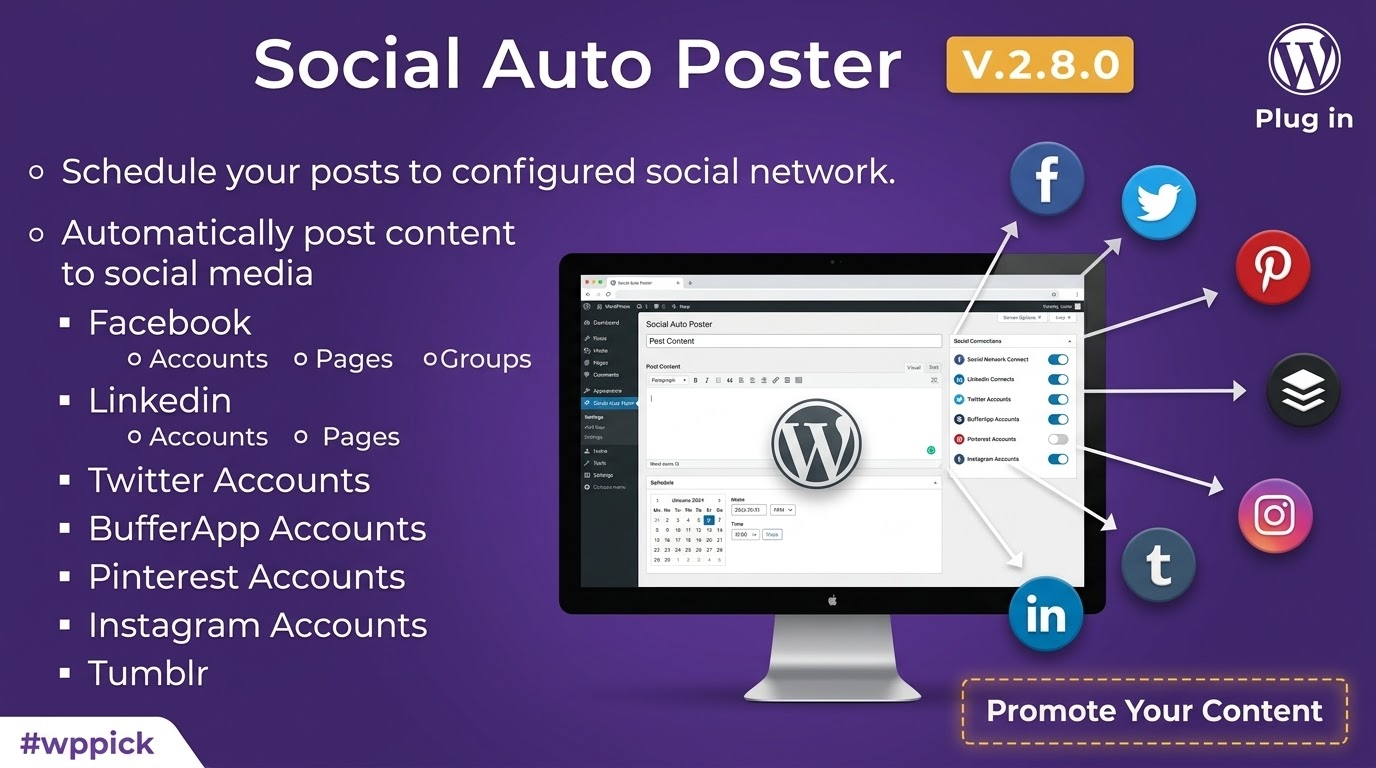
Automate Your Social Media Marketing with Social Auto Poster
Social Auto Poster is a dedicated WordPress plugin built to streamline how website owners, bloggers, and digital marketers distribute content across social networks. Managing multiple social media profiles manually is a time-consuming process that often leads to inconsistent posting schedules and missed engagement opportunities. This plugin resolves that challenge by automatically publishing new or existing WordPress posts, pages, and custom post types directly to platforms like Facebook, Twitter, LinkedIn, Tumblr, Pinterest, and Threads. By establishing a direct bridge between your website and your social channels, it eliminates repetitive tasks, ensures a steady flow of content to your audience, and drives continuous referral traffic back to your site.
Key Capabilities for Seamless Content Syndication
The core functionality of Social Auto Poster centers on flexibility and automated control. Unlike basic sharing tools, this plugin offers deep integration features that allow you to customize exactly how your content appears on each platform. Key capabilities include:
- Unlimited Account Connections: You can link multiple accounts from the same social platform, allowing simultaneous publishing to various personal profiles, business pages, and groups without any artificial restrictions.
- Custom Content Formatting: You can configure custom message templates for each network. You can include post titles, full excerpts, specific custom text, user handles, or dynamically convert your WordPress tags and categories into platform-ready hashtags.
- Advanced Scheduling and Reposting: The built-in reposter enables you to keep your evergreen content alive by automatically resharing older posts based on pre-defined intervals, specific categories, or random posting orders.
- Detailed Activity Logs and Analytics: Comprehensive tracking systems provide full visibility into your posting history, including detailed logs to diagnose any failed attempts and graphical statistics to track performance over time.
Who is Social Auto Poster For?
This plugin is engineered for anyone looking to maximize their digital presence without expanding their operational overhead. It serves several specific roles within the WordPress ecosystem:
Bloggers and Publishers: Content creators can ensure that the moment an article is published, it is instantly broadcast to all their social channels, capturing immediate audience attention.
E-commerce Store Owners: Fully compatible with WooCommerce, it allows store owners to auto-post new product arrivals, seasonal deals, or inventory updates directly to business pages to accelerate sales.
Social Media Managers and Agencies: Professionals managing multiple client websites can use the plugin to automate routine sharing tasks across dozens of accounts from a centralized WordPress dashboard.
Practical Use Cases and Automation Workflows
Implementing Social Auto Poster alters how your content interacts with social audiences. Consider these everyday deployment examples:
- Automating WooCommerce Product Promotions: When a new item is added to your store, the plugin can fetch the product image, price, and description, formatting it as an attractive social post with direct purchase links.
- Reviving Evergreen Blog Content: You can configure the reposter to select high-performing articles from specific categories and share them during off-peak hours, ensuring your feeds remain active even when you are not publishing new material.
- Category-Specific Platform Targeting: You can map specific WordPress categories to distinct social accounts, ensuring that technology posts go to your professional LinkedIn page while lifestyle content routes to Facebook or Pinterest.
Setup Context and Technical Compatibility
Setting up Social Auto Poster involves configuring API connections or utilizing built-in authentication methods provided by the developer for platforms like LinkedIn. The plugin integrates smoothly with standard WordPress configurations and supports major multilingual tools like WPML, ensuring your social shares match your targeted regional audiences. It works across diverse server environments requiring standard PHP configurations. A notable limitation to keep in mind is that social media platforms frequently update their API guidelines and third-party developer rules; consequently, maintaining stable connections requires keeping the plugin updated and occasionally re-authenticating your connected profiles when network tokens expire.
Why Choose Social Auto Poster on WPPick?
Acquiring Social Auto Poster through WPPick gives you access to a fully functional, clean, and verified archive ready for installation. WPPick provides an accessible alternative for testing, development, and production deployment without high upfront costs. Users receive immediate access to the core asset file, eliminating restrictive license checks while allowing deployment across staging and live environments seamlessly.
Latest Version and Release Context
Detailed release notes are not available from the provided sources for version 5.5.4. While the plugin continues to receive structural updates to maintain connectivity with ever-changing social network APIs, specific individual tracking records for this precise iteration could not be verified through official documentation repositories at this time.
Frequently Asked Questions
Can I connect multiple accounts for a single social media platform?
Yes, the plugin allows you to connect an unlimited number of accounts for each supported social network. You can post to multiple Facebook pages, groups, or Twitter profiles simultaneously.
Does Social Auto Poster support custom post types?
Yes, it fully supports all WordPress custom post types. This includes WooCommerce products, events, portfolio items, or any other content structure generated by your theme or other plugins.
Can I automatically turn my WordPress tags into hashtags?
Yes, the plugin includes smart tags that can automatically convert your post categories, tags, or custom taxonomies into properly formatted social media hashtags during the publishing process.
How does the plugin handle duplicate content issues on social networks?
To prevent duplicate content penalties from social platform algorithms, the plugin can generate unique URL parameters for each shared post, ensuring every link looks unique to network crawlers.
What happens if a post fails to publish to a social network?
The plugin includes a dedicated debug and activity logging system. If a post fails due to an expired API token or network error, the log details the exact reason so you can adjust settings and republish easily.
I. Download Limits & Account Benefits
- Free Downloads: Each email address receives 3 downloads per day for free products
- Upgrade Benefits: Purchase any paid product to increase your daily download limit by 3 for each paid product
- No Account Required: You can download immediately by receiving the download link via email
- Account Recommended: Create an account for easier access to your order history and direct update downloads
II. Understanding GPL vs Official Versions
Important: The products available on WPPick are GPL-licensed versions, which differ from official developer versions. Before purchasing, please read our comprehensive guide: Understanding GPL & Official Differences at WPPick
Key Points:
- GPL versions may not include premium support from original developers
- Updates may be delayed compared to official releases
- Some premium features might have limitations
- Always consider your specific needs and support requirements
III. Support & Assistance
We’re here to help through multiple channels:
- Email Support: Direct email assistance for all inquiries
- Live Chat: Real-time support during business hours
- Comprehensive Documentation: Detailed guides and tutorials
IV. Order Tracking
Access your complete purchase history and download links anytime: Order History
V. Account Access
New to WPPick? Login or Create Account to manage your downloads and orders efficiently.
VI. Refund Protection
We stand behind our products with a clear refund policy. Review our terms: Refund Policy
VII. Privacy & Security
Your data security is our priority. Learn how we protect your information: Privacy Policy
VII. Terms of Service
Understanding our service terms ensures a smooth experience: Terms of Use
Quick Tips for Best Experience
- Verify Compatibility: Check plugin/theme compatibility with your WordPress version
- Backup First: Always backup your site before installing new plugins or themes
- Test Environment: Consider testing on a staging site first
- Stay Updated: Regularly check for updates in your account dashboard
- Read Documentation: Review any included documentation for optimal setup
Need Help?
If you have questions about downloads, licensing, or need technical assistance, don’t hesitate to contact our support team. We’re committed to ensuring you have the best possible experience with WPPick products.
Ready to get started? Your download adventure begins with just one click!
- Fixed the image processing flow to make sure images fully ready before posting.
- Added Instagram story support
- Added compatibility with WPML version 4.8
- Fixed the manage scheduled for unpublished posts in schedule setting
- Added bulk unschedule post option
- Fixed pagination issue on manage schedule
- Updated Facebook library certificate
- Optimized code to remove unnecessary sessions
- Added Threads Social Network.