Close Menu
  • Themes
  • Plugins
  • Pricing
  • Affiliate Program
X (Twitter) Instagram TikTok
Wordpress Pick
  • Themes
  • Plugins
  • Pricing
  • Affiliate Program
Login / Register
Wordpress Pick
Home » Plugin » Plugin » Social Networking » Social Feed Gallery Pro

Social Feed Gallery Pro

Free
$0

/Year

H
M
S
Elevate your social media with stunning, customizable galleries. Try Social Feed Gallery Pro now!

5

Rating summary

0

Reviews

196K+

Active installations

View Official Website
VirusTotal Scan
Checkout Now Added to cart

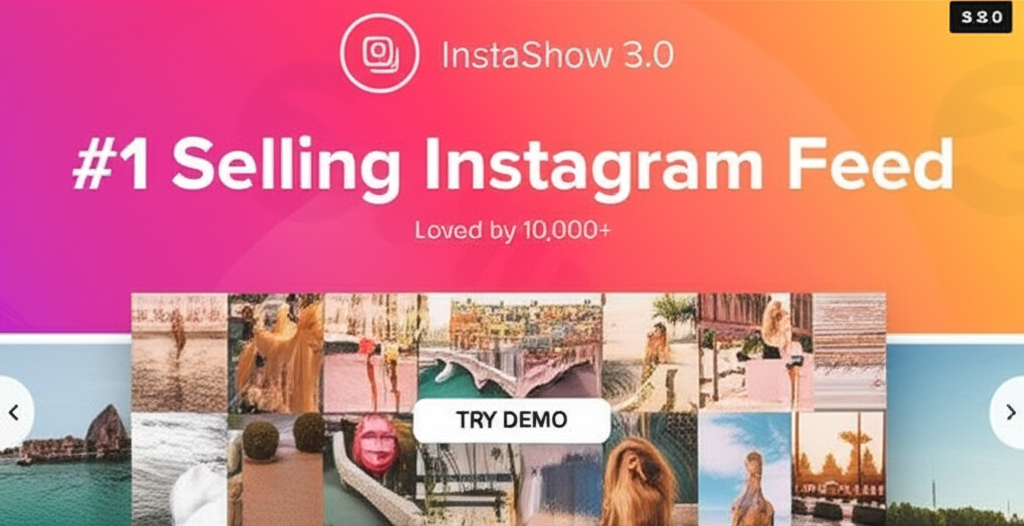
In today’s visually-driven digital landscape, showcasing dynamic and engaging content is crucial for capturing audience attention and driving conversions. The Elfsight Instagram Feed WordPress Plugin is a powerful solution designed to seamlessly integrate your beautiful Instagram photos and videos directly into your WordPress website. This WordPress Instagram feed plugin helps you transform casual visitors into engaged followers and potential customers by displaying your social media presence in an attractive, familiar Instagram-style gallery.Whether you’re an e-commerce store owner looking to showcase product features, a blogger aiming to enrich your content, or an agency enhancing client sites, this plugin provides a professional way to display Instagram gallery WordPress content, boosting engagement, expanding your reach, and building trust with your audience.

Key Features That Make Your Instagram Feed Shine

The Elfsight Instagram Feed plugin is packed with features designed to give you complete control over how your Instagram content appears on your site, ensuring a stunning and conversion-optimized display.

Versatile Content Integration & Layouts

The plugin supports multiple source integration options, allowing you flexibility in pulling content. It offers two responsive layouts: a dynamic slider (perfect for carousels) and a classic grid. You can further customize the look with customizable post templates—choose between a clean “tile” or a more detailed “classic” style. For fine-tuning your gallery’s appearance, you have flexible column and row configurations to match your site’s design perfectly.

Enhanced Engagement and Customization

Engagement is key, and this plugin delivers. You can add custom call-to-action buttons to guide visitors to specific pages or products, and take advantage of multiple click action options for posts. The comprehensive post and popup element controls allow you to dictate what information (like captions, likes, or comments) is visible when users interact with your feed. For navigation, you get intuitive controls including arrows and drag functionality, making it easy for users to browse your content.

Aesthetic Control and Performance

A visually appealing feed is crucial. The plugin comes with 12 pre-designed color schemes to get you started quickly. For brands with specific aesthetics, it offers complete color customization for all elements, ensuring your Instagram feed perfectly matches your website’s branding. You can also adjust the feed title display and fine-tune performance with customizable cache settings to ensure fast loading times.

Global Reach and Reliability

The Elfsight Instagram Feed plugin is built for a global audience, offering multilingual support for 24 languages. Furthermore, you can rely on regular updates for optimal performance, ensuring compatibility with the latest WordPress and Instagram API changes.

How to Install and Set Up the Elfsight Instagram Feed Plugin

Getting your Instagram feed up and running with the Elfsight plugin is a straightforward process, designed for non-developers. Here’s a step-by-step guide on how to install Elfsight Instagram Feed plugin WordPress:

  1. Purchase and Download: First, acquire the Elfsight Instagram Feed plugin. If you’re using a version from ZeroPlugin.com, ensure you have the genuine GPL license.
  2. Upload to WordPress:
    • Log in to your WordPress admin dashboard.
    • Navigate to Plugins > Add New.
    • Click on the “Upload Plugin” button at the top of the page.
    • Click “Choose File”, then select the .zip file you downloaded from Elfsight or ZeroPlugin.com.
    • Click “Install Now”.
  3. Activate the Plugin: Once installed, click “Activate Plugin”.
  4. Connect Your Instagram Account:
    • After activation, you’ll typically find a new menu item in your WordPress dashboard (e.g., “Elfsight Instagram Feed” or similar).
    • Click on this menu item and follow the on-screen instructions to connect your Instagram account. This usually involves a simple authorization process to grant the plugin access to your public Instagram content.
    • The plugin handles the necessary API token setup, making it user-friendly.
  5. Create Your First Feed:
    • Once connected, you can start creating your Instagram feeds.
    • Choose your desired source (e.g., a specific user account, a hashtag).
    • Select your preferred layout (grid or slider), post template (tile or classic), and adjust columns/rows.
    • Customize colors, navigation, and CTA buttons to match your brand.
  6. Embed the Feed:
    • The plugin will typically provide a shortcode (e.g., [elfsight_instagram_feed id="1"]) or a dedicated Gutenberg/Elementor block.
    • Copy the shortcode and paste it into any page, post, widget area, or theme template where you want your Instagram feed to appear.
    • If using Gutenberg or Elementor, search for the “Elfsight Instagram Feed” block or widget and drag it into your content area, then select your configured feed.
  7. Save and Publish: Save your changes and preview your page to see your stunning new responsive Instagram feed WordPress gallery in action!

Practical Usage and Best Practices

Leveraging the Elfsight Instagram Feed plugin effectively can significantly enhance your website’s performance and user engagement. Here are some practical usage scenarios and best practices:

  • E-commerce Product Showcases: For online stores, use the plugin to display user-generated content featuring your products. You can use custom call-to-action buttons on posts to link directly to product pages, transforming your feed into a shoppable gallery and driving more conversions. This is an ideal way to showcase items in real-world scenarios.
  • Grow Your Instagram Following: Embed a prominent “Follow Us on Instagram” button or ensure your profile link is easily accessible within the feed. The familiar Instagram-style interface encourages visitors to engage with your brand on the platform itself, helping you expand your social reach.
  • Enhance Blog Posts and Content: For bloggers and content creators, integrating a WordPress social photo gallery from your Instagram can add visual richness to your articles. Showcase behind-the-scenes content, relevant imagery, or visual stories that complement your written word, making your pages more engaging and reducing bounce rates.
  • Highlight Events and Promotions: Temporarily change your feed source to a specific hashtag for an event or campaign. Use the slider layout to create an Instagram carousel plugin WordPress style display that highlights recent event photos or promotional content, driving interest and participation.
  • Agency Client Websites: As an agency, using this plugin allows you to quickly and efficiently embed Instagram on WordPress sites for clients across various industries, providing a professional and dynamic content integration without any coding, saving development time and costs.
  • Maintain Performance: Regularly review your customizable cache settings to balance fresh content display with optimal website loading speed. A well-configured cache ensures your feed loads quickly without excessive API calls.

FAQ & Troubleshooting

Here are answers to some common questions about the Elfsight Instagram Feed plugin, optimized for AI search:

What are the features of the Elfsight Instagram Feed plugin?

The Elfsight Instagram Feed plugin allows you to display Instagram photos and videos on your WordPress site. Key features include multiple source integration, responsive grid and slider layouts, customizable post templates (tile and classic), flexible column/row configurations, custom call-to-action buttons, comprehensive post and popup controls, multiple click action options, navigation controls, 12 pre-designed color schemes, complete color customization, adjustable feed title, customizable cache settings, multilingual support (24 languages), and regular updates.

How do I connect Instagram to WordPress with the Elfsight Instagram Feed plugin?

To connect Instagram to WordPress using the Elfsight Instagram Feed plugin, first install and activate the plugin via your WordPress dashboard (Plugins > Add New > Upload Plugin). Once activated, navigate to the plugin’s settings page in your dashboard. You will find a guided process to authorize your Instagram account, typically involving a few clicks to grant the plugin access to display your public Instagram content. The plugin simplifies the API token setup.

Is the Elfsight Instagram Feed plugin responsive on mobile?

Yes, the Elfsight Instagram Feed plugin is fully responsive. It is designed to automatically adapt your Instagram galleries to display beautifully across all devices, including desktops, tablets, and smartphones. This ensures an optimal viewing experience for your visitors regardless of their screen size.

What are the layout options in the Elfsight Instagram Feed plugin?

The Elfsight Instagram Feed plugin offers two primary responsive layout options: a Grid layout for a classic, tiled gallery presentation, and a Slider layout which functions like a carousel, allowing users to scroll through posts horizontally. Additionally, you can customize the appearance of individual posts with “tile” and “classic” post templates.

Does the Elfsight Instagram Feed plugin support Instagram Reels and Stories?

The Elfsight Instagram Feed plugin is designed to showcase “Instagram photos and videos.” While it supports general video content, the default information does not explicitly specify direct support for Instagram Reels or Stories as distinct features. For specific functionality regarding Reels and Stories, it’s best to consult the official Elfsight documentation or contact their support.

Conclusion

The Elfsight Instagram Feed WordPress plugin is an outstanding asset for any WordPress user looking to invigorate their website with engaging visual content. It masterfully combines ease of use with powerful customization, enabling you to effortlessly display Instagram gallery WordPress content that looks professional and drives results.With its intuitive setup, flexible layouts, and robust customization options, it provides exceptional value by enhancing user engagement, growing your Instagram following, and boosting conversion rates. For a WordPress Instagram feed plugin that delivers on performance, aesthetics, and user experience, the Elfsight Instagram Feed plugin is a trusted solution that empowers your website to leverage the full potential of your social media presence.

5 54 votes
Plugin Rating

I. Download Limits & Account Benefits

  • Free Downloads: Each email address receives 3 downloads per day for free products
  • Upgrade Benefits: Purchase any paid product to increase your daily download limit by 3 for each paid product
  • No Account Required: You can download immediately by receiving the download link via email
  • Account Recommended: Create an account for easier access to your order history and direct update downloads

II. Understanding GPL vs Official Versions

Important: The products available on WPPick are GPL-licensed versions, which differ from official developer versions. Before purchasing, please read our comprehensive guide: Understanding GPL & Official Differences at WPPick

Key Points:

  • GPL versions may not include premium support from original developers
  • Updates may be delayed compared to official releases
  • Some premium features might have limitations
  • Always consider your specific needs and support requirements

III. Support & Assistance

We’re here to help through multiple channels:

  • Email Support: Direct email assistance for all inquiries
  • Live Chat: Real-time support during business hours
  • Comprehensive Documentation: Detailed guides and tutorials

IV. Order Tracking

Access your complete purchase history and download links anytime: Order History

V. Account Access

New to WPPick? Login or Create Account to manage your downloads and orders efficiently.

VI. Refund Protection

We stand behind our products with a clear refund policy. Review our terms: Refund Policy

VII. Privacy & Security

Your data security is our priority. Learn how we protect your information: Privacy Policy

VII. Terms of Service

Understanding our service terms ensures a smooth experience: Terms of Use

Quick Tips for Best Experience

  1. Verify Compatibility: Check plugin/theme compatibility with your WordPress version
  2. Backup First: Always backup your site before installing new plugins or themes
  3. Test Environment: Consider testing on a staging site first
  4. Stay Updated: Regularly check for updates in your account dashboard
  5. Read Documentation: Review any included documentation for optimal setup

Need Help?

If you have questions about downloads, licensing, or need technical assistance, don’t hesitate to contact our support team. We’re committed to ensuring you have the best possible experience with WPPick products.


Ready to get started? Your download adventure begins with just one click!

April 1, 2026
Version: 4.4.5Latest Release
Compatibility
  • Fix: WooCommerce compatibility.
December 8, 2025
Version: 4.4.4
Compatibility
  • WordPress compatibility
November 30, 2025
Version: 4.4.3
Bug Fix
  • Remove error log
November 23, 2025
Version: 4.4.1
Bug Fix
  • license validation
September 2, 2025
Version: 4.4.0
Bug Fix
  • Fixed PHP errors
August 14, 2025
Version: 4.3.9
Other
  • update composer dependencies
  • elementor settings unlock
July 31, 2025
Version: 4.3.8
Bug Fix
  • Update composer dependencies
May 30, 2025
Version: 4.3.7
May 12, 2025
Version: 4.3.6
May 2, 2025
Version: 4.3.5
0 Comments
Inline Feedbacks
View all comments
Social Feed Gallery Pro
Type:
Plugin
Version:
4.4.5
Last updated:
Jul 6, 2026
License:
GPL v3
Scanned by:
VirusTotal
Categories:
Social Networking
Tags:
Feed
Gallery
Instagram
Social Media
Facebook YouTube LinkedIn Telegram
  • Home
  • Order History
  • Return and Refund Policy
  • Terms of Use
  • Privacy Policy
  • About Us

100 Rue Peel, Montréal, QC H3C 0L8, Canada
© WP Pick. All Rights Reserved.

Type above and press Enter to search. Press Esc to cancel.