
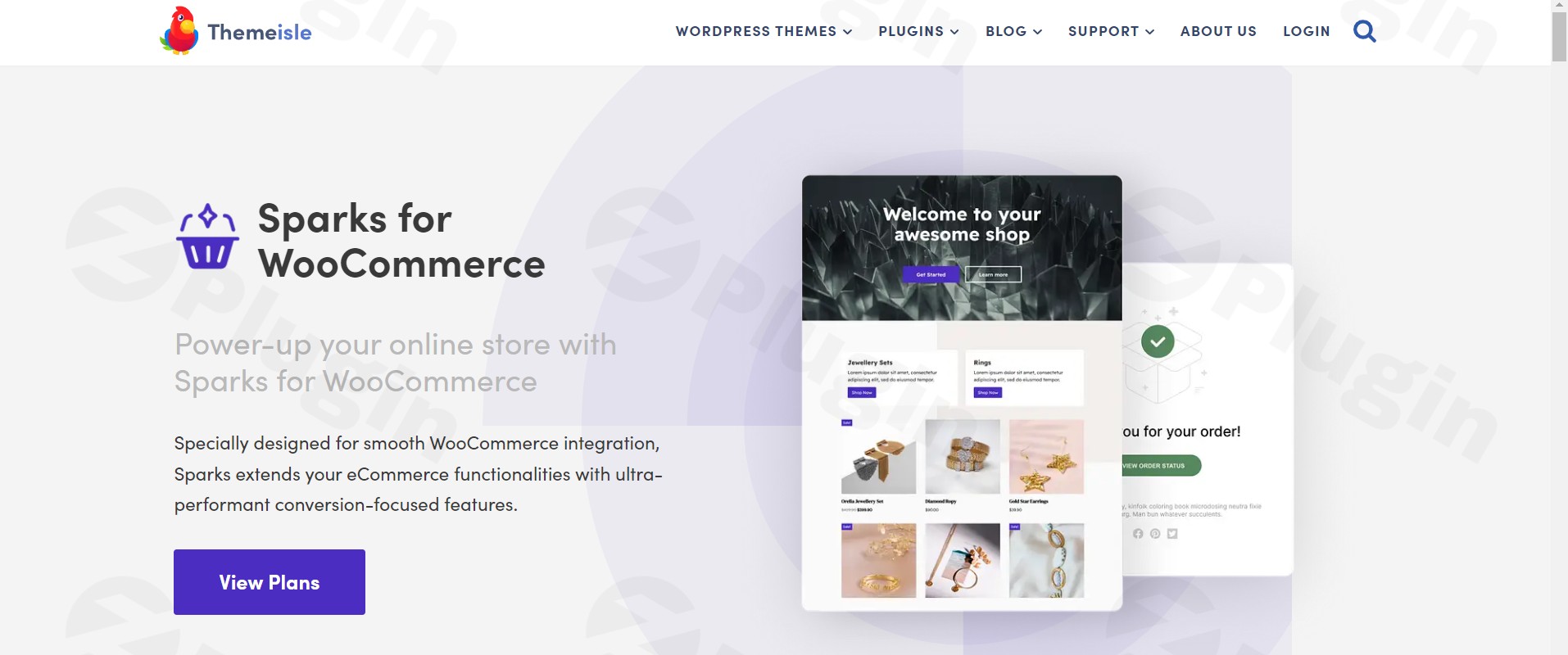
Sparks For Woocommerce By Themeisle
/Year
Transforming an online store into a high-converting sales engine is a top priority for any WooCommerce merchant. The Neve Sparks plugin, also known as Sparks for WooCommerce by Themeisle, is a premium extension specifically engineered to tackle this challenge. It’s a powerful, all-in-one WooCommerce conversion toolkit designed to enhance functionality, improve user experience, and significantly boost your sales without compromising on performance. If you’re looking to streamline your WooCommerce setup and drive more revenue from your existing traffic, Themeisle Sparks offers a comprehensive suite of features consolidated into a single, lightweight solution.
Key Features That Drive Results for Your WooCommerce Store
Sparks for WooCommerce is packed with eight core modules, each meticulously crafted to optimize different aspects of the customer journey, reducing friction and propelling buyers towards checkout. This approach helps you to increase WooCommerce conversions with one plugin, rather than juggling multiple individual tools.
1. Product Comparison Tables
Empower your customers to make informed purchasing decisions with WooCommerce product comparison tables. This module allows shoppers to compare various products side-by-side, analyzing specifications, features, and pricing with ease. A “Compare” button on product listings and a sticky comparison bar streamline the process, guiding customers to the perfect product for their needs.
2. Wishlist Functionality
Implementing a WooCommerce wishlist plugin is crucial for customer retention and repeat sales. Sparks enables customers to effortlessly save their favorite products for future purchases. This not only simplifies the buying process for returning visitors but also fosters loyalty and increases the likelihood of them completing a purchase later, making it an essential feature for building an engaged customer base.
3. Variation Swatches
Gone are the days of tedious dropdowns for product options. With WooCommerce variation swatches, you can visually present product variations like colors, sizes, or materials using appealing color swatches, descriptive images, or custom labels. This intuitive presentation enhances the shopping experience, making product choices faster, more engaging, and ultimately reducing bounce rates.
4. Quick View for Products
The “Quick View” module adds a button to product listings, allowing customers to preview essential product details in a clean, elegant pop-up window without leaving their current page. This feature significantly streamlines browsing, accelerates the buying journey, and reduces unnecessary page loads, keeping shoppers focused on their selections.
5. Advanced Product Reviews
Elevate your social proof with advanced WooCommerce reviews. This module goes beyond standard review systems, allowing customers to attach images to their feedback, vote on helpful reviews, and display “Verified Owner” badges. These powerful additions build trust and credibility, encouraging more engaging, informative, and conversion-driving customer feedback.
6. Multi-Announcement Bars
Grab your customers’ attention with personalized announcement bars. Store owners can create and display multiple bars across their website to highlight special offers, discounts, or important updates. These can be configured to appear based on specific conditions, such as cart value, product type, or user actions, making your promotions targeted and highly effective.
7. Custom Thank You Pages
Transform the post-purchase experience with custom “Thank You” pages. This feature allows you to create personalized pages after a purchase, tailored to the specific product, category, payment method, or shipping option used. It’s a prime opportunity for post-purchase engagement, such as upselling, sharing coupons, or guiding customers to next steps, turning checkout into a branded and strategic touchpoint.
8. Product Tab Manager
Organize and present product information with clarity using the Product Tab Manager. Add custom tabs to product pages for specifications, FAQs, usage guides, or unique selling points. The manager supports both individual product tabs and global tabs applicable to multiple categories, with easy drag-and-drop reordering for optimal clarity and user experience.
Installation & Setup: Sparks for WooCommerce Installation Guide
Installing Sparks for WooCommerce by Themeisle is a straightforward process, designed for all levels of WordPress users. Follow these steps to get your WooCommerce conversion toolkit up and running:
- Purchase and Download: Begin by purchasing Sparks for WooCommerce from a reputable source like ZeroPlugin.com or Themeisle’s official website. Once purchased, you’ll receive a downloadable
.zipfile. - Upload to WordPress:
- Log in to your WordPress admin dashboard.
- Navigate to Plugins > Add New.
- Click on the “Upload Plugin” button at the top of the page.
- Click “Choose File”, then select the
sparks-for-woocommerce.zipfile you downloaded. - Click “Install Now”.
- Activate the Plugin: After the upload and installation process is complete, WordPress will prompt you to activate the plugin. Click “Activate Plugin”.
- Configure Settings: Once activated, you’ll find a new “Sparks” menu item in your WordPress dashboard (usually under WooCommerce or directly in the main menu). Click on it to access the plugin’s settings. Here, you can enable or disable individual modules (like Wishlist, Quick View, etc.) and configure their specific settings according to your store’s needs. Each module has its own set of options for fine-tuning its appearance and functionality.
Practical Usage & Best Practices for Maximizing Conversions
Sparks for WooCommerce is an ideal solution for a variety of users, from small business owners to large eCommerce agencies. Here’s how to best leverage its features:
- Boost AOV with Comparison & Wishlists: Encourage higher Average Order Value (AOV) by prominently displaying product comparison tables, especially for similar high-value items. Couple this with the wishlist feature to capture interest from undecided buyers, allowing them to save items and return later. Promote wishlists through email campaigns to remind customers of their saved selections.
- Optimize Product Pages for Engagement: Use Variation Swatches to make product options visually appealing and easy to select. Implement the Product Tab Manager to organize detailed specifications, FAQs, and shipping information neatly, preventing information overload while ensuring all necessary details are accessible. This is the best way to add product quick view in WooCommerce while keeping visitors on your category pages.
- Drive Urgency & Trust with Announcements & Reviews: Utilize the Multi-Announcement Bars for flash sales, free shipping thresholds, or limited-time offers to create urgency. Simultaneously, leverage the Advanced Product Reviews with image uploads and “Verified Owner” badges to build social proof and trust, making new customers feel more confident in their purchases.
- Personalize Post-Purchase Experience: Don’t let the customer journey end at checkout. Design engaging Custom Thank You Pages based on product categories or cart values. Use these pages to offer exclusive discounts on related products, encourage social media sharing, or guide customers to a loyalty program, turning a transactional moment into an opportunity for further engagement and repeat business.
FAQ & Troubleshooting
Q: What is Sparks for WooCommerce?
A: Sparks for WooCommerce, also known as Neve Sparks, is a comprehensive WordPress plugin developed by Themeisle. It’s an all-in-one WooCommerce conversion toolkit that bundles eight essential eCommerce features—such as product comparison, wishlists, variation swatches, and advanced reviews—into a single solution to enhance user experience, boost sales, and streamline store management.
Q: How to add product quick view in WooCommerce using Sparks?
A: Once Sparks for WooCommerce is installed and activated, the Quick View module can be enabled and configured from the plugin’s settings within your WordPress dashboard. Navigate to the Sparks settings, find the “Quick View” module, activate it, and customize its appearance and behavior. A “Quick View” button will then automatically appear on your WooCommerce product listings.
Q: Does Sparks for WooCommerce improve site speed?
A: Yes, Sparks for WooCommerce is designed with performance in mind. By consolidating multiple conversion-focused features into a single, lightweight plugin, it helps reduce “plugin bloat”—the common issue of having too many individual plugins slowing down your site. This integrated approach contributes to a faster-loading online store, leading to improved site speed, reduced bounce rates, and a more responsive shopping experience.
Q: Is Themeisle Sparks compatible with other WordPress themes and plugins?
A: Themeisle Sparks is built for smooth integration with standard WooCommerce workflows and is broadly compatible with a wide array of WordPress themes and plugins. It requires WordPress version 5.5+, WooCommerce version 2.6.0+, and PHP version 7.0+. Themeisle emphasizes minimizing conflicts within the ecosystem, but it’s always recommended to test new plugins in a staging environment first.
Q: Why should I choose Sparks for WooCommerce over multiple individual plugins?
A: Choosing Sparks for WooCommerce means you get an “all-in-one WooCommerce conversion toolkit” that simplifies your website’s tech stack. This approach reduces plugin management overhead, minimizes potential compatibility issues, and often results in better overall site performance compared to installing and managing many separate add-ons, allowing you to increase WooCommerce conversions with one plugin.
Conclusion: Transform Your Ecommerce Business Today
Neve Sparks (Sparks for WooCommerce by Themeisle) stands out as an exceptional investment for any online store owner serious about maximizing their revenue. By consolidating critical conversion-boosting features into a single, high-performance plugin, it offers a streamlined approach to enhancing user experience and driving sales. From intuitive product comparisons and engaging wishlists to advanced reviews and personalized post-purchase journeys, Sparks for WooCommerce provides the tools you need to create a seamless, high-converting shopping environment.Its performance-focused architecture ensures your store remains fast and agile, while Themeisle’s reputation for expertise, comprehensive support, and commitment to quality instills confidence. For those seeking a powerful yet elegant WooCommerce conversion toolkit to supercharge their online store, Neve Sparks offers unparalleled value and a clear path to dramatically improved conversion rates.
I. Download Limits & Account Benefits
- Free Downloads: Each email address receives 3 downloads per day for free products
- Upgrade Benefits: Purchase any paid product to increase your daily download limit by 3 for each paid product
- No Account Required: You can download immediately by receiving the download link via email
- Account Recommended: Create an account for easier access to your order history and direct update downloads
II. Understanding GPL vs Official Versions
Important: The products available on WPPick are GPL-licensed versions, which differ from official developer versions. Before purchasing, please read our comprehensive guide: Understanding GPL & Official Differences at WPPick
Key Points:
- GPL versions may not include premium support from original developers
- Updates may be delayed compared to official releases
- Some premium features might have limitations
- Always consider your specific needs and support requirements
III. Support & Assistance
We’re here to help through multiple channels:
- Email Support: Direct email assistance for all inquiries
- Live Chat: Real-time support during business hours
- Comprehensive Documentation: Detailed guides and tutorials
IV. Order Tracking
Access your complete purchase history and download links anytime: Order History
V. Account Access
New to WPPick? Login or Create Account to manage your downloads and orders efficiently.
VI. Refund Protection
We stand behind our products with a clear refund policy. Review our terms: Refund Policy
VII. Privacy & Security
Your data security is our priority. Learn how we protect your information: Privacy Policy
VII. Terms of Service
Understanding our service terms ensures a smooth experience: Terms of Use
Quick Tips for Best Experience
- Verify Compatibility: Check plugin/theme compatibility with your WordPress version
- Backup First: Always backup your site before installing new plugins or themes
- Test Environment: Consider testing on a staging site first
- Stay Updated: Regularly check for updates in your account dashboard
- Read Documentation: Review any included documentation for optimal setup
Need Help?
If you have questions about downloads, licensing, or need technical assistance, don’t hesitate to contact our support team. We’re committed to ensuring you have the best possible experience with WPPick products.
Ready to get started? Your download adventure begins with just one click!
- Error thrown when using wishlist header component in Neve Pro
- Enhanced security
- Fixed warning showing up on website
- Fixed compatibility with Neve White label module
- Updated broken link to license key when Neve is active with Sparks
- Fixed compatibility issue with WordPress 6.7