

Sticky Html5 Music Player WordPress Plugin
/Year
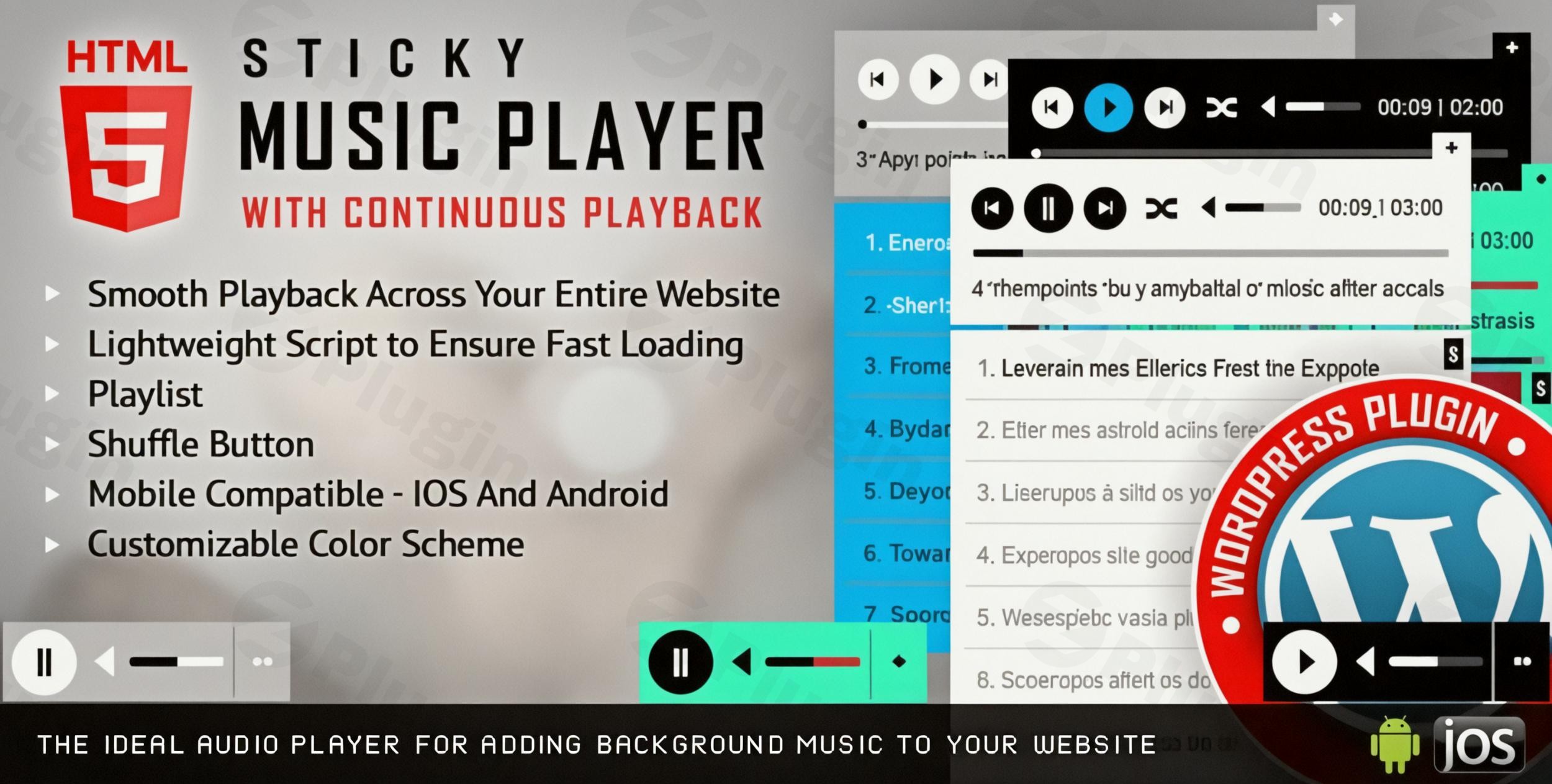
If you have ever visited a website where the music restarts or stops every time you click a link, you know how disruptive that experience can be for a visitor. The Sticky HTML5 Music Player WordPress Plugin is a professional-grade WordPress audio player plugin designed specifically to solve this problem by providing a seamless, uninterrupted listening experience.
Whether you are a musician showcasing your latest tracks, a podcaster engaging your audience, or a business owner looking to add atmosphere to your site, this HTML5 music player for WordPress ensures that your audio follows the user from page to page. In this guide, we will explore its powerful features, step-by-step setup, and how to maximize its impact on your website.
Key Features & Benefits
The Sticky HTML5 Music Player WordPress Plugin stands out due to its technical robustness and highly customizable nature. Developed by the LambertGroup, it is built to be a lightweight (approx. 50KB) yet powerful tool for modern web environments.
1. Continuous “Sticky” Playback
The hallmark feature of this plugin is its ability to remain “sticky.” You can configure the player to sit at the top or bottom of the browser window. As users navigate through different pages on your site, the audio continues to play without interruption. This continuous playback WordPress plugin functionality is essential for maintaining high user session durations.
2. Deep Customization & Branding
As a customizable audio player for WordPress, it offers unparalleled design flexibility:
- Two Built-in Skins: Choose between sleek Black or clean White skins as a starting point.
- Color Control: Use the admin interface to change colors for the background, volume sliders, timers, buffer bars, seek bars, and song titles.
- CSS & PSD Files: For advanced users, the inclusion of CSS and PSD files allows for pixel-perfect controller customization.
3. Advanced Playlist Management
Managing your media is simple with the WordPress music playlist plugin features:
- Category Support: Organize your tracks into logical groups.
- Playlist Search: Users can quickly find their favorite tracks by title or author using the built-in search bar.
- Auto-Generation: The plugin can automatically generate a playlist simply by scanning an MP3 folder on your server.
4. Mobile Responsiveness & Compatibility
The player is fully responsive and optimized for iOS and Android. It works across all modern browsers, including Chrome, Firefox, Safari, Edge, and even legacy support for IE9–IE11.
5. Google Analytics Integration
Understand your audience by tracking which songs are most popular. The plugin integrates with Google Analytics to monitor play counts, giving you data-driven insights into your audio content’s performance.
How to Add a Sticky Music Player to WordPress
Setting up the Sticky HTML5 Music Player is straightforward, even if you are not a developer. Follow these steps to get started:
- Install the Plugin:
- Download the plugin zip file from your provider (e.g., CodeCanyon).
- In your WordPress dashboard, go to Plugins > Add New > Upload Plugin.
- Choose the file and click Install Now, then Activate.
- Create Your First Playlist:
- Navigate to the plugin’s settings menu in your sidebar.
- Go to the “Playlists” section.
- Upload your MP3 or OGG files to the WordPress Media Library or provide external URLs.
- Add metadata like Song Title, Author, and optional links for “Buy” or “Lyrics” buttons.
- Configure Global Settings:
- Under “Player Settings,” choose whether the player should be Sticky (fixed to the top/bottom) or Static (embedded in content).
- Select your skin (Black or White) and adjust the color hex codes to match your brand.
- Deploy the Player:
- Shortcodes: Use the provided shortcode to place the player on specific pages or posts.
* Page Builders: The plugin is fully compatible with Elementor, WPBakery, Divi, and the Gutenberg Block Editor. Simply drop the shortcode or widget into your layout.
Practical Usage & Best Practices
To get the most out of your Sticky Audio Player WordPress setup, consider these real-world workflows:
- For Musicians & Bands: Use the “Buy Song” button feature to link directly to your iTunes, Bandcamp, or WooCommerce store. This turns your player into a direct sales tool.
- For Podcasters: Enable the “Download” button to allow users to take your episodes on the go. Use the “Popup Player” option so listeners can keep a dedicated small window open while they browse other websites entirely.
- For Content Marketers: If you have long-form blog posts, embed a specific playlist related to the topic. Set the player to “Non-Sticky” for these cases so it stays within the context of the article.
Pro-Tip: Navigating Autoplay Restrictions
Modern browsers (Chrome, Safari, Firefox) often block autoplay audio to improve user experience. To ensure your player works reliably:
- Encourage users to click “Play” rather than relying on autoplay.
2. Note that volume controls on iOS/Android are often restricted by the OS; users will need to use their physical device buttons to adjust sound.
FAQ & Troubleshooting
Is the music player site-wide or only for specific pages?
The Sticky HTML5 Music Player is highly flexible. You can configure it to appear across your entire website (global sticky) for a consistent experience, or you can use shortcodes to display it only on specific pages or posts.
Does this plugin support WooCommerce?
While it doesn’t replace a shop, it perfectly complements WooCommerce. You can use the “Buy” button feature in the playlist to link each track directly to a WooCommerce product page, making it a great WordPress music player that stays playing when navigating pages during a shopping session.
What should I do if the player doesn’t show up on mobile?
First, ensure you haven’t checked a “Hide on Mobile” setting in your page builder. Because the plugin is fully responsive, it should appear automatically. If volume controls feel “locked,” remember that iOS and Android require users to use the hardware buttons on the side of their phone for volume management.
Can I track how many people listen to my songs?
Yes. By entering your Google Analytics ID in the plugin settings, you can track playback events. This is ideal for seeing which tracks resonate most with your audience.
Final Verdict
The Sticky HTML5 Music Player WordPress Plugin is the premier choice for site owners who prioritize user experience and audio continuity. Its ability to provide continuous playback across page transitions, combined with deep customization and Google Analytics support, makes it far superior to standard, static audio players. If you want a professional, branded, and reliable WordPress audio player plugin that keeps the music going as long as your visitors are browsing, this is a must-have tool for your site. For more WordPress tips and plugin reviews, visit us at wppick.com.
I. Download Limits & Account Benefits
- Free Downloads: Each email address receives 3 downloads per day for free products
- Upgrade Benefits: Purchase any paid product to increase your daily download limit by 3 for each paid product
- No Account Required: You can download immediately by receiving the download link via email
- Account Recommended: Create an account for easier access to your order history and direct update downloads
II. Understanding GPL vs Official Versions
Important: The products available on WPPick are GPL-licensed versions, which differ from official developer versions. Before purchasing, please read our comprehensive guide: Understanding GPL & Official Differences at WPPick
Key Points:
- GPL versions may not include premium support from original developers
- Updates may be delayed compared to official releases
- Some premium features might have limitations
- Always consider your specific needs and support requirements
III. Support & Assistance
We’re here to help through multiple channels:
- Email Support: Direct email assistance for all inquiries
- Live Chat: Real-time support during business hours
- Comprehensive Documentation: Detailed guides and tutorials
IV. Order Tracking
Access your complete purchase history and download links anytime: Order History
V. Account Access
New to WPPick? Login or Create Account to manage your downloads and orders efficiently.
VI. Refund Protection
We stand behind our products with a clear refund policy. Review our terms: Refund Policy
VII. Privacy & Security
Your data security is our priority. Learn how we protect your information: Privacy Policy
VII. Terms of Service
Understanding our service terms ensures a smooth experience: Terms of Use
Quick Tips for Best Experience
- Verify Compatibility: Check plugin/theme compatibility with your WordPress version
- Backup First: Always backup your site before installing new plugins or themes
- Test Environment: Consider testing on a staging site first
- Stay Updated: Regularly check for updates in your account dashboard
- Read Documentation: Review any included documentation for optimal setup
Need Help?
If you have questions about downloads, licensing, or need technical assistance, don’t hesitate to contact our support team. We’re committed to ensuring you have the best possible experience with WPPick products.
Ready to get started? Your download adventure begins with just one click!
- Patch applied.