

Subscribe To Download – An Advanced Subscription Plugin For WordPress
/Year
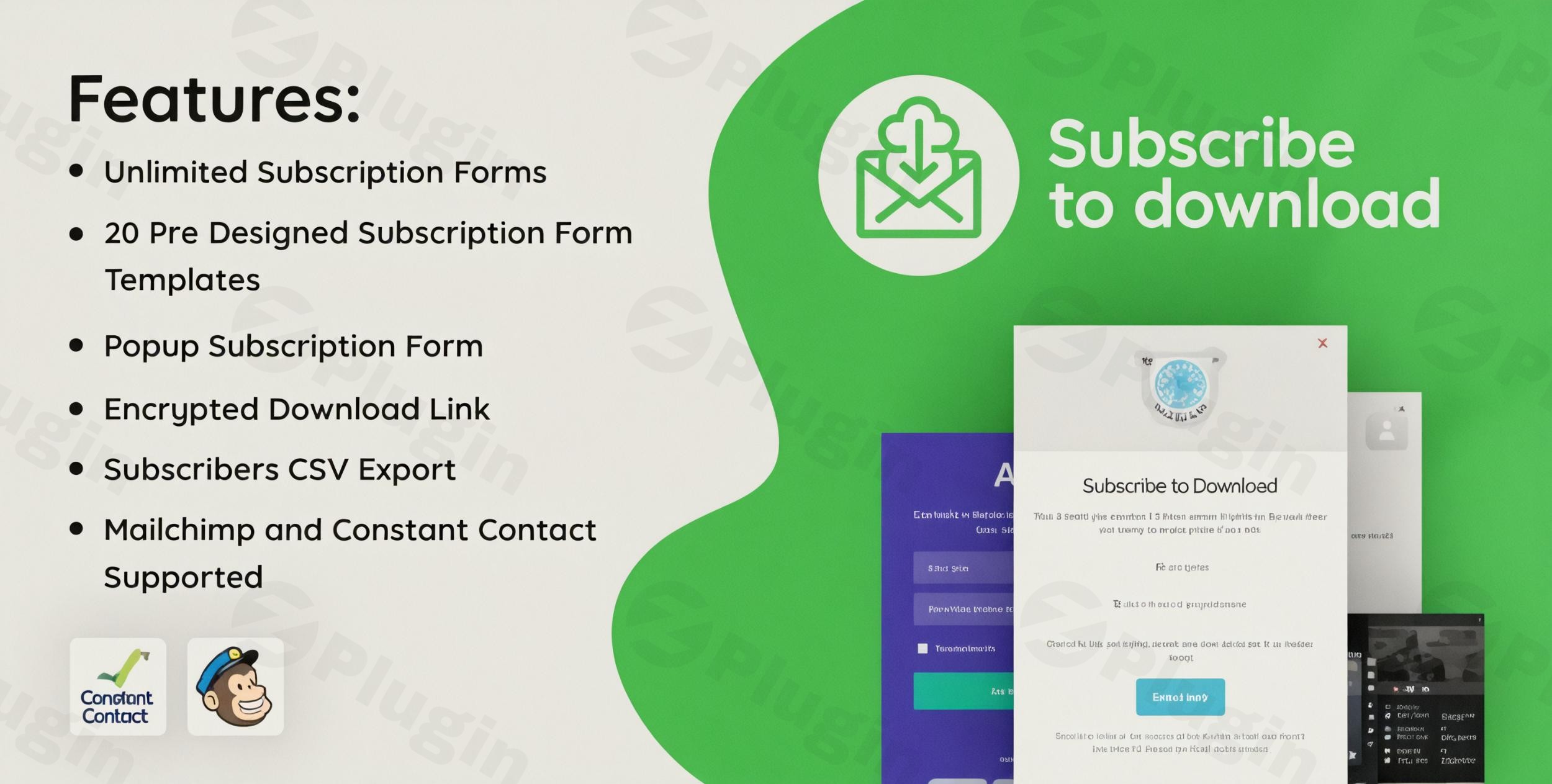
Are you looking for an effective way to grow your email list and turn website visitors into loyal subscribers? The Subscribe To Download WordPress plugin is your answer. This powerful tool transforms your WordPress site into a lead generation machine, allowing you to offer exclusive downloadable content in exchange for email subscriptions. Whether you’re a content creator, marketer, or business owner, this WordPress download after email plugin simplifies the process of gating valuable resources, making list building effortless and highly efficient.In the competitive digital landscape, capturing user attention and their contact information is crucial. This advanced subscription plugin WordPress provides a secure, flexible, and user-friendly solution to incentivize subscriptions with compelling digital assets, driving engagement and building a valuable audience for your business.
Key Features of Subscribe To Download
The Subscribe To Download plugin comes packed with features designed to maximize your lead generation efforts and provide a seamless user experience.
Unlimited, Customizable Subscription Forms
The plugin empowers you to create an unrestricted number of subscription forms, each with unique settings and content restrictions. This flexibility is perfect for sites with diverse content offerings, allowing you to tailor the opt-in experience for different lead magnets.
Professionally Designed Templates for High Conversions
Forget about complex design work. With 20 professionally designed templates, you can quickly select and deploy visually appealing forms that convert. These pre-built layouts ensure a polished look without requiring any design expertise, helping you implement an effective email gate WordPress solution in minutes.
Secure Download Management with Encrypted Links
Protecting your valuable digital assets is paramount. The plugin generates encrypted download links that are user-specific and secure, preventing unauthorized sharing. You can even set usage limits (one-time, unlimited, or time-based) for these links, ensuring your content remains exclusive and controlled. This feature is crucial for any content locker WordPress plugin designed for digital product delivery.
Smart Popup Forms for Enhanced Engagement
Capture attention effectively with smart popup forms. Configure your subscription forms to appear as popups with customizable triggers and timing, such as after a certain scroll percentage, time on page, or exit intent. This interactivity is a proven method to boost subscription rates without being intrusive.
Seamless Email Marketing Integrations
Building your list means connecting with your audience. Subscribe To Download offers seamless email integration with popular services like Mailchimp and Constant Contact. Additionally, it integrates with MailerLite and Sendinblue/Brevo, ensuring new subscribers are automatically added to your chosen mailing lists for immediate follow-up and nurture campaigns.
Comprehensive Customization and Styling Options
Every aspect of your forms is customizable. Utilize the built-in style editor to modify colors, fonts, and layouts to match your brand. Beyond aesthetics, you can enable or disable form components and add custom fields (textfield, textarea, radio button, select dropdown, checkbox, datepicker, hidden, telephone, URL fields), allowing you to gather precisely the subscriber data you need.
Real-time Analytics and Subscriber Management
Gain valuable insights into your lead generation performance with real-time analytics. Track downloads, monitor subscriber activity, and export subscriber data to CSV files for easy management and integration into your broader marketing strategies. This allows you to measure the effectiveness of your WordPress lead magnet plugin and optimize your content.
Advanced Features for Optimal Performance
- AJAX Form Submission: Provides a smooth and fast user experience without page reloads, crucial for maintaining user engagement.
- Full Mobile Responsiveness: Ensures your subscription forms look and function flawlessly across all devices, from desktops to smartphones.
- Content Locking Mechanisms: Choose between “Hard Lock” (completely hides content) or “Soft Lock” (blurs content to provide a teaser) for flexible gated content WordPress solution.
- Email Configurations & Notifications: Customize subscriber emails with HTML and images, and set up notifications for both users and administrators upon successful subscription.
- Backend Form Preview: Visually inspect your forms in the WordPress backend before publishing, ensuring everything is perfect.
- Developer-Friendly & Translation-Ready: Built with clean code, offering hooks and filters for developers, and ready for translation into any language.
- Shortcode Support: Easily embed subscription forms anywhere on your site using simple shortcodes.
Installing and Setting Up Subscribe To Download
Getting started with the Subscribe To Download plugin is straightforward, even for those without technical expertise.
- Purchase and Download: First, purchase the plugin from ZeroPlugin.com. Once purchased, download the plugin zip file to your computer.
- Upload the Plugin:
- Log in to your WordPress dashboard.
- Navigate to Plugins > Add New.
- Click on the “Upload Plugin” button at the top of the page.
- Click “Choose File”, then select the
subscribe-to-download.zipfile you downloaded. - Click “Install Now”.
- Activate the Plugin: Once installed, WordPress will prompt you to activate the plugin. Click “Activate Plugin”.
- Initial Configuration: After activation, you’ll typically find a new menu item in your WordPress dashboard, often named “Subscribe To Download” or similar. Click on it to access the plugin settings.
- Create Your First Form: Start by creating a new subscription form. Give it a descriptive name.
- Choose a Template: Select one of the 20 professional templates to kickstart your design.
- Customize Content and Fields: Edit the form’s headline, description, button text, and configure any custom fields you need to collect specific subscriber data.
- Upload Your Downloadable Content: In the form settings, specify the file you want to offer as a download. This could be a PDF, an e-book, a software file, or any digital asset.
- Integrate Email Service: Connect your chosen email marketing service (Mailchimp, Constant Contact, etc.) so new subscribers are automatically added to your lists.
- Set Up Email Notifications: Configure the email that subscribers will receive with their secure download link.
- Configure Display Options: Decide if you want the form to be embedded via shortcode, displayed as a popup, or used to gate specific content.
- Publish and Promote: Once configured, save your form. You can then insert it into posts, pages, or widgets using the provided shortcode, or activate its popup functionality.
Practical Usage & Best Practices
The WordPress Subscribe To Download Plugin is a versatile tool for various use cases. Here’s how different professionals can leverage it:
For Bloggers and Content Creators: Building an Engaged Audience
- Offer Exclusive Content Upgrades: Create an “how to offer free downloads for email subscription WordPress” strategy by turning your best blog posts into lead magnets. For example, a detailed guide on “SEO strategies” could offer a downloadable checklist or template in exchange for an email.
- Resource Libraries: Build a curated library of resources (e.g., stock photos, design assets, research papers) accessible only after subscription. This is an ideal WordPress plugin to get email before download for establishing authority and building a niche audience.
For Marketers and Agencies: Generating High-Quality Leads
- Whitepapers and Case Studies: Use the plugin to gate high-value B2B content like industry reports, whitepapers, or detailed case studies. This helps qualify leads by ensuring only genuinely interested prospects subscribe.
- Webinar Replays/Templates: Offer recordings of past webinars or customizable marketing templates (e.g., social media calendars, email swipe files) as a digital download gate. This captures leads interested in practical solutions.
For eCommerce Store Owners: Expanding Customer Base & Promotions
- Discount Codes & Freebies: Provide exclusive discount codes, free shipping coupons, or small digital freebies (e.g., a short recipe ebook for a food store) in exchange for email sign-ups. This is an excellent way to capture potential customers early in their journey.
- Product Guides & Manuals: For complex products, offer detailed product guides or extended manuals that require an email to download. This not only builds your list but also provides valuable support to potential buyers.
Best Practices for Maximum Conversions:
- Craft Compelling Lead Magnets: Ensure your downloadable content is genuinely valuable, relevant to your audience, and solves a problem or offers a significant benefit.
- Clear Call-to-Action (CTA): Use clear, action-oriented language on your forms, making it obvious what users will receive after subscribing.
- Optimize Form Placement: Test different locations for your forms (inline, popups, content upgrades) to see what performs best for your audience.
- Follow Up Immediately: Once a user subscribes and downloads, use your integrated email marketing service to send a welcome sequence or nurture emails.
- A/B Test Everything: Experiment with different form designs, copy, templates, and lead magnets to continuously improve your conversion rates.
FAQ & Troubleshooting
Q: What is the best subscribe to download plugin for WordPress?
A: While there are several options, the Subscribe To Download WordPress plugin stands out for its comprehensive features, including unlimited forms, 20 professionally designed templates, secure encrypted download links, robust email integrations (Mailchimp, Constant Contact, MailerLite, Sendinblue/Brevo), and extensive customization options. It’s specifically designed to be an effective WordPress download after email plugin for lead generation.
Q: How does a WordPress email download gate work?
A: A WordPress email download gate, like the one offered by the Subscribe To Download plugin, works by requiring users to enter their email address and often other details into a subscription form to unlock access to a specific digital file. Once the form is submitted, the plugin records the subscriber, typically sends an automated email with a secure, unique download link, and adds the new subscriber to your connected email marketing service. This process ensures you capture lead information before granting access to your valuable content.
Q: Is the Subscribe To Download plugin GDPR compliant?
A: Yes, the Subscribe To Download plugin offers features to help ensure compliance with GDPR and other privacy regulations. This includes options for mandatory consent checkboxes on your subscription forms, allowing you to explicitly request and record user consent for data collection and marketing communications. It also supports double opt-in verification, adding an extra layer of compliance and list quality.
Q: Can I customize the subscription forms in Subscribe To Download?
A: Absolutely! The Subscribe To Download plugin provides extensive customization options. You can modify every aspect of your forms using its built-in style editor to match your brand’s aesthetics, including colors, fonts, and layouts. Additionally, you can enable/disable various form components and add custom fields such as textfields, textareas, radio buttons, select dropdowns, checkboxes, datepickers, hidden fields, telephone fields, and URL fields to collect specific data from your subscribers.
Q: How do I offer free downloads for email subscription in WordPress using this plugin?
A: To offer free downloads for email subscription, first, install and activate the Subscribe To Download plugin. Then, navigate to its settings in your WordPress dashboard to create a new form. Within the form settings, you’ll specify the digital file you want to offer. You’ll then configure the form’s appearance, choose an email marketing integration, and set up the email that delivers the encrypted download links. Finally, you can embed this form into any post or page using a shortcode, or set it up as a smart popup to gate your content, effectively creating a WordPress email download gate.
Conclusion
The Subscribe To Download WordPress plugin is an indispensable tool for anyone serious about expanding their email list and leveraging content for lead generation. Its robust feature set—from unlimited, customizable forms and secure download management to seamless email integrations and real-time analytics—makes it a top-tier advanced subscription plugin WordPress.By providing a straightforward yet powerful way to implement email gate WordPress functionalities, it empowers content creators, marketers, and business owners to incentivize subscriptions effectively. This plugin not only helps you gather valuable contact information but also fosters engagement and builds a loyal audience around your brand. If you’re looking for a reliable, feature-rich, and easy-to-use WordPress download after email plugin to supercharge your list-building efforts, Subscribe To Download is an excellent investment for your digital strategy.
I. Download Limits & Account Benefits
- Free Downloads: Each email address receives 3 downloads per day for free products
- Upgrade Benefits: Purchase any paid product to increase your daily download limit by 3 for each paid product
- No Account Required: You can download immediately by receiving the download link via email
- Account Recommended: Create an account for easier access to your order history and direct update downloads
II. Understanding GPL vs Official Versions
Important: The products available on WPPick are GPL-licensed versions, which differ from official developer versions. Before purchasing, please read our comprehensive guide: Understanding GPL & Official Differences at WPPick
Key Points:
- GPL versions may not include premium support from original developers
- Updates may be delayed compared to official releases
- Some premium features might have limitations
- Always consider your specific needs and support requirements
III. Support & Assistance
We’re here to help through multiple channels:
- Email Support: Direct email assistance for all inquiries
- Live Chat: Real-time support during business hours
- Comprehensive Documentation: Detailed guides and tutorials
IV. Order Tracking
Access your complete purchase history and download links anytime: Order History
V. Account Access
New to WPPick? Login or Create Account to manage your downloads and orders efficiently.
VI. Refund Protection
We stand behind our products with a clear refund policy. Review our terms: Refund Policy
VII. Privacy & Security
Your data security is our priority. Learn how we protect your information: Privacy Policy
VII. Terms of Service
Understanding our service terms ensures a smooth experience: Terms of Use
Quick Tips for Best Experience
- Verify Compatibility: Check plugin/theme compatibility with your WordPress version
- Backup First: Always backup your site before installing new plugins or themes
- Test Environment: Consider testing on a staging site first
- Stay Updated: Regularly check for updates in your account dashboard
- Read Documentation: Review any included documentation for optimal setup
Need Help?
If you have questions about downloads, licensing, or need technical assistance, don’t hesitate to contact our support team. We’re committed to ensuring you have the best possible experience with WPPick products.
Ready to get started? Your download adventure begins with just one click!