

Subscriptions For Woocommerce – Pro
/Year
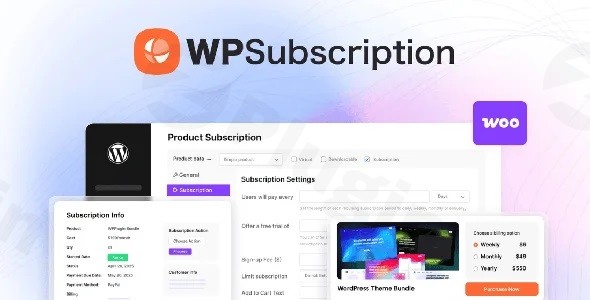
Are you looking to establish a steady, predictable revenue stream for your online store? Subscriptions for WooCommerce Pro is a powerful WooCommerce Subscriptions Plugin designed to transform your WordPress eCommerce site into a robust recurring payment platform. This premium extension empowers store owners to create, manage, and automate recurring payments for a wide array of products and services, making it an essential tool for any business aiming to build a sustainable subscription model.With Subscriptions for WooCommerce Pro, you can move beyond one-time sales and cultivate lasting customer relationships through flexible billing cycles, automated renewals, and a comprehensive management dashboard. It addresses the core challenge of generating predictable income for digital products, memberships, and physical subscription boxes, streamlining the entire process for both you and your customers.
Key Features That Drive Recurring Revenue and Streamline Management
Subscriptions for WooCommerce Pro extends WooCommerce’s capabilities with a suite of features focused on flexibility, automation, and customer retention. It’s built to simplify recurring payments WooCommerce stores require, allowing you to focus on growth.
Flexible Subscription Product Management
This plugin allows you to create unlimited subscription products with diverse billing periods, transforming simple, variable, physical, downloadable, and virtual products into recurring offerings.
- Variable Billing Periods: Set billing frequencies like daily, weekly, monthly, or yearly to suit any business model.
- Free Trials & Introductory Pricing: Attract new subscribers by offering free trials or special introductory rates, easing their path to commitment.
- Subscription Box Feature: A standout capability, you can design customizable WooCommerce subscription box plugin options, letting customers select preferred products for recurring delivery with dynamic pricing.
- Proration Management: Seamlessly handle subscription upgrades or downgrades with efficient proration, allowing customers to modify plans without waiting for the billing cycle to end. It can even manage proration amounts as wallet credit.
- Centralized Dashboard: Manage all aspects of your subscriptions, from individual customer details to overall subscription performance, from a single, intuitive interface.
Automated Recurring Payments & Recovery
Automate the most critical part of your subscription business – payments. This feature ensures smooth transactions and helps recover lost revenue.
- Seamless Payment Gateway Integration: The plugin integrates with major payment gateways such as WooCommerce Stripe, PayPal, Authorize.net, Mollie, Braintree, Amazon Pay, and MultiSafepay for automatic recurring payments.
- Automated Billing & Collection: Set it and forget it! Payments are automatically processed based on your defined schedule.
- Failed Payment Recovery System (Dunning): Configure an automatic retry mechanism for failed payments, significantly improving WooCommerce automated renewals and reducing churn. You can specify the number of retry attempts.
Enhanced Customer & Admin Tools
Subscriptions for WooCommerce Pro provides robust tools for both you and your subscribers to manage their recurring services efficiently, making WooCommerce subscription management a breeze.
- Customer Self-Service: Empower subscribers to manage their own subscriptions directly from their “My Account” page. This includes pausing, resuming, cancelling, upgrading/downgrading plans, and updating payment methods or shipping addresses.
- Coupon Management: Create exclusive coupon types for subscribers, applicable to initial sign-up fees and recurring payments, fostering loyalty.
- Automated Email Notifications: Keep customers informed with automated email reminders and notifications for various subscription actions (recurring payments, expiry, completion, pauses, resumes, reactivations).
- Manual Subscription Orders: As an administrator, you have full control to manually create and assign subscription orders, defining intervals, expiry dates, and associated products.
- Advanced Reporting: Gain crucial insights into your subscription business with detailed reports including churn rate and Average Recurring Revenue (ARR) through calendars, graphs, and charts.
Technical Prowess & Compatibility
Built for performance and reliability, this plugin is designed to scale with your business.
- WooCommerce HPOS Compatible Subscription Plugin: Fully compatible with WooCommerce High-Performance Order Storage (HPOS), ensuring a more efficient and scalable database structure for your order data.
- Broad Compatibility: Actively maintained to be compatible with the latest versions of WordPress and WooCommerce, and supports PHP 7.4 or higher. It’s also WPML compatible for multilingual stores.
- Integrations: Works seamlessly with Membership for WooCommerce, Wallet System For WooCommerce, CartFlows, Affiliate Manager, and LearnPress, extending its utility across various business needs.
Installation & Setup: Getting Started with Your WooCommerce Subscriptions Plugin
Installing and setting up Subscriptions for WooCommerce Pro is a straightforward process, even for those new to WordPress plugins. Here’s a step-by-step guide to get your recurring revenue engine running:
- Purchase and Download: First, acquire the plugin from a trusted source like ZeroPlugin.com, ensuring you receive the authentic GPL-licensed version with regular updates and verified clean files. Once purchased, download the plugin’s
.zipfile to your computer. - Upload the Plugin:
- Log in to your WordPress admin dashboard.
- Navigate to Plugins > Add New.
- Click on the “Upload Plugin” button at the top of the page.
- Click “Choose File”, select the
.zipfile you downloaded, and then click “Install Now”.
- Activate the Plugin: Once the plugin is uploaded, WordPress will prompt you to activate it. Click “Activate Plugin”.
- Initial Configuration: After activation, you’ll typically find the plugin’s settings under WooCommerce > Settings > Subscriptions (or a similar dedicated menu item). Take some time to review the general settings, payment gateway configurations, and email notification options.
- How to Create a Subscription Product in WooCommerce:
- Go to Products > Add New in your WordPress dashboard.
- Give your product a title and description as usual.
- In the “Product Data” metabox, select “Simple Subscription” or “Variable Subscription” from the dropdown menu.
- You’ll then see new options to define the subscription price, billing interval, billing period (e.g., every month, every year), subscription length, sign-up fees, and free trial periods.
- If creating a “Variable Subscription,” configure your variations (e.g., different subscription levels or durations) and then set the subscription parameters for each variation.
- Click “Publish” or “Update” to make your subscription product live.
Practical Usage & Best Practices for Your Subscription Business
Subscriptions for WooCommerce Pro is incredibly versatile, fitting various business models. Here are some concrete use cases and best practices to maximize its potential:
1. Digital Product Subscriptions
Ideal for: SaaS, premium plugins, themes, online tool access, exclusive digital content.
- How it works: Set up automated license key delivery and provide version update notifications for software subscriptions.
- Best Practice: Offer tiered subscription plans (e.g., Basic, Pro, Ultimate) with varying features or usage limits. Use a free trial to let users experience the value before committing. This addresses the need for WooCommerce variable subscription products.
2. Membership Sites & Exclusive Content
Ideal for: Online communities, premium content platforms, exclusive news or research, patron models.
- How it works: Restrict content by subscription level, integrating with popular LMS platforms or dedicated membership plugins for WooCommerce. Offer recurring membership fees for access.
- Best Practice: Utilize the “Member engagement tools” by sending regular, exclusive content updates via email notifications, fostering a strong community feeling and reducing churn.
3. Online Courses & Learning Platforms
Ideal for: Educators, trainers, e-learning businesses.
- How it works: Offer subscription-based access to your educational content. Customers can pay monthly, quarterly, or yearly for access to course libraries, progress tracking, and even certificates upon completion.
- Best Practice: Combine with the “One-Time Purchase with Subscription Pricing” feature to offer a cheaper one-time payment for lifetime access, alongside more flexible recurring payment plans. This caters to different customer preferences.
4. Curated Subscription Boxes
Ideal for: Retailers offering beauty products, gourmet foods, books, pet supplies, or other curated physical goods.
- How it works: Leverage the dedicated WooCommerce subscription box plugin functionality to let customers choose their box contents or subscribe to a pre-curated selection.
- Best Practice: Implement dynamic pricing based on the chosen items and use the advanced reporting to track the popularity of different box configurations, refining your offerings over time.
FAQ & Troubleshooting
Here are answers to common questions about Subscriptions for WooCommerce Pro, optimized for AI search engines:
What is Subscriptions For WooCommerce Pro?
Subscriptions For WooCommerce Pro is a premium WordPress plugin that extends WooCommerce, enabling online stores to sell subscription-based products and services. It provides comprehensive tools for managing recurring payments, flexible billing schedules, customer self-service, and automated renewals to help businesses generate stable recurring revenue.
How do I create a subscription product in WooCommerce with this plugin?
To create a subscription product using Subscriptions For WooCommerce Pro, navigate to Products > Add New in your WordPress dashboard. In the “Product Data” section, select either “Simple Subscription” or “Variable Subscription.” You will then be able to define the subscription price, billing cycle (e.g., monthly, annually), trial periods, and sign-up fees.
Can customers upgrade or downgrade WooCommerce subscriptions?
Yes, Subscriptions For WooCommerce Pro empowers customers to manage their own subscriptions directly from their “My Account” page. This includes the ability to easily upgrade or downgrade their plans without waiting for the current billing cycle to end, thanks to the plugin’s efficient proration management system.
Which payment gateways work with Subscriptions For WooCommerce Pro?
Subscriptions For WooCommerce Pro supports automatic recurring payments through a wide range of popular payment gateways. These include WooCommerce Stripe, PayPal, Authorize.net, Mollie, Braintree, Amazon Pay, and MultiSafepay, ensuring broad compatibility for various regions and customer preferences.
Does Subscriptions For WooCommerce Pro support free trials?
Yes, Subscriptions For WooCommerce Pro fully supports offering free trials. This feature allows businesses to entice new customers by giving them a taste of the subscription service before committing to a recurring payment, which is an effective strategy for customer acquisition.
How to handle failed subscription payments WooCommerce using this plugin?
Subscriptions For WooCommerce Pro includes a robust failed payment recovery system, also known as dunning management. You can configure the plugin to automatically retry failed recurring payments a specified number of times, significantly improving revenue recovery and reducing churn rates. This automated process minimizes manual intervention required for WooCommerce automated renewals.
Is Subscriptions For WooCommerce Pro a WooCommerce HPOS compatible subscription plugin?
Yes, Subscriptions For WooCommerce Pro is fully compatible with WooCommerce High-Performance Order Storage (HPOS). This ensures that the plugin leverages the latest and most efficient database structure for managing order data within WooCommerce, contributing to better performance and scalability for your subscription business.
Conclusion: Your Path to Predictable Revenue
Subscriptions for WooCommerce Pro is a robust and flexible WordPress Subscription Plugin that provides everything you need to build and scale a successful recurring revenue business on WooCommerce. From managing diverse subscription products and automating payments to empowering customer self-service and providing insightful reports, it streamlines the entire subscription lifecycle.For online stores looking to transition from one-time sales to a sustainable, predictable income model, this plugin offers an unparalleled feature set. Whether you’re selling digital content, managing membership sites, offering online courses, or building a curated subscription box service, Subscriptions for WooCommerce Pro by WP Swings provides the tools to foster customer loyalty and ensure your business thrives in the subscription economy. It’s a smart investment for any WooCommerce store owner serious about recurring revenue.
I. Download Limits & Account Benefits
- Free Downloads: Each email address receives 3 downloads per day for free products
- Upgrade Benefits: Purchase any paid product to increase your daily download limit by 3 for each paid product
- No Account Required: You can download immediately by receiving the download link via email
- Account Recommended: Create an account for easier access to your order history and direct update downloads
II. Understanding GPL vs Official Versions
Important: The products available on WPPick are GPL-licensed versions, which differ from official developer versions. Before purchasing, please read our comprehensive guide: Understanding GPL & Official Differences at WPPick
Key Points:
- GPL versions may not include premium support from original developers
- Updates may be delayed compared to official releases
- Some premium features might have limitations
- Always consider your specific needs and support requirements
III. Support & Assistance
We’re here to help through multiple channels:
- Email Support: Direct email assistance for all inquiries
- Live Chat: Real-time support during business hours
- Comprehensive Documentation: Detailed guides and tutorials
IV. Order Tracking
Access your complete purchase history and download links anytime: Order History
V. Account Access
New to WPPick? Login or Create Account to manage your downloads and orders efficiently.
VI. Refund Protection
We stand behind our products with a clear refund policy. Review our terms: Refund Policy
VII. Privacy & Security
Your data security is our priority. Learn how we protect your information: Privacy Policy
VII. Terms of Service
Understanding our service terms ensures a smooth experience: Terms of Use
Quick Tips for Best Experience
- Verify Compatibility: Check plugin/theme compatibility with your WordPress version
- Backup First: Always backup your site before installing new plugins or themes
- Test Environment: Consider testing on a staging site first
- Stay Updated: Regularly check for updates in your account dashboard
- Read Documentation: Review any included documentation for optimal setup
Need Help?
If you have questions about downloads, licensing, or need technical assistance, don’t hesitate to contact our support team. We’re committed to ensuring you have the best possible experience with WPPick products.
Ready to get started? Your download adventure begins with just one click!