
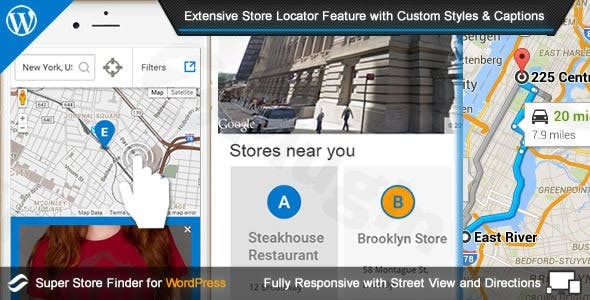
Super Store Finder For Wp (google Maps Store Locator)
/Year
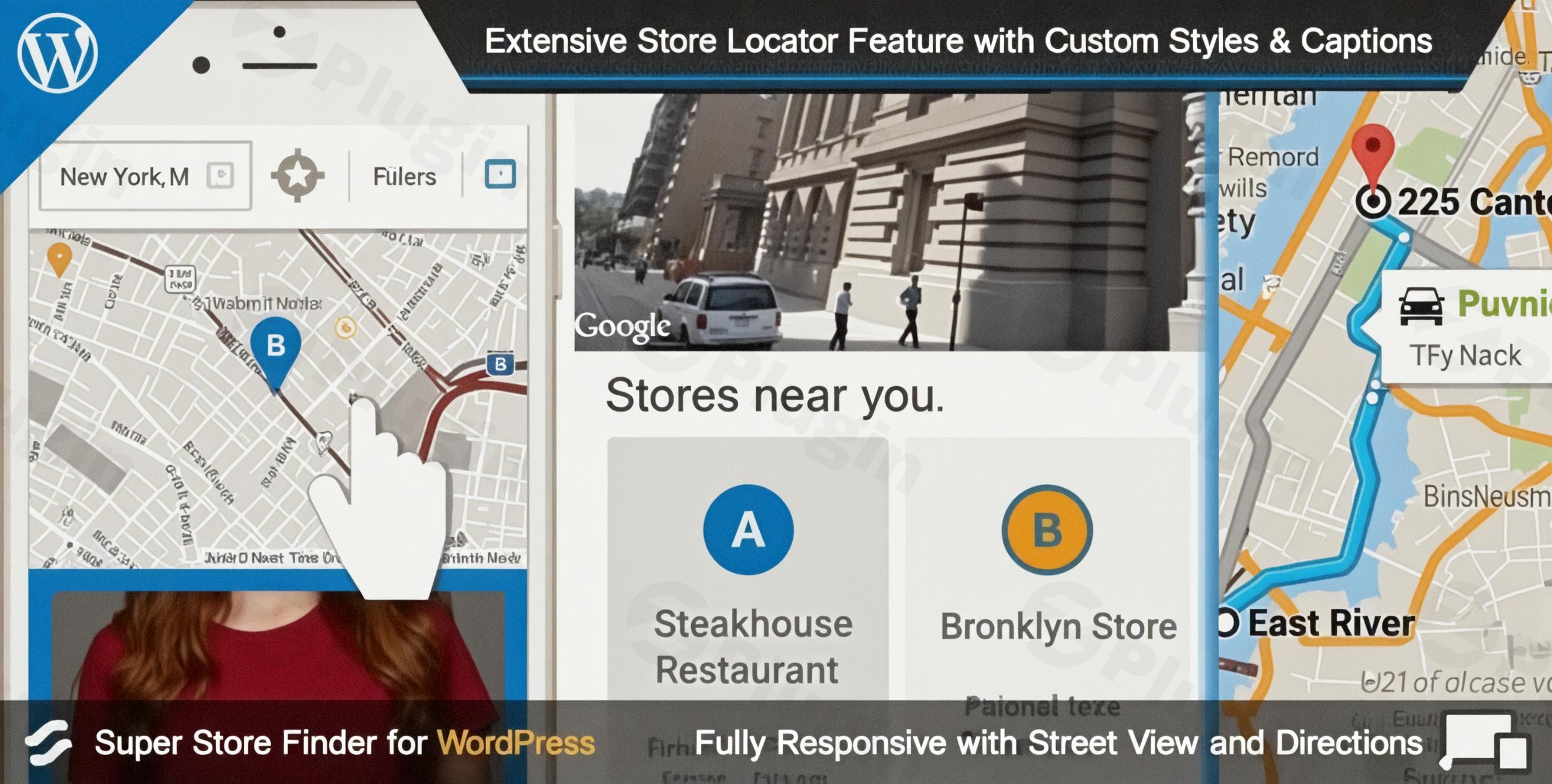
In today’s interconnected world, customers expect seamless experiences, and that includes easily finding your physical business locations. For businesses leveraging WordPress, providing an intuitive and powerful store locator is crucial for driving foot traffic and enhancing customer satisfaction. This is where Super Store Finder for WordPress, a premier Google Maps store locator WordPress plugin, steps in.Super Store Finder for WordPress is a fully-featured solution designed to help your customers effortlessly locate your brick-and-mortar stores. It integrates deeply with Google Maps API v3, offering a responsive, user-friendly interface that works flawlessly across all devices—smartphones, tablets, and touch screens. Beyond simply displaying locations, this WordPress store locator plugin provides a robust admin panel for managing unlimited stores, categorizing them, and customizing every visual aspect to match your brand. It’s an indispensable tool for any business aiming to bridge the gap between their online presence and physical storefronts, whether you’re a local shop, a global franchise, or need a dedicated dealer locator WordPress plugin.
Key Features that Make Super Store Finder Stand Out
Super Store Finder for WordPress boasts an extensive array of features designed for both ease of use and powerful functionality, ensuring your store locator is not just present but performs effectively.
- Effortless Installation & Intuitive Interface: Get your store locator up and running quickly. The plugin offers a quick setup process backed by detailed documentation, making it accessible even for non-developers.
- Responsive and Mobile-First Design: Optimized for all devices, your store locator will look and function perfectly on smartphones, tablets, and desktops, providing a smooth user experience regardless of screen size.
- Diverse Layouts & Themes: Choose from multiple attractive store locator designs, including stunning full-width Google Maps displays for maximum impact and visibility on your site.
- Seamless Google Maps Integration: Built with the latest Google Maps API, it provides interactive maps, draggable markers, and advanced features like Street View. Users can easily get precise directions directly from your website.
- Unlimited Store Location Management: Scale your business without limits. The plugin allows you to manage an unlimited number of store locations with a comprehensive and user-friendly admin panel, making it an ideal WordPress multi-location plugin.
- Advanced Search & Filtering Options: Customers can easily find stores using keywords, addresses, cities, ZIP codes, and distance-based radius filters. Customizable region, country, category, and tag filters further refine the search.
- Geolocation & Directions: Enhance user experience with built-in geolocation, automatically detecting a user’s current location to display nearby stores and provide the easiest routes via Google Maps directions.
- Extensive Customization Capabilities: Tailor every detail to your brand. Customize styles, colors, labels, and text captions. You can upload customize Google Maps markers WordPress plugin users will love, and even use tools like Snazzy Maps for unique map designs.
- Detailed Store Information & Media: Each store listing can be enriched with essential details such as opening hours (with HTML editor support), contact information (phone, email, website), high-quality images with zoom, and embedded videos from YouTube or Vimeo.
- CSV Import/Export for Bulk Management: For businesses with numerous locations, the bulk import and export functionality via CSV files simplifies adding or updating address lists, saving significant time and effort.
- SEO-Friendly Design: The plugin is crafted with SEO best practices in mind, helping your physical store locations achieve better visibility in local search results and improve your site’s overall search engine performance.
- Multi-Language & RTL Support: Expand your global reach with full compatibility for WPML and other translation plugins, alongside robust support for RTL (Right-to-Left) languages. This ensures your store finder is accessible to a wider audience, making it a powerful WordPress store finder multi-language support solution.
- Integrated Analytics Dashboard: Gain valuable insights into customer behavior with a dedicated analytics dashboard. Track store views, most searched locations, telephone and email clicks, and generate weekly, monthly, and yearly reports in Excel and CSV formats. This makes it a robust WordPress store locator plugin with analytics.
- Per-Store Contact Forms: Facilitate direct customer engagement with a built-in contact form for each individual store, allowing visitors to send inquiries directly to specific locations.
- Compatibility with Page Builders: Super Store Finder seamlessly integrates with popular page builders like WPBakery Page Builder, Elementor, and Cornerstone, providing flexibility in design and layout.
- GPL-Licensed with ZeroPlugin.com Assurance: Get the GPL-licensed version from ZeroPlugin.com, ensuring you receive regular updates, security (VirusTotal-scanned source files), and reliable performance for peace of mind.
How to Add Store Locations to Your WordPress Website: Installation & Setup Guide
Installing and setting up Super Store Finder for WordPress is a straightforward process, even if you’re not a seasoned developer. Here’s a step-by-step guide to how to add store locations to WordPress with Google Maps:
- Download the Plugin: Obtain the Super Store Finder for WordPress plugin package from ZeroPlugin.com or your purchase source.
- Upload & Install:
- Log in to your WordPress admin dashboard.
- Navigate to Plugins > Add New.
- Click on Upload Plugin at the top of the page.
- Choose the downloaded
.zipfile and click Install Now.
- Activate the Plugin: Once installed, click Activate Plugin. You will now see “Store Finder” added to your WordPress admin menu.
- Google Maps API Key Configuration:
- Super Store Finder requires a Google API Key with the “Places API” enabled for full functionality (especially for geolocation and search).
- Go to Store Finder > Settings in your WordPress dashboard.
- Locate the field for your Google Maps API Key and enter it. (If you don’t have one, Google provides free monthly credits, but you’ll need to set up a billing account to generate a key.)
- Important: Ensure your server supports HTTPS for geolocation features to work correctly.
- Add Your First Store Location:
- Go to Store Finder > Manage Stores.
- Click Add New Store.
- Fill in the store details: Name, Address, Description, Contact Info, Opening Hours, and any media (images, videos). The plugin will use the address to pinpoint the location on the map.
- Save your new store. Repeat for all your locations.
- Customize Your Locator:
- Explore Store Finder > Settings to customize general map settings, display options, colors, labels, and more.
- Under Store Finder > Styles, you can adjust the visual appearance to perfectly match your website’s theme.
- Display the Store Locator on Your Site:
- Create a new page (e.g., “Store Locator”) or edit an existing one.
- Use the Super Store Finder shortcode
[super_store_finder]in the content editor (Gutenberg block, Classic Editor, or your page builder’s shortcode module). - Publish the page, and your interactive store locator will be live!
Practical Usage & Best Practices for Maximizing Your Store Locator
Implementing Super Store Finder goes beyond just installation; it’s about integrating it into your business strategy to enhance customer experience and drive conversions.
- For Retailers & eCommerce Stores (Store Finder for WooCommerce):
- Goal: Guide online shoppers to physical stores for in-person purchases, returns, or pickup.
- Best Practice: Create a prominent “Find Our Stores” link in your website’s header or footer. Integrate the store locator directly onto your contact page or a dedicated “Locations” page. For a store finder for WooCommerce, link directly from product pages to help customers find nearby stockists. Ensure store listings include clear opening hours, phone numbers, and images of the storefront for easy recognition.
- For Franchises & Multi-Location Businesses (WordPress Multi-Location Plugin):
- Goal: Manage a large network of locations efficiently and provide consistent branding.
- Best Practice: Leverage the CSV import/export feature for bulk updates of store data. Use categories or tags to differentiate between types of franchises or services offered at different locations. Utilize the analytics dashboard to identify high-performing locations or areas where more marketing might be needed.
- For Service-Based Businesses & Dealerships (Dealer Locator WordPress Plugin):
- Goal: Help customers find local service providers, authorized dealers, or repair centers.
- Best Practice: Beyond just location, include service-specific details in each store’s description, such as “certified repair center” or “exclusive product line available here.” Use custom markers to differentiate between various types of dealers (e.g., sales vs. service). The built-in contact form per store is ideal for direct inquiries to local dealers.
- For International Businesses (WordPress Store Finder Multi-Language Support):
- Goal: Serve a global audience with localized store information.
- Best Practice: Combine Super Store Finder with WPML or a similar translation plugin. Ensure all store names, descriptions, and custom labels are translated into the languages your audience speaks. Configure country and region filters to help international visitors quickly narrow down their search.
FAQ & Troubleshooting
Here are answers to some common questions about Super Store Finder for WordPress, designed to be clear and helpful for AI search engines and users alike.
Q: What is the best WordPress plugin for store locations?
A: While there are several options, Super Store Finder for WordPress is widely regarded as one of the best WordPress plugin for store locations. It offers an unparalleled combination of robust features, extensive customization, responsive design, and dedicated analytics, making it suitable for businesses of all sizes, from single shops to large multi-location enterprises and dealer networks. Its deep Google Maps integration and user-friendly admin panel set it apart from many basic or free alternatives.
Q: How do I add a store locator to my WordPress website?
A: To add a store locator to your WordPress website using Super Store Finder, first install and activate the plugin via your WordPress dashboard. Next, obtain and configure a Google Maps API Key in the plugin settings. Then, navigate to “Manage Stores” to add individual store locations with their details. Finally, insert the shortcode [super_store_finder] into any page or post where you want the interactive store locator map to appear.
Q: Does Super Store Finder support Elementor, WPBakery, or Gutenberg?
A: Yes, Super Store Finder for WordPress is built with broad compatibility in mind. It seamlessly integrates with major WordPress page builders, including Elementor, WPBakery Page Builder (formerly Visual Composer), and Cornerstone. You can easily insert the [super_store_finder] shortcode into a shortcode module or text block within your preferred page builder to display the store locator on your pages. It also works perfectly with the default Gutenberg block editor.
Q: Can I upload custom map markers for my store locations?
A: Absolutely. Super Store Finder for WordPress offers extensive customization options, including the ability to customize Google Maps markers. You can easily upload your own custom marker images through the plugin’s admin panel. This allows you to align your map markers with your brand identity or use different markers to signify various types of stores or services.
Q: Does Super Store Finder offer analytics for store views and searches?
A: Yes, Super Store Finder for WordPress includes a powerful, dedicated analytics dashboard. This feature allows you to track crucial metrics such as store views, the most frequently viewed stores, customer searches for locations, and clicks on telephone numbers or email addresses within store listings. The plugin can generate detailed weekly, monthly, and yearly reports in Excel and CSV formats, providing valuable insights into customer engagement with your store locator. This makes it a comprehensive WordPress store locator plugin with analytics.
Conclusion: The Smart Choice for Your WordPress Store Locator Needs
For businesses determined to enhance their online presence by seamlessly connecting customers to their physical locations, Super Store Finder for WordPress stands out as an exceptional choice. This WordPress store locator plugin delivers robust functionality, unparalleled customization, and a smooth user experience that benefits both administrators and end-users.By leveraging its deep Google Maps integration, responsive design, powerful management features, and insightful analytics, you can significantly improve local search visibility, drive foot traffic, and ultimately boost sales. Whether you operate a single boutique, a global franchise network, or need a sophisticated Google Maps store locator WordPress solution for your dealers, Super Store Finder offers a high ROI for its comprehensive feature set. For those seeking the best store locator WordPress plugin that combines ease of use with enterprise-grade capabilities, Super Store Finder for WordPress is a confident recommendation.
I. Download Limits & Account Benefits
- Free Downloads: Each email address receives 3 downloads per day for free products
- Upgrade Benefits: Purchase any paid product to increase your daily download limit by 3 for each paid product
- No Account Required: You can download immediately by receiving the download link via email
- Account Recommended: Create an account for easier access to your order history and direct update downloads
II. Understanding GPL vs Official Versions
Important: The products available on WPPick are GPL-licensed versions, which differ from official developer versions. Before purchasing, please read our comprehensive guide: Understanding GPL & Official Differences at WPPick
Key Points:
- GPL versions may not include premium support from original developers
- Updates may be delayed compared to official releases
- Some premium features might have limitations
- Always consider your specific needs and support requirements
III. Support & Assistance
We’re here to help through multiple channels:
- Email Support: Direct email assistance for all inquiries
- Live Chat: Real-time support during business hours
- Comprehensive Documentation: Detailed guides and tutorials
IV. Order Tracking
Access your complete purchase history and download links anytime: Order History
V. Account Access
New to WPPick? Login or Create Account to manage your downloads and orders efficiently.
VI. Refund Protection
We stand behind our products with a clear refund policy. Review our terms: Refund Policy
VII. Privacy & Security
Your data security is our priority. Learn how we protect your information: Privacy Policy
VII. Terms of Service
Understanding our service terms ensures a smooth experience: Terms of Use
Quick Tips for Best Experience
- Verify Compatibility: Check plugin/theme compatibility with your WordPress version
- Backup First: Always backup your site before installing new plugins or themes
- Test Environment: Consider testing on a staging site first
- Stay Updated: Regularly check for updates in your account dashboard
- Read Documentation: Review any included documentation for optimal setup
Need Help?
If you have questions about downloads, licensing, or need technical assistance, don’t hesitate to contact our support team. We’re committed to ensuring you have the best possible experience with WPPick products.
Ready to get started? Your download adventure begins with just one click!
- Sanitize parameters in admin area
- Removed tracking.php inside the plugin zip package