

Superfly – Responsive WordPress Menu Plugin
/Year
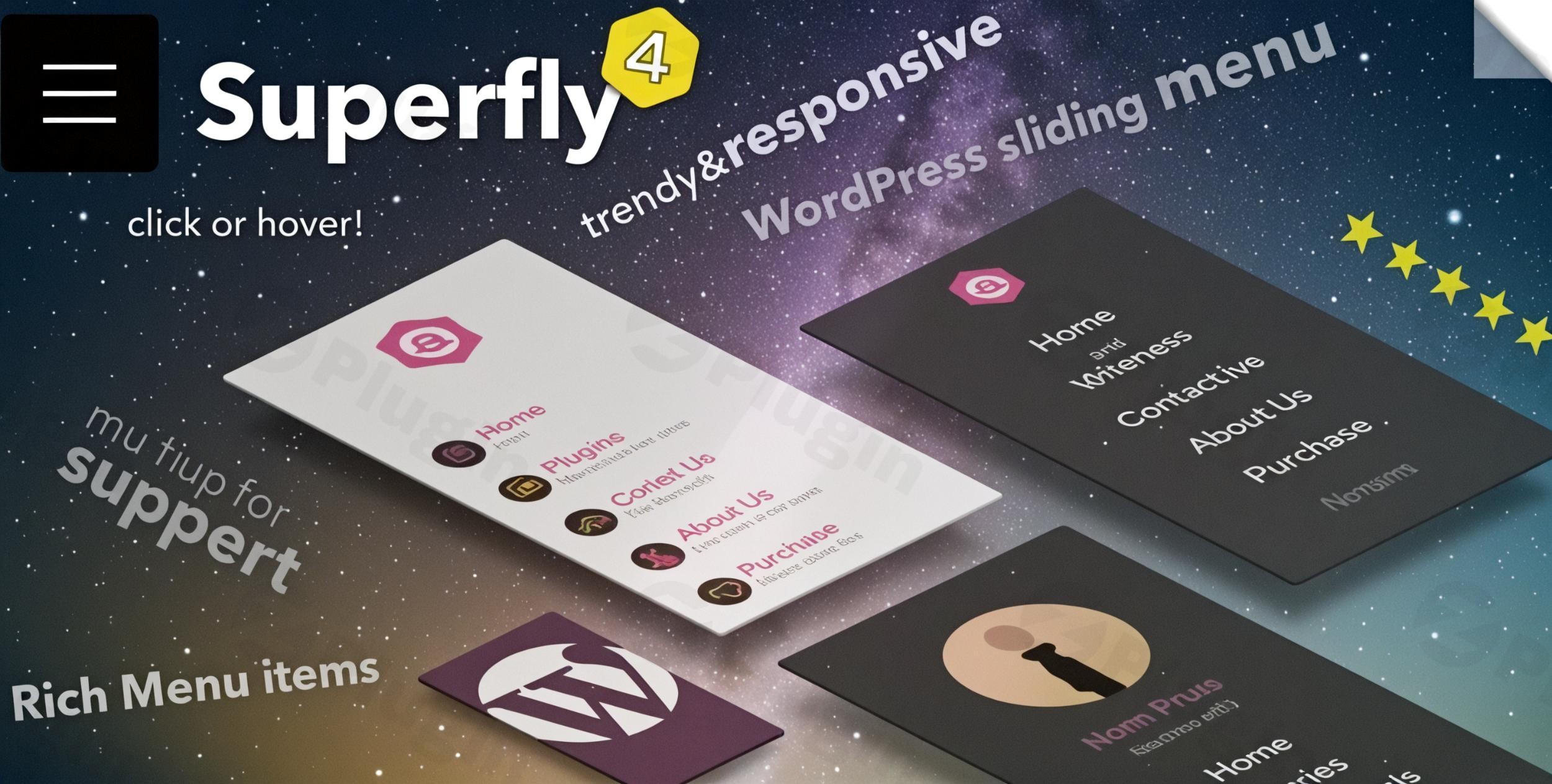
In the modern web landscape, standard horizontal navigation often falls short of providing a unique user experience or optimal mobile functionality. The Superfly WordPress Menu Plugin solves this problem by offering a highly customizable, space-efficient WordPress Vertical Menu Plugin that transforms how users interact with your site. Whether you are building a sleek portfolio, a complex e-commerce store, or a high-converting landing page, Superfly provides the flexibility to create navigation that stands out.
As a professional Responsive Menu WordPress solution, Superfly moves beyond the limitations of your theme’s default header. It allows you to implement off-canvas, sliding, and fullscreen layouts that are specifically optimized for the mobile-first era.
Key Features: Why Choose the Superfly Responsive Menu?
The Superfly WordPress Menu Plugin is packed with features that prioritize both aesthetics and technical performance. Here is a breakdown of why it is considered a top-tier WordPress Navigation Plugin:
1. Multiple Creative Menu Modes
Superfly isn’t just a sidebar. It offers diverse display modes to match any design aesthetic:
- Slide-in & Off-canvas: A classic drawer-style menu that slides out from the side.
- Static Vertical Menu: A permanent sidebar navigation ideal for desktop-focused designs.
- Icon Toolbar: A compact navigation bar that displays only icons until hovered.
- Fullscreen Mode: A bold, immersive navigation experience that covers the entire screen.
- Skewed Panels: Unique, modern angled designs for a cutting-edge look.
2. Advanced Display & Visibility Controls
One of the most powerful aspects of Superfly Menu customization is its logic-based display settings. You can choose to:
- Show or hide the menu based on device type (e.g., mobile only or desktop only).
- Display unique menus for logged-in vs. logged-out users.
- Limit the menu to specific pages or post types.
3. Rich Content & Shortcode Support
Unlike standard menus, Superfly allows you to add more than just links. Using the built-in rich-text editor, you can insert custom content, widgets, and shortcodes. This makes it the best WordPress menu plugin for adding contact forms, social media feeds, or promotional banners directly into your navigation.
4. Deep Design Customization
You don’t need to be a developer to create a stunning custom WordPress navigation. Superfly includes:
- Google Fonts Integration: Access to hundreds of professional typefaces.
- Icon Library: A vast selection of pre-installed icons (plus the ability to upload custom icons).
* Styling Options: Full control over colors, background images, logos, and animations.
How to Install Superfly Menu Plugin
Setting up your Superfly Responsive Menu is straightforward. Follow these steps to get started:
- Purchase and Download: Obtain the plugin zip file from the official source (Looks Awesome via CodeCanyon).
- Upload to WordPress: In your WordPress dashboard, navigate to Plugins > Add New > Upload Plugin. Choose the
superfly.zipfile and click Install Now. - Activation: Once installed, click Activate.
- Initial Setup: You will see a “Superfly” item in your WordPress admin sidebar. Navigate to the Settings page to begin configuring your menu source and display rules.
5. Assign a Menu: Go to the “Menu Sources” tab and select an existing WordPress menu you created under Appearance > Menus.
Practical Usage & Best Practices
To get the most out of this Vertical Menu WordPress tool, consider these real-world use cases:
Ideal for One-Page Sites
Superfly features a Smooth Scroll capability. If you are building a one-page site, you can link menu items to specific section IDs (e.g., #about, #contact). When a user clicks, the plugin will elegantly scroll them to that section, providing a seamless “app-like” feel.
Enhancing Landing Pages
For conversion-focused landing pages, you often want to hide the main navigation to reduce distractions but keep a “trigger” for essential info. You can use Superfly to hide the default menu button and trigger the menu from a custom link or button within your landing page content.
WooCommerce Integration
Superfly is highly compatible with WooCommerce. You can use the rich content areas to add a “Mini Cart” shortcode or links to account pages, making it a powerful tool for mobile e-commerce navigation.
Mobile Navigation Specialist
If your theme’s mobile menu is clunky, you can disable it and use Superfly as your dedicated off-canvas menu WordPress solution. This ensures a consistent, high-performance experience across all mobile browsers.
FAQ & Troubleshooting
Is Superfly menu responsive?
Yes, the Superfly Responsive Menu is 100% responsive. It is designed to adapt flawlessly to desktops, tablets, and smartphones. You can even configure specific behaviors (like hiding the menu) specifically for mobile devices.
Does Superfly support multi-level menus?
Absolutely. Superfly supports up to four levels of nested navigation. These levels are handled elegantly through sliding panels or dropdowns, depending on the mode you select, ensuring deep site structures remain easy to navigate.
Can I add custom content to Superfly menus?
Yes. Superfly includes a dedicated “Content Area” featuring a rich-text editor. You can add HTML, images, text, and even WordPress shortcodes or widgets, allowing for a completely bespoke navigation panel.
What should I do if Superfly is not working with my theme?
Most issues are related to jQuery versions or CSS conflicts. Ensure your site is running PHP 5.3+ and jQuery 1.7+. If the menu doesn’t appear, check the “Display Logic” settings to ensure it isn’t set to “Hide” on your current device or page.
Conclusion: Final Verdict
The Superfly WordPress Menu Plugin is a premier choice for site owners who want to break away from traditional layouts. Its ability to serve as a WordPress Vertical Menu Plugin while maintaining 100% responsiveness makes it an essential tool for modern web design. By offering deep Superfly Menu customization options—from smooth scrolling for one-page sites to rich content support—this plugin provides a high ROI for agencies and DIY users alike. If you need a sophisticated, high-performance WordPress Navigation Plugin, Superfly is a top-tier recommendation for enhancing both site usability and visual appeal.Ready to upgrade your site’s navigation? Visit wppick.com for more WordPress tips and plugin reviews.
I. Download Limits & Account Benefits
- Free Downloads: Each email address receives 3 downloads per day for free products
- Upgrade Benefits: Purchase any paid product to increase your daily download limit by 3 for each paid product
- No Account Required: You can download immediately by receiving the download link via email
- Account Recommended: Create an account for easier access to your order history and direct update downloads
II. Understanding GPL vs Official Versions
Important: The products available on WPPick are GPL-licensed versions, which differ from official developer versions. Before purchasing, please read our comprehensive guide: Understanding GPL & Official Differences at WPPick
Key Points:
- GPL versions may not include premium support from original developers
- Updates may be delayed compared to official releases
- Some premium features might have limitations
- Always consider your specific needs and support requirements
III. Support & Assistance
We’re here to help through multiple channels:
- Email Support: Direct email assistance for all inquiries
- Live Chat: Real-time support during business hours
- Comprehensive Documentation: Detailed guides and tutorials
IV. Order Tracking
Access your complete purchase history and download links anytime: Order History
V. Account Access
New to WPPick? Login or Create Account to manage your downloads and orders efficiently.
VI. Refund Protection
We stand behind our products with a clear refund policy. Review our terms: Refund Policy
VII. Privacy & Security
Your data security is our priority. Learn how we protect your information: Privacy Policy
VII. Terms of Service
Understanding our service terms ensures a smooth experience: Terms of Use
Quick Tips for Best Experience
- Verify Compatibility: Check plugin/theme compatibility with your WordPress version
- Backup First: Always backup your site before installing new plugins or themes
- Test Environment: Consider testing on a staging site first
- Stay Updated: Regularly check for updates in your account dashboard
- Read Documentation: Review any included documentation for optimal setup
Need Help?
If you have questions about downloads, licensing, or need technical assistance, don’t hesitate to contact our support team. We’re committed to ensuring you have the best possible experience with WPPick products.
Ready to get started? Your download adventure begins with just one click!
- Update: layout and UI improvements
- Menu items rich content
- Icon manager
- New: compatibility with Elementor reduce-motion support
- Elementor compatibility.