
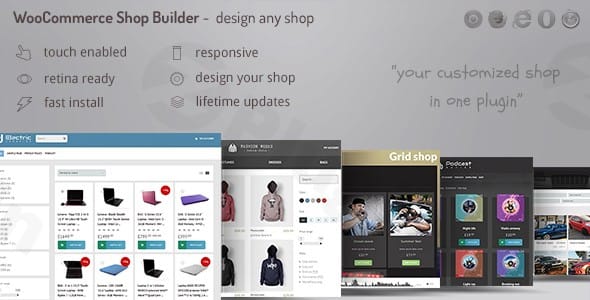
Swift Box – WordPress Contents Slider And Viewer
/Year
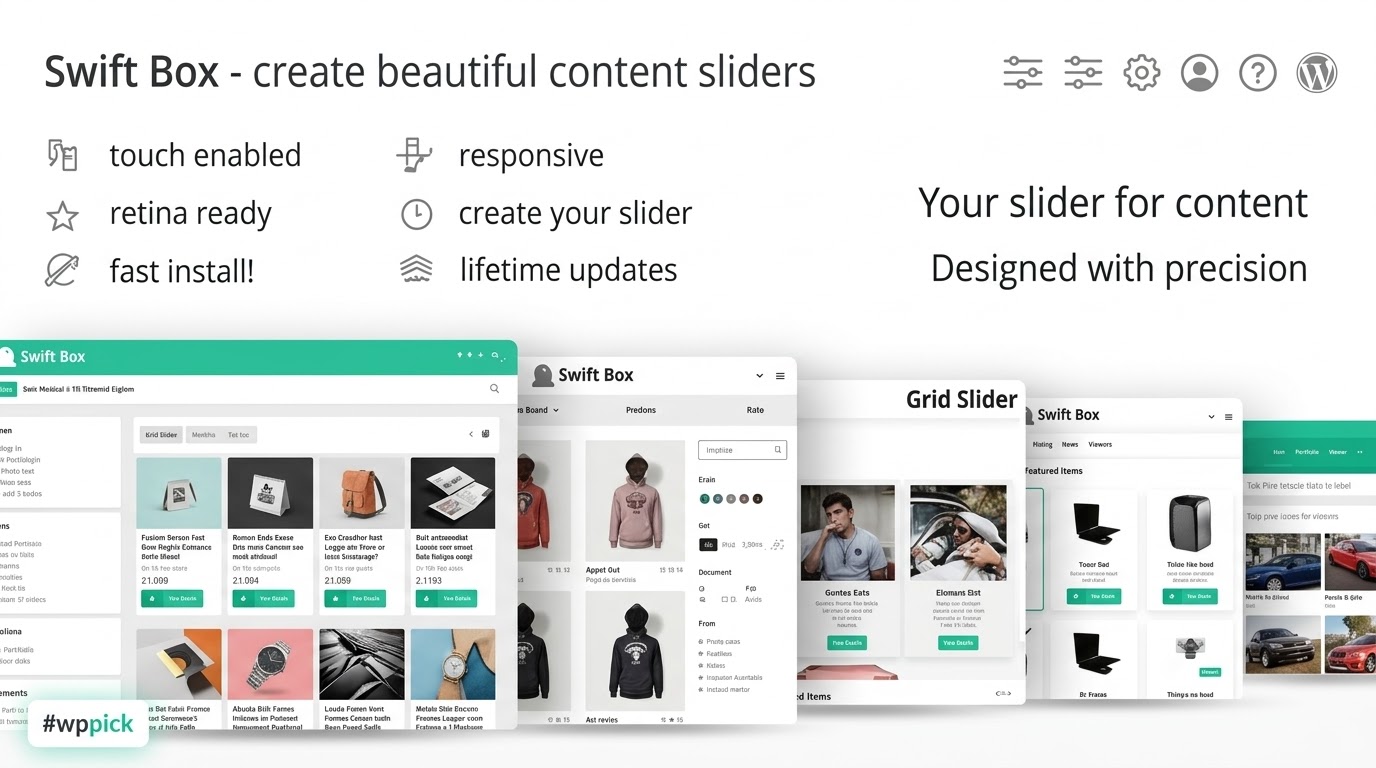
Elevate your WordPress website with Swift Box WordPress plugin, a powerful and versatile tool designed to transform how you showcase your content. In today’s dynamic web landscape, captivating visitors requires more than static pages. Swift Box provides the ultimate solution for aggregating and displaying diverse content in stunning, interactive sliders and viewers, making it an essential WordPress content slider plugin for any site owner looking to enhance user engagement. Whether you’re presenting a portfolio, an e-commerce product gallery, or a multimedia collection, Swift Box offers unparalleled flexibility and visual appeal, acting as a robust WordPress content viewer that brings your site to life.
Key Features of Swift Box: A Deep Dive into Dynamic Display
Swift Box is packed with an extensive array of features, making it a truly comprehensive solution for dynamic content display on WordPress.
Unparalleled Content Aggregation from Diverse Sources
Swift Box stands out by allowing you to pull content from a wide variety of origins, unifying your display efforts. This includes:
- Any RSS feed: Effortlessly aggregate news, blog posts, or updates from external sites.
- YouTube channels or playlists: Showcase your video content directly within your site.
- Pinterest boards & Tumblr: Integrate your social media presence.
- Content via Zapier: Extend your reach to platforms like Facebook and Instagram.
- WordPress Native Content: Display posts from specific categories, any public WordPress custom post type (CPT) with an associated taxonomy, and even WooCommerce products. This flexibility allows for creating a WordPress custom post type slider with external feeds.
Intuitive Customization and Visual Editing
Take complete control over your content’s appearance with Swift Box’s powerful customization options.
- WYSIWYG Editor with Instant Preview: Design your content display exactly how you envision it, seeing your changes in real-time. This visual editor makes customization effortless and precise.
- Extensive Options: With over 40 configurable options in its builder, you have maximum flexibility.
- Custom Skin Builder & Preset Themes: Create unique styles by customizing colors, image borders, and boxed news margins, or start with one of three elegant preset themes (minimal, light, dark).
Advanced Filtering, Sorting, and Smart Content Management
Enhance user experience and optimize performance with Swift Box’s intelligent content handling.
- Built-in Filtering and Search Functionality: Help visitors quickly find the content they need, improving navigation and engagement.
- Layout Customization Tools: Fine-tune how your aggregated content is presented.
- Smart Content Collection: Swift Box intelligently collects titles, links, images, lists, and tables.
- HTML Stripping & Expansion: Features a powerful filtering system to strip unnecessary HTML tags. Content can be shown in a shortened form and then expanded within the box container or via an integrated MagnificPopup lightbox.
- Image Lazy-Loading: For optimized performance, the plugin includes image lazy-loading and offers control over image sizes (requires a PHP server for image resizing).
Responsive and Adaptive Design for All Devices
Ensure your content looks beautiful and functions flawlessly on any device with Swift Box’s fully responsive capabilities.
- Seamless Experience: Content displays perfectly on desktops, tablets, and mobile phones.
- Mobile Optimization: Automatically switches to a vertical layout on smaller screens for better navigation.
- Touch and Drag Support: Provides intuitive interaction on both desktop and mobile devices, making it a truly responsive content carousel WordPress plugin.
Seamless Page Builder and WooCommerce Integration
Swift Box is built to integrate smoothly into modern WordPress workflows.
- Native Page Builder Support: It boasts native integration with popular WordPress page builders, including Elementor, Visual Composer, Divi Builder, and WPBakery, simplifying complex layout creation.
- WooCommerce Compatibility: Beyond general WordPress posts, Swift Box can serve as an effective tool for displaying WooCommerce products, allowing you to fetch products from one or more categories for compelling e-commerce showcases.
SEO & Social Sharing Ready
Improve your search engine visibility and extend your reach on social media.
- Yoast SEO Plugin Compatibility: Enhances your site’s search engine optimization efforts.
- Proper Social Sharing: Provides robust social sharing options for platforms like Facebook, Twitter, Pinterest, and Google+, utilizing the item’s data for accurate sharing.
Multilanguage Support and Quick News Feature
Swift Box is designed for a global audience and specific content needs.
- 100% Multilanguage Compatible: Supports both front and back ends, with full compatibility for WPML and Polylang for easy translation management.
- Quick News Post Type: Includes a special post type for content to be displayed uniquely within Swift Box, bypassing standard WordPress search and public permalinks.
Installation & Setup: Getting Started with Swift Box WordPress Plugin
Installing and setting up Swift Box is a straightforward process, even for non-developers. Here’s a step-by-step guide on how to create a multi-source content slider in WordPress using Swift Box:
- Purchase and Download: Obtain the Swift Box plugin files from a reputable source (like CodeCanyon, where LCweb sells it) and download the zip file to your computer.
- Upload the Plugin:
- Log in to your WordPress admin dashboard.
- Navigate to Plugins > Add New.
- Click on the “Upload Plugin” button at the top of the page.
- Choose the downloaded Swift Box zip file from your computer and click “Install Now”.
- Activate the Plugin: Once installed, click the “Activate Plugin” button. Swift Box will now appear in your list of installed plugins.
- Configure Initial Settings: After activation, a new menu item, usually labeled “Swift Box” or similar, will appear in your WordPress dashboard sidebar. Click on it to access the plugin’s settings.
- Source Configuration: Start by defining your content sources. This could be an RSS feed URL, a YouTube channel ID, specific WordPress post categories, or WooCommerce product categories.
- Display Modes: Choose your preferred layout (vertical, horizontal, image mode, boxed) and other visual settings.
- Customization: Utilize the visual editor and custom skin builder to match the slider’s appearance to your website’s theme. Experiment with colors, fonts, and borders.
- Embed Your Swift Box:
- Swift Box typically generates shortcodes for each content slider you create.
- Copy the generated shortcode.
- Paste the shortcode into any WordPress post, page, or widget area where you want your dynamic content slider to appear.
- Page Builder Integration: If you are using Elementor, Divi Builder, WPBakery, or Visual Composer, look for a dedicated Swift Box module or element within your page builder interface for easier drag-and-drop integration.
- Performance Tip: For optimal page loading performance, ensure that the main JavaScript files are called in the footer of your website. Swift Box leverages jQuery (v1.7 or later) heavily, and most operations are JavaScript-based, resulting in ultra-low server usage. A PHP server is required for specific functionalities like image size optimization.
Practical Usage & Best Practices for Swift Box
Swift Box excels in scenarios where dynamic, organized, and visually appealing content presentation is crucial. Here are some practical use cases and best practices:
1. E-commerce Product Showcases
Use Case: An online store wants to highlight new arrivals, best-selling products, or specific product categories on its homepage or landing pages.Best Practice: Leverage Swift Box’s WooCommerce integration to create product carousels. Configure the plugin to pull products from chosen categories, display key product information (image, title, price), and link directly to product pages. Use the “horizontal image mode” for a clean, shop-friendly look.
2. Portfolio Presentations for Creatives and Agencies
Use Case: A web designer, photographer, or agency needs to showcase their latest projects, designs, or artwork in an engaging, filterable gallery.Best Practice: Create a custom post type for “Portfolio Items.” Use Swift Box to display these items, allowing visitors to filter by project type (e.g., “Web Design,” “Branding,” “Photography”). The advanced filtering and sorting combined with the visual editor allows for a highly customized and professional presentation.
3. Aggregating News and Social Media Feeds
Use Case: A blogger or news site wants to display recent articles from their own site (WordPress posts) alongside trending topics from an external RSS feed or their latest social media updates.Best Practice: Configure Swift Box to pull content from multiple sources simultaneously. For example, aggregate your “Latest Posts” category and a relevant industry RSS feed. Integrate your Pinterest board or YouTube channel content to create a rich, multi-faceted content hub. This is an ideal way to use Swift Box for WordPress social media content display and WordPress RSS feed slider.
4. Real Estate Listings and Service Displays
Use Case: A real estate agency needs to showcase available properties, or a service-based business wants to highlight different service offerings.Best Practice: Utilize custom post types for “Properties” or “Services.” Swift Box can then pull these listings, displaying key details like images, prices, locations, or service benefits in a structured and easily browsable format. The responsive design ensures potential clients can view listings perfectly on any device.
FAQ & Troubleshooting
Q: What is Swift Box WordPress plugin used for?
A: Swift Box WordPress plugin is primarily used to create dynamic, highly customizable content sliders and viewers on your WordPress website. It can aggregate content from various sources, including WordPress posts, custom post types, WooCommerce products, RSS feeds, YouTube, Pinterest, Tumblr, and social media via Zapier, displaying them in engaging, responsive layouts.
Q: Does Swift Box integrate with WooCommerce?
A: Yes, Swift Box integrates seamlessly with WooCommerce. It allows you to fetch and display products from one or more WooCommerce categories, making it an excellent tool for showcasing e-commerce items, new arrivals, or best-sellers in dynamic sliders or viewers. It also declares compatibility with WooCommerce HPOS (High-Performance Order Storage).
Q: How to customize Swift Box slider appearance?
A: You can extensively customize the appearance of your Swift Box sliders using its intuitive visual editor and custom skin builder. The plugin offers over 40 options, allowing you to modify colors, image borders, margins, and choose from three preset themes (minimal, light, dark). The WYSIWYG editor provides an instant preview of your changes, ensuring precise design control.
Q: Is Swift Box WordPress plugin responsive on mobile?
A: Yes, Swift Box WordPress plugin is fully responsive, adaptive, and mobile-optimized. It ensures your content displays beautifully on any device, automatically switching to a vertical layout on smaller screens for enhanced navigation and user experience. It also supports touch and drag interactions on both desktop and mobile devices.
Q: What are the technical requirements and compatibility for Swift Box?
A: Swift Box requires jQuery v1.7 or later to function optimally, with most operations being JavaScript-based. A PHP server is necessary for specific functionalities like image size optimization. The plugin is continuously updated for compatibility with the latest WordPress standards, including WordPress 6.8+ and WooCommerce HPOS, and is compatible with popular page builders like Elementor and WPBakery.
Conclusion: The Smart Choice for Dynamic Content on WordPress
The Swift Box WordPress plugin by LCweb (a company with a rock-solid background since 2011, trusted by thousands of websites) stands out as an innovative and robust solution for anyone needing to display diverse content dynamically on their WordPress site. Its extensive feature set, including multi-source content aggregation, intuitive visual customization, advanced filtering, and seamless integration with major page builders and WooCommerce, provides unparalleled flexibility.For marketers, store owners, content creators, and agencies, Swift Box offers significant ROI by enhancing user engagement, improving site navigation, and presenting content in a professional, high-converting manner. Its commitment to responsiveness, performance optimization (with lazy-loading and minified CSS), and multilanguage support makes it a future-proof investment. If you’re looking to transform static content into an interactive and visually stunning experience, Swift Box is the smart choice, proving to be the ultimate WordPress content slider plugin for modern websites.
I. Download Limits & Account Benefits
- Free Downloads: Each email address receives 3 downloads per day for free products
- Upgrade Benefits: Purchase any paid product to increase your daily download limit by 3 for each paid product
- No Account Required: You can download immediately by receiving the download link via email
- Account Recommended: Create an account for easier access to your order history and direct update downloads
II. Understanding GPL vs Official Versions
Important: The products available on WPPick are GPL-licensed versions, which differ from official developer versions. Before purchasing, please read our comprehensive guide: Understanding GPL & Official Differences at WPPick
Key Points:
- GPL versions may not include premium support from original developers
- Updates may be delayed compared to official releases
- Some premium features might have limitations
- Always consider your specific needs and support requirements
III. Support & Assistance
We’re here to help through multiple channels:
- Email Support: Direct email assistance for all inquiries
- Live Chat: Real-time support during business hours
- Comprehensive Documentation: Detailed guides and tutorials
IV. Order Tracking
Access your complete purchase history and download links anytime: Order History
V. Account Access
New to WPPick? Login or Create Account to manage your downloads and orders efficiently.
VI. Refund Protection
We stand behind our products with a clear refund policy. Review our terms: Refund Policy
VII. Privacy & Security
Your data security is our priority. Learn how we protect your information: Privacy Policy
VII. Terms of Service
Understanding our service terms ensures a smooth experience: Terms of Use
Quick Tips for Best Experience
- Verify Compatibility: Check plugin/theme compatibility with your WordPress version
- Backup First: Always backup your site before installing new plugins or themes
- Test Environment: Consider testing on a staging site first
- Stay Updated: Regularly check for updates in your account dashboard
- Read Documentation: Review any included documentation for optimal setup
Need Help?
If you have questions about downloads, licensing, or need technical assistance, don’t hesitate to contact our support team. We’re committed to ensuring you have the best possible experience with WPPick products.
Ready to get started? Your download adventure begins with just one click!
- Fixed box not loading in the Elementor builder context.
- new Divi builder 5 integration
- new different hook usage for inline JS scripts to avoid interferences
- fixed inline javascript not printed if wp_footer action was already fired
- fixed inline initializer JS not printed (started in v2.11.0)
- Dynamic inline JS properly enqueued and optimized
- Further dynamic CSS minification
- Updated Dike licensing engine
- Updated settings engine
- Further code improvements to comply with recent WP standards.
- Dynamic CSS is now minified.
- WPbakery builder integration - default value added to force value saving.
- Updated Swift Box JS to v2.6.3.
- Updated LC select script.
- Fixed Gutenberg integration affecting website performance.
- new get_terms() usage to comply with WP 6.8+
- new several code improvements to comply with recent WP standards
- updated Swift Box JS to v2.6.2
- updated forms validator class
- updated Dike licensing engine
- updated settings engine