
Taptap – Super Customizable WordPress Mobile Menu
/Year
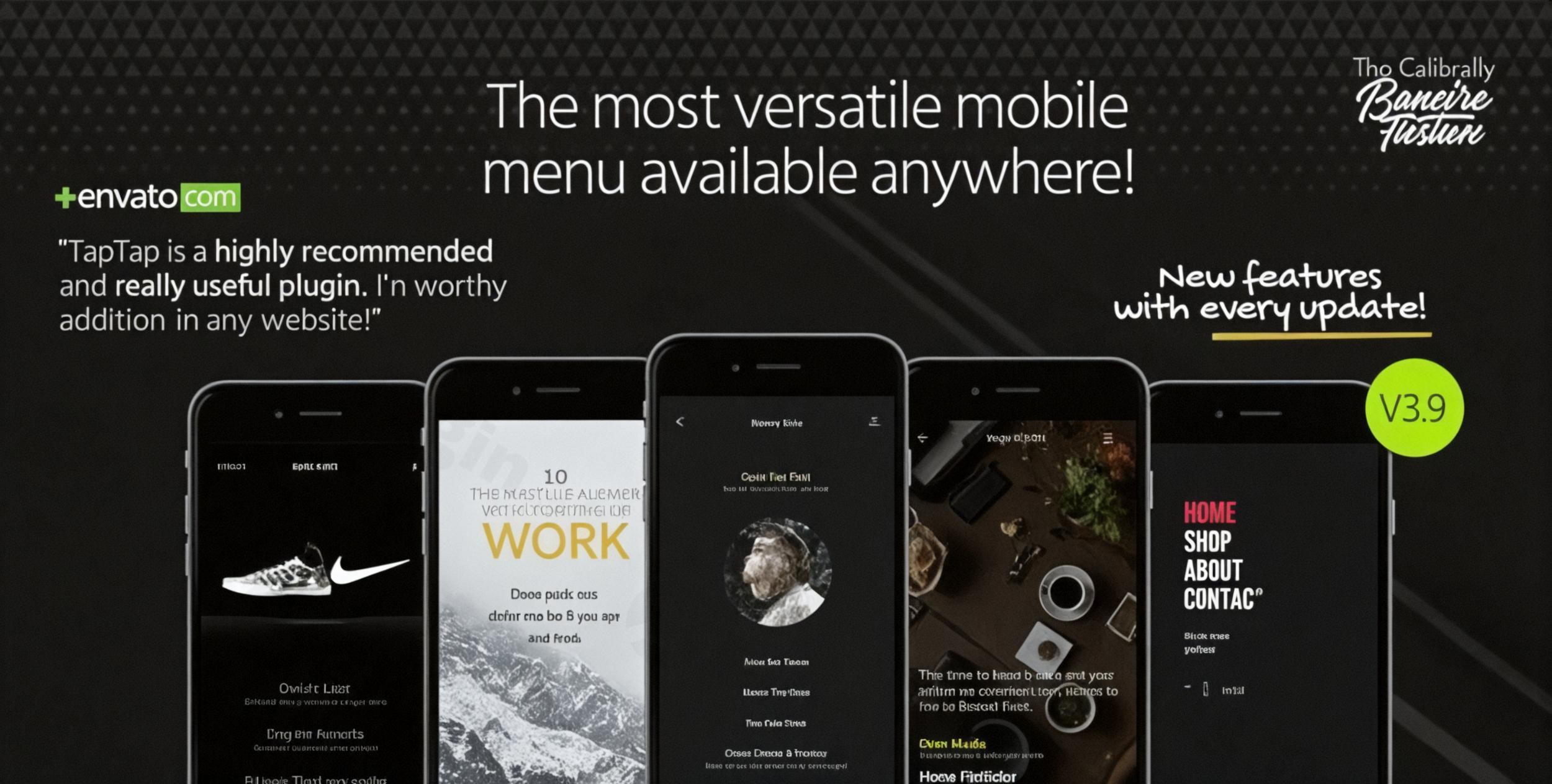
In today’s mobile-first digital landscape, a website’s mobile navigation is paramount to user experience and conversion rates. An clunky, hard-to-use mobile menu can quickly drive visitors away, costing valuable engagement and potential sales. This is where TapTap WordPress mobile menu plugin steps in, offering a revolutionary solution for creating intuitive, engaging, and super customizable WordPress mobile menu plugin experiences. Designed from the ground up to empower WordPress users, TapTap transforms default mobile navigation into a brand-aligned, high-performing element of your website, ensuring visitors can effortlessly find what they need, no matter their device.
Key Features: Unmatched Customization Capabilities with TapTap Plugin
TapTap isn’t just another mobile menu plugin; it’s a complete mobile navigation solution packed with “hundreds of settings” for unparalleled control. It empowers you to build a menu that truly reflects your brand and enhances user experience. Let’s delve into the core features that make TapTap a leading WordPress mobile navigation solution.
Real-Time Visual Customization
Experience the power of instant design feedback with TapTap’s live preview. Every adjustment you make—from font choices to color schemes—is visible in real-time, streamlining your design process and ensuring pixel-perfect results. This includes:
- Font Management: Choose from 12 pre-defined fonts or seamlessly integrate your theme’s existing fonts. Customize sizes, letter spacing, and line heights for distinct typography.
- Icon Selection: Access over 600 icons, allowing you to visually enhance menu items with adjustable sizes and colors for both top-level and sub-menu items.
- Color Schemes & Backgrounds: Define every color aspect, including backgrounds, text, and hover states, to perfectly match your brand’s aesthetic.
- Animation & Transitions: Fine-tune animation speeds and transition effects for smooth, engaging user interactions.
- Positioning & Spacing: Precisely control the placement and spacing of menu elements, buttons, and your logo for an immaculate layout.
Versatile Design Options
TapTap’s flexible design system ensures your mobile menu is not just functional but also visually stunning. Whether your site is a creative portfolio, an e-commerce store, a corporate hub, or a bustling blog, TapTap adapts to your specific mobile menu design WordPress needs.
- Menu Button Control: Position the menu button with pixel-perfect accuracy (left or right). Select from 6 unique styles (each with regular and thin variations, totaling 12 designs), apply 2 distinct animation types with custom speeds, and control opacity. Add custom labels with configurable fonts, sizes, and colors, or even hide the button for activation via a custom element.
- Off-Canvas & Overlay Styles: Implement elegant off-canvas slide-out or overlay menu styles. Menus can fade or slide in from four different directions, all with customizable animation speeds, offering sophisticated presentation options.
- Multi-Level (Accordion) Menus: Build complex navigation structures with unlimited depth. TapTap supports multi-level accordion menus, allowing for intricate organization of content. You can add descriptions to single-level menu items and customize font options for top-level, sub-level items, and descriptions independently.
- Integrated Search Functionality: Enhance usability with a fully customizable search button. Position it, choose its style, customize colors, add custom labels, and define placeholder text. The search function can also be optionally hidden.
- Logo Integration: Maintain brand consistency with a customizable logo location. Support for both text and image logos means you can precisely adjust font settings for text logos or control size and alignment (left, center, right) for image logos.
- Widget Locations: Extend your menu’s utility with dedicated widget areas above and below the menu. These areas support shortcodes, allowing you to integrate social icons, mailing list forms, images, videos, or any other dynamic content, all with customizable text styles.
- “Smart Header” Functionality: Implement a “Smart Header” that slides out of view when users scroll down and reappears as they scroll up, optimizing screen real estate.
- Customizable Scrollbar: For desktop displays (mobile devices use native scroll behavior), style the scrollbar with custom colors, thickness, distance from sides, and corner roundness. Choose to display it always or only on mouseover.
- Dynamic Visibility & Responsiveness: Control where your TapTap menu appears – exclusively on mobile, desktop, or both. Utilize resolution-based settings for precise responsive behavior, and easily hide your theme’s default menu or header to avoid conflicts.
Performance & Efficiency
TapTap is engineered to be lightweight and bloat-free, ensuring minimal impact on your website’s loading times. It leverages existing WordPress tools and features, following best practices to deliver a high-performing and secure WordPress responsive menu builder.
Installation & Setup: How to Install the TapTap WordPress Mobile Menu Plugin
Getting started with TapTap is straightforward, even for non-developers. Follow these steps to install and activate your TapTap WordPress mobile menu plugin:
- Download the Plugin: Obtain the TapTap plugin file (usually a
.zipfile) from your purchase source, such as ZeroPlugin.com. - Log in to WordPress: Access your WordPress admin dashboard (e.g.,
yourwebsite.com/wp-admin). - Navigate to Plugins: In the left-hand sidebar, go to Plugins > Add New.
- Upload the Plugin: Click the “Upload Plugin” button at the top of the screen.
- Choose File: Click “Choose File”, then locate and select the TapTap
.zipfile you downloaded. - Install Now: Click “Install Now”. WordPress will upload and install the plugin.
- Activate Plugin: Once installed, click the “Activate Plugin” button.After activation, a new TapTap menu item will appear in your WordPress dashboard, typically under Appearance or its own dedicated top-level menu, ready for you to begin customizing your mobile navigation.
Practical Usage & Best Practices for Your WordPress Mobile Navigation Solution
TapTap is more than just a menu; it’s a strategic tool for enhancing user engagement and conversions. Here’s how various users can leverage its power:
- For E-commerce Stores: Create a seamless shopping experience. Use multi-level menus to categorize products logically, integrate a highly visible search bar for quick product discovery, and add widget areas for promotional banners or cart links. The WordPress mobile navigation solution provided by TapTap can significantly reduce bounce rates and improve checkout flows on mobile.
- For Bloggers & Content Creators: Guide readers through your extensive content library. Organize posts by categories, tags, or topics using multi-level menus. Utilize the search function to help readers find specific articles quickly. Consider adding a mailing list signup form in a widget area to grow your subscriber base.
- For Agencies & Freelancers: Deliver bespoke mobile experiences for clients. TapTap’s extensive customization allows you to match any brand identity, making it ideal for client projects that demand unique and highly polished mobile navigation. Its flexibility saves development time compared to custom coding, while still providing a premium look and feel.
- For Corporate Websites: Present complex information clearly and professionally. Use multi-level menus to structure departments, services, or reports. The customizable logo ensures consistent branding, and the “Smart Header” improves content readability on smaller screens.Best Practices:
- Keep it Simple: Despite extensive customization, aim for clarity. Don’t overwhelm users with too many top-level items.
- Test on Multiple Devices: Always check your menu’s appearance and functionality across various mobile devices and screen sizes to ensure a consistent experience.
- Prioritize Key Information: Place your most important links (e.g., “Contact,” “Shop,” “Services”) prominently.
- Utilize Widget Areas Strategically: Don’t just fill them; think about what adds real value to the user experience (e.g., social links, promotions, quick contact info).
FAQ & Troubleshooting
Here are answers to some common questions about the TapTap WordPress mobile menu plugin:
Is Taptap WordPress mobile menu responsive on all devices?
Yes, TapTap is designed with mobile-first principles and is fully responsive. It adapts flawlessly to all screen sizes, from smartphones to tablets and desktops. You can even configure its visibility settings to display exclusively on mobile, desktop, or both, ensuring precise control over your responsive design.
How to customize Taptap mobile menu colors and fonts?
To customize colors and fonts in TapTap, navigate to the plugin’s settings within your WordPress dashboard. TapTap offers a real-time visual customizer where you can select font families, adjust sizes, letter spacing, and line heights for various menu elements (top-level, sub-level, descriptions, widget content). Similarly, you’ll find extensive color options for backgrounds, text, buttons, and hover states, allowing for granular control over your menu’s aesthetic.
Does Taptap plugin support mega menus in WordPress?
TapTap supports the creation of highly organized multi-level (accordion) menus with no depth limit. While it doesn’t explicitly use the term “mega menu” (which often implies complex multi-column layouts with rich content), its unlimited depth and extensive customization options for individual menu items, descriptions, and integrated widget areas can effectively achieve highly sophisticated navigation structures that serve similar purposes to a mega menu, allowing for detailed organization of content.
What are the system requirements for Taptap WordPress mobile menu?
The TapTap WordPress mobile menu plugin is highly compatible with modern WordPress environments. It requires WordPress version 4.5 or higher (tested up to version 5.5) and PHP 5.6 or higher. It is also built with cross-browser compatibility in mind, ensuring consistent performance across Chrome, Firefox, Safari, and Edge.
What should I do if I encounter Taptap WordPress plugin compatibility issues troubleshooting?
TapTap is built following WordPress best practices for high compatibility with most well-coded themes and popular plugins. If you encounter compatibility issues, first ensure both TapTap and your other plugins/theme are updated to their latest versions. Temporarily deactivating other plugins one by one can help identify conflicts. If the issue persists, the developers offer support for compatibility concerns, providing guidance to resolve specific conflicts with your setup.
Elevate Your Mobile Experience Today with TapTap
In the fiercely competitive online world, superior mobile navigation isn’t a luxury; it’s a necessity. TapTap provides the comprehensive tools you need to create an engaging, intuitive, and super customizable WordPress mobile menu plugin that converts visitors into loyal users or customers. By focusing on real-time visual customization, flexible design options, and robust performance, TapTap empowers you to overcome the limitations of standard mobile menus.Choosing TapTap means investing in a high-quality, secure, and regularly updated WordPress off-canvas menu plugin that adheres to GPL licensing and has been recognized for its professional-grade utility. Don’t let outdated mobile navigation hinder your website’s potential. Experience the difference TapTap can make in elevating your mobile user experience and driving meaningful action on your WordPress website.
I. Download Limits & Account Benefits
- Free Downloads: Each email address receives 3 downloads per day for free products
- Upgrade Benefits: Purchase any paid product to increase your daily download limit by 3 for each paid product
- No Account Required: You can download immediately by receiving the download link via email
- Account Recommended: Create an account for easier access to your order history and direct update downloads
II. Understanding GPL vs Official Versions
Important: The products available on WPPick are GPL-licensed versions, which differ from official developer versions. Before purchasing, please read our comprehensive guide: Understanding GPL & Official Differences at WPPick
Key Points:
- GPL versions may not include premium support from original developers
- Updates may be delayed compared to official releases
- Some premium features might have limitations
- Always consider your specific needs and support requirements
III. Support & Assistance
We’re here to help through multiple channels:
- Email Support: Direct email assistance for all inquiries
- Live Chat: Real-time support during business hours
- Comprehensive Documentation: Detailed guides and tutorials
IV. Order Tracking
Access your complete purchase history and download links anytime: Order History
V. Account Access
New to WPPick? Login or Create Account to manage your downloads and orders efficiently.
VI. Refund Protection
We stand behind our products with a clear refund policy. Review our terms: Refund Policy
VII. Privacy & Security
Your data security is our priority. Learn how we protect your information: Privacy Policy
VII. Terms of Service
Understanding our service terms ensures a smooth experience: Terms of Use
Quick Tips for Best Experience
- Verify Compatibility: Check plugin/theme compatibility with your WordPress version
- Backup First: Always backup your site before installing new plugins or themes
- Test Environment: Consider testing on a staging site first
- Stay Updated: Regularly check for updates in your account dashboard
- Read Documentation: Review any included documentation for optimal setup
Need Help?
If you have questions about downloads, licensing, or need technical assistance, don’t hesitate to contact our support team. We’re committed to ensuring you have the best possible experience with WPPick products.
Ready to get started? Your download adventure begins with just one click!
- Redesigned menu buttons and alternate close button
- Added single-level icon grid menu style
- Added menu background video option (plays/pauses on menu open/close)
- Updated included icon sets