

Taxopress – Create And Manage Tags
/Year
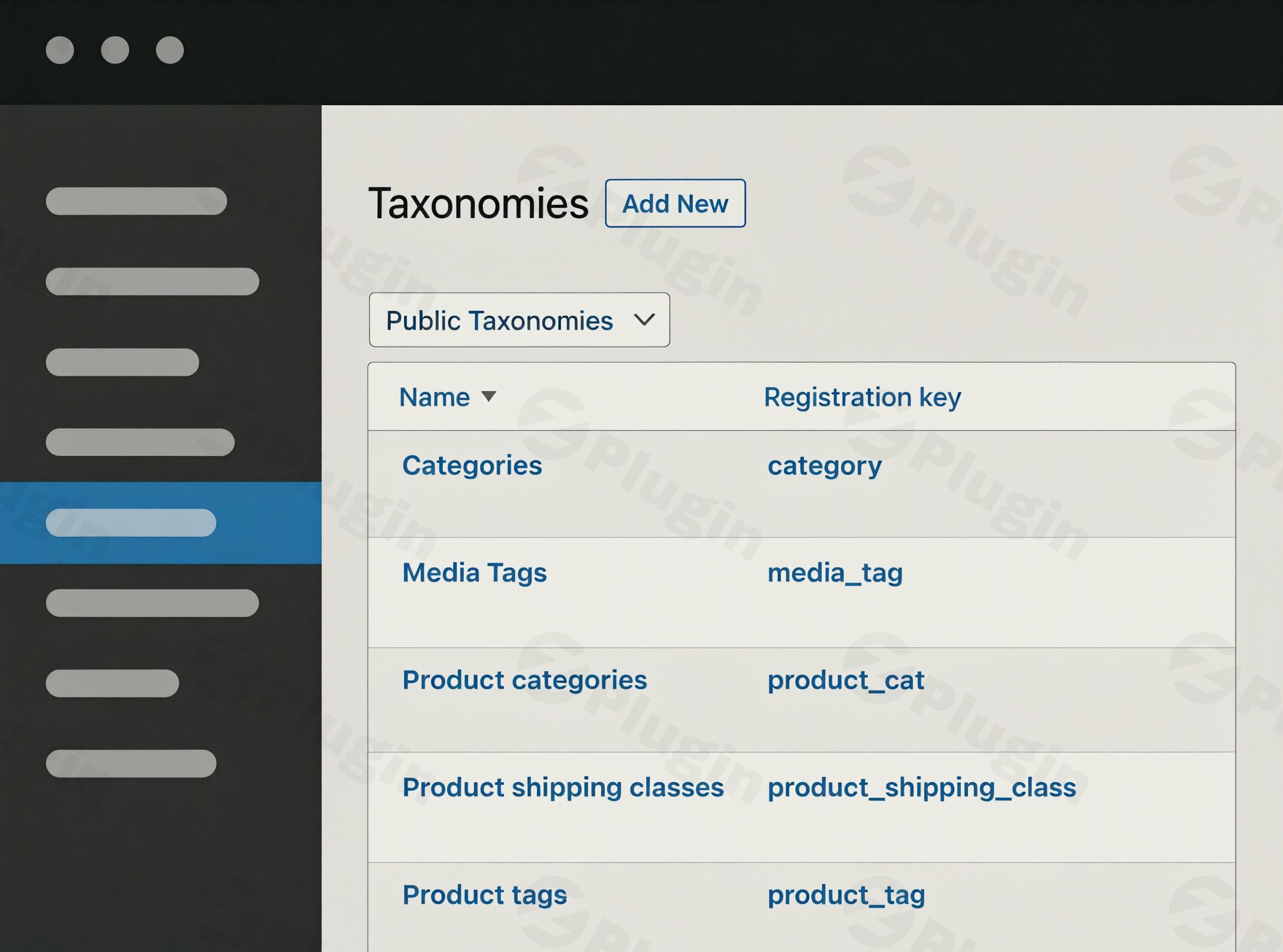
Organizing your WordPress content effectively is crucial for both user experience and search engine optimization (SEO). For many site owners, managing tags, categories, and custom taxonomies can quickly become overwhelming. This is where TaxoPress, a powerful WordPress taxonomy manager and tag management plugin, steps in.TaxoPress provides a comprehensive solution to streamline your entire taxonomy workflow, making it effortless to organize your content structure and significantly improve site navigation. Whether you’re dealing with standard posts, WooCommerce products, or custom post types, TaxoPress simplifies the complex task of keeping your content tidy, discoverable, and SEO-friendly. It’s the go-to WordPress tag management plugin for anyone looking to take control of their site’s organization.
Key Features of TaxoPress: Simplifying Content Organization
TaxoPress offers a robust suite of features designed to enhance how you manage and display your content’s organizational structure. Beyond basic tagging, it empowers you with advanced tools that cater to both simple blogs and complex enterprise websites.
Complete Taxonomy Control & Creation
At its core, TaxoPress centralizes the creation, editing, and management of all your taxonomy terms. From default WordPress categories and tags to custom taxonomies, you can handle everything from a single, intuitive dashboard. This is perfect for sites with extensive content that requires meticulous organization. You can even create new taxonomies and customize their settings, including visual labels and hierarchical relationships.
Extended Content Tagging & Custom Post Type Support
Gone are the days when tags and categories were limited to just posts. TaxoPress allows you to add tags and categories to virtually any content type on your WordPress site, including:
- Pages
- WooCommerce products
- bbPress topics
- Custom Post Types (CPTs)This flexibility ensures consistent organization across your entire digital presence, vital for WooCommerce product categories management and other specialized content structures.
Advanced Term Management
Maintaining a clean and organized taxonomy is vital for long-term site health and SEO. TaxoPress equips you with powerful tools for:
- Bulk editing terms: Make widespread changes quickly.
- Merging duplicate terms: Eliminate redundancy and maintain consistency – a feature often sought after as the best WordPress plugin for merging duplicate tags.
- Renaming and deleting terms: Keep your taxonomies precise and current.
AI-Powered Auto Tagging and Suggestion (Pro Feature)
A standout feature, particularly in the Pro version, is the integration of advanced AI services like OpenAI, IBM Watson, Dandelion, and LSEG. This allows TaxoPress to:
- Automatically analyze post content and titles: Suggest existing relevant terms.
- Propose new terms: Based on content analysis, saving considerable time.
- Auto Terms feature: Automatically assign tags based on keywords found within your content. This is a game-changer for content creators seeking to automatically add tags to WordPress posts with AI and improve WordPress auto tagging AI efficiency.
Terms Display and Tag Clouds
Presenting your taxonomies in an engaging and accessible way improves user experience. TaxoPress enables you to create customizable displays of all terms within a taxonomy, such as:
- Dynamic tag clouds: Visually appealing and interactive.
- Styled lists: Clean and organized displays.These can be integrated into your site using shortcodes, widgets, or by automatically embedding them into content, with options for custom CSS styling. It acts as a robust WordPress tag cloud generator.
Related Posts
TaxoPress enhances user engagement and internal linking by displaying lists of posts related to the current content. This relationship is intelligently determined based on shared taxonomy terms, encouraging visitors to explore more of your site. It functions as an effective WordPress related posts plugin.
Auto Links
Boost your internal linking strategy and SEO with the Auto Links feature. TaxoPress automatically identifies instances of specific terms within your content and converts them into links to their respective archive pages. This ensures consistent internal linking without manual effort.
Term Synonyms (Pro Feature)
In the Pro version, you can associate multiple words or phrases with a single taxonomy term. If a synonym is found in the content, TaxoPress treats it as the main term, broadening term recognition without creating redundant terms.
Linked Terms (Pro Feature)
Another powerful Pro feature allows you to connect terms. When a main term is added to a post, its linked terms are also automatically added, ensuring comprehensive and consistent tagging across related content.
Installing and Setting Up TaxoPress
Installing TaxoPress is a straightforward process, designed for non-developers. Follow these steps to get your WordPress custom taxonomy creation plugin up and running:
- Download the Plugin: Obtain the TaxoPress plugin file (typically a .zip file) from ZeroPlugin.com or the WordPress plugin repository.
- Upload to WordPress:
- Log in to your WordPress admin dashboard.
- Navigate to Plugins > Add New.
- Click the Upload Plugin button at the top of the page.
- Click Choose File, select the TaxoPress .zip file, and then click Install Now.
- Activate the Plugin: Once installed, click the Activate Plugin button.
- Initial Configuration: After activation, you’ll find a new “TaxoPress” menu item in your WordPress dashboard. Click on it to access the plugin settings. Here, you can start:
- Reviewing default settings.
- Configuring “Auto Terms” for AI-powered tagging (Pro feature).
- Setting up “Related Posts” and “Auto Links” if desired.
System Requirements for TaxoPress
To ensure optimal performance and compatibility, TaxoPress has a few technical specifications:
- PHP: It is highly recommended to use PHP 7.2 or higher, with WordPress officially recommending PHP 7.4 as a minimum.
- Database: Requires MySQL version 5.7 or greater, or MariaDB version 10.2 or greater.
- Server: Apache or Nginx are recommended, though any server supporting PHP and MySQL will work.
- WordPress Version: WordPress version 4.9 or higher is required, but using the latest WordPress version is always recommended for security and features.
- Gutenberg Compatibility: If you’re using the Gutenberg editor, WordPress 5.0 or higher is needed.
- Administrator Account: An administrator account is necessary for installation and managing all plugin settings.
Practical Usage and Best Practices with TaxoPress
TaxoPress isn’t just a tool; it’s a strategic asset for content creators, marketers, and site owners. Here’s how to integrate it into your workflow for maximum impact:
1. Elevate Your Content Strategy with AI Auto Tagging
For busy bloggers and content teams, the AI-powered auto-tagging (Pro) is a game-changer. Instead of manually brainstorming tags for every new post, TaxoPress can analyze your content and suggest or automatically assign relevant terms. This ensures consistency, saves time, and helps in targeting long-tail keywords more effectively. Ideal for high-volume publishing, it’s the best way to leverage AI for how to automatically add tags to WordPress posts with AI.
2. Optimize E-commerce Product Organization
If you run a WooCommerce store, TaxoPress is invaluable for WooCommerce product categories management. You can extend tagging to products, allowing for more granular categorization beyond standard product categories. Use this to tag products by material, style, occasion, or any other attribute that enhances product discoverability and filtering for your customers.
3. Improve Internal Linking and SEO
The “Auto Links” and “Related Posts” features are powerful SEO tools.
- Auto Links: Configure key terms in your content to automatically link to their respective archive pages. This builds a robust internal link structure effortlessly, signaling topic authority to search engines and helping users navigate your site.
- Related Posts: Implement related posts sections to keep visitors engaged, reducing bounce rates and increasing page views. This signals to search engines that your content is valuable and interconnected.
4. Maintain a Clean and Efficient Taxonomy Database
Over time, WordPress sites can accumulate duplicate or irrelevant tags. Utilize TaxoPress’s advanced term management features to:
- Merge duplicate tags: Regularly review and merge similar tags to consolidate content and improve search relevance. This is crucial for maintaining an efficient WordPress taxonomy manager.
- Bulk edit: Quickly update a group of tags or categories if your content strategy evolves.
- Create custom taxonomies: If your content goes beyond standard posts, use TaxoPress to define new custom taxonomies for a more precise organizational structure (e.g., “Author,” “Series,” “Product Features”).
FAQ & Troubleshooting
What are the main features of TaxoPress?
TaxoPress is a comprehensive WordPress taxonomy management plugin. Its main features include complete taxonomy control, extended content tagging for various post types (including WooCommerce products), advanced term management (bulk editing, merging duplicates), AI-powered auto-tagging (Pro), customizable tag clouds and term displays, related posts functionality, auto-linking of terms within content, term synonyms (Pro), and linked terms (Pro).
Does TaxoPress have AI tagging?
Yes, the Pro version of TaxoPress integrates with AI services like OpenAI, IBM Watson, Dandelion, and LSEG to provide AI-powered auto-tagging and suggestions. This feature can automatically analyze post content and titles to suggest existing relevant terms or create new ones, significantly streamlining the tagging process.
How to manage WordPress tags efficiently?
To manage WordPress tags efficiently, you should:
- Use a plugin like TaxoPress for centralized control.
- Regularly merge duplicate tags to maintain a clean database.
- Utilize auto-tagging features (like TaxoPress’s AI) to ensure consistency and save time.
- Create clear, concise tags that are relevant to your content.
- Extend tagging to custom post types for uniform organization across your entire site.
- Leverage tag clouds and related posts to improve user navigation and content discoverability.
What are the system requirements for TaxoPress?
For optimal performance, TaxoPress recommends PHP 7.2 or higher (with PHP 7.4 being the WordPress official minimum recommendation), MySQL 5.7+ or MariaDB 10.2+, and WordPress version 4.9 or higher (latest version always recommended). It is compatible with Gutenberg (requires WordPress 5.0+). An administrator account is necessary for installation and managing settings.
Conclusion: Master Your WordPress Content with TaxoPress
TaxoPress stands out as an indispensable WordPress taxonomy manager for any serious website owner, content creator, or e-commerce manager. By providing comprehensive tools for creating, organizing, and displaying your site’s tags, categories, and custom taxonomies, it directly contributes to improved SEO, enhanced user experience, and more efficient content management.With features ranging from basic term control to advanced AI-powered auto-tagging and robust internal linking capabilities, TaxoPress helps you implement professional taxonomy management practices. Choosing TaxoPress plugin means investing in a well-organized, discoverable, and user-friendly website that’s optimized for both traditional search engines and the evolving landscape of AI search. Take control of your content structure today and unlock your site’s full potential with this essential WordPress tag management plugin.
I. Download Limits & Account Benefits
- Free Downloads: Each email address receives 3 downloads per day for free products
- Upgrade Benefits: Purchase any paid product to increase your daily download limit by 3 for each paid product
- No Account Required: You can download immediately by receiving the download link via email
- Account Recommended: Create an account for easier access to your order history and direct update downloads
II. Understanding GPL vs Official Versions
Important: The products available on WPPick are GPL-licensed versions, which differ from official developer versions. Before purchasing, please read our comprehensive guide: Understanding GPL & Official Differences at WPPick
Key Points:
- GPL versions may not include premium support from original developers
- Updates may be delayed compared to official releases
- Some premium features might have limitations
- Always consider your specific needs and support requirements
III. Support & Assistance
We’re here to help through multiple channels:
- Email Support: Direct email assistance for all inquiries
- Live Chat: Real-time support during business hours
- Comprehensive Documentation: Detailed guides and tutorials
IV. Order Tracking
Access your complete purchase history and download links anytime: Order History
V. Account Access
New to WPPick? Login or Create Account to manage your downloads and orders efficiently.
VI. Refund Protection
We stand behind our products with a clear refund policy. Review our terms: Refund Policy
VII. Privacy & Security
Your data security is our priority. Learn how we protect your information: Privacy Policy
VII. Terms of Service
Understanding our service terms ensures a smooth experience: Terms of Use
Quick Tips for Best Experience
- Verify Compatibility: Check plugin/theme compatibility with your WordPress version
- Backup First: Always backup your site before installing new plugins or themes
- Test Environment: Consider testing on a staging site first
- Stay Updated: Regularly check for updates in your account dashboard
- Read Documentation: Review any included documentation for optimal setup
Need Help?
If you have questions about downloads, licensing, or need technical assistance, don’t hesitate to contact our support team. We’re committed to ensuring you have the best possible experience with WPPick products.
Ready to get started? Your download adventure begins with just one click!
- The TaxoPress plugin allows you to create and manage Tags, Categories, and all your WordPress taxonomy terms.
- The Tag Groups plugin allows you to display taxonomy terms in tag clouds, tabs or accordions, tag lists, and much more.