

The Events Calendar Pro Event Tickets Plus Addon
/Year
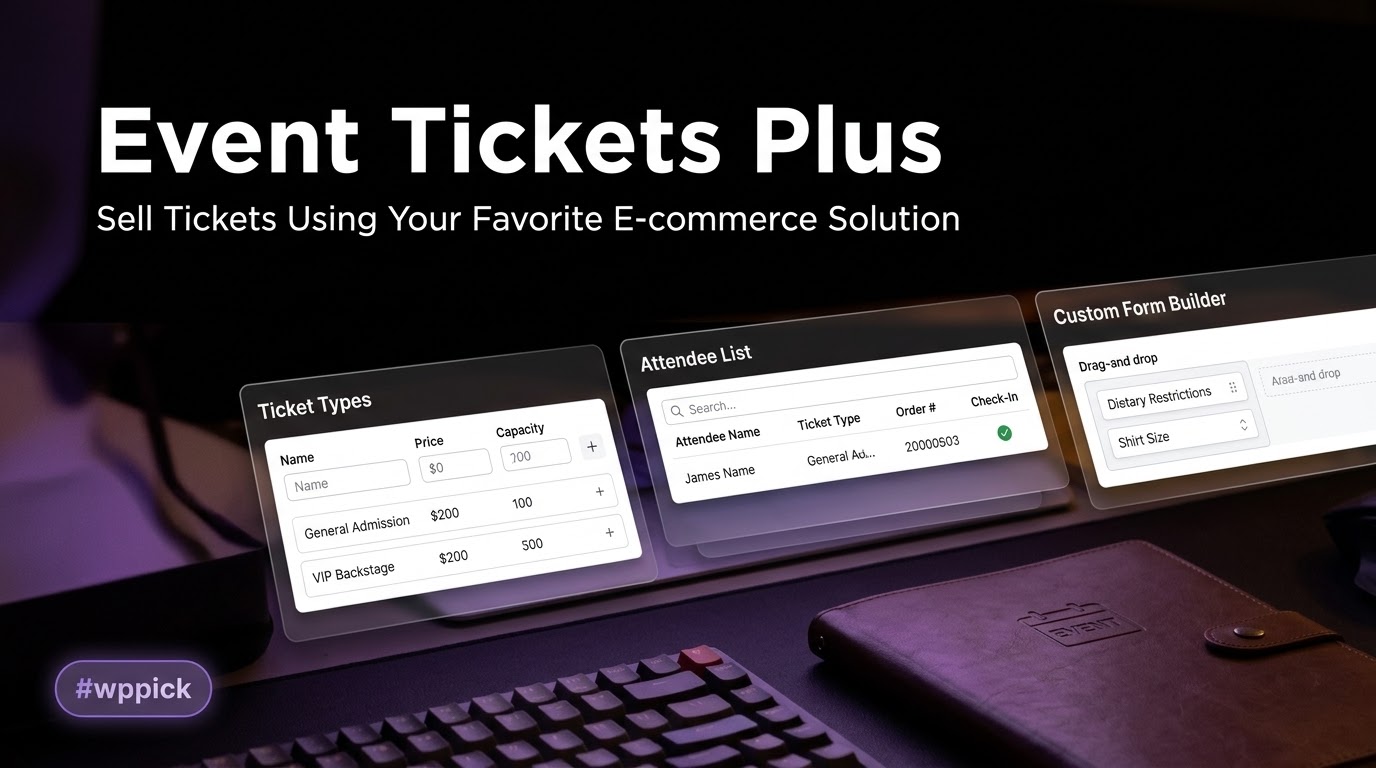
Streamlined Event Ticketing and Attendee Registration
The Events Calendar Pro Event Tickets Plus Addon provides a complete toolkit for managing digital ticketing, registration forms, and entry processing natively inside WordPress. This extension bridges the gap between descriptive calendar entries and financial conversions, allowing site managers to design, distribute, and track ticket options without relying on third-party event platforms. Operating seamlessly with existing configurations, it simplifies asset optimization and financial tracking across simple or complex scheduling frameworks.
Latest Version 6.10.0 Changes
Event Tickets Plus version 6.10.0 focuses on performance optimizations by restricting styles/scripts to pages containing tickets, resolving styling bugs within the block editor, introducing a filter to manage front-end asset enqueuing, fixing documentation links, and updating translation files.
- Prevented the front-end ticket styles and scripts from loading on pages without tickets, such as the WooCommerce cart and checkout.
- Resolved an issue where select dropdowns, such as Ticket Capacity, rendered unstyled in the WordPress 7 block editor.
- Added the tribeticketsassetsshouldenqueue_frontend filter to control whether front-end ticket assets are enqueued.
- Updated broken link to coding standards in CONTRIBUTING.md.
- Language updates: 0 new strings added, 25 updated, 0 fuzzied, and 0 obsoleted.
What It Does and Who It Is For
This premium addon transforms conventional web posts and event pages into point-of-sale systems. It gives site administrators complete autonomy over transaction flows, customer records, and admission verification. Designed primarily for conference coordinators, educators, venue owners, community managers, and digital marketers, the plugin removes the burden of per-ticket platform fees. Whether orchestrating a single global web-broadcast or coordinating localized, recurring workshops across multiple physical venues, organizers retain full control over customer relationships and transactional databases.
Key Capabilities for Advanced Event Operations
The plugin contains an expansive suite of operational utilities built for modern booking demands:
- Flexible Custom Registration Fields: Collect unique attendee attributes, dietary choices, or merchandise preferences via tailored entry forms during checkout.
- Robust Core E-Commerce Integration: Inherits the secure payment routing, multi-currency processing, and bookkeeping infrastructure of WooCommerce or TicketsCommerce.
- On-Site QR Code Check-Ins: Generate digital tickets equipped with unique quick-response vectors to facilitate entry processing using standard mobile cameras.
- Granular Inventory Controls: Define shared resource thresholds, individual ticket limits, and auto-expiry timetables to govern product availability automatically.
- Detailed Data Portability: Review complete transaction histories and deploy filtered data exports via CSV files to generate physical manifests or sync external CRM engines.
Practical WordPress Use Cases
In practice, the software adapts to diverse monetization models and operational workflows:
- Professional Workshops and Multi-Tiered Classes: Sell tiered admissions such as general entry, student configurations, and premium VIP access packages for a single structural event.
- Charity Galas and Strategic Fundraisers: Pair ticket sales with customized form fields to gather foundational donor credentials and voluntary meal selections efficiently.
- Corporate Conferences and Networking Assemblies: Limit specific access points by building personalized registration questions that categorize attendees by professional industry or corporate department.
- Local Festivals and Multi-Day Concert series: Manage massive regional gates via digital pass validation while tracking aggregate sales via dedicated performance reports.
Setup, Infrastructure, and Compatibility Notes
Implementation requires an active foundational layer consisting of the free Event Tickets framework alongside your choice of supporting e-commerce structures. The core software is fully ready for modern site structures, offering full support for the standard WordPress block architecture as well as classic layouts. To minimize operational conflicts, developers maintain modern PHP standards and adhere strictly to object caching best practices. The technical architecture guarantees steady calculations and precise record separation, even when operating alongside advanced configuration tools like WooCommerce High-Performance Order Storage (HPOS).
Reasons to Choose It on WPPick
Acquiring your plugin from WPPick grants you access to clean, tested, and fully installable premium files tailored for direct application. Every package undergoes meticulous malware screening to ensure deployment readiness on commercial production servers. By cutting out high retail boundaries, WPPick makes it affordable for expanding startups and independent developers to build scalable digital ticketing systems without high upfront overhead.
Latest Version Context and Technical Notes
The current release, version 6.10.0, introduces significant structural refinements that target operational performance and administrative stability. Developers resolved a potential fatal conflict with specific TCPDF library loading configurations by correcting undefined constant references during early startup cycles. Front-end optimization is a core focus; the system now selectively restricts ticket scripts and styling assets from executing on non-ticket areas like checkout pages and shopping carts, lowering overall page weight. Furthermore, a new asset management filter provides fine-grained control over resource loading, while layout rendering inconsistencies within the modern block editor have been corrected.
Frequently Asked Questions
Does this plugin impose transaction fees on individual ticket sales?
No. Unlike centralized digital platforms that collect a percentage of every registration, this addon operates under a flat model. All processing fees are determined solely by your chosen merchant payment gateway.
Can I gather separate registration details for every ticket purchased in bulk?
Yes. The custom registration tool allows site operators to prompt buyers for individual attendee details for every single seat ordered, ensuring complete roster tracking even during multi-ticket transactions.
Is a dedicated hardware scanner required to process attendee QR codes at the gate?
No special tracking hardware is required. Site administrators and event staff can use standard smartphone cameras to scan the ticket QR codes and check in attendees instantly via the WordPress admin panel.
Can tickets be attached to regular pages or custom post types?
Yes. While it integrates perfectly with the native events system, the ticketing interface can be appended directly to regular WordPress pages, posts, or custom content types based on your site architecture.
I. Download Limits & Account Benefits
- Free Downloads: Each email address receives 3 downloads per day for free products
- Upgrade Benefits: Purchase any paid product to increase your daily download limit by 3 for each paid product
- No Account Required: You can download immediately by receiving the download link via email
- Account Recommended: Create an account for easier access to your order history and direct update downloads
II. Understanding GPL vs Official Versions
Important: The products available on WPPick are GPL-licensed versions, which differ from official developer versions. Before purchasing, please read our comprehensive guide: Understanding GPL & Official Differences at WPPick
Key Points:
- GPL versions may not include premium support from original developers
- Updates may be delayed compared to official releases
- Some premium features might have limitations
- Always consider your specific needs and support requirements
III. Support & Assistance
We’re here to help through multiple channels:
- Email Support: Direct email assistance for all inquiries
- Live Chat: Real-time support during business hours
- Comprehensive Documentation: Detailed guides and tutorials
IV. Order Tracking
Access your complete purchase history and download links anytime: Order History
V. Account Access
New to WPPick? Login or Create Account to manage your downloads and orders efficiently.
VI. Refund Protection
We stand behind our products with a clear refund policy. Review our terms: Refund Policy
VII. Privacy & Security
Your data security is our priority. Learn how we protect your information: Privacy Policy
VII. Terms of Service
Understanding our service terms ensures a smooth experience: Terms of Use
Quick Tips for Best Experience
- Verify Compatibility: Check plugin/theme compatibility with your WordPress version
- Backup First: Always backup your site before installing new plugins or themes
- Test Environment: Consider testing on a staging site first
- Stay Updated: Regularly check for updates in your account dashboard
- Read Documentation: Review any included documentation for optimal setup
Need Help?
If you have questions about downloads, licensing, or need technical assistance, don’t hesitate to contact our support team. We’re committed to ensuring you have the best possible experience with WPPick products.
Ready to get started? Your download adventure begins with just one click!
- Resolved a fatal error caused by the undefined K_CURLOPTS constant when another plugin loaded TCPDF before ETP's autoconfig had a chance to run.
- Improved PHP compatibility for versions 7.4 and up to 8.4.
- Language: 0 new strings added, 5 updated, 0 fuzzied, and 0 obsoleted.
- Correctly calculate Total Ticket Sales when WooCommerce HPOS is enabled. [ETP-1248]
- Language - 0 new strings added, 3 updated, 0 fuzzied, and 0 obsoleted.
- Fix currency symbol position support in Purchase Rules admin interface. [ETP-1126]
- Add confirmation before deleting Purchase Rules. [ETP-1127]
- Changed views: `purchase-rules/admin/empty-content`
- Fix styling and extra spaces in the Scope and Criteria fields in the Purchase Rule form. [ETP-1124]
- Fix text alignment on the Purchase Rules page. [ETP-1128]
- Improve Purchase Rules descriptions with italicized keywords and standardized Oxford comma usage. [ETP-1125]
- Update the Add Purchase Rules modal so the content list handles scrolling.
- Language - 0 new strings added, 5 updated, 0 fuzzied, and 0 obsoleted.
- Version - Event Tickets Plus 6.9.0 is only compatible with Event Tickets 5.27.0 or higher
- Introduces Purchase Rules which can help you configure logical discounts or restrictions for your ticket sales. [ETP-1028]
- Added filters: tec_tickets_plus_purchase_rules_feature_active, tec_tickets_plus_purchase_rules_frontend_single_post_data, tec_tickets_plus_purchase_rules_restriction_messages, tec_tickets_plus_purchase_rules_scope_evaluation_batch_size, tec_tickets_plus_purchase_rules_periodic_scope_evaluation_interval, tec_tickets_plus_purchase_rules_rule_translations, tec_tickets_plus_purchase_rules_rule_descriptions, tec_rest_swagger_{$type}_definition, tec_rest_swagger_definition
- Added actions: tec_tickets_plus_purchase_rules_admin_single_post_before_render_button, tec_tickets_plus_purchase_rules_restriction_messages_added, tec_tickets_plus_purchase_rules_restriction_not_met, tec_tickets_plus_purchase_rules_tables_registered, tec_tickets_plus_purchase_rules_tables_not_registered
- Changed views: purchase-rules/admin/edit, purchase-rules/admin/empty-content, purchase-rules/admin/list, purchase-rules/admin/single-order, purchase-rules/admin/single/button, purchase-rules/admin/single/panel, purchase-rules/checkout, purchase-rules/email, purchase-rules/order-details, v2/attendee-registration/content/attendees/fields, v2/attendee-registration/content/attendees/remove-button, v2/modal/cart, v2/modal/item/remove
- Removes ticket quantity control from attendee registration modal. [ETP-1061]
- Language - 127 new strings added, 41 updated, 1 fuzzied, and 1 obsoleted
- Move out TicketsCommerce dependency from loading seating assets. [ET-2336]
- Prevent stock and sales double-counting when moving WooCommerce attendees between events. [ETP-1009]
- Added actions: `tec_conditional_content_header_notice`
- Changed views: `waitlist/admin/page`
- Language - 0 new strings added, 26 updated, 0 fuzzied, and 0 obsoleted.
- Language - Comment: Fix a typo in the title of the waitlist form. [ETP-1084]
- Language - 0 new strings added, 0 updated, 1 fuzzied, and 0 obsoleted.
- Add requires plugin header to prevent activating ETP when ET is not active. [ETP-1025]
- Updated check in logic for WooCommerce to fix an issue with PHP 8.3+. [ETP-1024]
- Language - 0 new strings added, 3 updated, 0 fuzzied, and 0 obsoleted.
- Removes Square fee notice when Event Tickets Plus has an active subscription. ET-2548
- Language - 0 new strings added, 0 updated, 0 fuzzied, and 0 obsoleted
- Version - Event Tickets Plus 6.8.0 is only compatible with Event Tickets 5.26.0 or higher.
- [EXPERIMENTAL] Feature - Extending new REST endpoints, with Plus functionality. Note: This API is for experimental use only and requires the X-TEC-EEA header. It may be subject to breaking changes in upcoming releases.
- Language - 3 new strings added, 26 updated, 0 fuzzied, and 0 obsoleted.