

Ti Wishlist Woocommerce Plugin
/Year
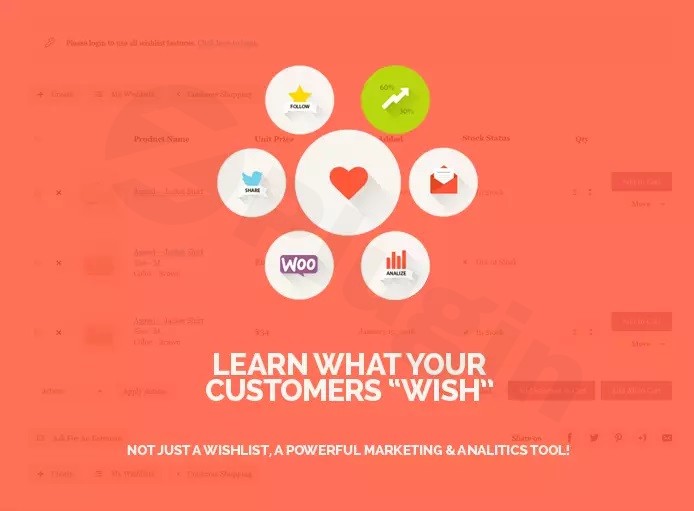
In the competitive world of eCommerce, not every visitor is ready to buy immediately. Many shoppers prefer to “window shop,” comparing prices or waiting for a better time to purchase. This is where a WooCommerce wishlist plugin becomes an essential tool for your store. By allowing users to save products for later, you reduce cart abandonment and create a bridge for future sales.
Ti WooCommerce Wishlist is one of the most powerful and flexible solutions available for WordPress. It helps store owners bridge the gap between “just looking” and “buying” by providing a seamless way for customers to track their favorite items. Whether you are running a small boutique or a high-volume store, this plugin offers the technical robustness and customization needed to enhance user experience (UX) and boost conversion rates.
Key Features of Ti WooCommerce Wishlist
The Ti WooCommerce Wishlist plugin features are designed to balance deep functionality with ease of use. Below are the core benefits that make it a top choice for over 100,000 store owners.
1. Seamless User Experience
- “Add to Wishlist” Button: The plugin automatically integrates a customizable button next to the “Add to Cart” button on product pages and shop archives.
- Automatic Product Removal: To keep the shopping flow clean, items are automatically removed from the wishlist once a customer adds them to their cart.
- Responsive Design: The wishlist interface is fully responsive, ensuring a smooth experience for customers shopping on mobile, tablet, or desktop.
2. Extensive Customization
With over 60 appearance options, you can match the wishlist style to your brand perfectly.
- Styling Controls: Adjust colors, font sizes, borders, and margins directly from the settings.
- Custom Icons: Choose from a library of predefined icons or upload your own custom SVG or image icons for the wishlist button.
- Custom CSS: For developers and advanced users, there is a dedicated area to add custom CSS for even deeper design control.
3. Social Sharing & Viral Potential
One of the most effective ways to get free traffic is through customer recommendations. Ti WooCommerce Wishlist allows users to share their curated lists on:
- Twitter (X)
- Email and WhatsApp
4. Technical Reliability
- Translation Ready: Fully compatible with WPML, Polylang, and Loco Translate for multilingual stores.
- Performance Optimized: The plugin is lightweight and compatible with major caching plugins like WP Rocket and W3 Total Cache, ensuring it doesn’t slow down your site.
- GDPR Compliant: It does not collect unnecessary personal data, making it safe for stores operating in the EU.
Free vs. Premium: Which Version Do You Need?
While the free version is incredibly robust, the Ti WooCommerce Wishlist Premium version offers advanced marketing tools for serious growth.
| Feature | Free Version | Premium Version |
|---|---|---|
| Basic Wishlist | Yes | Yes |
| Social Sharing | Yes | Yes |
| Multi-Wishlists | No | Yes (Users can create multiple lists) |
| Privacy Settings | No | Yes (Public, Private, or Shared) |
| Product Analytics | No | Yes (See which products are most popular) |
| Promotional Emails | No | Yes (Follow up with customers) |
| “Ask for Estimate” | No | Yes (B2B/Quote functionality) |
How to Install Ti WooCommerce Wishlist (Step-by-Step)
Setting up a free WooCommerce wishlist plugin shouldn’t be complicated. Follow these steps to get started:
- Install the Plugin: Navigate to your WordPress Dashboard, go to Plugins > Add New, and search for “Ti WooCommerce Wishlist.” Click Install Now and then Activate.
- Run the Setup Wizard: Upon activation, the plugin will launch a Setup Wizard. This will guide you through creating the “Wishlist” page automatically and choosing your basic button styles.
- Configure Button Placement: Go to Ti Wishlist > General Settings. Here you can decide if the button appears before or after the “Add to Cart” button.
- Customize the Style: Visit the Style Options tab to adjust colors and fonts to match your theme’s branding.
- Test the Workflow: Open a product on your site, add it to your wishlist, and ensure you can view it on the dedicated Wishlist page.
Practical Usage & Best Practices
To get the most ROI from your wishlist plugin, consider these professional workflows:
- For Marketers (Gift Registries): Encourage users to create wishlists for holidays or birthdays. Because Ti WooCommerce Wishlist supports social sharing, their friends and family become your new potential customers.
- For Store Managers (Inventory Insights): If you use the Premium version, use the Product Analytics to see which items are most frequently added to wishlists. If an item has many “saves” but few “buys,” it might be a sign that the price is too high or you should run a targeted promotion.
- For Agencies (Client Handoff): Use the Shortcode Support to place the wishlist button in custom locations within Elementor, Divi, or Gutenberg blocks to satisfy specific client design requirements.
FAQ: Frequently Asked Questions
What is Ti WooCommerce Wishlist?
Ti WooCommerce Wishlist is a WordPress plugin that adds “save for later” functionality to your WooCommerce store. It allows customers to create lists of products they intend to buy later and share those lists with others.
Is Ti WooCommerce Wishlist free?
Yes, there is a very capable free version available on the WordPress.org repository. It includes core features like the wishlist button, social sharing, and basic customization. A Premium version is available for advanced features like analytics and automated emails.
Does Ti WooCommerce Wishlist work with my theme?
The plugin is designed to be compatible with almost all WordPress themes, specifically those optimized for WooCommerce like Flatsome, Avada, and Storefront. It also integrates well with page builders like Elementor and WPBakery.
Does it support product variations?
Yes, Ti WooCommerce Wishlist fully supports product variations. Customers can save specific colors, sizes, or configurations of a product to their wishlist.
How do I change the “Add to Wishlist” button design?
You can customize the button appearance by navigating to Ti Wishlist > Style Options. From there, you can change the button text, colors, icons, and even add custom CSS.
Final Verdict
The Ti WooCommerce Wishlist plugin is an essential addition for any store owner looking to improve customer retention and gain insights into shopper intent. Its combination of a user-friendly setup wizard, extensive styling options, and lightweight performance makes it a leader in the WooCommerce ecosystem.
If you are looking for the best WooCommerce wishlist solution that balances free features with professional-grade premium options, Ti WooCommerce Wishlist is our top recommendation for your WordPress site.
I. Download Limits & Account Benefits
- Free Downloads: Each email address receives 3 downloads per day for free products
- Upgrade Benefits: Purchase any paid product to increase your daily download limit by 3 for each paid product
- No Account Required: You can download immediately by receiving the download link via email
- Account Recommended: Create an account for easier access to your order history and direct update downloads
II. Understanding GPL vs Official Versions
Important: The products available on WPPick are GPL-licensed versions, which differ from official developer versions. Before purchasing, please read our comprehensive guide: Understanding GPL & Official Differences at WPPick
Key Points:
- GPL versions may not include premium support from original developers
- Updates may be delayed compared to official releases
- Some premium features might have limitations
- Always consider your specific needs and support requirements
III. Support & Assistance
We’re here to help through multiple channels:
- Email Support: Direct email assistance for all inquiries
- Live Chat: Real-time support during business hours
- Comprehensive Documentation: Detailed guides and tutorials
IV. Order Tracking
Access your complete purchase history and download links anytime: Order History
V. Account Access
New to WPPick? Login or Create Account to manage your downloads and orders efficiently.
VI. Refund Protection
We stand behind our products with a clear refund policy. Review our terms: Refund Policy
VII. Privacy & Security
Your data security is our priority. Learn how we protect your information: Privacy Policy
VII. Terms of Service
Understanding our service terms ensures a smooth experience: Terms of Use
Quick Tips for Best Experience
- Verify Compatibility: Check plugin/theme compatibility with your WordPress version
- Backup First: Always backup your site before installing new plugins or themes
- Test Environment: Consider testing on a staging site first
- Stay Updated: Regularly check for updates in your account dashboard
- Read Documentation: Review any included documentation for optimal setup
Need Help?
If you have questions about downloads, licensing, or need technical assistance, don’t hesitate to contact our support team. We’re committed to ensuring you have the best possible experience with WPPick products.
Ready to get started? Your download adventure begins with just one click!
- Fixed XSS vulnerability in wishlist counter shortcode and template (CVE-2025-9207)
- Fixed unauthorized access to the setup wizard page
- REST API: secured guest wishlist write access via share_key + nonce, keep user lists owner-only
- Restricted REST wishlist get_by_user endpoint to authorized users
- Fixed vulnerability in WC Fields Factory integration (CVE-2025-47577)
- Block share_key access to authorized wishlists + strip HTML from item meta
- Fixed PHP warnings and improved code quality
- Fixed issue with early loaded translation for WP 6.7.x
- Updated integration with YITH WooCommerce Product Bundles plugin
- Updated integration with YITH WooCommerce Quick View plugin
- Updated integration with WPC Variations Radio Buttons for WooCommerce plugin
- Updated integration with WPC Product Bundles for WooCommerce plugin
- Updated integration with WP Multilang – Translation and Multilingual Plugin plugin
- Updated integration with WP Fastest Cache plugin
- Updated integration with WP Armour – Honeypot Anti Spam plugin
- Updated integration with PW WooCommerce Gift Cards plugin
- Updated integration with Product Options and Price Calculation Formulas for WooCommerce – Uni CPO plugin
- Updated integration with PPOM – Product Addons & Custom Fields for WooCommerce plugin
- Updated integration with Payment Plugins Braintree For WooCommerce plugin
- Updated integration with myCred – Points Management System For Gamification, Ranks, Badges, and Loyalty Rewards Program plugin
- Updated integration with Min Max Step Quantity Limits Manager for WooCommerce plugin
- Updated integration with GTM4WP – A Google Tag Manager (GTM) plugin for WordPress plugin
- Updated integration with Extra Product Options For WooCommerce | Custom Product Addons and Fields plugin
- Updated integration with ELEX WooCommerce Catalog Mode plugin
- Updated integration with Spam protection, Anti-Spam, FireWall by CleanTalk plugin
- Updated integration with Advanced Product Fields (Product Addons) for WooCommerce plugin - added filter "tinvwl_wishlist_item_meta_hidden_fields"
- Added support for WordPress 6.9.x
- Added support for WooCommerce 10.4.x
- Defer wishlist textdomain loading to init hook to avoid early _load_textdomain_just_in_time notice
- Improved database query performance for wishlist data retrieval
- Improved JavaScript performance and memory management
- Improved wishlist data structure for better handling of empty wishlists