

Touchy – Best WordPress Mobile Menu Plugin
/Year
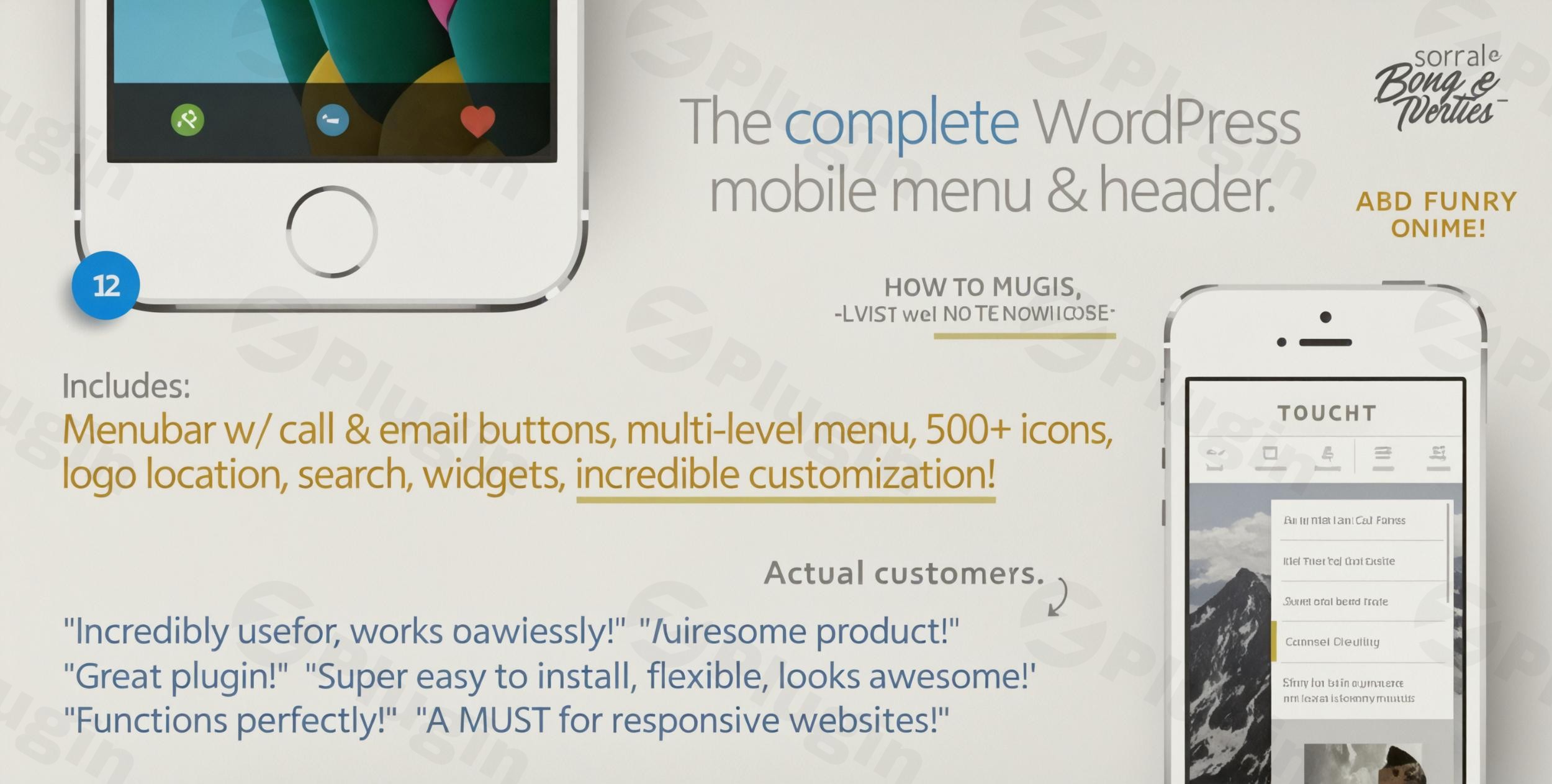
In a mobile-first world, your website’s navigation can make or break your user experience. While many themes claim to be responsive, they often provide clunky, generic menus that frustrate smartphone users. The Touchy WordPress plugin is a premium solution designed to solve this exact problem, offering a tailored, high-performance mobile header and navigation system that feels like a native app.
Whether you are running an eCommerce store or a professional blog, a dedicated WordPress mobile menu plugin like Touchy ensures your visitors find what they need instantly, reducing bounce rates and improving conversions.
Key Features of the Touchy WordPress Plugin
Touchy isn’t just a menu; it is a complete mobile header replacement. Below are the standout features that make it the best WordPress mobile menu solution for professional site owners.
1. Real-Time Customization via Live Customizer
Unlike plugins that require constant page refreshing, Touchy integrates directly with the WordPress Live Customizer. You can change colors, adjust transparencies, and toggle buttons while seeing the results instantly. This makes the Touchy plugin setup guide unnecessary for most, as the interface is highly intuitive.
2. Branding and Logo Control
Branding is vital for trust. Touchy allows you to:
- Position your logo (Left, Center, or Right).
- Upload custom background images for the menu bar.
- Apply a “sticky” effect so the menu bar stays at the top as users scroll.
- Enable a subtle fade-out effect for a polished, modern feel.
3. Integrated Conversion Buttons
Touchy goes beyond navigation by including built-in “Call” and “Email” buttons. This is ideal for local businesses and service providers who want to drive leads directly from their mobile header. It also features a dedicated WooCommerce cart icon, making it a powerful WordPress header and menu plugin for online stores.
4. Multi-Level Drop-down & Search
For sites with complex structures, Touchy supports multi-level menus with animated sub-menu indicators. It also includes a built-in search field with customizable placeholder text, ensuring users can find specific content without digging through layers of pages.
5. Advanced Widget Areas
Touchy provides two “unstyled” widget locations at the top and bottom of the menu. This is a game-changer for marketers who want to insert:
- Call-to-action (CTA) buttons.
- Social media icons.
- Shortcodes from other plugins.
- Custom HTML/Promotional banners.
How to Install and Set Up Touchy
Adding a professional responsive menu to WordPress is straightforward with Touchy. Follow these steps to get started:
- Purchase and Download: Obtain the plugin files from CodeCanyon (developed by BonfireThemes).
- Upload to WordPress: Navigate to Plugins > Add New > Upload Plugin in your WordPress dashboard. Select the Touchy ZIP file and click Install Now.
- Activate: Once installed, click Activate.
- Access the Customizer: Go to Appearance > Customize > Touchy Menu.
- Hide the Default Theme Menu: To avoid having two menus, use the “Hide Theme Elements” setting. You can enter the CSS class or ID of your theme’s default menu (e.g.,
#main-navor.site-header) to hide it specifically on mobile devices. - Configure Menu Items: Assign a WordPress menu to the “Touchy” location under Appearance > Menus.
Practical Usage & Best Practices
To get the most out of this customizable mobile menu for WordPress, consider these real-world workflows:
- For eCommerce Store Owners: Enable the WooCommerce cart icon and use the top widget area to highlight a “Free Shipping” coupon code. This keeps the most important shopping information always within thumb’s reach.
- For Service-Based Businesses: Prioritize the “Call” and “Email” functions in the settings. For a local plumber or law firm, these buttons are more valuable than the actual menu items.
- For Bloggers & News Sites: Use the integrated search field prominently. Mobile readers often search for specific topics, and providing an easy-to-find search bar increases time-on-site.
- Hiding the Desktop Menu: One of the most common questions is how to add a mobile menu to a WordPress theme without it clashing with the desktop version. Touchy allows you to set a specific resolution (e.g., 960px) so the plugin only appears on smaller screens.
FAQ & Troubleshooting
Is the Touchy plugin compatible with my theme?
Yes, Touchy is designed to work with any WordPress theme. It functions as an overlay or replacement for your existing header. By using the “Hide Theme Elements” feature, you can ensure your original theme’s menu disappears when Touchy is active.
Does Touchy support WooCommerce?
Absolutely. Touchy includes an integrated WooCommerce cart button that can be toggled on or off. It also supports adding custom widget content, which is perfect for showing cart totals or specialized shopping links.
How do I hide my theme’s original menu on mobile?
Touchy is an excellent WordPress plugin to hide theme menus on mobile. In the plugin settings within the Live Customizer, find the “Hide Theme Elements” field. Simply enter the CSS ID or Class of your theme’s header, and Touchy will automatically hide it when the mobile menu is displayed.
Can I use my own icons in the menu?
Touchy comes with over 500 built-in icons that can be assigned to any menu item or button. You can also customize the color of each icon individually to match your brand’s aesthetic.
Final Verdict: Why Choose Touchy?
The Touchy WordPress plugin is a premium, lightweight, and bloat-free solution for anyone serious about mobile UX. Developed by BonfireThemes—an Elite Author with a 4.91-star reputation—it offers the reliability needed for high-traffic sites.
If you are looking for the best WordPress mobile menu that combines a responsive header, WooCommerce integration, and deep customization without needing to write a single line of code, Touchy is a top-tier investment. It effectively bridges the gap between a standard website and a mobile app experience, providing an immediate boost to your site’s professional feel and usability.
For more WordPress plugin reviews and tutorials, visit wppick.com.
I. Download Limits & Account Benefits
- Free Downloads: Each email address receives 3 downloads per day for free products
- Upgrade Benefits: Purchase any paid product to increase your daily download limit by 3 for each paid product
- No Account Required: You can download immediately by receiving the download link via email
- Account Recommended: Create an account for easier access to your order history and direct update downloads
II. Understanding GPL vs Official Versions
Important: The products available on WPPick are GPL-licensed versions, which differ from official developer versions. Before purchasing, please read our comprehensive guide: Understanding GPL & Official Differences at WPPick
Key Points:
- GPL versions may not include premium support from original developers
- Updates may be delayed compared to official releases
- Some premium features might have limitations
- Always consider your specific needs and support requirements
III. Support & Assistance
We’re here to help through multiple channels:
- Email Support: Direct email assistance for all inquiries
- Live Chat: Real-time support during business hours
- Comprehensive Documentation: Detailed guides and tutorials
IV. Order Tracking
Access your complete purchase history and download links anytime: Order History
V. Account Access
New to WPPick? Login or Create Account to manage your downloads and orders efficiently.
VI. Refund Protection
We stand behind our products with a clear refund policy. Review our terms: Refund Policy
VII. Privacy & Security
Your data security is our priority. Learn how we protect your information: Privacy Policy
VII. Terms of Service
Understanding our service terms ensures a smooth experience: Terms of Use
Quick Tips for Best Experience
- Verify Compatibility: Check plugin/theme compatibility with your WordPress version
- Backup First: Always backup your site before installing new plugins or themes
- Test Environment: Consider testing on a staging site first
- Stay Updated: Regularly check for updates in your account dashboard
- Read Documentation: Review any included documentation for optimal setup
Need Help?
If you have questions about downloads, licensing, or need technical assistance, don’t hesitate to contact our support team. We’re committed to ensuring you have the best possible experience with WPPick products.
Ready to get started? Your download adventure begins with just one click!
- Adjusted default popup menu design
- Menubar transparency blur
- Redesigned menu item markers
- Added badges to menubar buttons
- Added fancy menu button designs
- Added menubar max width option
- Added menubar left/center/right positioning option (great when menubar only 300px on desktop)