

UiPress Pro – Modern WordPress Dashboard Theme
/Year
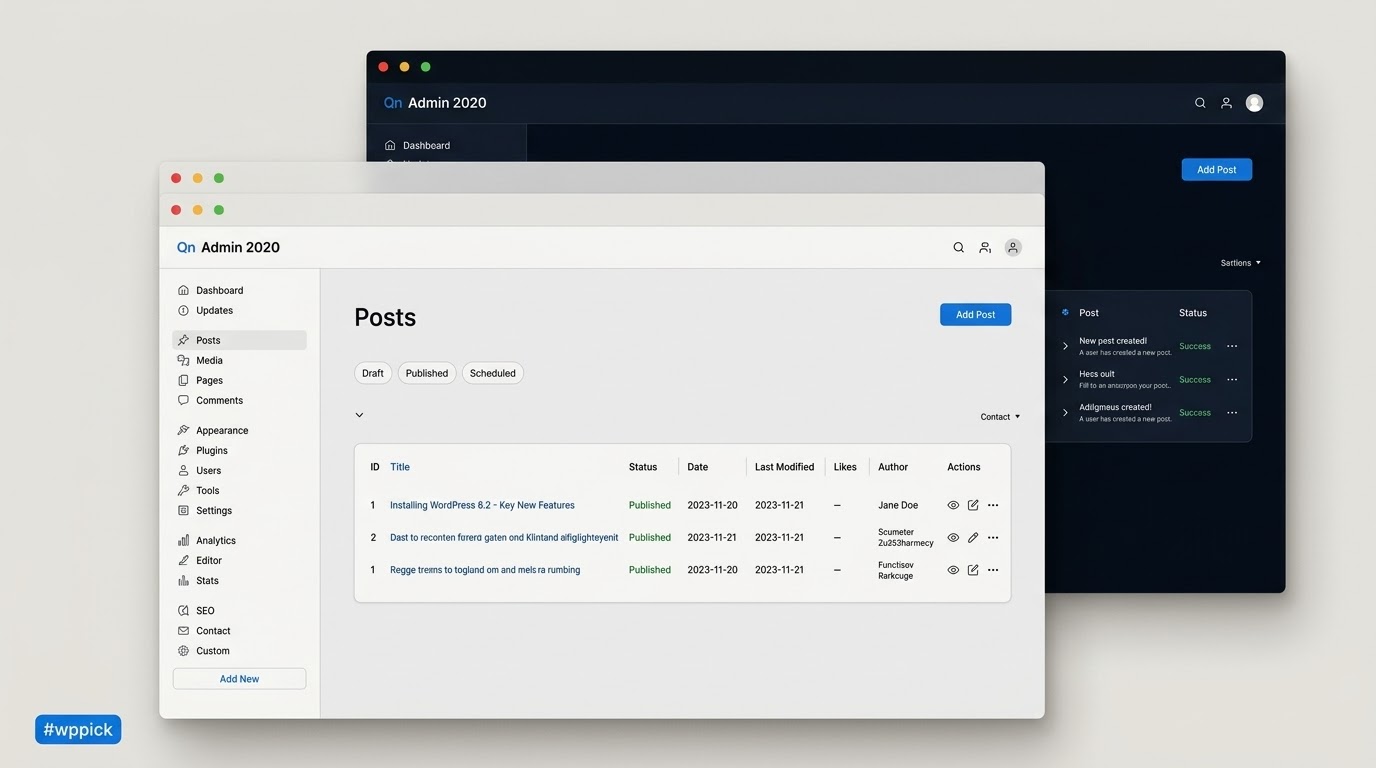
Transforming the WordPress Administrative Experience
UiPress Pro replaces the default WordPress administrative interface with a highly customizable, modern, and efficient dashboard. It restructures the backend experience to improve usability, reduce clutter, and accelerate daily site management tasks. Rather than relying on the traditional WordPress styling, this plugin introduces a fast framework that loads pages quicker and provides a cleaner aesthetic. It integrates essential tools directly into the dashboard, such as analytics, media management, and custom navigation, to create a cohesive workspace.
Latest Version 3.4.02 Changes
UiPress Pro version 3.4.02 introduced stability improvements to the menu creator, improved cache/invalidation logic, added role-creation starting points in the role editor, and introduced an important flag for Admin Notices. It also resolved several plugin conflicts and bugs affecting WooCommerce, RankMath, VITEPOS, and Google Fonts selection.
- Fixed toolbar items not showing on hover.
- Fixed conflict with VITEPOS.
- Fixed frontend links display in the toolbar.
- Fixed hidden Product type selector in WooCommerce.
- Fixed font selection for Google Fonts that would bug out when a font was set.
- Fixed conflict with WooCommerce class ‘fixed’ which does not mean position fixed.
Intended Users and Beneficiaries
This dashboard customization solution is designed for freelance developers, digital agencies, and site owners who want to offer a professional backend experience. Agencies utilize it to white-label the WordPress admin area before handing over a website to a client, removing confusing options and replacing WordPress branding with their own. Site managers running content-heavy platforms benefit from the streamlined interface, while administrators dealing with multiple user roles can tailor what specific users see when they log in to the system.
Core Functionality and Interface Upgrades
The core capabilities of UiPress Pro center around complete interface control and workflow optimization. Users build custom admin menus from scratch using a drag-and-drop interface, allowing them to hide unnecessary items or group related settings together. It features a built-in dark mode and comprehensive theme customization, enabling color and typography adjustments to match brand guidelines. A significant capability is the integrated Google Analytics module, which brings essential traffic metrics directly to the main dashboard without requiring third-party analytics plugins. Furthermore, it completely overhauls the WordPress media library, offering a much faster, folder-based organization system that handles large quantities of files smoothly.
Practical Implementation Scenarios
Implementing UiPress Pro addresses several common WordPress management challenges. For client handoffs, developers create a simplified admin menu that only shows the post editor and media library, preventing clients from accidentally altering site settings. For content teams, the global search functionality drastically reduces the time spent looking for specific pages, posts, or custom post types by providing instant, unified search results across the entire site architecture. In e-commerce environments, store managers configure their dashboard to prioritize order management and customer data while removing irrelevant plugin settings menus.
Configuration and System Compatibility
Installing UiPress Pro involves activating the plugin and navigating to its dedicated settings panel to begin configuring the dashboard layout. It operates alongside major WordPress page builders and plugins, including WooCommerce, Elementor, and various SEO tools. The setup process is modular, meaning administrators can enable or disable specific features, such as the custom media library or the overview page, depending on site requirements and potential conflicts. Because it changes the admin interface styling, users should verify compatibility with heavily customized backend plugins, though its architecture wraps around standard WordPress output securely.
Advantages of Sourcing from WPPick
Acquiring UiPress Pro through WPPick provides immediate access to a premium administrative upgrade without recurring subscription constraints. WPPick delivers verified, unmodified installation files directly from the original developer source, ensuring the integrity and security of your dashboard environment. Choosing this platform means you can rapidly deploy professional, white-labeled client sites while keeping development costs predictable.
Latest Version Context and Updates
The release of UiPress Pro version 3.4.02 brings several targeted stability improvements and bug resolutions to the platform. Based on the official developer release notes, this update significantly enhances the menu creator stability and introduces better cache invalidation logic. Administrators creating new user roles find a new feature in the role editor that offers a starting point template rather than forcing them to build capabilities from scratch. Additionally, the admin notices interface now includes an important flag to ensure critical alerts remain at the top of the page. This version resolves multiple integration conflicts, specifically addressing issues with WooCommerce product type selectors, RankMath menu displays, and VITEPOS compatibility. Fixes to the toolbar include correcting hover behaviors, frontend link displays, and addressing a bug related to Google Fonts selection.
Frequently Asked Questions
- Does UiPress Pro change the frontend appearance of my website? No, this plugin exclusively modifies the backend administrative interface of WordPress. Your frontend theme, page structure, and visitor-facing design remain completely unchanged.
- Can I use my own logo and branding in the dashboard? Yes, the plugin includes extensive white-labeling features. You can replace the default WordPress logo, customize the login screen, change the color scheme, and remove WordPress mentions to reflect your specific brand.
- Does the custom media library support folders? Yes, the upgraded media library allows you to organize images and files into distinct folders, making it much easier to manage large volumes of media assets compared to the default WordPress grid.
- Will my clients be able to see the plugin settings and change them? You have full control over role-based visibility. You can configure the dashboard so that administrators see all settings, while editors or clients only see the content creation tools and media library, effectively hiding the UiPress settings panel.
- Does the Google Analytics integration require a separate plugin? No separate plugin is required. UiPress Pro has built-in functionality to connect to your Google Analytics account and display essential traffic data natively on the dashboard overview page.
I. Download Limits & Account Benefits
- Free Downloads: Each email address receives 3 downloads per day for free products
- Upgrade Benefits: Purchase any paid product to increase your daily download limit by 3 for each paid product
- No Account Required: You can download immediately by receiving the download link via email
- Account Recommended: Create an account for easier access to your order history and direct update downloads
II. Understanding GPL vs Official Versions
Important: The products available on WPPick are GPL-licensed versions, which differ from official developer versions. Before purchasing, please read our comprehensive guide: Understanding GPL & Official Differences at WPPick
Key Points:
- GPL versions may not include premium support from original developers
- Updates may be delayed compared to official releases
- Some premium features might have limitations
- Always consider your specific needs and support requirements
III. Support & Assistance
We’re here to help through multiple channels:
- Email Support: Direct email assistance for all inquiries
- Live Chat: Real-time support during business hours
- Comprehensive Documentation: Detailed guides and tutorials
IV. Order Tracking
Access your complete purchase history and download links anytime: Order History
V. Account Access
New to WPPick? Login or Create Account to manage your downloads and orders efficiently.
VI. Refund Protection
We stand behind our products with a clear refund policy. Review our terms: Refund Policy
VII. Privacy & Security
Your data security is our priority. Learn how we protect your information: Privacy Policy
VII. Terms of Service
Understanding our service terms ensures a smooth experience: Terms of Use
Quick Tips for Best Experience
- Verify Compatibility: Check plugin/theme compatibility with your WordPress version
- Backup First: Always backup your site before installing new plugins or themes
- Test Environment: Consider testing on a staging site first
- Stay Updated: Regularly check for updates in your account dashboard
- Read Documentation: Review any included documentation for optimal setup
Need Help?
If you have questions about downloads, licensing, or need technical assistance, don’t hesitate to contact our support team. We’re committed to ensuring you have the best possible experience with WPPick products.
Ready to get started? Your download adventure begins with just one click!
- Fixed issue with menu builder not displaying menu items