

Uixpress – A Simple Yet Powerful Admin Theme For WordPress
/Year
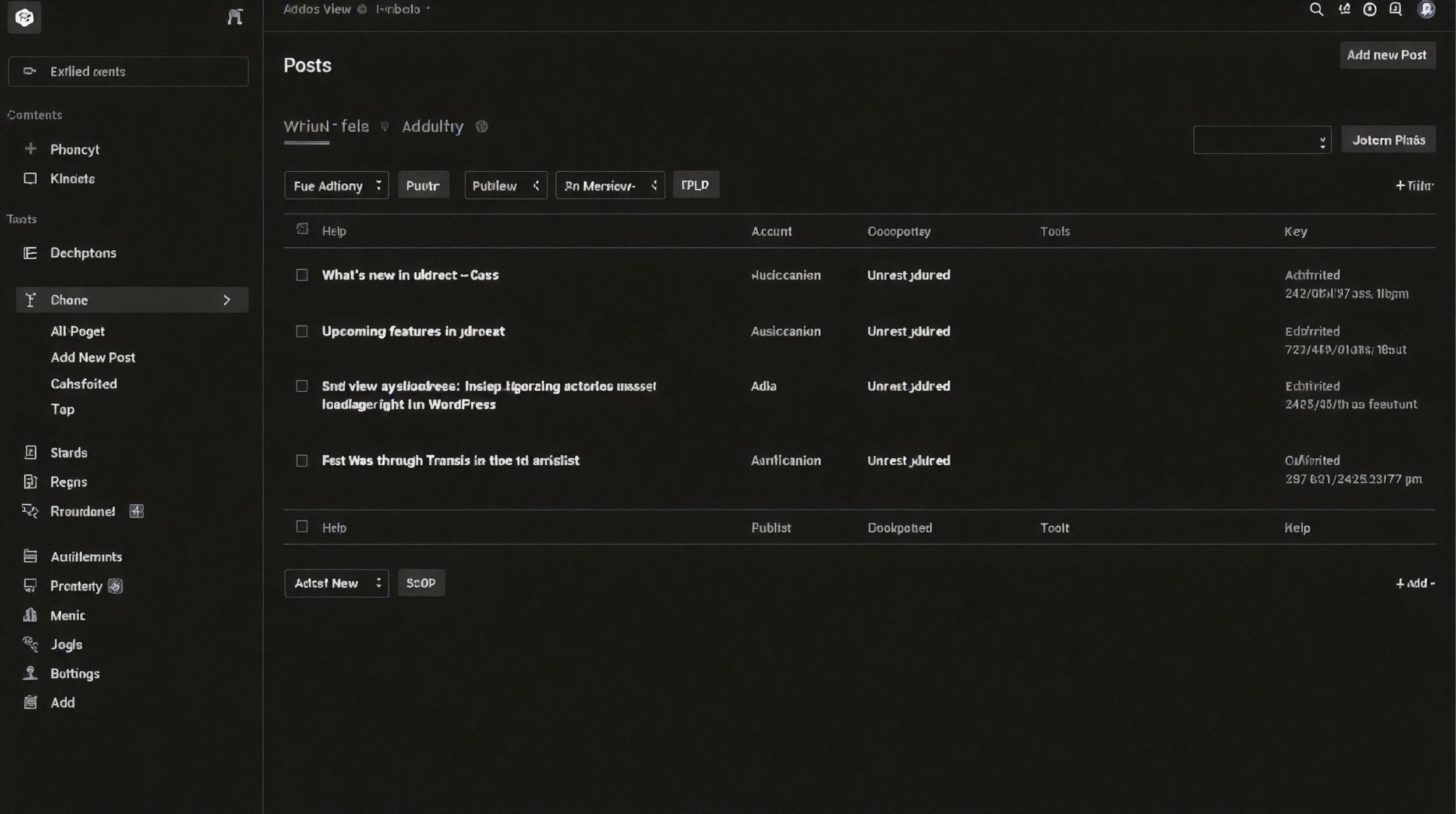
Transforming the WordPress Admin Experience
uiXpress is a comprehensive dashboard interface upgrade designed to replace the default WordPress backend with a modern, fast, and organized environment. Rather than just applying a visual skin over the existing setup, this plugin introduces a highly optimized single-page application structure for many core admin areas. It reduces database queries, lowers memory consumption, and streamlines navigation for anyone managing content, settings, or users within WordPress. By focusing on performance and usability, the interface minimizes page reloads and offers a cleaner, distraction-free workspace for daily operations.
Latest Version 1.4.0 Changes
uiXpress version 1.4.0 has been released as part of the official plugin updates, providing general feature enhancements and stability fixes for the modern WordPress admin theme.
- uiXpress version 1.4.0 includes updates and maintenance improvements for the WordPress admin theme plugin.
Core Capabilities and Features
The functionality of this admin theme extends well beyond visual modifications, integrating deep workflow enhancements directly into the WordPress core experience.
- Fast Navigation: Transitions between modern pages like the dashboard, media library, users, plugins, and activity log happen without full page reloads, using on-demand script loading.
- Performance Diagnostics: Includes detailed tools to monitor PHP performance, database queries, and memory usage per plugin, helping administrators identify resource bottlenecks.
- Remote Site Management: Manage multiple connected WordPress installations from a single primary dashboard, with unified access to media, users, plugins, and activity logs.
- Multisite Integration: Network-activated installations allow configuration inheritance from the primary site, simplifying management across sub-sites while blocking unauthorized overrides.
- Update Protection: Monitors plugin updates and retains previous versions, allowing for one-click rollbacks and automatic restoration if fatal errors are detected during update flows.
- Activity Logging: Tracks user actions across the platform, including post edits, plugin activations, and settings changes, providing a comprehensive audit trail for security and accountability.
- Customization Options: Adjust color palettes, fonts, and layout settings, including dark mode and custom font selectors, to match brand guidelines or personal preferences.
- Advanced Search: Features a global admin search function that locates menus, settings, and content quickly, minimizing time spent navigating complex submenus.
Who Benefits from This Plugin
This interface upgrade serves a wide range of users who spend significant time navigating the backend of WordPress websites.
- Agencies and Freelancers: Developers can provide clients with a tailored, less confusing dashboard that removes unnecessary clutter, hides sensitive menus, and highlights important workflow areas.
- Site Administrators: Users managing high-traffic or complex sites benefit from the built-in performance monitoring, activity logging, and faster page transitions.
- Content Creators: Writers and editors experience fewer distractions and quicker access to posts, media, and comments, improving daily publishing efficiency.
- Network Managers: Those operating multiple connected sites or WordPress Multisite networks can centralize their management tasks and deploy consistent settings across all web properties.
Practical WordPress Use Cases
Replacing the default admin interface addresses several common operational challenges for website owners and developers.
- Client Handoff: A web design agency configures the dashboard to hide complex technical menus from the client, providing a simplified menu structure and custom branding that aligns with the client company identity.
- Debugging Slow Backends: An administrator uses the built-in performance reporting tools to identify which specific third-party plugin is causing the WordPress admin to load slowly, allowing them to replace or optimize the problematic extension.
- Safe Plugin Updates: Before running a bulk update of several plugins, the site owner relies on the update protector. If an update triggers a fatal PHP error, the system automatically restores the previous working version, preventing downtime and broken functionality.
- Centralized Management: A user running five distinct WordPress sites connects them all to a single primary dashboard, updating plugins, moderating comments, and checking analytics across the portfolio without logging into five separate admin panels.
Setup and Compatibility Considerations
Installing this plugin completely overrides the default WordPress visual output for the administrative area. It operates efficiently out of the box but requires careful configuration when adjusting user roles, menu visibility, and capability assignments. Native WordPress screens such as the Block Editor, Site Editor, and Customizer continue to utilize standard full-page loads to ensure complete compatibility with third-party page builders and core functionality. Advanced CSS isolation is employed to prevent styling conflicts with complex visual plugins. When implementing this interface on established sites, administrators should test user role configurations to verify that custom post types and specialized plugin menus remain accessible. The built-in redirect safeguards prevent users with administrative privileges from being forced out of native administrative areas unexpectedly, providing a fallback layer for troubleshooting.
Why Choose This Tool on WPPick
This solution stands out for its structural approach to backend optimization. Rather than simply injecting CSS files to change colors, it fundamentally reworks how admin assets are loaded and displayed. The reduction in bootstrap memory and database queries creates a tangibly faster experience. The inclusion of utility features like activity logs, database exploration, remote management, and plugin performance monitoring consolidates functionality that would normally require installing multiple separate administrative plugins. This consolidation reduces overall site bloat while delivering a highly refined user interface.
Latest Version Context
uiXpress version 1.4.0 introduces substantial updates and maintenance improvements for the WordPress admin theme framework. Key additions include a new Plugin Update Protector that retains previous plugin versions for immediate rollback capabilities and automatically recovers from fatal errors during manual or automatic update flows. Navigation between modern admin pages has been accelerated to function without full page reloads, synchronizing browser history and menu context dynamically. Significant performance optimizations have also been deployed, reducing the frontend bootstrap memory by approximately 49 percent and heavily reducing database query overhead. The update also includes automatic REST nonce refreshing to keep long-lived administrative sessions active securely without requiring manual page reloads.
Frequently Asked Questions
Does this plugin change how the frontend of the website looks?
No, this tool strictly modifies the backend administrative area. Your website visitors will not see any changes to the public-facing pages or the active frontend theme.
Can I use this alongside page builders like Elementor or Divi?
Yes, the interface applies CSS isolation specifically designed to prevent conflicts with frontend page builders. Native editors and builders load in their standard context to maintain compatibility.
What happens if a plugin update breaks my site while using the update protector?
The update protector monitors the update process. If it detects an immediate fatal error, it automatically restores the known-good version of the plugin and emails the administrator about the attempted rollback to ensure site stability.
Is it possible to manage multiple websites with this tool?
Yes, the remote site management feature allows you to connect multiple WordPress installations and manage their plugins, users, database tables, and media from one primary dashboard interface.
Will this speed up my WordPress admin dashboard?
The plugin is designed to reduce database queries and defer the loading of scripts until they are explicitly needed. Combined with single-page transitions for core menus, these optimizations typically result in a notably more responsive backend experience.
I. Download Limits & Account Benefits
- Free Downloads: Each email address receives 3 downloads per day for free products
- Upgrade Benefits: Purchase any paid product to increase your daily download limit by 3 for each paid product
- No Account Required: You can download immediately by receiving the download link via email
- Account Recommended: Create an account for easier access to your order history and direct update downloads
II. Understanding GPL vs Official Versions
Important: The products available on WPPick are GPL-licensed versions, which differ from official developer versions. Before purchasing, please read our comprehensive guide: Understanding GPL & Official Differences at WPPick
Key Points:
- GPL versions may not include premium support from original developers
- Updates may be delayed compared to official releases
- Some premium features might have limitations
- Always consider your specific needs and support requirements
III. Support & Assistance
We’re here to help through multiple channels:
- Email Support: Direct email assistance for all inquiries
- Live Chat: Real-time support during business hours
- Comprehensive Documentation: Detailed guides and tutorials
IV. Order Tracking
Access your complete purchase history and download links anytime: Order History
V. Account Access
New to WPPick? Login or Create Account to manage your downloads and orders efficiently.
VI. Refund Protection
We stand behind our products with a clear refund policy. Review our terms: Refund Policy
VII. Privacy & Security
Your data security is our priority. Learn how we protect your information: Privacy Policy
VII. Terms of Service
Understanding our service terms ensures a smooth experience: Terms of Use
Quick Tips for Best Experience
- Verify Compatibility: Check plugin/theme compatibility with your WordPress version
- Backup First: Always backup your site before installing new plugins or themes
- Test Environment: Consider testing on a staging site first
- Stay Updated: Regularly check for updates in your account dashboard
- Read Documentation: Review any included documentation for optimal setup
Need Help?
If you have questions about downloads, licensing, or need technical assistance, don’t hesitate to contact our support team. We’re committed to ensuring you have the best possible experience with WPPick products.
Ready to get started? Your download adventure begins with just one click!
- Added automatic REST nonce refresh for the main admin app - New uixpress/v1/rest-nonce endpoint returns a fresh wp_rest nonce for the current session - lmnFetch proactively refreshes stale nonces and retries once after security token failures - Background timer and tab visibility checks keep long-lived admin sessions working without a page reload
- Admin framework wp-admin redirect safeguard (beta) - Users with the manage_options capability are never redirected from wp-admin to uix-admin - The Administrator role and admin users are stripped from redirect settings on save and cannot be selected in settings
- Added Plugin Update Protector - Optionally retains the previous plugin version after updates for one-click rollback - Automatically detects immediate fatal errors and restores the known-good version - Covers manual, automatic, bulk, REST, and ZIP replacement update flows - Emails the WordPress administrator when an automatic rollback is attempted - Stores protected copies in private storage outside the public web root
- Added faster navigation between modern uiXpress admin pages - Dashboard, posts, media, users, comments, plugins, settings, Menu Creator, Activity Log, Database Explorer, Role Editor, and Admin Notices can switch without a full page reload - Page scripts and styles are loaded on demand to keep the initial admin bundle lightweight - Browser back and forward navigation, page titles, menu highlighting, and post-type context stay synchronized - Native WordPress screens such as the block editor, Site Editor, and Customizer continue to use full page loads
- Improved PHP performance and memory usage across frontend requests - Reworked backend bootstrapping so admin, REST, AJAX, and cron services load only in the request contexts that need them - Reduced the measured uiXpress frontend bootstrap memory by approximately 49%, while loading 77 fewer PHP files and classes - Deferred WordPress plugin, theme, update, and list-table dependencies until their management features are used - Reduced logged-in frontend toolbar work by skipping admin-only plugin scans - Activity logger services now load only when activity logging is enabled - Successful analytics table checks are cached to avoid repeated database schema queries
- Reduced database query overhead - Consolidated migration checks and cached settings reads with blog-scoped multisite isolation - Reduced the measured warm public uiXpress bootstrap from three database queries to one without a persistent object cache - Replaced repeated activity and analytics table checks with versioned schema readiness markers - Batched activity writes in retry-safe chunks and converted analytics aggregation to transactional set-based queries - Cached analytics settings per request and combined comparison, event, user, and media counters - Reduced dashboard, user, media, and analytics counter queries while preserving existing response formats - Added a one-request admin framework bootstrap with automatic fallback to the existing endpoints - Replaced global object-cache flushes with targeted uiXpress repository invalidation
- Improved plugins page search and repository browsing - Installed plugin searches with no matches now offer to search the same term in the WordPress plugin directory - Plugin repository opens in the main detail panel instead of a flyout drawer - Repository search terms are preserved when opening plugin details and returning to results
- Added a subtle page-content transition with reduced-motion support
- Refined and standardised UI across several areas of uiXpress
- Corrected Plugin Performance reporting and rankings - Plugin rows no longer present the shared PHP process peak as memory owned by each plugin - The overview reports the page process peak once instead of summing overlapping values - uiXpress now records direct lifecycle checkpoints - Memory diagnostics distinguish retained bootstrap growth - Relative impact rankings now use a weighted share of execution time - Database queries now belong to one nearest plugin caller - Query totals report the global post-plugins-loaded observation window - Query fingerprints, source files, and originating hooks are available for more reliable diagnostics
- Fixed checkboxes not visually showing as checked
- Added WordPress multisite support for network-activated installs. uiXpress configuration menu (Settings, Menu Creator, etc.) is only shown on the primary network site. Network-managed subsites inherit settings and Menu Creator configs from the primary site. Direct access to uiXpress admin pages on subsites redirects to the primary site. Settings and menu writes are blocked on network-managed subsites.
- Improved built-in analytics for WordPress multisite subsites. Analytics tables are bootstrapped on frontend tracking, not only on admin visits. User analytics dashboard counts subsite members only on multisite. Analytics dashboard API calls always use current site data (ignores remote site switcher).
- Added lots of extra icons for the shortcuts icon select.
- Fixed custom base and accent theme colors not applying outside the settings page. Theme colors are now applied as inline CSS variables on the document root, matching the settings page behaviour. Prevents theme.css (loaded in the admin footer) from resetting custom color scales back to defaults on other admin pages.
- Fixed style conflict with radio inputs where selected items appeared unclickable.
- New admin framework released in beta.
- Standalone licence storage: Licence keys and instance IDs now live in their own dedicated WordPress option, completely separate from main uiXpress settings. This prevents edge cases where keys could be lost or overwritten by other settings changes.
- Dedicated licence API: Activation, validation, and removal are handled through new server-side REST endpoints, making the flow cleaner and more secure.
- Activation screen on production sites: If uiXpress isn't activated, a dedicated activation screen is shown for a more straightforward setup experience.
- Automatic migration: Existing activations are automatically migrated to the new standalone storage, preserving activation status, updates, and settings.
- Fixed Activity Log timestamp timezone display
- Activity Log timestamps were showing incorrect times (+6 hours) for sites with non-UTC timezones
- REST API now converts MySQL datetimes to ISO 8601 with site timezone for correct frontend display
- Timestamps now display correctly regardless of WordPress timezone setting in Settings
- Removed user avatar dropdown and icon from toolbar
- Removed the circular avatar/gravatar element and associated context menu from the main toolbar
- Removed Theme switcher and Logout options that were in the dropdown (may be relocated elsewhere)
- Improved style layering and CSS scoping
- Excluded Bricks and MailerPress plugin styles from uixpress style layering to prevent conflicts
- Scoped CSS custom properties (--radius, --background, etc.) to :where(.wp-admin, .uixpress-isolation) to prevent conflicts with third-party themes and plugins
- Improved WordPress toolbar integration
- Changed WP toolbar host element ID from wpadminbar to uix-wp-toolbar-host to avoid conflicts
- Added retry logic when moving toolbar items (delays at 100ms, 300ms, 600ms) for async-loaded toolbar content
- moveToolbar now returns boolean to indicate success for retry logic
- Simplified frontend toolbar wrapper
- Removed toolbar container and toolbar classes from frontend wrapper for cleaner markup
- Improved global search keyboard handling
- Search keydown listener now uses capture: true for more reliable keyboard shortcut handling
- Dashboard layout improvements
- Restructured dashboard page layout with improved nesting and background styling
- Added bg-zinc-50 dark:bg-zinc-950 background to dashboard and activity log pages for consistent appearance
- Fixed community feedback
- Theme base colors not persisting after save/refresh (scoped CSS properties fix)
- Bricks and Advanced Themer toggle styling conflicts (Bricks style exclusion)
- MailerPress sidebar text not visible in light/dark theme (MailerPress style exclusion)
- WordPress command bar opening alongside uiXpress on Ctrl+K (search uses capture phase)
- Add New Content Toolbar Button: Added modern "Add New" dropdown button to the left side of the toolbar. Replaces the default WordPress admin bar "New Content" menu with a cleaner design. Dynamically extracts available post types from WordPress admin bar. Shows appropriate icons for each content type (posts, pages, media, users, etc.). Respects user permissions - only shows content types the user can create. Supports custom post types registered by plugins.
- Detailed Updates in Notifications Panel: Updates section now shows individual items instead of just counts. WordPress core updates display current and new version numbers. Each plugin with available update is listed with name and version transition. Each theme with available update is listed with name and version transition. Color-coded icons: blue for core, orange for plugins, purple for themes. Direct links to appropriate update pages for each item. Created new REST API endpoint (uixpress/v1/admin-status) for update and comment data. Respects user capabilities (update_core, update_plugins, update_themes, moderate_comments).
- Fixed style conflict with elemnetor admin ui.
- Fixed issue with Gravity forms where new form modals were not showing.
- Improved css scoping to prevent some style conflicts.
- Added new translations: Czech, Japanese, Korean, Polish, Russian, Turkish, and Chinese (Traditional).
- Dashboard analytics category now only shows when analytics is enabled in settings.
- Fixed dashboard card layout issue where card wrappers were rendered even when user lacked required capabilities or plugins.
- Admin Menu Search - Powerful search functionality for admin menu navigation
- Custom Font Selector - Advanced font customization for the admin interface
- Google Analytics 4 Provider - Integrate Google Analytics data into uiXpress Analytics
- Merged WordPress Notifications into Admin Notices Panel
- Updated User Details Dropdown with Shadow DOM Isolation
- Enhanced Create User Form with Password Features
- Improved Menu Cache System with Rotating Cache Keys
- Enhanced WooCommerce Customer Component with Order Analytics
- Added User Details Components Registration API
- Fixed Hidden Submenu Items Still Showing in Main Menu
- Fixed Submenu Toggle Not Working When Top-Level Item Not Active
- Fixed layout issue with fluent cart
- Fixed shadow on login page
- Fixed issue where user flyout menu in the sidebar would sometimes get cutoff but nodes in the body.
- Added WooCommerce Customer Data Integration to User Details View
- Updated all translation files.
- Introduced Remote Site Management system for managing multiple WordPress sites from a single uiXpress installation.
- Added site switcher in the admin toolbar for instant switching between connected remote sites.
- Added full admin access to manage media, plugins, users, menus, database, activity logs, and more across any connected site.
- Added persistent site selection that maintains context across user sessions.
- Added intelligent menu filtering that shows only available uiXpress features when viewing a remote site.
- Added unified permission system with automatic security method detection (nonce for local, application passwords for remote).
- Added capability-based access controls for viewing and using remote sites.
- Added intelligent feature detection that adapts the interface to show only enabled features on the remote site.
- Added support for managing remote sites via the Modern Media Library, Modern Plugins Page, Activity Log, Database Explorer, Role Editor, Modern Users Page, and settings.
- Fixed overlay issue with Gutenberg editor in full screen mode on Safari.
- Resolved scroll conflicts with the LatePoint plugin.
- Fixed the "Back to Dashboard" button behavior on the frontend toolbar.
- Added function existence checks for disk_free_space() and disk_total_space() in Server Health to prevent errors on restricted hosting environments.