

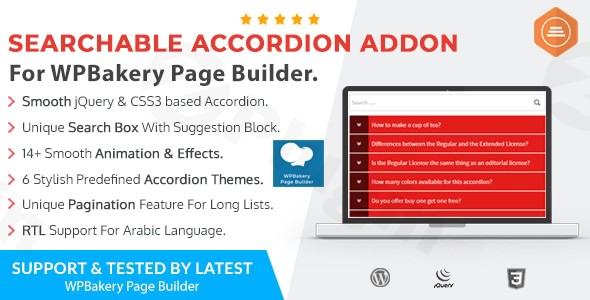
Managing extensive content on a WordPress site often leads to “the scroll of death,” where users struggle to find specific information within long FAQ pages or documentation. The Ultimate Searchable Accordion is a specialized WPBakery Accordion Plugin designed to solve this exact problem. By integrating a powerful search bar directly into your accordion blocks, this addon transforms static content sections into interactive, searchable databases that improve user experience and engagement.Whether you are building a complex documentation hub or a simple FAQ section, the Ultimate Searchable Accordion ensures your visitors find what they need in seconds rather than minutes.
Key Features of the Ultimate Searchable Accordion
This plugin isn’t just a standard toggle box; it is a feature-rich WPBakery Page Builder addon built for performance and high-level customization.
1. Advanced Search Functionality with Suggestions
The standout feature is the integrated search bar. Unlike standard accordions, this plugin allows users to filter through “unlimited accordions” instantly. As users type, the search suggestions feature highlights potential matches, making the accordion with search functionality feel like a native app experience.
2. Fully Responsive & Retina Ready
In today’s mobile-first world, your content must look perfect on every screen. This plugin is fully responsive, adapting seamlessly to smartphones, tablets, and desktops. Being Retina Ready ensures that icons and typography remain crisp on high-resolution displays.
3. Extensive Styling & Animations
- 6 Predefined Themes: Choose from six stylish, customizable skins to match your brand’s aesthetic.
- 14+ Animation Effects: Powered by jQuery and CSS3, the plugin offers smooth, modern transitions that provide a polished, premium feel.
- Font Integration: Full support for Google Fonts and Font Awesome icons allows you to style your headers and content precisely.
4. Pagination for Large Datasets
If you have dozens of entries, showing them all at once can be overwhelming. The built-in pagination support allows you to break your accordion lists into manageable pages, improving both page load speed and readability.
5. Developer-Friendly & Lightweight
For those who want to tweak the design further, the plugin features clean, valid markup and minimal CSS files. It is easy to override styles without dealing with “code bloat,” ensuring your site remains fast.
Installation & Setup: How to Add a Searchable Accordion in WPBakery
Setting up the Ultimate Searchable Accordion is straightforward, even if you are not a developer. Follow these steps to get started:
- Install the Plugin: Navigate to your WordPress Dashboard > Plugins > Add New. Upload the plugin zip file and click Activate. Note: Ensure you have WPBakery Page Builder (version 6.5.0 or greater) installed first.
- Open the WPBakery Editor: Edit the page where you want the accordion to appear. Click the “+” icon to add a new element.
- Select the Element: Search for “Ultimate Searchable Accordion” in the WPBakery element list.
- Configure Settings:
- General Settings: Choose your theme and animation style.
- Search Settings: Enable the search bar and toggle search suggestions.
- Add Items: Click the “+” inside the element to add individual accordion rows (Title and Content).
- Save and Publish: Preview your page to see the smooth animations and test the search functionality.
Practical Usage & Best Practices
To get the most out of this WordPress FAQ plugin, consider these real-world use cases:
- SaaS Documentation: Use the searchable feature to help users find technical answers quickly. If a user types “API,” the accordion will instantly filter to show only API-related toggles.
- E-commerce Product FAQs: Ideal for WooCommerce stores. Instead of a messy list of shipping and return policies, provide a clean, searchable interface.
- Legal & Terms of Service: Break down long legal documents into searchable sections, making it easier for users to find specific clauses.
- Agency Portfolios: Use accordions to categorize services (SEO, Design, Development) and allow clients to search for specific offerings.Pro-Tip: When creating content, use keyword-rich titles for your accordion rows. This not only helps the internal search function but also assists search engines in understanding your content structure.
FAQ & Troubleshooting
What is the best searchable accordion plugin for WPBakery?
The Ultimate Searchable Accordion is widely considered the best choice because it combines standard accordion features with advanced search suggestions, pagination, and over 14 animation effects—features rarely found in free alternatives.
Does Ultimate Searchable Accordion work with the latest WordPress version?
Yes, the plugin is compatible with WordPress 4.8 and higher. To ensure the best performance and security, it is recommended to use the latest stable version of WordPress and PHP 7.3+.
Can I use this plugin with Right-to-Left (RTL) languages?
Absolutely. The plugin has built-in RTL support, making it perfect for websites in Arabic, Hebrew, Persian, or other RTL languages.
Does it support WooCommerce for online stores?
Yes, while it is a WPBakery addon, you can place these accordions on WooCommerce product pages (via the description tab) or custom shop pages to handle extensive product FAQs.
What should I do if the search bar isn’t appearing?
First, ensure that the “Search” option is enabled in the element settings within WPBakery. If it still doesn’t appear, check for JavaScript conflicts with your theme or other plugins. Because it uses clean jQuery/CSS3, conflicts are rare.
Final Verdict
The Ultimate Searchable Accordion is a must-have for any site owner using WPBakery who needs to present large amounts of information efficiently. It moves beyond the limitations of a standard Searchable Accordion WordPress solution by offering pagination, search suggestions, and deep customization. For agencies and marketers, the ROI comes from improved user dwell time and reduced support tickets, as users can finally find the answers they need on their own. Visit wppick.com for more insights on the best tools to enhance your WordPress workflow.