

Universal Video Player For Wpbakery Page Builder
/Year
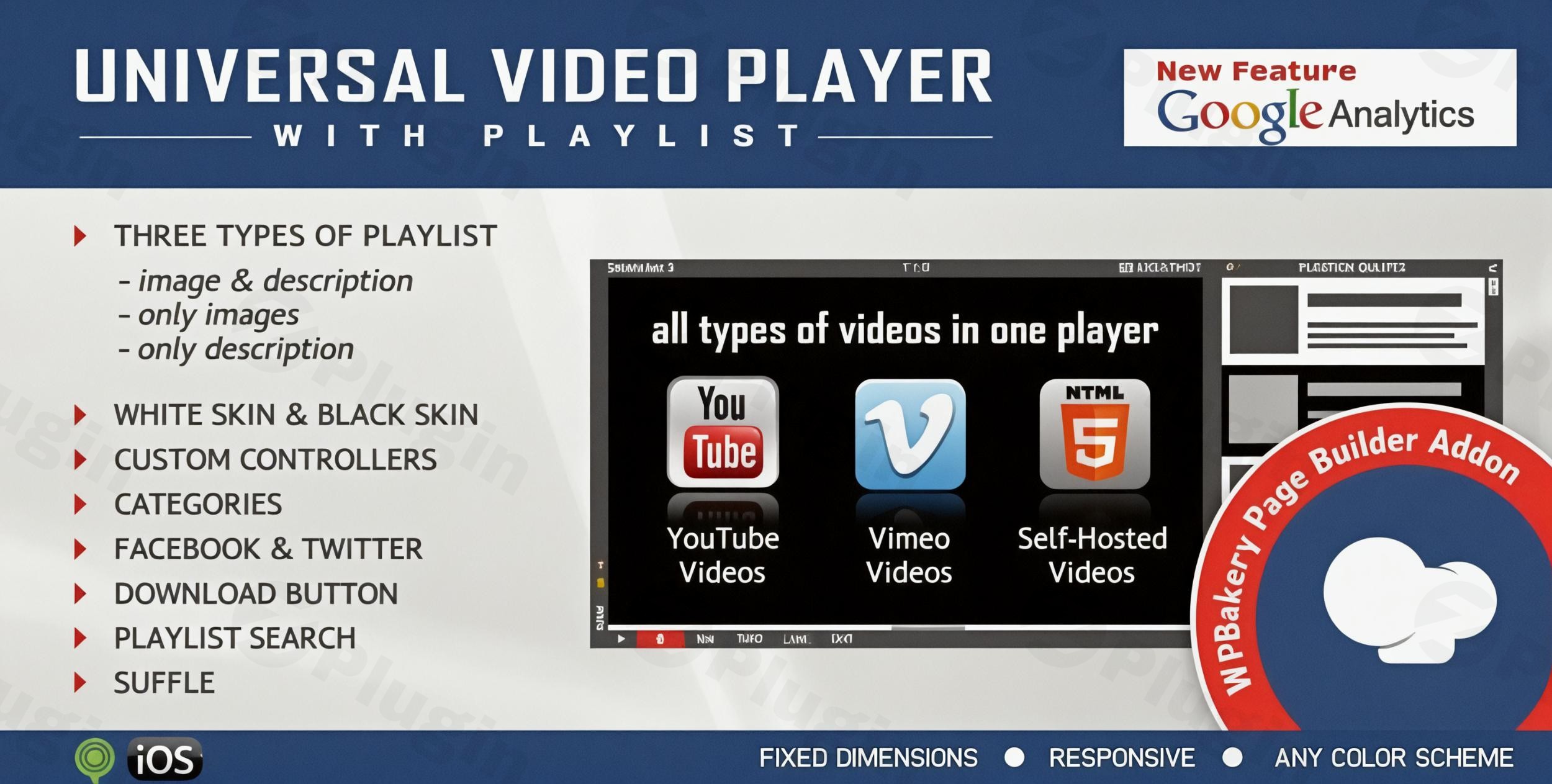
In today’s digital landscape, video content is king. For WordPress users leveraging the powerful WPBakery Page Builder, integrating and managing dynamic video experiences can be a game-changer for engagement and conversions. The Universal Video Player for WPBakery is a robust WPBakery Video Player Addon designed to transform how you present videos on your site, offering unparalleled flexibility and customization for YouTube, Vimeo, and self-hosted media. If you’re looking for a comprehensive WordPress Video Player WPBakery solution, this plugin provides the tools to create professional, responsive, and highly interactive video sections without writing a single line of code.This article will guide you through the plugin’s core features, demonstrate its installation and setup, explore practical usage scenarios, and answer common questions, ensuring you harness its full potential to captivate your audience.
Key Features of the Universal Video Player for WPBakery
The Universal Video Player for WPBakery comes packed with an impressive array of features, making it a versatile choice for any website owner. Its capabilities go far beyond basic video embedding, providing tools for advanced customization, performance, and user engagement.
Multi-Source Video Support
This player stands out by seamlessly integrating videos from multiple popular sources:
- YouTube: Simply use the video ID. The plugin can even automatically fetch the video thumbnail, title, and description directly from YouTube servers.
- Vimeo: Similar to YouTube, just provide the video ID.
- Self-Hosted Videos: For full control over your media, you can upload and play your own MP4 or WebM video files. This is particularly useful for exclusive content or optimizing delivery.This multi-source capability makes it a true YouTube Vimeo Self-Hosted Player WPBakery solution, eliminating the need for multiple video plugins.
Responsive Design & Mobile Compatibility
In a mobile-first world, responsiveness is non-negotiable. The Universal Video Player is a Responsive Video Player WordPress WPBakery users will appreciate:
- Fully Responsive: The player automatically adjusts to fit any screen size, from large desktop monitors to tablets and smartphones.
- Mobile Compatible: Optimized for iOS and Android operating systems, ensuring smooth playback and an excellent user experience across all mobile devices.
- Optional Non-Responsive Mode: For niche cases or legacy designs, you have the option to disable responsive behavior.
Comprehensive Playlist Functionality
Beyond single video playback, the plugin excels in managing video collections:
- Three Playlist Versions: Choose to display the playlist with thumbnails, titles, and descriptions; hide one of them; or show all for rich content presentation.
- Playlist Search: A built-in search feature allows users to quickly find specific videos within your playlist, enhancing usability.
- Categories: Organize your playlist items into categories. A single video can belong to multiple categories, offering flexible content curation.
- Shuffle Option: Keep your content fresh by enabling a shuffle option for your playlists.
- Show/Hide Playlist Button: Give users control over their viewing experience with a toggle to show or hide the playlist. You can also load the player with the playlist hidden by default.This makes it an ideal WPBakery Video Playlist Plugin for educational sites, portfolios, or content hubs.
Customizable Appearance & Branding
Match the video player perfectly with your website’s aesthetic:
- Customizable Color Scheme: With parameters for every element, you can customize the color scheme to integrate the player seamlessly into any design.
- Two Skins Included: Start with pre-designed “back & white” skins and then fine-tune them.
- Logo/Watermark: Add your brand’s logo or a watermark in the top-left corner of the player, complete with a clickable link and target options (e.g.,
_selfor_blank).
Google Analytics Integration
Track video engagement to understand your audience better:
- Play Tracking: Activate Google Analytics tracking to monitor how many times each video in your player is played. This data is invaluable for content strategy and performance analysis. This makes WPBakery video player Google Analytics integration a powerful feature for data-driven decisions.
Additional Features for Enhanced Experience:
- Download Option: For self-hosted videos, a download button can be displayed, allowing users to save the file. This can be hidden if not desired.
- Social Sharing: Enable sharing to Facebook and Twitter directly from the player, with customizable share titles and descriptions to control how your content is presented on social media.
- Multiple Parameters: With over 85 parameters available, you have granular control over autoplay, loop (for the entire playlist), dimensions, and many other aspects of the player’s behavior.
- Lightweight: The plugin’s JavaScript file is optimized (around 55KB), ensuring it doesn’t negatively impact your website’s loading speed.
- Free Updates: Purchase once and receive all future updates for free, ensuring long-term compatibility and new features.
Installation & Setup: How to Add Responsive Video Playlists in WPBakery Page Builder
Installing and setting up the Universal Video Player for WPBakery is a straightforward process, designed for users of all technical levels.
Step-by-Step Installation:
- Download the Plugin: After purchasing the Universal Video Player for WPBakery from CodeCanyon, download the plugin package to your computer.
- Upload to WordPress:
- Log in to your WordPress admin dashboard.
- Navigate to Plugins > Add New.
- Click on the “Upload Plugin” button at the top of the page.
- Click “Choose File”, select the downloaded plugin
.zipfile, and then click “Install Now”.
- Activate the Plugin: Once the plugin is uploaded and installed, click on the “Activate Plugin” link.
Setting Up Your First Video Player with WPBakery:
Since this is an addon for WPBakery Page Builder, its functionality is accessed directly within the page builder interface.
- Edit a Page/Post with WPBakery: Go to an existing page or post, or create a new one, and open it with the WPBakery Page Builder.
- Add a New Element: Click the
+icon to add a new element to your page. - Find the Video Player: In the element library, search for “Universal Video Player” or “Video Player”. Select the element to add it to your page.
- Configure the Player: A settings panel will appear, offering numerous customization options.
- Video Source: Choose between YouTube, Vimeo, or Self-Hosted.
- Video ID/URL: Input the YouTube/Vimeo ID or the URL to your self-hosted video file.
- Playlist Items: If creating a playlist, add multiple videos here, specifying their source and ID/URL.
- Customization: Adjust colors, dimensions, autoplay settings, loop, logo, and more using the extensive parameters.
- Responsive Behavior: Ensure the responsive option is enabled (it’s usually on by default) for optimal mobile viewing.
- Google Analytics: Enable tracking if you wish to monitor video plays.
- YouTube API Key: (Important for automatic data fetching) If you want the plugin to automatically pull thumbnails, titles, and descriptions from YouTube, you may need to enter a YouTube API key due to Google’s data quota restrictions. Refer to the plugin documentation for specific instructions on obtaining and configuring this key.
- Save Changes: After configuring your player, save the element settings and update your page. You will now see your fully customized video player live on your WordPress site.This process simplifies how to add responsive video playlist in WPBakery Page Builder, making advanced video integration accessible to everyone.
Practical Usage & Best Practices
The Universal Video Player for WPBakery is incredibly versatile, fitting a wide range of use cases for various types of WordPress sites. Here’s how different users can leverage its power:
1. For Content Creators & Bloggers: Engaging Your Audience with Playlists
- Curated Content Hubs: Create themed video playlists for your blog posts, tutorials, or review series. For instance, a food blogger could have a “Recipe Tutorials” playlist categorized by cuisine.
- Behind-the-Scenes & Vlogs: Offer exclusive content to loyal readers, showcasing your creative process or daily vlogs in an easily digestible, organized format.
- Best Practice: Always enable Google Analytics tracking. This data helps you understand which videos resonate most with your audience, guiding your future content strategy. Utilize the “shuffle” option for discovery and “categories” for easy navigation.
2. For Businesses & Agencies: Professional Video Presentation
- Client Portfolio Showcase: Agencies can create stunning video portfolios of their work, categorized by client or project type. This visually demonstrates capabilities to potential clients.
- Product Demos & Testimonials: eCommerce sites or SaaS businesses can embed high-quality product demonstrations and customer testimonials. The “download” option for self-hosted demos can be a powerful lead magnet.
- Branding Consistency: Use the “Logo/Watermark” feature to reinforce your brand identity across all video content, linking back to your main site or a specific landing page.
- Best Practice: Leverage the customizable color schemes to perfectly match your brand guidelines. Ensure videos are high-quality but optimized for web to maintain performance.
3. For E-learning & Online Courses: Structured Learning Experiences
- Organized Course Modules: Online course creators can use categorized playlists to structure entire modules or lessons. Each category could represent a course section, and videos within that category are individual lessons.
- Lecture Series: Universities or educators can publish a series of lectures, making them easily searchable and navigable for students.
- Best Practice: Utilize the “Playlist Search” and “Categories” heavily to provide a clear and intuitive learning path. Ensure the “show/hide playlist” button is available for focused viewing.
4. Optimize Performance & User Experience:
- Responsive Design First: Always ensure the responsive option is active to provide an optimal viewing experience across all devices. This directly addresses the “Is Universal Video Player for WPBakery mobile friendly?” query.
- Video Optimization: For self-hosted videos, always compress your video files without sacrificing too much quality. Large video files can significantly slow down your site.
- Strategic Autoplay: While tempting, use autoplay sparingly. It can be annoying for users and impact page load times. Consider it for background videos or hero sections where audio is muted initially.
FAQ & Troubleshooting
Here are answers to some common questions about the Universal Video Player for WPBakery:
What is Universal Video Player for WPBakery?
The Universal Video Player for WPBakery is a powerful WordPress plugin that acts as an addon for the WPBakery Page Builder (formerly Visual Composer). It enables users to embed and customize responsive video players on their WordPress sites, supporting videos from YouTube, Vimeo, and self-hosted files, complete with advanced playlist management, analytics, and branding options.
How to embed YouTube video with WPBakery plugin?
To embed a YouTube video using this plugin, open your page or post with WPBakery Page Builder, add the “Universal Video Player” element, and in its settings, select “YouTube” as the video source. Then, simply input the YouTube video ID (the string of characters after v= in a YouTube URL) into the designated field. You can then customize its appearance and add it to a playlist if desired.
Is Universal Video Player for WPBakery mobile friendly?
Yes, the Universal Video Player for WPBakery is designed with full responsiveness and mobile compatibility in mind. It ensures that your videos will automatically adapt and display optimally on all major browsers and mobile devices, including iOS and Android operating systems, providing a consistent viewing experience across different screen sizes.
Can I create video categories in WPBakery with this plugin?
Absolutely! The Universal Video Player for WPBakery allows you to structure your playlist items into categories. You can assign videos to one or multiple categories, which helps organize your content and makes it easier for users to navigate and find specific types of videos within your playlists. This feature is configured within the player’s settings panel in WPBakery.
Does Universal Video Player for WPBakery integrate with Google Analytics?
Yes, the plugin offers an option to activate Google Analytics tracking. Once enabled, you’ll be able to monitor how many times each video embedded with the Universal Video Player has been played on your WordPress website, providing valuable insights into user engagement with your video content.
Conclusion
The Universal Video Player for WPBakery is an indispensable WordPress Video Player WPBakery addon for anyone serious about incorporating high-quality, customizable, and engaging video content into their WPBakery-powered WordPress website. Its comprehensive support for YouTube, Vimeo, and self-hosted videos, combined with robust playlist management, extensive customization options, and crucial Google Analytics integration, positions it as a top-tier solution.Whether you’re a blogger seeking to boost engagement, a business showcasing products, or an educator delivering online courses, this plugin provides the tools to create professional video experiences that truly resonate with your audience. Its lightweight design and ongoing updates further solidify its value, ensuring a reliable and future-proof investment for your WordPress site.
I. Download Limits & Account Benefits
- Free Downloads: Each email address receives 3 downloads per day for free products
- Upgrade Benefits: Purchase any paid product to increase your daily download limit by 3 for each paid product
- No Account Required: You can download immediately by receiving the download link via email
- Account Recommended: Create an account for easier access to your order history and direct update downloads
II. Understanding GPL vs Official Versions
Important: The products available on WPPick are GPL-licensed versions, which differ from official developer versions. Before purchasing, please read our comprehensive guide: Understanding GPL & Official Differences at WPPick
Key Points:
- GPL versions may not include premium support from original developers
- Updates may be delayed compared to official releases
- Some premium features might have limitations
- Always consider your specific needs and support requirements
III. Support & Assistance
We’re here to help through multiple channels:
- Email Support: Direct email assistance for all inquiries
- Live Chat: Real-time support during business hours
- Comprehensive Documentation: Detailed guides and tutorials
IV. Order Tracking
Access your complete purchase history and download links anytime: Order History
V. Account Access
New to WPPick? Login or Create Account to manage your downloads and orders efficiently.
VI. Refund Protection
We stand behind our products with a clear refund policy. Review our terms: Refund Policy
VII. Privacy & Security
Your data security is our priority. Learn how we protect your information: Privacy Policy
VII. Terms of Service
Understanding our service terms ensures a smooth experience: Terms of Use
Quick Tips for Best Experience
- Verify Compatibility: Check plugin/theme compatibility with your WordPress version
- Backup First: Always backup your site before installing new plugins or themes
- Test Environment: Consider testing on a staging site first
- Stay Updated: Regularly check for updates in your account dashboard
- Read Documentation: Review any included documentation for optimal setup
Need Help?
If you have questions about downloads, licensing, or need technical assistance, don’t hesitate to contact our support team. We’re committed to ensuring you have the best possible experience with WPPick products.
Ready to get started? Your download adventure begins with just one click!
- patch applied