

Upsellwp Pro – Woocommerce Upsell, Cross-sell And Order Bumps
/Year
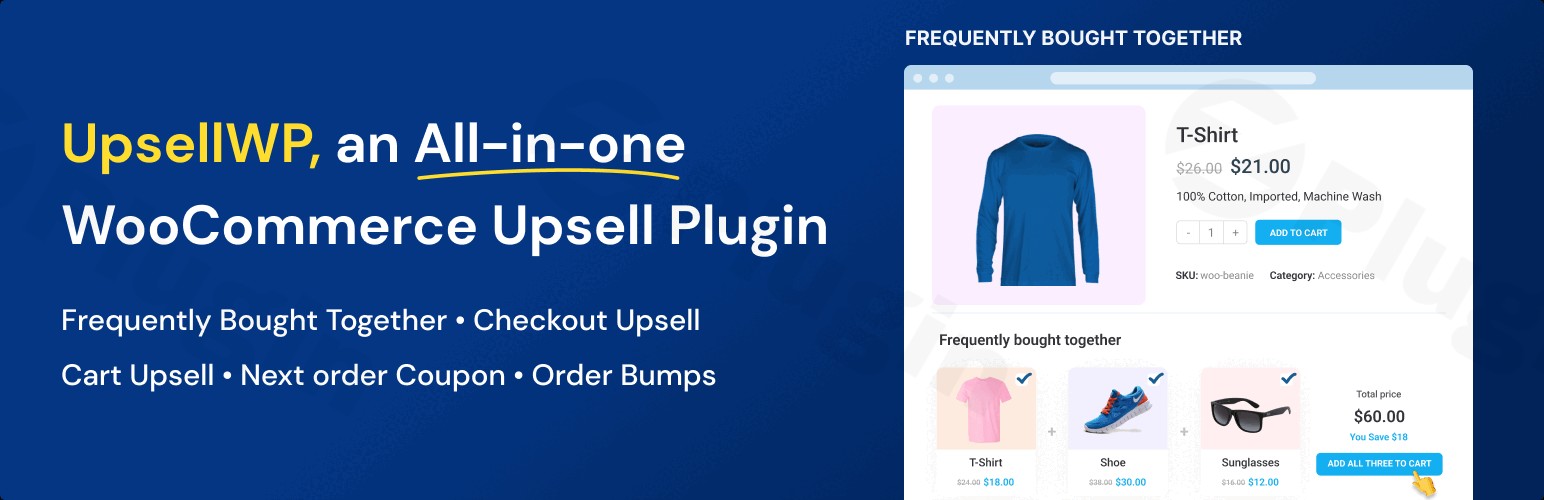
UpsellWP Pro is a powerful WooCommerce upsell plugin meticulously crafted to supercharge your online store’s revenue by strategically implementing upsell, cross-sell, and order bump functionalities. For any WooCommerce store owner looking to increase WooCommerce sales and significantly boost their Average Order Value (AOV), UpsellWP Pro provides the essential tools to convert one-time transactions into highly profitable, expanded purchases. It addresses the common challenge of maximizing each customer interaction, turning every checkout into an opportunity for growth.
Key Features: Elevate Your WooCommerce Sales Strategy
UpsellWP Pro distinguishes itself with a comprehensive suite of features designed to cover every touchpoint of the customer journey, making it a leading solution for WooCommerce order bump and sales optimization.
- Diverse Offer Types for Maximum Impact: Beyond basic product recommendations, UpsellWP Pro offers an impressive array of offer types:
- Checkout Order Bumps: Present compelling, one-click offers directly on the checkout page, ideal for capturing last-minute impulse buys and increasing the total order value without interrupting the customer’s flow.
- Cart Upsells: Display complementary products on the cart page, encouraging customers to add more items as they review their selections.
- Post-Purchase Upsells: Engage customers immediately after their order is complete with exclusive one-click offers, a highly effective strategy for securing additional sales before they leave your site. This is a crucial “post purchase upsell WooCommerce” feature.
- Frequently Bought Together: Create “Amazon-style” product bundles on product pages, intelligently suggesting items commonly purchased together, making it an excellent WooCommerce cross-sell plugin for smart product pairing.
- One-Click Upsells: Streamline the buying process by allowing customers to accept offers and add them to their cart instantly, eliminating page refreshes and reducing friction.
- Thank You Page Upsells: Extend the shopping experience by presenting attractive offers on the order confirmation page, nurturing further engagement.
- Upsell Popups: Trigger attention-grabbing pop-ups with relevant upsell offers at various strategic points, such as when an item is added to the cart.
- Product Add-ons: Offer valuable extras, upgrades, or customizations directly on product pages, positioned before the “Add to Cart” button, enhancing the perceived value of the main product.
- Double the Order: Provide a simple, one-click option for customers to instantly double their order quantity, perfect for consumable or frequently used products.
- Next Order Coupons: Generate unique discount codes to incentivize repeat purchases, fostering long-term customer loyalty and lifetime value.
- Advanced Targeting & Personalization: Leverage smart targeting based on precise criteria like cart contents, subtotal, customer type, purchase history, and real-time user behavior to ensure your offers are always relevant and highly converting.
- Customizable Templates & Flexible Placement: Maintain your brand identity with fully editable offer designs. You have granular control over exactly where offers appear on your cart and checkout pages, ensuring seamless integration with your store’s aesthetic.
- One-Click Functionality: Enhance user experience and boost conversions by enabling customers to add upsell products to their cart instantly, without any disruptive page reloads.
- A/B Testing (Pro Feature): Optimize your upselling strategies with data. The Pro version allows you to test different offer variations to identify the most effective ones, ensuring you’re always maximizing your revenue potential.
- Automated Product Recommendation Algorithms (Pro Feature): The Pro version takes personalization a step further by using advanced algorithms to deliver truly personalized product suggestions, driving higher engagement and conversions.
- Performance Analytics: Gain valuable insights into your campaigns. Track conversion rates, revenue generated from each offer, and overall campaign performance to make data-driven decisions.
- Zero Coding Required: Designed for ease of use, UpsellWP Pro allows for quick setup and management of complex upsell funnels without requiring any coding knowledge, making it accessible to all WooCommerce store owners.
Installation & Setup: Get Started with UpsellWP Pro
Installing UpsellWP Pro is a straightforward process, designed for non-developers, ensuring you can quickly begin boosting your sales without technical hurdles. Here’s how to install UpsellWP Pro and get it configured for your WooCommerce store:
- Purchase and Download: First, purchase UpsellWP Pro from the official website. Once your purchase is complete, you’ll receive a download link for the plugin’s
.zipfile. - Upload to WordPress: Log in to your WordPress admin dashboard. Navigate to Plugins > Add New.
- Upload Plugin: Click the “Upload Plugin” button at the top of the page. Then, click “Choose File” and select the
.zipfile you downloaded earlier. Click “Install Now”. - Activate Plugin: After the installation is complete, click “Activate Plugin”.
- License Activation: Once activated, you’ll typically find a new menu item for UpsellWP Pro in your WordPress dashboard (often under WooCommerce or a dedicated menu). Navigate to the plugin’s settings and enter your license key to activate all features and receive updates.
- Configure Your First Offer: Now you’re ready to create your first upsell or order bump campaign. For instance, to learn how to add order bumps to WooCommerce checkout, navigate to the UpsellWP Pro settings. You’ll find intuitive interfaces to set up various offer types, define targeting rules, and customize the design to match your store.
Practical Usage & Best Practices: Maximizing Your AOV
UpsellWP Pro integrates seamlessly into your daily WooCommerce workflow, enabling you to implement sophisticated sales strategies with ease. Here are a few concrete use cases and best practices to help you increase WooCommerce sales effectively:
- Boost Checkout AOV with Strategic Order Bumps:
- Scenario: A customer is about to complete a purchase for a laptop.
- Best Practice: Create an order bump offer on the checkout page for a complementary item like a “premium laptop sleeve” or “extended warranty” at a slight discount. Since it’s a one-click add-on, the customer can easily accept it without leaving the checkout, significantly boosting your Average Order Value.
- Leverage Post-Purchase Upsells for Instant Repeat Business:
- Scenario: A customer just bought a coffee machine from your store.
- Best Practice: Immediately after the purchase (on the thank you page or a dedicated post-purchase offer page), present a one-click offer for “speciality coffee beans” or a “descaling solution” for their new machine. This captures additional revenue when buyer intent is highest and sets the stage for future purchases.
- Create “Frequently Bought Together” Bundles to Enhance Product Discovery:
- Scenario: A customer is viewing a specific camera lens.
- Best Practice: Utilize the “Frequently Bought Together” feature on the product page to suggest items like a “UV filter,” a “lens cap set,” or a “microfiber cleaning cloth.” This not only increases the initial order size but also improves product discovery, mirroring successful strategies seen on major e-commerce platforms.
- Personalize Offers with Advanced Targeting for Higher Conversion Rates:
- Scenario: You want to offer a discount on premium dog food only to customers who have previously purchased dog treats.
- Best Practice: Use UpsellWP Pro’s advanced targeting options to create an upsell offer specifically for users with a purchase history of dog treats. The personalized offer will resonate more strongly, leading to higher conversion rates compared to generic promotions.
FAQ & Troubleshooting
Here are answers to common questions about UpsellWP Pro to help you get the most out of this powerful plugin.
What is the best upsell plugin for WooCommerce?
While “best” can be subjective, UpsellWP Pro is consistently ranked as one of the top choices for a WooCommerce upsell plugin due to its comprehensive features, diverse offer types (including checkout order bumps, post-purchase upsells, and frequently bought together), advanced targeting, and user-friendly interface. Its all-in-one approach to increasing AOV makes it a strong contender for any serious WooCommerce store.
How does UpsellWP Pro work for WooCommerce?
UpsellWP Pro works by allowing store owners to create and display various types of product recommendations and offers at strategic points in the customer journey within a WooCommerce store. This includes pre-purchase (product add-ons, frequently bought together), during purchase (cart upsells, checkout order bumps), and post-purchase (thank you page upsells, one-click post-purchase offers). The plugin provides a drag-and-drop interface and targeting rules to define what offers are shown, to whom, and where, all aimed at increasing the Average Order Value (AOV) and overall revenue.
Can I create order bumps with UpsellWP Pro?
Yes, absolutely. UpsellWP Pro is specifically designed to create powerful order bumps for your WooCommerce checkout. It allows you to design compelling, one-click offers that appear directly on the checkout page. These can be specific products, services, or discounts that customers can easily add to their existing order before finalizing their purchase, significantly contributing to a higher AOV.
Is UpsellWP Pro compatible with popular WooCommerce themes and plugins?
Yes, UpsellWP Pro is built with broad compatibility in mind. It is designed to work seamlessly with most WordPress themes, with specific mention of compatibility with popular options like Flatsome and Woodmart. It also integrates well with major WooCommerce extensions such as WooCommerce Subscriptions, WPML for multilingual sites, and LocoTranslate. Furthermore, it has been tested and confirmed compatible with performance plugins like SiteGround’s Speed Optimizer.
What WordPress and WooCommerce versions does UpsellWP Pro support?
UpsellWP Pro is regularly updated to ensure full compatibility with the latest versions of WordPress and WooCommerce. As of recent updates (July 2024), it supports WordPress 6.6 and WooCommerce 9.1, demonstrating its commitment to staying current with the evolving WordPress ecosystem.
Conclusion: Your Partner in WooCommerce Revenue Growth
UpsellWP Pro stands out as an indispensable WooCommerce upsell plugin for any online store aiming to maximize its revenue potential. By offering an extensive suite of upsell, cross-sell, and WooCommerce order bump functionalities, it empowers store owners to strategically engage customers at every stage of their buying journey. Its user-friendly interface, robust feature set, and strong compatibility make it a reliable choice for increasing Average Order Value and driving sustainable growth. With UpsellWP Pro, you’re not just selling products; you’re building a smarter, more profitable e-commerce experience.
I. Download Limits & Account Benefits
- Free Downloads: Each email address receives 3 downloads per day for free products
- Upgrade Benefits: Purchase any paid product to increase your daily download limit by 3 for each paid product
- No Account Required: You can download immediately by receiving the download link via email
- Account Recommended: Create an account for easier access to your order history and direct update downloads
II. Understanding GPL vs Official Versions
Important: The products available on WPPick are GPL-licensed versions, which differ from official developer versions. Before purchasing, please read our comprehensive guide: Understanding GPL & Official Differences at WPPick
Key Points:
- GPL versions may not include premium support from original developers
- Updates may be delayed compared to official releases
- Some premium features might have limitations
- Always consider your specific needs and support requirements
III. Support & Assistance
We’re here to help through multiple channels:
- Email Support: Direct email assistance for all inquiries
- Live Chat: Real-time support during business hours
- Comprehensive Documentation: Detailed guides and tutorials
IV. Order Tracking
Access your complete purchase history and download links anytime: Order History
V. Account Access
New to WPPick? Login or Create Account to manage your downloads and orders efficiently.
VI. Refund Protection
We stand behind our products with a clear refund policy. Review our terms: Refund Policy
VII. Privacy & Security
Your data security is our priority. Learn how we protect your information: Privacy Policy
VII. Terms of Service
Understanding our service terms ensures a smooth experience: Terms of Use
Quick Tips for Best Experience
- Verify Compatibility: Check plugin/theme compatibility with your WordPress version
- Backup First: Always backup your site before installing new plugins or themes
- Test Environment: Consider testing on a staging site first
- Stay Updated: Regularly check for updates in your account dashboard
- Read Documentation: Review any included documentation for optimal setup
Need Help?
If you have questions about downloads, licensing, or need technical assistance, don’t hesitate to contact our support team. We’re committed to ensuring you have the best possible experience with WPPick products.
Ready to get started? Your download adventure begins with just one click!
- Changelog not available in this release