

Vitepos Pro – Use Your Online Store As Local Store With Vitepos
/Year
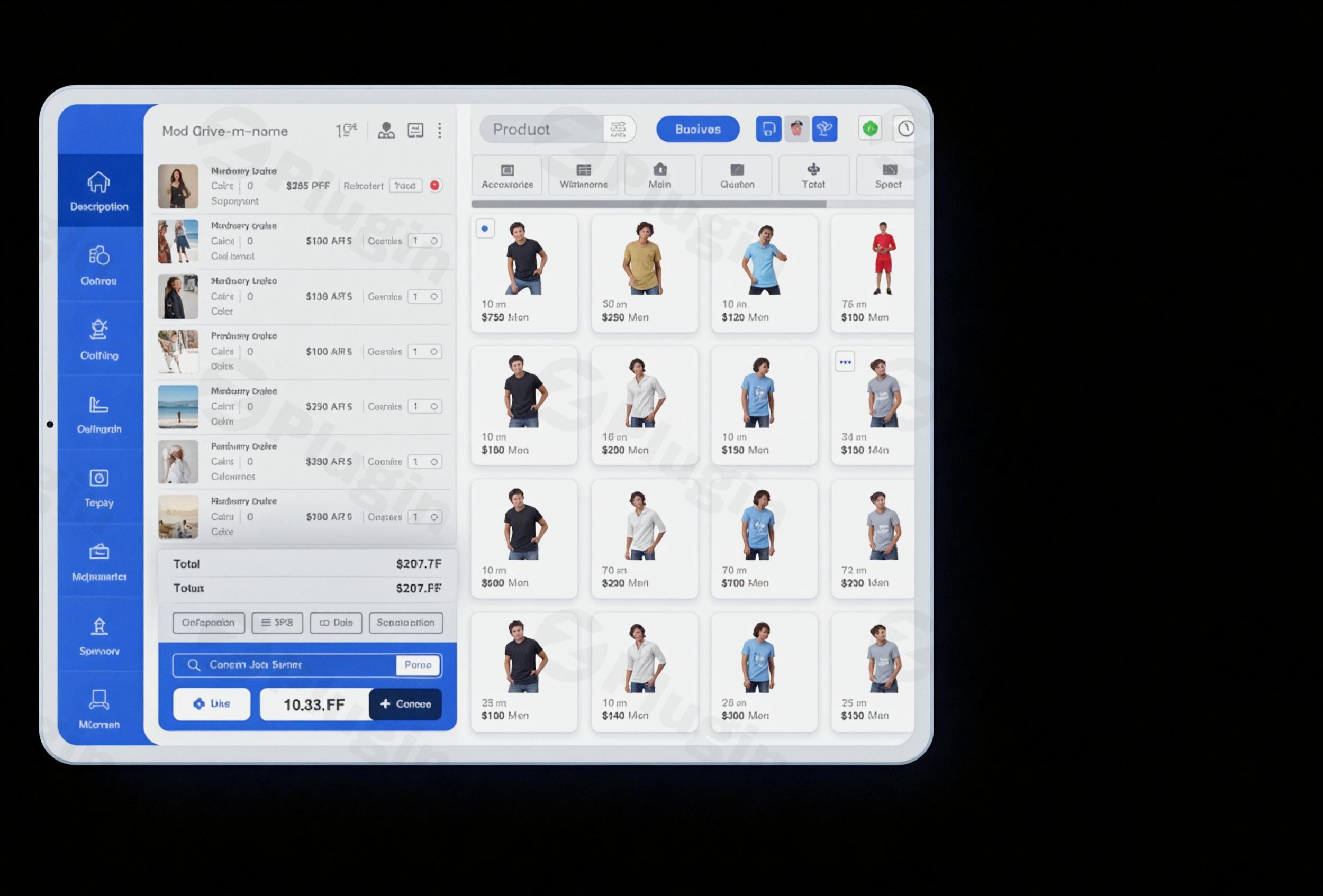
In today’s omnichannel retail environment, bridging the gap between your online store and physical shop is no longer optional—it is a necessity. Vitepos Pro is a comprehensive WordPress POS system designed to transform any WooCommerce website into a high-performance local retail operation. By providing a bridge between digital inventory and face-to-face sales, this plugin helps business owners manage their entire ecosystem from a single dashboard.
Whether you run a boutique, a grocery store, or a busy restaurant, using a dedicated WooCommerce POS plugin like Vitepos Pro ensures that your inventory, customers, and orders remain synchronized in real-time, eliminating the risk of overselling and simplifying your daily workflow.
Key Features of Vitepos Pro
Vitepos Pro is built as a Single Page Application (SPA), meaning it is incredibly fast and responsive. Below are the core Vitepos Pro features that set it apart from traditional point-of-sale systems.
1. Real-Time WooCommerce Synchronization
The most critical benefit of Vitepos Pro is its deep integration with your database. Every time a sale is made in your physical store, the stock levels on your WooCommerce site are updated instantly. This bidirectional sync covers:
- Inventory Levels: No more manual stock adjustments.
- Customer Data: Recognize returning customers and apply loyalty rewards.
- Order History: View all sales (online and offline) in one central location.
2. Advanced Offline Mode
One of the standout capabilities of this offline POS WooCommerce solution is its ability to function without an active internet connection. If your Wi-Fi drops, your cashiers can continue processing sales. Once the connection is restored, Vitepos Pro automatically syncs the data back to your WordPress database.
3. Multi-Outlet and Counter Management
For growing businesses, Vitepos Pro offers robust multi-outlet POS WordPress capabilities. You can create multiple “Outlets” (physical locations) and assign specific “Counters” (cash registers) to each. This allows for centralized management of a sprawling retail empire from a single WordPress admin panel.
4. Barcode Scanning and Generation
Speed up your checkout process with the integrated barcode scanner POS plugin functionality. You can use handheld scanners or even a mobile device’s camera to scan items. Additionally, the plugin allows you to generate and print barcodes for products that don’t already have them.
5. Flexible Payments and Split Tenders
Give your customers options. Vitepos Pro supports:
- Cash and Card payments.
- Split Payments: Allow customers to pay using a mix of cash and credit.
- Custom payment methods to suit local market needs.
How to Install Vitepos Pro on WooCommerce
Setting up your WordPress POS system is straightforward and does not require coding knowledge. Follow these steps to get started:
- Purchase and Download: Obtain the Vitepos Pro plugin file from the official developer (appsbd) or your preferred marketplace.
- Upload to WordPress: Log in to your WordPress admin dashboard. Navigate to Plugins > Add New > Upload Plugin. Select the
.zipfile and click Install Now. - Activate: Once the installation is complete, click Activate.
- Initial Configuration: Go to the new Vitepos menu in your sidebar. Navigate to Settings to define your store’s business type (Retail or Restaurant) and set your default currency.
- Create an Outlet: Navigate to Outlets and click “Add New.” Provide the address and details for your physical store.
- Assign Staff: Create a “Counter” for your outlet and assign staff members (Cashiers or Managers) to it.
- Launch the POS: Click the “Launch POS” button to open the fast, browser-based sales interface.
Practical Usage & Best Practices
To get the most ROI from Vitepos Pro, it is important to tailor the configuration to your specific business model.
Ideal for Retail & Grocery Stores
Use the barcode scanning feature to manage high-volume inventory. Best practice: Use the “Hold Cart” feature if a customer forgets an item, allowing you to serve the next person in line without losing the current transaction data.
Ideal for Restaurants and Cafes
Vitepos Pro includes a dedicated Restaurant Mode. This allows for table management, kitchen order printing, and specific service-based workflows. It transforms your WooCommerce store into a full-featured restaurant management system.
Best Way to Manage Staff
Utilize the Role-Based Staff Permissions. Instead of giving everyone full access to your WordPress backend, Vitepos allows you to limit cashiers to the POS interface only. This enhances security while simplifying the user experience for your employees.
FAQ & Troubleshooting
What is Vitepos Pro?
Vitepos Pro is a professional Point of Sale (POS) plugin for WordPress that allows business owners to sell their WooCommerce products in physical locations. It synchronizes stock, orders, and customers in real-time between the online store and the local shop.
Does Vitepos Pro support offline sales?
Yes, Vitepos Pro features a robust offline mode. If your internet connection fails during a transaction, the POS will continue to function. All data is stored locally in the browser and will automatically synchronize with your WooCommerce store once you are back online.
Is Vitepos Pro compatible with mobile devices?
Absolutely. Vitepos Pro is built with a responsive design. It works perfectly on desktops, tablets (iPad/Android), and smartphones. On mobile devices, you can even use the built-in camera as a barcode scanner.
Do I need expensive hardware to use this POS?
No. Because Vitepos Pro is browser-based, you can use any existing laptop, tablet, or PC. It supports standard receipt printers, cash drawers, and barcode scanners, meaning you don’t need to buy proprietary, expensive POS hardware.
How can I update the plugin without losing my settings?
You can update Vitepos Pro directly through the WordPress Plugins page. Your settings, outlets, and sales data are stored in your database and will remain intact during the update process. However, it is always a best practice to perform a full site backup before updating any plugin.
Final Verdict: Why Choose Vitepos Pro?
If you are looking for a way to turn your online shop into a local powerhouse, Vitepos Pro is one of the most efficient solutions on the market. Unlike many competitors that charge high monthly subscription fees, Vitepos Pro offers a feature-rich experience—including multi-outlet management and offline synchronization—that provides incredible value for money.
By choosing this WooCommerce POS plugin, you are investing in a system that grows with your business, scales across multiple locations, and ensures that your physical and digital sales channels work in perfect harmony. For more reviews and WordPress tips, visit wppick.com.
I. Download Limits & Account Benefits
- Free Downloads: Each email address receives 3 downloads per day for free products
- Upgrade Benefits: Purchase any paid product to increase your daily download limit by 3 for each paid product
- No Account Required: You can download immediately by receiving the download link via email
- Account Recommended: Create an account for easier access to your order history and direct update downloads
II. Understanding GPL vs Official Versions
Important: The products available on WPPick are GPL-licensed versions, which differ from official developer versions. Before purchasing, please read our comprehensive guide: Understanding GPL & Official Differences at WPPick
Key Points:
- GPL versions may not include premium support from original developers
- Updates may be delayed compared to official releases
- Some premium features might have limitations
- Always consider your specific needs and support requirements
III. Support & Assistance
We’re here to help through multiple channels:
- Email Support: Direct email assistance for all inquiries
- Live Chat: Real-time support during business hours
- Comprehensive Documentation: Detailed guides and tutorials
IV. Order Tracking
Access your complete purchase history and download links anytime: Order History
V. Account Access
New to WPPick? Login or Create Account to manage your downloads and orders efficiently.
VI. Refund Protection
We stand behind our products with a clear refund policy. Review our terms: Refund Policy
VII. Privacy & Security
Your data security is our priority. Learn how we protect your information: Privacy Policy
VII. Terms of Service
Understanding our service terms ensures a smooth experience: Terms of Use
Quick Tips for Best Experience
- Verify Compatibility: Check plugin/theme compatibility with your WordPress version
- Backup First: Always backup your site before installing new plugins or themes
- Test Environment: Consider testing on a staging site first
- Stay Updated: Regularly check for updates in your account dashboard
- Read Documentation: Review any included documentation for optimal setup
Need Help?
If you have questions about downloads, licensing, or need technical assistance, don’t hesitate to contact our support team. We’re committed to ensuring you have the best possible experience with WPPick products.
Ready to get started? Your download adventure begins with just one click!
- VariFactu QR code support integrated into Vitepos with Factupress.
- Unit tax percentage displayed on receipts.
- Addon radio and checkbox buttons now appear larger.
- QR code image download issue in tables resolved.
- Barcode scanning issue for variable products in stock and barcode module fixed.
- Product gallery image upload issue corrected.
- Jetpack conflict issue resolved.
- Updated translations applied.